Buy anything from 5,000+ international stores. One checkout price. No surprise fees. Join 2M+ shoppers on Desertcart.
Desertcart purchases this item on your behalf and handles shipping, customs, and support to Japan.
🚀 Elevate your live production game with pro-grade streaming made effortless!
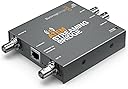
The Blackmagic Design ATEM Streaming Bridge is a compact, plug-and-play device that converts ATEM Mini Pro program outputs into high-quality streams over gigabit Ethernet. It enables clean HDMI feeds for guest monitors and backstage viewing, supports adjustable bitrates up to 70 Mbps, and requires no complex network setup—perfect for mobile and professional remote broadcast studios.
| ASIN | B08F264NCJ |
| Best Sellers Rank | #93,911 in Electronics ( See Top 100 in Electronics ) #370 in Streaming Media Players |
| Brand | Blackmagic Design |
| Color | grey |
| Compatible Devices | ATEM Mini Pro units |
| Connector Type | Auxiliary |
| Customer Reviews | 4.5 out of 5 stars 124 Reviews |
| Finish | Matte |
| Global Trade Identification Number | 09338716006841 |
| Item Dimensions | 5.8 x 5.5 x 2.6 inches |
| Item Weight | 204 Grams |
| Item dimensions L x W x H | 5.8 x 5.5 x 2.6 inches |
| Manufacturer | Blackmagic Design |
| Mfr Part Number | SWATEMMINISBPR |
| Model Number | SWATEMMINISBPR |
| Number of Items | 1 |
| Number of Ports | 3 |
| Package Quantity | 1 |
| Specific Uses For Product | Remote Broadcast Studio |
| Unit Count | 1.0 Count |
| Warranty Description | Manufacture |
J**M
Works perfect out of the box for Atem Mini Pro
Perfect match for the ATEM Mini Pro. Just plugged it up and worked no configuring needed for my setup and need. All I needed was a clean program output to guest monitors to show a live view of the program out. Its unfortunate that the Atem Mini Pro does not have a HDMI clean feed out just the MultiView out. But this removes that gap. I built a mobile cart - I have a gigabit network switch that I connect this to and then my atem mini pro connects to the switch as well and they just see each other. No network admin needed! - for my setup. I have two computers on this mobile setup that are also connected to the switch as well and both computers running the software see the bridge, automatically when the bridge is turned on! I must also report I use Macs not PC's Once you have everything turned on and then launch the ATEM software on the computer/s it/they will see the streaming bridge and then you can then select the record / stream quality you want! I'm running the latest atem update as of 4/14/2021. I was concerned at first because I record using the Mini Pro I don't use it for streaming, I'm rare I think. I was worried it had a fixed bitrate but no it does not. It will stream out whatever quality you set it for. Using the Atem for a recorder only saves me multicam editing after a theater or dance production by doing live edits by multi switching. I then will upload the stream at home and have it online the next day or so and that satisfies our clients. Because with the Atem Mini Pro you cant stream one quality and then record another. You have to step up to more expansive setup with blackmagic for that. This price point has to cut off some options. To start the feed to the streaming bridge you first select Atem Streaming Bridge as your output option in the ATEM software control, mine automatically selected the first time I ran the software. Then on the stream quality I run Hyperdeck High which gives me up to 70 mbps recording which My cameras will push that when running with motion and the quality is the same as the cards directly at the cameras.! Start it by pressing the on air button then about a second or 2 the stream will be displayed on your monitors. There's a second delay or so but that's to be expected. If you want to kill the bridge program feed just press the off air button. To start again press on-air - its the easy button! I needed to be able to send a program clean feed to a sales table and backstage for a live look for guest and talent. I use a HDMI splitter and transmit a signal with an hdmi transmitter to one and then a very long HDMI cable run with a booster to another. I will also use my laptop as a HDMI input on the Atem mini pro to show samples and commercials between shows and sometimes I take the SSD hard drive that was just recording and connect that to the laptop and play that after the show so people can watch the show that just happened as a sample. Very satisfied with all blackmagic design products - noting but pure genius at a price us small time video producers can afford! Giving us the ability to provide a truly professional service and appear larger than we really are!
M**N
Excelente producto y todo salio muy bien.
D**T
Perfect!! Exactly as described
Exactly as described.. runs for hours no issues.
D**T
Reliable. Durable. Expands capabilities of ATEM Mini.
If you're using the ATEM Mini Switchers, this is a necessity. Works great, and allows you to utilize a separate feed on your switcher for MultiView/Program via the Ethernet port, while freeing up the "HDMI-Out" port for other things. Also great for point-to-point RTMP streaming when paired with another ATEM Streaming Bridge. Highly Recommend.
K**N
Only way to get video out without giving up multi view.
Had trouble connecting computer with set up. Switched from USB cable to ethernet and it worked fine. You need to go back to factory default to get setting to show up in ATEM mini pro output, When linked it does not show settings anymore.
S**I
GREAT Product!!!
Works exactly as promised and the price is right. Does everything I want and more.
J**Y
Splitter
Buena compra
W**L
Exactly what it said it would do
I can connect to a remote ATEM mini pro now and change the output to QA at Studio - connects with very little latency from external internet. Met the expectations!
G**S
Excellent
Excelente equipo, muy útil para transmisión
の**う
ATEM Mini Proとセットで
常設のLANが使える場合には布線の手間が減るので大変便利だと思います。 事前にペアの設定が出来ていれば、ON AIRのボタンを押すだけですのでATEM Mini Proとセットにしています。 インターネット越しの場合はキーを一致させる手間が増えますが、数回やればそんなに難しいことではないので、 回線さえ安定していれば手軽に高画質な映像を送れるので便利です。 1対nで使えると便利なのですが。
W**N
Funktioniert leider nicht so wie im Manual beschrieben
Die Funktion, die die ATEM Streaming Bridge bietet, wünsche ich mir schon länger. Es wäre ein "Nice To Have" einen H.264 codierten Stream sofort wieder zu dekodieren und über HDMI an einen Monitor auszugeben. Direkt, ohne Netzwerk, ohne Internet. Beim Lesen des ATEM Mini Manuals hatte ich die Beschreibung der ATEM Streaming Bridge leider immer überblättert. Es funktioniert angeblich ganz einfach, insbesondere die Direktverbindung von Mischer und Streaming Bridge per LAN-Kabel. Somit könnte ich den HDMI-Ausgang des Mischers für die Multi-View Ansicht verwenden und den LAN-Anschluß für die Programm-Ansicht. Ich war nicht gleich zum Kauf entschlossen. Die Bridge ist aus meiner Sicht viel zu teuer, sie kostet nur ca. 10 % weniger als der Mischer ATEM Mini Pro. Der Mischer kann aber viel viel mehr. In der Vorwoche habe ich die Bridge dann doch bestellt und umgehend geliefert bekommen. Donnerstag Abend war sie da. Ich begann sofort mit der Installation und mit Tests. Völlig erfolglos. Dabei ist der ATEM Mini Pro auch fast neu - geliefert im November 2023. So wie es im Manual steht funktioniert die Direktverbindung nicht. Ich will aber nur die Direktverbindung nutzen. Immer wenn ich On-Line drücke versucht der Mischer zu streamen! Aber an "Facebook" (das ist der erste Eintrag in der Plattform-Liste). Freitag Vormittag habe ich das aktuelle Atem Mini Manual von der Blackmagic Design Webseite heruntergeladen (Ausgabe September 2023, siehe Seite 687 ff). Ich hoffte auf eine genauere Beschreibung. Es gibt aber bei diesem Kapitel keinen Unterschied zur Beschreibung die ich hatte (Ausgabe Februar 2021). Freitag Nachmittag habe ich Produkt Support bei Amazon angefordert. Telefonisch konnte mir nicht geholfen werden. Ich erhielt eine Telefonnummer in Wien für einen Servicepartner von Blackmagic Design. Deren Anrufbeantworter informierte mich, dass ich außerhalb der Geschäftszeit anrufe und Montag früh wieder anrufen soll. Den gleichen Verweis auf Montag früh fand ich auch auf der Support-Website von Blackmagic Design in UK. So lange nichts tun wollte ich nicht. Samstag habe ich es mit der zweiten Verbindungsmöglichkeit über Netzwerk probiert. Das hat zunächst geklappt. Die Atem Streaming Bridge steht am Ende der Plattform-Liste und ist auch ausgewählt. Die Programmausgabe erscheint auf dem an die Bridge angeschlossenen Monitor. Ich kann die LAN-Verbindung umstecken auf Direktverbindung zwischen Mischer und Streaming Bridge, es geht (Latenz ca. 0,2 bis 0,3 Sekunden). Aber das ist nicht von Dauer, siehe weiter unten. Im Manual fehlt aus meiner Sicht ein Hinweis, dass die Direktverbindung erst geht, wenn es vorher eine Verbindung über Netzwerk gegeben hat. Noch besser wäre, wenn es wirklich automatisch funktioniert bei Direktverbindung. Ich habe 2 Lap-Tops mit ATEM Software Control. Also habe ich diese Prozedur ein zweites Mal gemacht, damit bei beiden die ATEM Streaming Bridge in der Plattform-Liste von ATEM Software Control steht. Mit dem Mischer zu Hause übe ich nur, einsetzen will ich das in der Kirche. Dort habe ich einen weiteren ATEM Mino Pro. Der ist ein Jahr älter (geliefert im November 2022). Meinen Router und Lap-Top habe ich mitgenommen, es war mir klar, dass die Direktvervindung erst geht, wenn es zuvor eine Netzwerkverbindung gegeben hat. Leider ist es mit diesem Mischer überhaupt nicht gegangen, auch nicht über Netzwerkverbindung. Obwohl Mischer und Streaming Bridge auf DHCP eingestellt sind bei den Netzwerk-Settings. Ich bin somit nun überzeugt, dass die ATEM-Streaming Bridge und das Zusammenspiel mit den Mischern nicht so problemlos funktioniert, wie es meines Erachtens funktionieren müsste. Umso mehr weil es dann auch zu Hause wieder Probleme gab. Jedes Mal wenn ich abschalte und wieder einschalte ist es ungewiss, ob die Direkt-Verbindung geht. Schalte ich ein, wenn der Mischer über USB mit dem Lap-Top verbunden ist und ATEM Software Control läuft (und die Streaming Bridge in der Plattform-Liste steht und ausgewählt ist) geht es. Es geht nicht wenn ich ohne USB-Verbindung einschalte bzw. wenn ATEM Software Control nicht läuft. Wenn ich jetzt den Lap-Top wieder per USB mit dem Mischer verbinde und ATEM Software Control starte ist die Streaming Bridge nicht mehr in der Plattform-Liste. Der Mischer will wieder an Facebook streamen. Ich habe ein Factory Reset gemacht und schicke die Streaming Bridge zurück.
塩**広
インターネット経由の設定は少し面倒。
ネットワークの知識がないと設定は難しいと思いました。幸い友人に詳しい者がいて直ぐにつながりました。ネットの詳しいことは分からなくても一度確率した方法を細かく手順の記録をしておけば再現は直ぐにできました。 但し、環境が変わればどうなるか、経験を積んでいきたいと思います。
Trustpilot
1 month ago
3 weeks ago