Desertcart purchases this item on your behalf and handles shipping, customs, and support to Japan.
๐ Elevate your home WiFi gameโbecause buffering is so last decade!
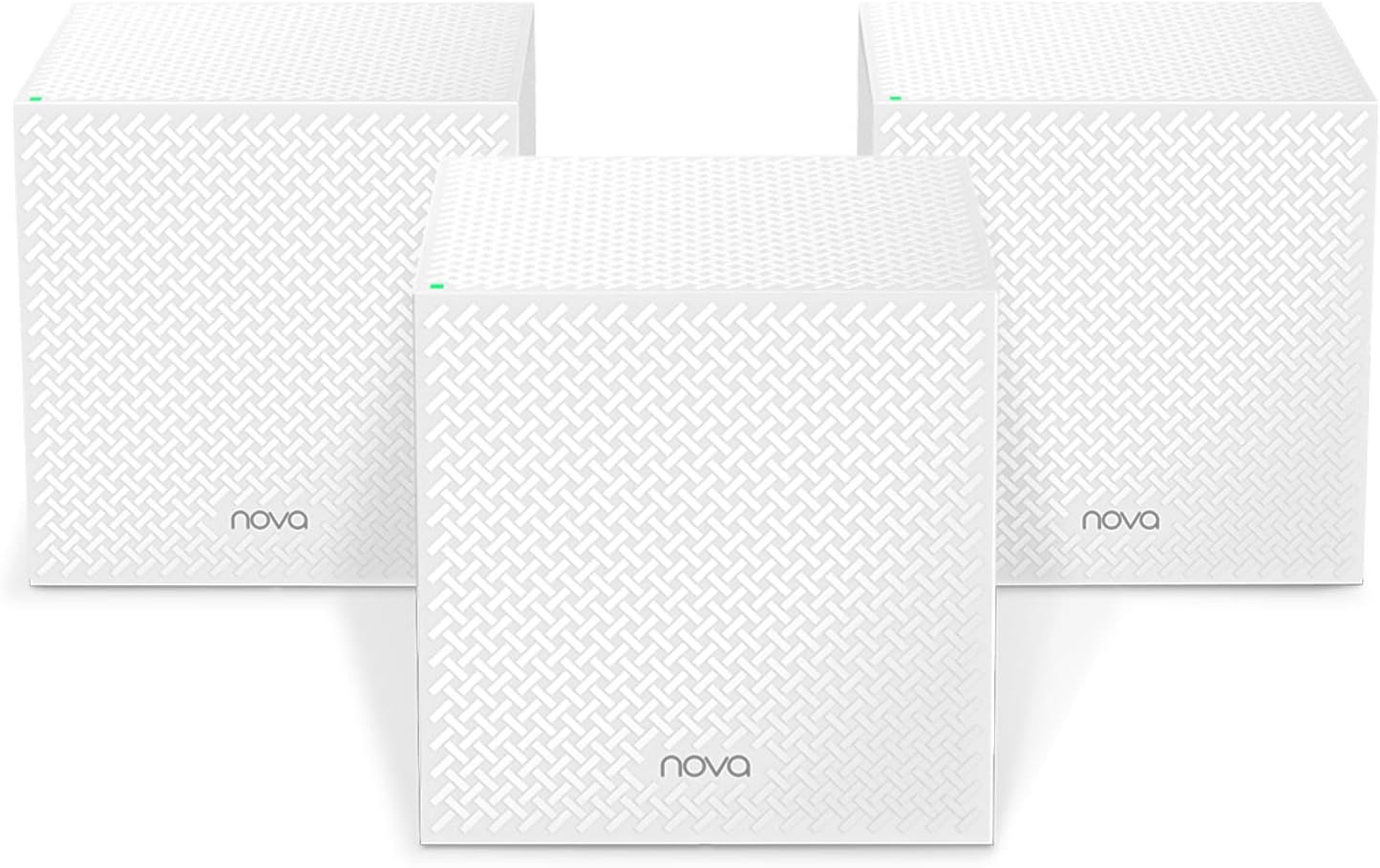
The Tenda Nova MW12 Mesh WiFi System is a tri-band AC2100 solution designed to deliver seamless, high-speed WiFi coverage up to 6000 sq.ft. Its 3-pack nodes replace traditional routers and extenders, supporting up to 120 devices with gigabit Ethernet ports for wired connections. Easy app-based setup and Alexa compatibility empower users with remote control and smart home integration, making it ideal for demanding millennial professionals seeking reliable, whole-home connectivity.


| ASIN | B08B3BBGJH |
| Antenna Location | Home |
| Antenna Type | Internal |
| Best Sellers Rank | 5,501 in Computers & Accessories ( See Top 100 in Computers & Accessories ) 22 in Whole Home & Mesh Wi-Fi Systems |
| Box Contents | 1 Gigabit Ethernet Cable, 3 Power Adapters, NOVA MW12 3 Identical Mesh Points, Quick Install Guide |
| Brand | Tenda |
| Brand Name | Tenda |
| Compatible Devices | Laptop, Personal Computer, Smart Television, Smartphone, Tablet |
| Compatible devices | Laptop, Personal Computer, Smart Television, Smartphone, Tablet |
| Connectivity Protocol | Wi-Fi |
| Connectivity Range | 6000 Square Feet |
| Connectivity Technology | Ethernet, Wi-Fi |
| Control Method | App, Voice |
| Controller Type | App Control, Voice Control |
| Country of Origin | China |
| Coverage | 6000 square feet |
| Customer Reviews | 4.0 out of 5 stars 504 Reviews |
| Data Transfer Rate | 2100 Megabits Per Second |
| Frequency | 2.4 GHz |
| Frequency Band Class | Tri-Band |
| Frequency band class | Tri-Band |
| Has Internet Connectivity | Yes |
| Is Modem Compatible | No |
| Item Dimensions L x W x H | 10L x 10W x 10H centimetres |
| Item Weight | 318 Grams |
| LAN Port Bandwidth | 1000 Mbps |
| Manufacturer | Tenda |
| Manufacturer Part Number | Nova MW12 (3-pack) |
| Maximum Upstream Data Transfer Rate | 1050 Megabits Per Second |
| Model Name | MW12-3 |
| Model Number | MW12 |
| Model name | MW12-3 |
| Number of Antennas | 3 |
| Number of Ports | 3 |
| Operating System | Windows |
| Other Special Features of the Product | Remote Control |
| Router Network Type | hybrid |
| Security Protocol | WPA-PSK, WPA2-PSK, WPS |
| Special feature | Remote Control |
| Voltage | 12 Volts (AC) |
| Wi-Fi Generation | Wi-Fi 5 |
| Wireless Compability | 802.11ac |
| Wireless communication standard | 802.11ac |
K**D
Absolutely Transformed My Wi-Fi.
I bought the Tenda MW12-3 because the flat I live in has solid brick walls throughout and they absolutely kill the Wi-Fi signal from any router/hub I've had. Here's a little background. I'm a Virgin Media customer and to say that the Wi-Fi from the Hub 3 is woefully inadequate is the understatement of all understatements. It's so bad that I had to put it in modem mode and connect a separate router to get decent Wi-Fi in the same room as the Hub 3 sits. However, even the Wi-Fi signal from that Router could not maintain sufficient integrity through to the kitchen or bedrooms and when I upgraded my broadband to 500Mb the separate router just wasn't capable of those speeds so, I had to abandon it and revert back to the Virgin Hub 3. This just wasn't going to cut the mustard. Enter Tenda Mesh Wi-Fi! When browsing Mesh options, I opted on Tenda due to the cost and the overall favourable reviews they were receiving so, the price to quality ratio seemed too good to be true. Now that I'd settled on the brand, the next decision was which model should I choose. Given my experiences with the severe dampening effect the walls in my flat have on Wi-Fi signal, I was swithering between the MW6 and MW12. The MW12 seemed like overkill, given the coverage but, I was filled with dread at the thought of buying the MW6 and finding that these damned walls killed the signal from the Primary Node I'd have in the living room to the Secondary Nodes in the Bedroom and Kitchen. I therefore opted for the MW12 "Overkill" option. The MW12 was very easy to set up and I had all nodes set up in probably half an hour, most likely less than that. I would like to point out that many people say to put their Virgin Hub into Modem mode but, as I no longer had a separate Router for my Ethernet connected devices in the living room, I decided to simply try switching off the Wi-Fi on the Hub 3 and connecting the Primary Node to it to see if that would work first of all, and it did. It works perfectly. So, there's no need to put your Virgin Hub in Modem mode! To say my Wi-Fi experience has been transformative after switching to the Tenda MW12 doesn't even seem to do it justice. I would say though, and this is far from a negative to me, that the signal is so strong now that even when I'm in the bedroom, devices still seem to be connecting to the Primary Node in the living room and with a strong signal! So, perhaps for my flat and coverage needs, it was indeed overkill and the MW6 most likely would have been more than sufficient. I do not however regret the purchase as now I have a full, strong, reliable Wi-Fi signal in the second bedroom as well, which is my cinema room. I also like the fact that each node has 2 RJ45 outputs on them, which is great for connecting additional devices by ethernet to the nodes, which is sometimes a preferable option. If you are experiencing poor Wi-Fi signals, Tenda is the kit to get, in my honest opinion. Quality at a fantastic price and highly recommended. Just be sure to opt for the model that most appropriately suits your home, especially if you are on a budget. One final note; when I initially set up the system I was getting upwards of 300Mbps, usually close to and sometimes just over 400Mbps, when testing the Wi-Fi on my phone, whilst near the Primary node. This morning I noticed that this had dropped to around 100Mbps. This was not caused by the Tenda Wi-Fi, it was the pitiful Virgin Hub 3 at its best! I gave the Hub 3 a "quick" reboot and now I'm back to +300Mbps.
M**E
A massive upgrade to my home network
We live in an old brick house and the wifi upstairs was much slower than it should have been. We upgraded our EE internet to one of their newer superfast plans that required a new router, and found the slow speeds persisted, and that we were now suffering dropouts - an absolute nightmare when working from home. I did a bit of research into these mesh systems and decided to look for one with 3 bands as these seem to offer the best speeds - a dedicated band for internal communications can make a huge difference. When the package arrived it took just a few minutes to set everything up. I switched off wifi on the main router and connected one of these via cable to the main hub, and then used the app to set up this new network using the same network ID and password that the router had used (meaning there was no need to login and change passwords and the many many devices in the house), and then placed the remaining 2 at the 2 furthest points in the house from the router. With my router being in a front corner of the house, I popped one upstairs in the opposite front corner, and the other upstairs at the back of the house in the other corner (see cheesy diagram). Devices will switch seamlessly to whichever is closest for the best speeds. Both upstairs room had a PC in them, connected via wifi, so I could test the speeds and the difference was almost double speed using all popular speedtest services. Service dropouts became a memory. A few weeks later I connected both PCs to their local nest devices using ethernet cables and got another speedboost (around 30% more) and both PCs are now able to reach close to the theoretical max speed. These devices are easy to setup, perform really well, and provide excellent coverage. I'm able to use my wifi from the bottom of the garden now!
S**N
Simple, Fast, Elegant, Easy to install (if you know the trick). Lacks static IP optionLacks
WiFi has ben a constant problem in our moderately large, heavily connected house. No amount of extenders, cabling etc. ever fully removed dead spots and drop outs. Fast, tri-band mesh WiFi systems have been a bit too expensive to justify. The latest Tenda mesh is the exception. A bargain on Cyber Monday and decent value all the rest of the year, it's a stylish white cube, 100mm on a side and mercifully lacking in flashing lights. I bought the 3 pack. You pick one and plug it into your broadband or fibre modem instead of your current router, set it up; it becomes the primary device. Then simply plug the other cubes into the mains elsewhere in the house; they find the parent in a minute or so and become secondary WiFi points with no need to configure them. Once up and running the coverage is excellent and performance is excellent too thanks to a dedicated back channel. So far they have been very stable and fast. Setup should be super easy - no complex IP addresses to get in to a management portal via a browser (with dozens of settings home users really don't want); just plug the Primary cube in to your broadband box and turn on the power, download the iOS or Android app, connect your phone to the dedicated WiFi network it temporarily creates, then use the Setup screen that appears to set your own WiFi network (the same as your existing one is a good idea) and you are done. But... For me that just didn't work. No amount of reboots, WiFi connecting or swearing would persuade the Setup screen to appear. The app is rubbish at telling you why not. In a flash of insight, it occurred to me that sometimes your phone will route things via your mobile data connection. Turning data off on my phone brought it all to life and it really was simple after that. It's a shame Tenda haven't caught this obvious but disheartening bug. The other thing to watch out for is the lack of a Static IP address option. It's a major limitation for those of us with more advanced uses. I have multiple network-connected devices that need to be addressed via their IP address, so need a static IP assigned against their MAC address. This feature, standard on all the other routers, is simply absent. Hopefully it will arrive in a future update. Everything else is great and I'm no left with the pleasant problem of wondering what to use my redundant kit for.
O**D
Be wary if you value the security of your network!
Pros: WIf they remain stable they work OK. Multiple devices are able to stream without issue, video/Live TV etc. streams just fine most of the time. Cons: - Technical support is appalling, they rarely respond and when they do they have nothing useful to say - If the main node loses connectivity to your router the whole network goes down, so you can't reach anything on your home network if internet is not available! - Your SSID, passphrase and entire list of attached devices' MAC address, IP and name are sent unencrypted at regular intervals to an Alibaba server in the US, either from the App or the gateway Nova. - To compound this the Tenda App asks for location permission - why? A cynic might believe it makes the secure information gather more valuable? - RTT is poor and will fluctuate quite wildly (I have observed between 3ms and 120ms with little traffic). So if VoiP and latency are of concern to you keep this in mind. - The app can be flaky and quite temperamental. If you are using them in bridge mode and have a less than straightforward network setup you might have to tweak a bit, especially around UDP port 11112/3/4. - You have no control over which WiFi channels are used. Tenda say this is to allow the device to work optimally but it's quite frustrating when you can see many clear channels that you can't use and end up sharing the channel with your one and only neighbour! Based on the current security flaw, lack of support and unreliability I cannot recommend Tenda Nova unless you are willing and able to block certain outbound ports from the devices - but that might impact the functionality of the app. I eventually swapped these for tp-link Deco X60s and so far have not had a single issue!
A**R
UPS may be needed
Works very well, one in living room, one in front bedroom above living room, one on landing near office. WiFi around the whole house at speeds as if you are next to the router. 7-10 metres apart through walls. They don't need to be very near each other at all but there is a limit naturally and some logical thought is needed with positioning. Really very good Indeed. UPDATE: WiFi still good but very sensitive to any power disturbance/loss, need to pull out the power supply or sometimes reset when that doesn't work. It just won't recover on its own sometimes and needs full reset. Just bought an AVR UPS for router, WiFi & PVR due to dire rural electical problems, see how it goes. Update: The UPS seems to have fixed the need to reset / power off / on frequently. Now seems stable, one obvious power cut and no problem. Likely surge / sags also sorted as no other issues since the AVR UPS added.
A**F
Slow WiFi signal, regardless of location.
They are really easy to set up but, like many other users online, I have found sustainable throughput to be really low; 20Mbps on a 400Mbps connection. There is also a bug with the firmware whereby, after switching the mode to โbridgeโ, all of my devices started reporting their location as a city in Russia (I did not have Russian language or character set selected!) which is iffy, to say the least. Coverage is good though, so if youโre not worried about speed then these are good value.
N**R
First impressions - very good. ***Updated after one year***
I've been looking to upgrade my creaking wifi system (Powerline adapters with some wifi extenders) for some time. Mesh systems seemed to be the way to go, and after much research (do I need "backhaul"? Answer: probably not, but it's a good thing to have. Do I need Wifi6? At this stage, probably not), I plumped for this MW12 system. Was it the cheapest? No: I could have gone for MW3, MW5s, MW6s, which would have been a bit less. Was it the most expensive? Absolutely not: similar mesh systems from bigger "names" (Tp-link, Linksys, Asus, etc) were loads more: especially if you want tri-band (and therefore backhaul). But I knew I would probably need 4 nodes, and my budget was under ยฃ200; so this was really the only option. Setup was MUCH easier than I expected: - turn off wifi on your router (you don't have to do this, but it makes it easier later on) - connect the node to the router with an ethernet cable. It takes 30-40 seconds until the light stops flashing and turns solid green. This is now your "primary" unit (or "node"). - download the Tenda app, and find your node's network. - rename it with your original router's SSID and password. (You don't have to do this, but if you do, all your devices which currently connect to your router will seamlessly connect to you new network without you having to reconnect them all). This saves LOADS of time.... - plug in the remaining units somewhere near to the primary one (I did them one by one: don't know if it works if you plug them all in at once). - On the app, they should all appear: you can now move them around the house and make sure that they can all connect to at least one of the others. If you want to add an additional node that's not part of the original kit, go to the Tenda app, point your camera at the QR code on the bottom of it when it asks, and wait 30-40 seconds. For me, that was enough. This seems really complicated, but it actually isn't! I bought mine on Amazon Warehouse, so it didn't come with instructions: but they were easily found online. And now I have a mesh network running in my house, and the speed through it is much faster than before. On my son's PS5, he was getting 25MBps: that's now up to 60. So this is a VERY long review to say that I am very happy with my purchase...! **UPDATE*** This system has now been in our house for well over a year, and has been pretty stable throughout. We have upgraded our internet to FTTP 300MBps, and these send the signal through at that speed. I have added another node in my shed, which took under 10 mins. Still very happy with my purchase 18 months later.
P**R
Excellent wifi mesh system
Very impressed with these. I needed to upgrade the wifi coverage in a tricky old building with very thick walls. I purchased a total of 5 units to cover the whole house with line-of-sight through doorways. Maybe overkill, but the signal is now rock solid throughout the house, with no dropouts as you move around. >800Mbps link speed! Setup is simple: the first base unit correctly detected the TalkTalk network setup and didn't do anything silly like setting up double NAT. The remaining two units in the kit paired automatically. The app is easy to navigate,. The only slight issue was the "add another unit" menu option (needed to add the final two units from a second kit) is a bit hidden in the settings. I like the stubby, square design, which is easier to conceal than some of the taller designs. The satellites have screw slots underneath, so you can fix them to the wall - or even under a shelf. Each satellite unit has 3x LAN ports, which is really handy for wired equipment. Some of the mesh systems I looked at don't have any physical LAN ports on the remote units. The power leads are a bit short (1m) and use a barrel connector. I'd have preferred a USB-C connector, which would have given a bit more flexibility. That's about the only negative I can think of. All round an excellent, non-intrusive mesh solution.
P**H
Disappointing That Plugs Weren't Correct
The Tenda MW12 mesh units do everything they should however disappointment with Amazon as these were ordered via Amazon Australia but delivered from Amazon UK with electric plugs that were not useable in Australis and New Zealand. I would have expected either the correct plug configuration to be supplied or at least the three required adapters would have been supplied by Amazon so the mesh units were useable "out of the box".
D**S
Worth for it's price
Mw12 is way far better than mw3 mesh routers.
R**T
einfach Klasse
Ich halte mich kurz. Nach mehreren Versuchen mit Repeater und Co nun endlich stabiles Internet auf 2 Etagen und 200 qm. Installation ist mehr als einfach, wer schonmal einen Stecker in die Steckdose gesteckt hat und eine APP am Handy installiert hat, kann das in drei Minuten selbst installieren.
Trustpilot
3 weeks ago
2 months ago