Buy anything from 5,000+ international stores. One checkout price. No surprise fees. Join 2M+ shoppers on Desertcart.
Desertcart purchases this item on your behalf and handles shipping, customs, and support to Japan.
🖥️ Elevate your Pi setup with touch precision and vibrant clarity!
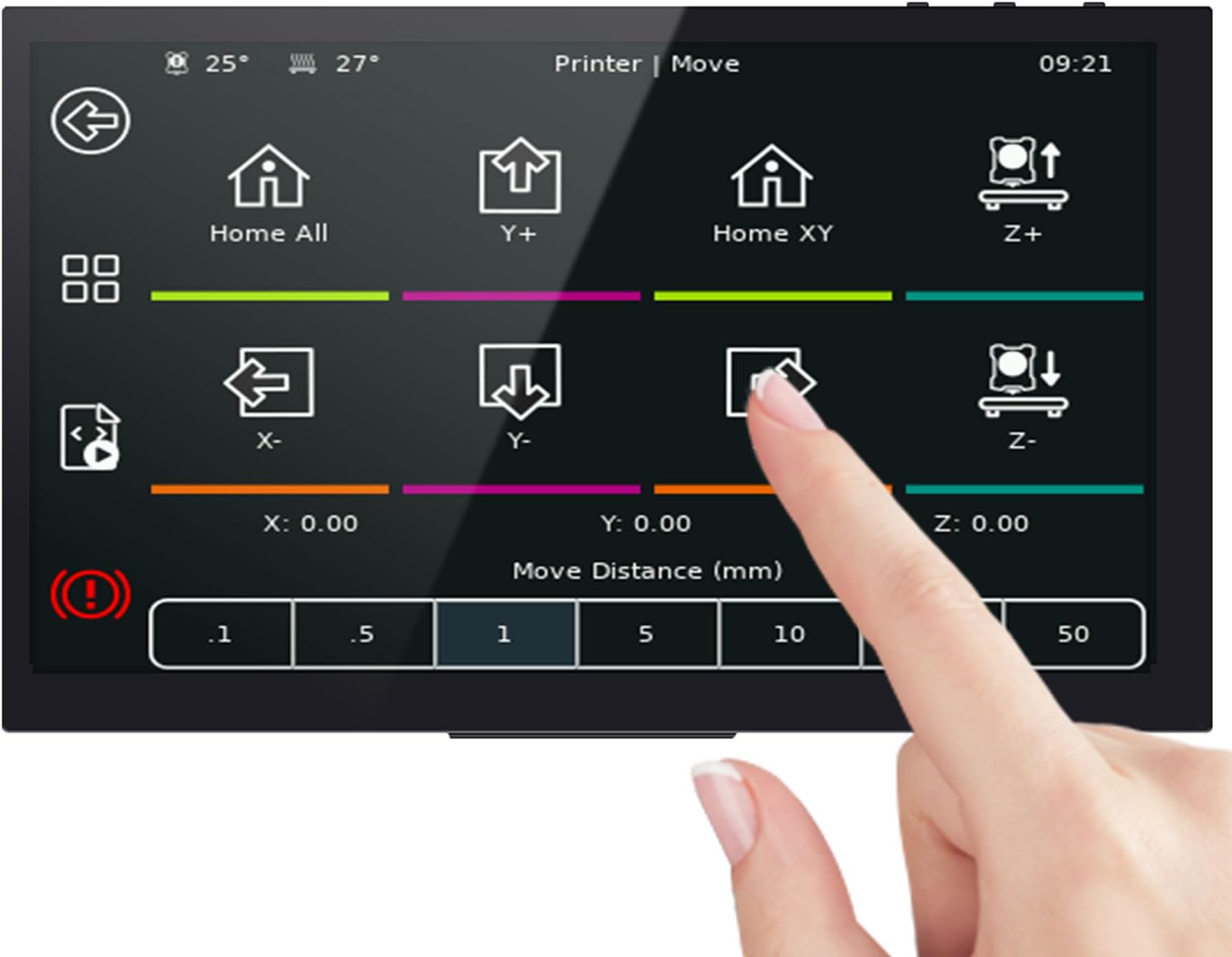
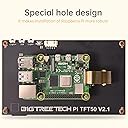
The BIGTREETECH PI TFT50 V2.0 is a 5-inch capacitive touchscreen LCD with an 800x480 resolution, designed specifically for Raspberry Pi. It draws power directly from the Pi’s 3.3V display interface, eliminating the need for external power. Featuring hardware backlight adjustment and a unique mounting design, it supports 5-point multi-touch input, making it an ideal upgrade for 3D printing interfaces and DIY projects.


| ASIN | B08FDGRXGF |
| Batteries Required? | No |
| Batteries included? | No |
| Best Sellers Rank | 24,279 in Business, Industry & Science ( See Top 100 in Business, Industry & Science ) 45 in LCD Touch Panels |
| Colour | black |
| Customer Reviews | 4.3 4.3 out of 5 stars (905) |
| Date First Available | 7 Aug. 2020 |
| Display style | LCD |
| Item Package Quantity | 1 |
| Item Weight | 209 g |
| Item model number | Pi TFT50 V2.0(ST) |
| Manufacturer | BIGTREETECH |
| Package Dimensions | 16.79 x 12.09 x 5.21 cm; 209 g |
| Part number | KINGPRINT-ZZB000417 |
| Plug profile | Wall Mount |
| Shape | rectangular prism |
| Special Features | Touchscreen |
| Specific uses | 3D Printing |
| Style | TFT50 V2.0 |
| Voltage | 3.3 Volts |
S**E
Easy to install and use
I installed this on to my machine that already had a BBT mainboard after my old monochrome Marlin display broke. Installation was pretty straight forward and I had no issues getting it working. I particularly like the option of switching between touch screen and the old marlin display modes. Since installing this screen I've had no problems and it has remained responsive and pretty intuitive to use.
S**N
Used with the SKR 1.3 without issue.
For those who need this info: in Marlin 2.0 set Serial Port to -1, Serial Port 2 to 0, BaudRate to 115200 and the screen is REPRAP_DISCOUNT_FULL_GRAPHIC_SMART_CONTROLLER. The Screen can be changed by holding down the rotart encoder for 3 seconds which is a nice feature. Its easy to use and looks good. The Wires are a bit short so it will be better to have some form of enclosure to hold the mainboard and screen together or look to replace the wires with longer ones.
M**.
best used with stylus
if you have fat fingers like me then use a stylus because it is very easy to hit the wrong command LOL. the screen fits perfectly in the holder I printed from thingiverse.com and looks great, I am still learning a lot of things that i can control but so far it is brilliant. I will be getting at least 1 more for my other printer and when i build more the screen will be used all the time.
K**T
Am guessing it will work
BTT provide zero information on set up of the pad 7. So if you are a novice it is quite daunting, so do be prepared to invest a little time in it. There are a couple of You Tube videos out there that are useful and walk you through the installation process. There are also a lot of sites that sing the units praises rather unfairly in my opinion and I wonder how much they get paid. For the average user who wants to get into or try Klipper and has (like the majority) a Creality based Ender machine, look at the Sonic Pad by Creality. This will walk you through and have you set up in no time. The Pad7 will not, particularly if you want it to control more than one printer. To do this you will need to install and set up 3 instances or more (but probably 3). This can be a lengthy and confusing task (although I have managed it, so you can too). The only problem is when you hit a snag, there is absolutely no one you can ask and you have to figure it out (BTT are famous for lousy customer service). I have yet to set up a printer (next task). In short, it can be set up but it is far from simple (do not buy into some people saying "it took me 30 mins"). One other thing to be wary of and it is quite an important one. Wifi, its a bit rubbish, I found that with it also being on the 2.4GHz band that power line extender was the way forward, hard wired the unit in to talk over the LAN. Otherwise the unit just didn't want to know and the pages would not load. This could simply be a Sky ADSL thing. However it would be remiss of me not to mention it. Will add to the review when it is doing its print thing.
K**H
Touch Screen
Impressed at how easy this was to install in my ENDER 3 printer. It made life so much easier than having the knob to control the settings when in touch mode. Would highly recommend.
R**.
Easy to use but low quality panel
The DSI interface makes it very convenient to use, no setup needed and you can still use GPIO ports. The touch screen works fine, I had no issues with it. The main disadvantage for me is bad viewing angles, they're very narrow and image become inverted or non visible at all very quickly. For example, it's much worse than BIGTREETECH TFT35. I really wish they used some better quality panel for this product, I'd pay higher price for it. Another minor flaw is that there's no way to adjust brightness. The description says about potentiometer behind the screen but I can't find it, you can see there is no potentiometer on photos. And there's no way to do adjust brightness programmatically either. or by adjusting potentiometer
A**R
Excellent 👌
Very pleased with my purchase, excellent piece of kit and really don’t know how I’ve gone without one! A must have for a Voron owner!
F**R
Mini screen
Looks great can't get mine to work properly light's com on but nothing else could be me though kipper firmware
T**E
I use this for my anycubic kobra 2 and it works amazing. Some tweaking was required and some documentations was needed but it works
D**O
Exactly as described, works really well. Very satisfied.
B**E
I upgraded my old Anet AM8 printer with an SKR Mini E3 V3 mainboard. Knowing that the old display is not readily compatible with the new board, I purchased the TFT 35 display. Compared to the problems I had to work through with the mainboard, the install of this was pretty straight forward. After installation, I updated the firmware to the Round Miracle Theme. It looks great. I like that you have the option to switch back to the LCD mode if you so desire. This was a great upgrade from the stock display.
R**N
works as intended :) replaced my old pi3b without screen with this one on my netune 3 max
C**R
Vara kom i tid och allt vekade bra tills jag skulle starta den.. den svarta kablen som medföljer levererades felkopplad och de började lukta rök.. efter jag dubbelkollat alla kopplingar så såg jag att kablen såg lite konstig ut.. jag flyttade på pinnarna och allt startade som vanligt.. dock så tror jag att högtalalarna fick sig en smäll efter felkopplingen och låter nu konstigt..
Trustpilot
2 weeks ago
1 week ago