Desertcart purchases this item on your behalf and handles shipping, customs, and support to Japan.
🕹️ Clean lens, clear wins — keep your XBOX flawless and game-ready!
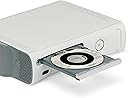
The Digital Innovations CleanDr for Xbox Laser Lens Cleaner features a patented 10-brush Cyclone Clean Process that effectively removes dust and debris from the laser lens of all XBOX gaming systems. It includes multilingual instructions and sound calibration tools to improve both image and audio playback, helping extend the lifespan of your console and prevent disc read errors.
| ASIN | B0041A3JS0 |
| Best Sellers Rank | #34,803 in Video Games ( See Top 100 in Video Games ) #1,182 in Xbox 360 Games |
| Brand | Allsop |
| Built-In Media | CleanDr® for XBOX Laser Lens Cleaner safely cleans the laser lens on XBOX gaming systems to prevent skipping, freezing or distortion |
| Color | white, black, gray |
| Compatible Devices | XBOX gaming systems |
| Customer Reviews | 4.0 out of 5 stars 822 Reviews |
| Enclosure Material | Plastic |
| Global Trade Identification Number | 00659846419011 |
| Item Weight | 7.04 ounces |
| Manufacturer | Digital Innovations |
| Manufacturer Part Number | 4190100 |
| Material | Plastic |
| Model Name | 4190100 |
| Model Number | 4190100 |
| Number of Items | 1 |
| UPC | 780320021090 659846419011 791064679454 191611482900 777781774054 846764229390 079531990784 863121577949 885721210439 080000239822 013523698371 072091732849 UPC 780320021090 659846419011 791064679454 191611482900 777781774054 846764229390 079531990784 863121577949 885721210439 080000239822 013523698371 072091732849 See more |
| Unit Count | 1 Count |
| Water Resistance Level | Not Water Resistant |
J**S
Worked first try! Multiple disk error messages and 30+ minutes of me restarting my game to get it working...GONE!!!
Love this product! I've had issues with my xbox 360 for about a year now. I wasn't sure what the issue was exactly, had heard it could be the laser, the magnets, etc. I'd try to play my disk and end up with different error messages saying the disk couldn't be read, and over time it only got worse. It had gotten to the point where it would take me 30+ minutes of opening and closing my disk tray to get the game to read. I was under the impression that my xbox was just on its last legs and didn't really think that a lens cleaner would do the job. After months of buddies telling me to get it, I finally decided to try it out. I put the disk in and it read right off the bat, which was kind of surprising considering how long it would take to get a game to read. I followed the easy steps and ran the cleaning process about 4-5 for good measure. I took out the disk, put in a game and it worked first time. Turned off the xbox, started the game again, and again it worked the first time. Being the skeptic I am, I came back two hours later and again worked the first time! I'm extremely pleased with how simple it was to get the issue fixed. Almost as pleased as I am frustrated with myself for not buying it sooner. An easy 5 stars from one STOKED customer! :)
J**.
Fixed my 'Open Tray' and 'Red Ring of Death' Problem - Saved $100 + shipping + downtime to send to Microsoft!
My Xbox 360 is ~4 years old and just started not reading discs, games, DVD's, - wouldn't read anything. I first got the 'red ring of death' and after a reboot, all attempts led to 'Reading' then 'Open Tray'. I thought the optical drive had failed and was prepared to ship it to Microsoft for an out-of-warranty repair. After reading the reviews, I decided to give this a try - and it worked! Now, it didn't work the first try - a problem I think has likely caused some 1 star reviews. I had to cycle it 8+ times for it to work. Comments on the process: Let's assume your optical laser is, in fact, dirty and that you don't have a hardware problem. Now, let's assume that this cleaner needs a cleaning cycle time of 2-3 minutes to clean your optical laser. Lastly, let's assume that when you insert a disc your optical drive will spin up to speed for ~ 30 seconds or so before 'giving up', spinning down to zero, and reporting an unreadable disc. If your expectation is you will pop this in and magically fix your console, you would be wrong because the cleaning brushes cycled for 30 seconds - not 2-3 minutes. What you have to do is continually open/close the tray or manually reinsert the disc. Do this enough times, and you may have success. In my case, I had to open/close the tray (gaining ~30 seconds of spin time each time) 8-10 times before the disc was readable and I was able to 'properly' hit the play button to run the disc cycle. I've read some people had to do this for at least 10 minutes before it would work. In my case, I'm highly impressed as it saved me $100 + shipping + downtime to send to Microsoft for a repair on my 360 due to some dust that found it's way into the console. In my case, I opened/closed the tray until the disc was recognized, ran the cleaning cycle, polished up my game disc, and was back in business in 10 minutes or so. This is a great product. Now, for those of you with a true hardware failure and/or a misaligned optical laser (common problem), this won't fix your problem as you will need a HARDWARE repair, not a cleaning. If you crashed your car would you wash it and then complain the dent was still there? If you use this cleaner and it fixes your problem, it's 5 stars. If you use it (following my instructions) and it doesn't fix your problem it's still 5 stars because it has allowed you to confirm you have a hardware problem and not a speck of dust!
M**0
Good buy
Bought it because I thought it would help a problem I'm having with my Xbox 360 not being able to read games, turns out it reads DVD's just fine, it's just the games it has trouble with. Anyway, it serves it's purpose and will keep using it on my other devices.
S**I
i hated that because it last for a long time
i apologize for the late review***** This disc has indeed helped me out with my old xbox that i used to have until i caught the red rings of death. Before that i popped in this disc and a lot of my games had stopped skipping. for example, every time i would insert fable 2 into my xbox, it'll play until i get outside and then the skipping would start. i hated that because it last for a long time, in which i started to reboot the system, remove the disc and play something else. After using this disc that issue had stopped and now that i have the xbox 360 E i really don't encounter those problems anymore. Thank you
T**T
Waste of money
I'll keep this review short. My Xbox 360 would no longer read discs. I didn't want to open up my console so I bought this product to clean my laser lens. It arrived and I put it in my disc tray - nothing happened - it would not clean the lens. I must have inserted and ejected the disc 100 times and it was not doing the job. I ended up opening and cleaning my xbox 360, specifically the laser lens, myself, put it all back together and she reads discs like a champ. After doing all of that and spending a few dollars on this ineffective product- I can only give it one star. (0 stars would be more appropriate.) Bottom line- IT DID NOT WORK FOR ME!!! I feel like it was a cash grab. I am only writing this review as a warning for anyone else who doesn't want to be misled into buying an ineffective product. Buyer BEWARE.
S**K
I guess a dirty lens wasn't the problem.
I hate to downgrade the product for not working; it may be cleaning the lens fine but a dirty lens may not be my problem, which is not the product's fault. So for the benefit of others who may be having the same problems as me and wondering whether to spend time/money on this product, here are the symptoms I'm getting: 1. The error I'm getting is "Error reading disc. Try cleaning the disc.". It would then restart and I would lose all my progress for the current mission. The problem is with Borderlands 2 on the Xbox 360. BL2 is my favorite game; I have played it about a dozen times and had played it 2 or 3 times in a row before the errors started, so the disc WAS in the drive for a month or more and I often don't cut off the Xbox, even over night. 2. I had long ago copied the game from the disc to the hard drive and DLCs were ordered online and downloaded to the drive, so a disc read error doesn't make a lot of sense. But I cleaned the disc anyway and it still bombed. 3. I've since played some other games and not gotten any errors, so to be thorough, I bought BL2 from Amazon again and got the same disc read error. So there's $15 down the drain. 4. At first the errors seemed random and after restarting, I could continue the game, but I've come across a couple of places where it happens every time, one at the start of a DLC and one in the main game, so it is not a completely random problem such as you might get with, say, dirt on the lens. 5. I went through the troubleshooting guide on Microsoft.com and got suggestions from a tech at 2K (the game's producer), such as resetting the cache, but nothing has helped. I tried deleting the game and DLCs from the hard disk and reinstalling them. I tried copying the save files to the Cloud and telling BL2 to use those. Nothing helped. 6. The 2K tech finally decided it must be the laser lens (again: the program is on the hard disk, so how?). So I bought this lens cleaning system and ran it 3 times (despite having to sit through the blah-blah start-up each time) and BL2 still bombed in the same place. So if you are having problems like the above, this product is probably not going to work as it might if you were just having trouble reading ANY disc. Again: 2 key points: (1) the software should not be reading the disc except maybe at first to verify that I have it and (2) it hasn't happened with any other games.
D**.
Great product, but didn't solve the problem.
I recently ordered this item for an XBOX 360 that I hardly use anymore. I kept getting the same 'Open Tray' error even when multiple discs were inserted. Although, ultimately, it did not stop the console from going back to 'Open Tray' (I believe I have a faulty laser lens), I can say with confidence that it DID clean my PS3 (I took the risk of voiding the warranty on a product I purchased 15 years ago) so I am happy with the product and the price I paid. Would order from the vendor again (if needed) in the future.
L**E
Perfect once the disc reads.
My xbox 360 have had this problem where it won't read any of the disc most of the time. I have to keep ejecting and putting it back in until the disc is read. Sometimes the process takes 10 mins to work. So I got this cleaner. I put this disc in and once it read. I play this "DVD" and start the cleaning process. When it reaches 100%, the process is done and it will do "clean" the lens to maximize the audio as well but I didn't need that. After that I just stick in any disc and it has been. It works perfectly. Intended for xbox 360 and that is what I used it for. 5-star. I want to be universal and give it 4star instead but it just work so good for my purpose.
A**R
Works beautifully!
I have no complaints with this product. :)
G**S
Worked great for our old Xbox
After reading some of the reviews I was not really expecting it to work, but I thought it was worth a try. The problem was that our old Xbox had stopped reading discs properly and took such a long time to work, you had to keep opening and closing the tray and it might finally read the disc after 10+ attempts. When the disc arrived I didn't have high hopes as it was basically just a disc with some very small brushes on it. I used it once and the result were amazing! I was expecting to have to run it a few times but it worked first time. After the cleaning process had completed I sat through some of the audio test stuff but then took it out as I didn't have an audio problem. Our Xbox runs games perfectly now, I'm so pleased I tried it.
A**.
Buen producto
Es muy bueno y de verdad limpia el lente, después de tener mi XBOX 360 empolvado este disco lo regresó a la vida.
A**R
Amazing!
It came before the estimated time of arrival and the product saved my Xbox! I thought for sure that I would have to buy a new one. Thank you!
M**.
No me funcionó
No me funcionó
Trustpilot
1 month ago
3 weeks ago