Desertcart purchases this item on your behalf and handles shipping, customs, and support to Japan.
๐ Upgrade your network game with Intel-grade speed & stability!
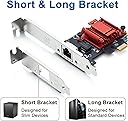
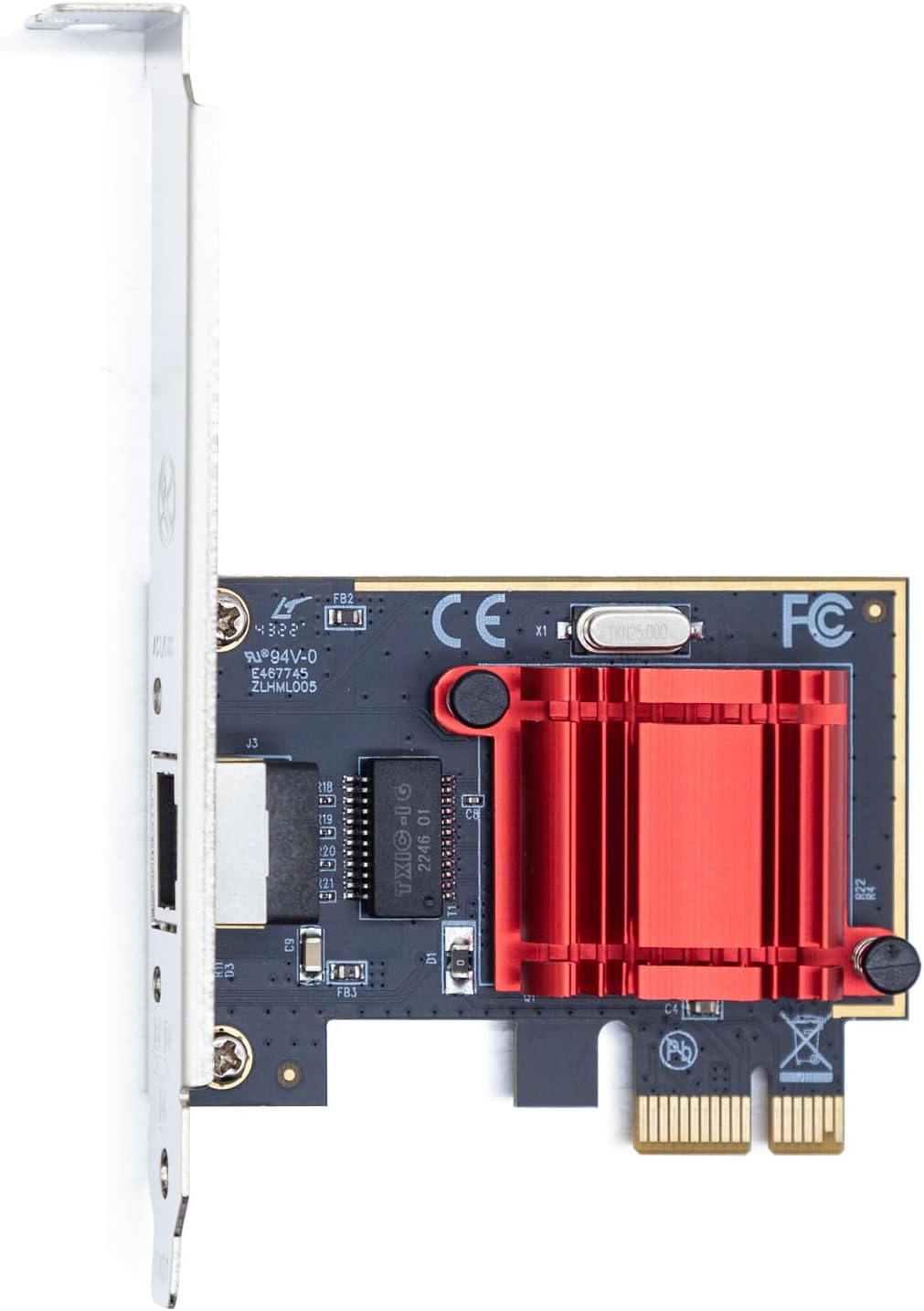
The H!Fiber Gigabit PCIe NIC features the Intel I210AT controller delivering reliable 1 Gbps Ethernet connectivity via a single RJ45 port. Compatible with a broad range of Windows and Linux operating systems, it supports PCI Express 2.1 x1 slots and includes both low profile and full-height brackets for flexible installation. Designed for professional environments, it offers QoS technology for optimized network traffic and comes backed by a 3-year warranty and lifetime technical support.


| ASIN | B07FYJ8DQC |
| Best Sellers Rank | #20 in Internal Computer Networking Cards |
| Brand | H!Fiber.com |
| Built-In Media | 1 RJ45 |
| Color | 1 Pack |
| Compatible Devices | Windows 7/8/10/11, Windows Server 2008/2012/2016/2019, Centos/RHEL 6/7/8, Ubuntu 16/18/19/20, Debian 9/10/11,FreeBSD 10/11/12, Vmware Esxi 5/6, SLSE 11/12. (Not support Windows XP, Mac OS and Bypass Mode) Compatible Devices Windows 7/8/10/11, Windows Server 2008/2012/2016/2019, Centos/RHEL 6/7/8, Ubuntu 16/18/19/20, Debian 9/10/11,FreeBSD 10/11/12, Vmware Esxi 5/6, SLSE 11/12. (Not support Windows XP, Mac OS and Bypass Mode) See more |
| Compatible Operating System Family | Linux, Windows |
| Customer Reviews | 4.5 out of 5 stars 562 Reviews |
| Data Link Protocol | Ethernet |
| Data Transfer Rate | 1 gigabits_per_second |
| Hardware Interface | PCI Express x1 |
| Manufacturer | H!Fiber.com |
| Mfr Part Number | I210-T1-HF(EU) |
| Model Number | I210-T1 |
| Number of Items | 1 |
| Warranty Description | 3 Year Manufacturer |
E**L
Just the thing for an Opnsense box!
I was building out a Opnsense firewall from a 10th gen HP Elitedesk PC. It is smaller form factor, so being able to swap out the bracket with the smaller size one came in clutch. The biggest thing when looking at NICs for Opnsense is that it has a genuine Intel chipset for the best driver compatibility with the Opnsense project (which is FreeBSD on the underside). This H!Fiber NIC fit the bill! The NIC is handling my network traffic just fine. Everything on the network routes through it (all the VMs on my Proxmox server with a public facing Minecraft server and Plex) as well as the various networks inside the house doing some pretty competitive FPS gaming. I have been running this 24/7 for 7 months. The uptime is only broken when the Opnsense box updates itself, so it is very stable. As for the install, you just swap the bracket (if needed) and slap it into your PCI slot! And if you arenโt trying to do anything crazy with it like I did, that is fine. This would work very well for a typical Windows PC. LEtโs say you have some kind of NAS you want to hardwire directly to a system, this would do the trick well.
M**9
pFsense and OpenMediaVault recognized this card with no issues
Used two of these - one in a pFsense box and one in an OpenMediaVault box. The pFsense box had no problem recognizing it. I backed up the existing pFsense configuration, pulled the old quad NIC Intel board, and replaced it with one of these (the quad NIC Intel board was being freed up for use in a ProxMox VM machine). I edited the pFsense config XML and replaced the existing WAN, LAN, and VLAN IDs to the old quad NIC board with the IDs for this new board (I was only using 2 of the 4 interfaces on the quad NIC, as I've resorted to using VLANs rather than physical NICs to isolate LAN, IoT, and Guest networks). I was able to restore the pFsense box with the modified backup config XML and it rebooted with no problem, showing gigabit speeds on both the WAN and LAN side. The second one of these devices I installed in an OpenMediaVault NAS, and the Intel NICs on this board showed a significant speed increase over the Realtek NIC on the motherboard; transfer speeds from the OMV box to a TrueNAS VM running under ProxMox showed a speed increase of about 600mbps from the Realtek NIC to 900+mbps using the newly installed Intel NIC. Quite happy with my purchase - I purchased a third one which will likely find its way into another pFsense build for a family member.
J**S
Great dual gigabit Nic for Proxmox/Linux Server
Card arrived quickly and is being used in my Proxmox server. Well supported
A**R
Passing packets like a champ
Working great so far in an old pc repurposed as an opnsense firewall. Installer found and configured both ports with no trouble
L**F
Great networking card
Taking out the used server gear market, this card is very powerful and offers full gigabit performance. In terms of more prosumer use, this card will feel the same as those $300 quad port, current gen NICs. If you have to get new, this can't be beat That said, I would STRONGLY urge ANYONE to check out used server gear. You can get a similar quad port NIC for less than $20, and, again, be very hard pressed to find any differences in performance. I've built a full tower out of used components (both reusing my old computers and buying used server gear). I can't tell the difference between this card and any of the used ones I haver purchased...and used server gear tends to stay pristine and clean, as they tend to be installed and never touched again
S**L
Works with OPNsense
Installed in an old Dell Optiplex 3050SFF for running OPNsense software. Works very well with no issues with compatibility.
A**S
Excelente
Es perfecta para lo que se requiere!
J**J
Working Drivers and Hardware
No issues with this NIC. Works great for expanding a VM server's available interfaces. Worked on a Windows Server and a BSD Unix server.
P**E
Perfect
Really easy install and perfect working order.
E**C
ESX 8 Works Great!
Works great in my ESX 8.0.3 server
T**G
Substandard Intel clone
Buyer beware... H!Fiber Gigabit 2 Port NIC - Diagnostic Report Amazon ASIN: B07KG3R2RF Date: 2026-07-03 ISSUE: Card advertised as "Gigabit 2 Port NIC" with "10/100/1000Mbps" capability, but both ports negotiate 100Mbps maximum. EVIDENCE: 1. Subsystem vendor is NOT Intel: Subsystem: Beijing Sinead Technology Co., Ltd. Device 0308 (Genuine Intel cards show: Subsystem: Intel Corporation) 2. Port 0 (lan0) firmware only ADVERTISES 100Mbps: Advertised link modes: 100baseT/Full (Missing: 10baseT/Half, 10baseT/Full, 100baseT/Half, 1000baseT/Full) 3. Port 1 (wan0) advertises all modes including gigabit but still negotiates 100Mbps only: Advertised link modes: 10baseT/Half 10baseT/Full 100baseT/Half 100baseT/Full 1000baseT/Full Speed: 100Mb/s 4. Both ports support gigabit at the hardware level: Supported link modes: 10baseT/Half 10baseT/Full 100baseT/Half 100baseT/Full 1000baseT/Full 5. Testing methodology: - Multiple Cat6 cables tested - All cables verified gigabit-capable with other devices - Switch ports confirmed working at 1000Mbps with other devices - Same cable + same switch port = 1000Mbps with other device, 100Mbps with this NIC 6. Speed test through NIC: 91 Mbps down / 91 Mbps up ISP speed (tested from another device): 333 Mbps down / 130 Mbps up NIC is the bottleneck. 7. Firmware version: 1.63, 0x800009fb, 1.791.0 Driver: igb (Intel kernel driver loads, confirming I350 chipset) CONCLUSION: The card uses an Intel I350 chipset but is manufactured by "Beijing Sinead Technology Co., Ltd." with defective EEPROM configuration and/or substandard analog components. The product does not deliver the advertised gigabit capability on either port. This constitutes a product that does not match its advertised specifications. SYSTEM TESTED ON: - Debian 13.5 (Linux 6.12.94) - Acer Aspire AX3400-E3212 - PCIe link: Speed 5GT/s, Width x4 (full I350 specification) If you need 1000 Mbps from both ports, look elsewhere.
J**N
only one port work at a time , never buy , waste of money
B**X
does not work in my application
does not work in my application - Dell 7070 and VMware
Trustpilot
2 months ago
1 month ago