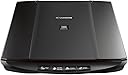
📠 Elevate your desk game with scans that impress and workflows that flow!
The Canon LiDE120 is a sleek, compact flatbed scanner delivering professional-grade 2400 x 4800 dpi optical resolution. Designed for busy professionals, it features smart auto-correction, one-touch cloud uploads, and four customizable EZ buttons to accelerate your document and photo digitization. Powered by a single USB cable, it offers hassle-free setup and compatibility across Windows and Mac platforms, making it an essential tool for efficient, high-quality scanning in any modern office.


| ASIN | B00LN0NUOO |
| Best Sellers Rank | #438,333 in Office Products ( See Top 100 in Office Products ) #38 in Flatbed Scanners |
| Brand | Canon |
| Connection Type | USB |
| Connectivity Technology | USB |
| Customer Reviews | 4.1 out of 5 stars 1,376 Reviews |
| Global Trade Identification Number | 00013803242201, 04549292013344, 04549292013375 |
| Item Dimensions D x W x H | 14.6"D x 9.9"W x 1.6"H |
| Item Weight | 3.4 Pounds |
| Light Source Type | LED |
| Manufacturer | Canon USA Inc. |
| Media Type | Photo |
| Minimum System Requirements | Windows 7 |
| Model Name | LiDE120 |
| Optical Sensor Technology | CCD |
| Product Dimensions | 14.6"D x 9.9"W x 1.6"H |
| Resolution | 19200 |
| Scanner Type | Document |
| Standard Sheet Capacity | 10 |
| UPC | 013803242201 |
| Warranty Description | LiDE120 |
| Wattage | 2.5 watts |
C**N
Great product, not plug n play on Mac though. Have to manually download drivers and install software.
I originally was going to use this with my Windows 10 PC but I saw some people saying the scanner didn't work well with Windows 10. So then I decided I'd use it with my iMac. I had read someone else's review that said it was simple plug and play on the Mac. It wasn't. I plugged it in and it didn't work. Checked the Mac system and it could see the Canon device on the USB port but it wasn't configure. I manually downloaded the drivers from Canon's site and installed everything. Then I turned my computer off and back on to make sure the device was booted up properly with the computer and drivers. It works wonderfully. I've scanned in up to five different pictures at once so far. As long as you have a gap between your pictures the scanner can tell they're separate pictures. I will be using the scanner a lot in the next month or so scanning photographs so I can have a permanent record in the cloud in case of flood or fire. I'll also be scanning in important documents using the PDF feature for similar reason. Normally I'd only give this a 4 star review because the software that I had to download from Canon isn't laid out as simplistically as it should be. But I bought it for quick mass picture scanning and it works like a champ at that so I'm giving it five stars. It serves my purposes perfectly.
K**D
Great Scanner for the Price, I Highly Recommend It
This is a great little scanner for the price. For many years I've used a multifunction printer / scanner and they are great, especially if you need to scan 20 or 30 pages with the sheet feeder. The multifunctions are usually large and don't fit on your desk so using them involves getting up and going to the scanner. It's inconvenient to get up and go the printer for a one or two page scan and really inconvenient for a flatbed scan. As it happened, I needed to scan a lot of old photos and that would involve a lot of walking back and forth between my computer and the flatbed scanner on the printer. So, I looked around for a small inexpensive scanner to put right on my desk for this project. I found this little scanner and decided the quality (300 DPI for photos and documents) and price was acceptable for my purposes. Not only have I managed to scan more than 500 old photos for my project but I also find myself using this little scanner every day. I'm using it much more than I expected since it's so convenient. I really don't use the mutifunction scanner that much anymore unless I have a large sheet scan project. Here are the PRO's: 1. As I said, it's really convenient right on my desk. 2. Works great with Windows 7 and 10 and you can download the latest drivers 3. Any application you have that utilizes a scanner will likely work with this scanner so you don't need to use the Canon software, just the drivers for this scanner. In addition to the Canon Software, I use ScanWiz or NAPS2 (donations software) for most document scans. 4. For photos, I like the Canon Software that came with the scanner. I will agree the Image Garden, ScanGear, and IJ Scan programs are not that user-friendly. There are a lot of settings and like most graphic software, it just takes time to figure out how they work. My old photo scan project forced me to dig into the Canon software. It works very well but be patient. 5. You can scan multiple photos on a single scan and have them automatically squared, cropped and make some basic image corrections. 6. Powering the scanner using a single USB connection eliminates an extra power supply eliminating some wiring clutter, however, in the case of this scanner it can be a CON. Here are the CON's: 1. Initially I had some instances of the scanner disconnecting from my desktop computer and I got a scanner not available message. I tried it with my laptop and kept getting a message to unlock the scanner even though the lock switch was in the unlock position. I noticed other users had the same problem. I searched the internet and found some fixes using a shorter USB wire or connecting the scanner to a powered hub. This indicated to me the scanner wasn't getting enough power from the USB port. I experimented and found the most effective solution was a relatively cheap USB 2.0 Y Cable for External Hard Drive - USB A to mini B. It's designed to increase the USB power needed for external hard drives but it works and provides the necessary power for this scanner. This cable connects to two USB ports (a minor CON since it ties up two of your USB ports) and draws power from both to increase the power available to the mini USB port on the scanner. This fix, a 1ft cable available from Amazon for under $5.00 works great. Just search Amazon for USB Y Cable for External Hard Drive - USB A to mini B. For this scanner, make sure you get the one for the USB A to mini B since the USB Y Cable is also available as a USB 2.0 with a micro-B and a USB 3.0 with a micro-B. 2. I think Canon built too many options into the software included with this product. There should have been a quick and easy version for less technical users as well as the more complex version which was included. Since adding the USB Y Cable I haven't had any problems and the scanner works great. There would be a great many more positive reviews for this scanner if Canon had made consumers aware of this potential power problem in their troubleshooting or support for this product. Everything considered it's a great product and I highly recommend it.
E**S
Compact Flatbed Scanner with a Few Quirks
Compact Flatbed Scanner with a Few Quirks The Canon LiDE120 has been a handy little scanner for light home and office use. It’s slim, USB-powered (no bulky power brick), and produces sharp, detailed scans of documents and photos at a respectable resolution. The “EZ Buttons” make it quick to create PDFs or send scans straight to the cloud, which is a nice touch when you just need something simple and fast. I’ve used it for digitizing old family photos and routine paperwork. Color accuracy is good enough for casual archiving, and it handles multiple photos placed on the glass fairly well, cropping them into separate files automatically. The compact footprint also makes it easy to keep on a desk without clutter. That said, there are some frustrations. On Mac, setup wasn’t truly plug-and-play—I had to manually install Canon’s drivers. The included software feels dated and overly complicated, though third-party scanning apps work fine once drivers are installed. Another limitation is that it only scans single-sided pages and doesn’t have an automatic document feeder, so high-volume jobs get tedious. Power through USB is convenient but can sometimes be finicky—using a shorter or powered cable helps avoid random disconnects. Bottom line: A solid flatbed scanner for photos and occasional documents. Great value if you want a compact, reliable device, but not ideal for heavy-duty scanning or those who want the simplest, most seamless software experience.
A**R
Horrible Software But Still Very Good
I think I was hasty in my earlier 1-star review, and I now replace it with a 5-star review! I know, I'm being a bit schizophrenic. Anyway, here is the deal: the software and instructions for this scanner really do suck. After I bought my first one I really had no idea how to punch the buttons on the front, or how to use the downloadable software. But after playing with it a little, I just threw out the software and instructions and eventually got it to work. Here is how someone uses this thing: plug the USB cord into your computer, then double-click the software icon on your PC (with my computer the icon is in the bottom-right of my computer screen). Place the item to be scanned on the scanner, face-down with the top towards you (away from the cord attached to the scanner), then click on the "document scan" icon inside the dark box that is on your computer screen. That will start the scanner. A new box will ask in you want to scan a second page. If so, put the second page to be scanned and then click yes. If not, click no, then the pdf of the item just scanned will appear as a numbered document in a document box that appears on your screen. Highlight that and drag it onto your desktop. Double-click on it and check out the scan to make sure it is OK. If it is fine, you can rename it and put it in the appropriate folder on your computer. I now have two of these scanners, including one I keep 24-7 in my car. It is very handy for my on-the-road business when I get handed an important document that needs scanning ASAP. I suggest Canon put up some YouTube videos or something to make this an easier scanner to start using. And I don't think the buttons on the front of it are needed at all.
S**R
Good scanner, terrible software
Canon's camera's are excellent, but the CanoScan LiDe 120's software is terrible. I've used a variety of Canon DSLR cameras, scanners, and versions of Photoshop, and although the interfaces can become technical, the functions are logical and fairly intuitive. The Image Garden, ScanGear, and IJ Scan programs are not user-friendly to say the least. Reasons? Here ya' go... 1. Scanned images are not even basically editable (crop & rotate buttons are greyed out) post-scan - add a hover over message clearly explaining why they're greyed out and how to fix the problem 2. After dragging the box over the image to crop it, add an "Apply" or "Cancel" button to make it happen 3. Add a "Save" button to every Image Garden window the image appears in (rather than none). If it's not possible to save an image in it's present state, have the button greyed out and add a hover over window explaining why and how to fix it 4. After performing basic edits in ScanGear you cannot save the image without opening Image Garden, where cannot edit OR save the image 5. Click "Edit" -> "Select All" -> and all items are selected, but that's it. There appears to be no way to edit them (or anything else) from there 6. Despite being USB cable connected, "Scanner cannot communicate with laptop" occurs frequenlty occurs, even after re-installing the programs 7. Scanner gets stuck in "Scanner is warming up" state, even after re-installing the programs 8. When creating a multi-page file, show each page as it's scanned and allow to change order of scanned pages 9. Programs do not respond to mouse's "back button" I can continue, but I think you get the point. There's a lot of work to be done on this software to make it user friendly. If Canon will revise the software I feel the LiDE 120 could a good product.
S**R
Scanning is now a breeze.
A very nice lightweight scanner. I have installed it on two computers; a HP laptop and a Dell Desktop both running Windows 10. No issues at all. I unpacked the box, confirmed what was supposed to be there was, read the instructions, plugged in the scanner (into the computers) and loaded the CD Rom. All I had to do was follow instructions; although I did forget to unlock the scanner (the lock is on the bottom front of the scanner). The software reminded me to unlock the scanner. It took a little while to learn how to "send" you scan to where you wanted it to go but no issues. I love the fact you can put multiple items on the glass and have the scanner "know" they are separate items; a nice surprise and a real time saver. Scanner footprint is minimal. It goes into my laptop bag with no issues so it will port very easily. Very happy with this Canon product after scanning about 50 items the first day. Now will it stand the test of time. For $50 bucks this thing is pretty impressive.
S**S
Good Price and Portability, but Bad Software
I just received the LiDE 120 yesterday, but as a longtime user of scanners (this is my third stand-alone over two decades) I think I know how things should work -- at least I know what I want and expect. But for the lack of Win 7-10 drivers I would still be using my Lexmark X-series all-in-one because its scanner was the best I have used at home and its software simple and efficient. I still have a Canon Pixma wireless all-in-one that proved useless as a scanner, which is why I bought the LiDE 120. The LiDE 120 seems to scan documents as expected and the fact that it is USB powered is a big plus -- and since it is also quite light and small it can be a mobile scanner. On the downside: the scan itself is significantly slower than any I have owned (because powered by USB?), installation materials are crap, and the software is awful, awful, awful. I am tech-savvy, so if I have trouble with the software I cannot imagine the wife or colleagues being able to use it. Two further issues: the direct scan buttons on the front of the scanner have only worked once of the three times I have tried them; and, it seems to me that the scans are upside down because one must set the paper to be scanned opposite to the text on the lid.
K**W
Easy to use, great for the price
I got this scanner for my mom, who is pretty technologically challenged :) and it is just what the doctor ordered. It's easy to set up on your computer, you basically just download the software, plug the scanner into your computer and hit "Autoscan!" It does not need to plug into the wall, which is nice. If you don't have a CD drive you will have to go to Canon's website to locate/download the software, which wasn't too difficult for me but may have been a roadblock for my mom if she was attempting to set it up on her own. The software interface is user-friendly, and I changed the settings so that every type of scan would direct to a folder on my mom's desktop for easy retrieval. The scanner itself is incredibly light, but has a larger footprint since its a flatbed. I would have loved to get one of the little portable scanners (like Doxie Go), but didn't really want to fork out $100+ for our purposes. Another downside (although I knew this before purchasing) is that there is no document feeder, so if you want to scan a multiple page document it may be a bit tedious. I haven't tried to consolidate pages into one PDF, so I can't speak to if/how that works. Overall, great little scanner for the price!
K**J
Good
Good
M**L
Escaner Canon
Excelente producto, fue lo que solicite y que me esta sirviendo mucho
M**T
It is really easy to use and good quality
This is the second we buy for our laboratory at the University of Montreal. It is really easy to use and good quality. We share it between many people, since it can be carried from desk to desk and plugged into different computers in a second. The older one we have is still fine after 3 years of intensive use. We have 2 now, so that we have one at the office too.
N**Y
Canon Scanner
Ich habe mir diesen Scanner gekauft da es für meinen alten Epson Scanner keinen Treiber für Windows 7 gibt. Ich benötige einen Scanner in erster Linie zum Kopieren über meinen Drucker. Ein weiteres Einsatzgebiet ist das Scannen von Kassenzetteln und Notizen. Für diesen Einsatzzweck scheint das Gerät ideal zu sein. Es benötigt keine eigene Stromversorgung, denn es wird über USB gespeist. Das ist sehr praktisch, denn man muss den Scanner weder ein- noch ausschalten. Wenn man ihn benötigt gibt es ein Kontrollzentrum über das man die meisten Aufgaben, die man mit diesem Gerät verrichten möchte (kopieren, Dokumente oder Bilder scannen), steuern kann. Die Software ist in meinen Augen durchdacht. Die Auflösung des Scanners ist meinem Anwendungszweck angepasst. Denn eine super tolle Auflösung ist immer mit super großen Dateien verbunden. In den meisten Fällen ist mir aber eine kleine Datei lieber. Die kann man dann auch mal als E-Mail verschicken. Der Scanner ist mit seinen 70 € ziemlich billig. Dieser Eindruck bestätigte sich auch beim auspacken des Gerätes. Sämtliche Plastikteile wirkten fragil und zerbrechlich. Das Geräusch was beim Scannen eines Dokumentes erzeugt wird ist alles andere als solide und vertrauenserweckend. Das Geräusch ist den billigen Materialien geschuldet die in diesem Gerät verbaut sind. Da war mein 20 Jahre alter Epson Scanner aus einem ganz anderen Holz geschnitzt; soll heißen: gebaut für die Ewigkeit. Bei diesem Canon Scanner habe ich nicht den Eindruck dass er für die Ewigkeit bestimmt ist. Ich bin froh wenn er die Garantiezeit überlebt. Aber was will man für 70 € erwarten. Zumindest ist die Software praxistauglich. Ich denke man muss bei diesem Gerät das Preis-Leistungs-Verhältnis sehen und das ist in meinen Augen gut. Aus diesem Grunde werde ich das Gerät mit fünf Sternen.
A**R
Five Stars
Great
Trustpilot
1 month ago
1 day ago