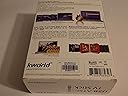
๐ก Unlock your PCโs hidden TV powerโwatch, record, and relive every moment!
The Kworld USB ATSC TV Tuner UB435-Q transforms your Windows PC into a high-definition digital TV powerhouse, supporting unencrypted QAM cable and ATSC terrestrial signals. With 1080i HDTV output, Dolby Digital AC3 audio, and advanced features like time-shifting, scheduled recording, and EPG, it offers a seamless, user-friendly TV experience via simple USB connectivity.
| ASIN | B001LQEEEA |
| Antenna | Television |
| AntennaDescription | Television |
| Brand | Kworld |
| Compatible Devices | Laptop, Desktop, Television, Tablet, Smartphone |
| Connectivity Technology | USB |
| Connector Type | USB Type A |
| Customer Reviews | 3.6 out of 5 stars 341 Reviews |
| Manufacturer | Kworld |
| Mfr Part Number | UB435-Q |
| Model Number | UB435-Q |
| Number of Items | 1 |
| Tuner Technology | QAM |
| Tuner Type | QAM |
| UPC | 846829807686 163120882083 872880889323 797864290127 140716934548 863190001284 803982931993 |
| Warranty Description | 1 year |
P**T
A GREAT & affordable "DIGITAL VCR" for PC...so far.
Model I received: KWorld ATSC Digital HDTV USB 2.0 TV Stick KW-UB435Q V2 My Computer: HP Pavilion P6 2120 (Bought August 2012) Basic Specs: 1 TB Hard drive; 6 GB RAM; AMD Quad core processor; Windows 7 64 bit The OTA broadcast networks pretty much ALWAYS put my favorites on at the same time & on the same night. Since I MUST catch certain shows NOWWWWWW, I started looking for an affordable "digital VCR" option that worked. That's when I found out about these PC TV tuners. This model/brand was one of the cheapest ones that worked for US Digital TV. Thought I'd give it a try so I bought it through Amazon. I have to say, I read some of the bad reviews here. Most seemed like they were people who didn't have the right OS, PC specs, OTA signal strength or installation know-how to get this thing working properly. Also sounded like some of them gave it about 5 seconds of a chance, threw a fit, then gave up on it. I personally found it very easy to set up on my system. All-in-all it took about 10 minutes out of the box to get it up & recording. It recorded the season premiere of Fringe perfectly later that evening. Getting it started... I merely followed the directions in the quicky guide that came with it. That worked for me. I also decided to use the Arcsoft Total Media thingy that was part of the package. It is a VERY easy program with a simple interface. I found it intuitive operation wise. It plays the recorded material well too, but I usually end up using my CCCP enhanced Media Player Classic for playback. That's just my preference. Since the recorder records into MPEG it'll be playable through most media players without too many extra or special codecs. Other notes: The MPEGs this thing creates are BIG. For the average 1 hour show expect the single file size to be about 5 & 1/2 to 6 GB-- with commercials. It is HD after all. If you want to burn the files to DVD youl'll have to either cut the show in half or use a media converter program to downsize it. A good free one is Format Factory. You can cut & convert with it & it's pretty easy to use too. Other, other notes: The antenna that comes with it was pretty cool too. The base is magnetic so it stays in place very well if you have someplace metal to stick it. You could always anchor it with a metal paperweight or something to keep it from falling over I guess. I just stick it to the radiator that's next to the HDTV. BTW...the signals that it pulls in are just as strong as the ones my HDTV gets with an amplified (square) antenna. Just don't expect miracles. If your signal strength is bad/weak this isn't gonna perform perfectly. If the weather/atmosphere is unstable--like electrical storms, solar flares, sunspots, etc.-- then expect the usual OTA signal disruptions. Still more notes: Like some have said, it does run warm. Not much warmer than a flash drive when you write several GB of data to it though. For me, if I'm not using it, I unplug it just like any other device. It'll extend the life of it I believe. Overall, I'm happy with it so far and would recommend it. Obviously I can't say anything about the product's lifespan yet. I'll add to the review when I see how that goes. Any questions? Ask and I'll try to answer as best as I can.
B**Y
Doesn't Work in Many Ways
Lots of problems right out of the box. I wanted this to record antenna TV programs. First the channel scan took forever. Then after two attempts the tuner only scanned some of the available channels. Main, strong signal channels could not be scanned. There is no manual add channel option, only re-scanning. USB tuner stick would disconnect and not reconnect, even after unplugging and re-plugging it. Got it back once but was a mystery as to how it happened. No support but for FAQs and manual, however this model was not listed in the extremely long list of FAQs and manuals, meaning not even minimal support as there is no email support. The included ArcSoft software seems available for free off the internet, but the 3.5 version in the box could not be found. Returning to Amazon for refund.
U**B
UB435Q tested on a dual boot Windows 8.1 / Linux Mint machine
The KWorld was bought as a gift for someone not technical so I wanted to test it so I knew what would be needed to help get it running. The KWorld USB ATSC TV Stick UB435Q was installed on a dual boot Windows 8.1 / Linux Mint machine. On Windows 8.1 with media center: Installed the Windows drivers from the included CD. The included mini-antenna was set aside. Itโd probably work great in an area like LA or NYC but not in the great midwest. So it got hooked to an amplified RCA antenna. Plugged the KWorld into its USB extension and that into a USB port. Launched Windows Media Center and WMC found the stick. I proceeded to scan for channels and it picked up FOX, CBS, NBC, ABC, WB w good signal strength, PBS not so much but it seemed to work ok. No flaws using Windows Media Center that I could see. I decided to try the included ARCSoft TotalMedia software. Installed TotalMedia from the CD. Rebooted. Launched TotalMedia. In setup I set a storage device and path, in the 1st try a USB PNY Flashdrive. TotalMedia lets you set the quality of the recording, 5 levels. To start I chose HD. Set Closed Captioning ON. Scan channels, this seemed to go faster than my TV. It found the same channels as WMC. Decided to try a recording so clicked EPG โ which is the ATSC Electronic Program Guide. Itโs included in the over the air broadcasts but it is only good for 24 hours or so. None-the-less it seems to get the job done. I Double clicked on a channel in EPG, clicked on a program then set it to record. Minimized TotalMedia and put the machine to sleep. Sleep lasted about 3 minutes before it woke up for no good reason. So after some snooping on the internet I discovered that one must go into the device manager, select the mouse, select power management and turn off โAllow this device to turn on computerโ. Windows 8.1 sleep works now. (A day later). Time to try the playback. Turned on closed captioning in playback (as well as in record yesterday). It didnโt work (it works in WMC). The HD setting didnโt do so well producing a jerky picture. Much more time elapsed. Tried this again with a fast internal hard drive. Same jerky picture no CC. So reduced the quality to Standard and a new test is underway. This seems like a nice feature which would allow the stick to work on computers with less capability because you can adjust the quality to the capabilities of your computer. The attempt to get it running in Linux Mint 16 didnโt work out. There is a driver for V1 of UB435-Q but the current version is V3. As the internal parts are somewhat different it wonโt even try to work. In conclusion for the price this is a good product for Windows 8.1. Closed captioning did work in WMC so the stick works correctly. I like the TotalMedia software but the kit loses a star due to closed captioning not working in TotalMedia and no support for the stick under Linux Mint.
R**N
Simple and headache free Setup!
things that came in the package ----------------------------------------------------------------- - KW-UB435-Q V3 HDTV USB Tuner - Telescoping Antenna with magnetic base - USB Extender - Disc with driver and some kind of tv recording / DVR application - CD with Video editing software (did not try this or open the CD envelope) review ----------------------------------------------------------------- I was not expecting much from this USB tuner, especially with all the negative reviews. However this thing blew me away. I bought this thing to watch the NBC olympic coverage that NBC has on their main channel that is free, I did not get to watch the hockey games (except the last one sweden vs canada) but it was free HDTV transmission for most of the events. I ended up recordeding about 500GB worth of the winter olympics using Windows Media Center. First thing I set up the antenna and attached the magnetic base with the extended antenna on the curtain rod holder above my window, and then connected the antenna to the USB tuner, and then connected the tuner via the USB extender to the USB port on the back of my desktop. The desktop machine was an older Core 2 Duo computer that does not have a seperate graphics card. Then I put in the CD with the drivers, and just installed the drivers. NOT the bloatware just the drivers, plain and simple. Then I opened Windows Media Center (abbreviated WMC) and you go to the settings and set up the antenna (very simple process took maybe 5-10 minutes), it found about 20-30 channels. After that I went to the guide and told WMC to record the Winter Olympics series, like a TV series but it will record all shows with that name. That was it. Very simple and headache free. I had that thing recording non-stop for all the Olympic coverage. The only downside is that the USB tuner got really warm. But I guess that makes sense. Surprisingly it did not fail or melt, but held up pretty well. ALso note you can only record/watch one thing at a time, but for this price point it is was you expect. If you want to record something while watching something else, consider investing in a $100 HDTV tuner card. Will be saving this little gem for the next olympics. BTW this was on Windows 7. Will recommend this to anyone on the brink of buying one. Well worth the price!
J**Z
For such a nice price, you get something decent
Pros: For such a nice price, you get something decent. Nice HD picture quality. I use it only to watch over the air broadcast. Cons: Software to watch TV crashes a lot on Windows 7. Not proper codecs for audio so a lot of difficulties occurs while trying to used on W Media Center. You have to be able to buy a better software to resolve this like J River Media Center, so they have the right codecs for the TV, it will cost you about $50.00. It took me about two weeks to find the right software to work with it. Not tuning for analog channels, so just in case you want to plug an old VCR and transfer old video tapes, you won't be able to do that.
S**7
Great Little Gadget!
I took a chance on buying this TV tuner even after seeing its two-and-a-half star rating. Many of the negative reviews that I read seem to be either a result of poor signal strength or a low-performance PC. Some people got defective units which can happen to anyone with anything. The rest just say it's junk, but don't give any explanation. I'm watching TV with this tuner as I'm writing my review and it's working great for me. In my case, setup was a breeze. I just placed the simple included antenna in a window near our PC. (The included USB extension cable was helpful with antenna placement.) Then I plugged the antenna into the TV tuner. Next, I plugged the USB extension cable into the TV tuner, then the computer. Windows 7 tried to find drivers through Windows Update, but failed as the Quick Start Guide said it would. I inserted the CD with the TotalMedia software and device drivers and had the software and drivers installed in a few minutes. After a restart, I fired up the TotalMedia software which easily detected the TV tuner. Setup took about 15 minutes with most of that time for channel scanning. The dinky included antenna allowed me to pull in 24 digital channels. The included TotalMedia software does about what you'd want it to. It takes a few seconds to initialize after you click on it, but it runs flawless once it's open. It has an EPG from which you can easily schedule a program to be recorded. You can edit the names of channels and their order in the list. You can make and save lists of channels you like. There could be a few things placed a little more efficiently, but all the features I need are included in this program. The recording function works great, whether from a scheduled recording or just clicking the record button while watching TV. There are three ways you can start recording: Click the record button while watching TV, or click on a program in the EPG and select Record, or go to Schedule and manually select a channel and record start and stop times. You can choose a folder to record to in the settings menu. You can also choose a recording quality from several options that change the bitrate. There is a noticeable difference between the highest and lowest quality settings, but the lowest one is still useful. The resulting files are quite large, and can't be edited efficiently in Sony Vegas without converting them to another format first. Vegas can do this provided you don't try to preview or edit the raw MPEG-TS file created by the tuner. Just import it and render it into another format. (.WMV works for me.) Overall, I highly recommend this TV tuner. It works like a charm with the included software and records high quality video. (If this changes, I'll amend my review.) The included antenna works as good or better than an RCA flat bat-shaped antenna. I should mention that I received the KW-UB435Q V2 tuner. The system I'm using it on has Windows 7 Home Premium 64-bit Service Pack 1, a 2.90gHz quad-core CPU, 8 GB of dual-channel RAM, and ATI Radeon HD 4250 onboard graphics (512 MB shared memory). I always record on a separate hard drive from the OS. While watching TV, the CPU usage hovers around 30%, and goes only slightly higher while recording. Any computer that can smoothly play 1920x1080p video will probably work fine with this tuner.
A**R
Spend $20-$30 more
I spent a long time with the UB435Q for about a year. I used it on Windows with Windows Media Center and MediaPortal, and on Linux Mint with MythTV. Although I could ultimately get it to work TO SOME EXTENT, it was a lot of grief and never functioned smoothly. Here are some observations: 1. The included TV viewing software (TiVMe) is of very poor quality. 2. On Windows, I could not get any other software to access the UB435Q unless I first tuned a channel with TiVMe (which I'd rather have nothing to do with). This was true every time I restarted the computer. This is a big problem. 3. It is not Plug-and-Play for Windows. You have to install the drivers KWorld supplies. 4. On Windows, certain QAM channels could not be received on the UB435Q, and others (the NBC and ABC HD channels in my area) were consistently garbled. If I tried to tune a channel the UB435Q has problems with, I would then have difficulty tuning other channels. Imagine the grief this causes in trying to sort out channels after an initial scan. On Linux, some channels would actually consistently cause MythTV to crash. I know this is not a problem with my understanding of the configuration - I had absolutely no problem with the AverTV Hybrid Volar Max. 5. Even with channels the UB435Q could handle, it would sometimes randomly not be able to tune them. For $25 more, after a year, I purchased the AverTV Hybrid Volar Max on Amazon. It is excellent. It is Plug-and-Play (drivers install automatically), garbled channels for the UB435Q come in clearly on the AverTV stick, it is consistent, and it works smoothly with Windows Media Center and Media Portal. In summary, I don't think it's worth trying to save a few bucks by buying the UB435Q. It really isn't worth it.
H**I
Performs Perfectly - Hardware and Software
Testing Configuration Motherboard: ASUS Processor: AMD 5600 (dual core 3 gHz, X2/64) Memory: 3 gB I ordered this USB stick from Amazon and received it in four days. Good service! Software install went exactly as listed on the sheet that came with the install disk. I attached an RCA flat plate antenna with internal low noise preamp to the USB stick. I am using the USB extension cable. I then scanned for channels (as part of the setup), and got all 13 available channels. The scan took about 4 minutes or so, updating the screen to show me what it had found. Tuning the various channels in a windowed (not full screen) mode displays a signal level meter. Most stations are running between 80 and 100%. I am located 27 miles from the transmitter complex. I love the signal meter display. It is large and responsive when I move the antenna around. The tuner appears to be quite sensitive. I was able to get 8 channels with nothing more than the included whip (magnetic base) sitting on top of a lamp shade. The display of channel numbers is crude. No use of "-" or "." for subchannels. Channel 13-2 is displayed as 132. This is a very minor point, but can be disconcerting at first. The fastest way to change channels is to just enter the numbers, 132 (from the keyboard), in this example. The software is very easy to use. I never looked at the manual, just clicked around and was easily able to follow the program flow. After installing, be sure to go to the Total Media setup screen that lets you enable hardware acceleration. (if your graphics chip supports it). With hardware acceleration enabled my processor loading is less than 20%, even while recording HD. The ability to record, and schedule recordings using the EPG (electronic programming guide) is a nice plus. Playback of recordings looks very good. This software basically gives you a DVR, and you can burn DVDs of your recorded programs if you like. The GUI is not as smooth as my DirecTV DVRs, but it is easy to use and functional. After playing around for a while (that is why bought this thing, isn't it?), you should have no problem navigating. I like the ability to save the channel list (Export), so it can be imported later. You can save several lists if you like, and only import what you want. Summary: 1. Very sensitive tuner with excellent signal meter. 2. Feature filled and stable (no crashes) software. 3. Easy to use, intuitive software. 4. Low processor loading on my machine. 5. Picture Quality is Excellent (of course, it's HD) 6. Playback audio is in sync with video (recordings) 7. Live View audio is in sync with video. Operational Note: If in full screen mode, using all your display area, you can go back to the windowed mode by hitting the escape key. You can also use the menu mode to do screen captures, etc. Placing the cursor at the bottom of a screen will bring up a menu. It will be interesting to see how reliable this thing will be. It runs warm, and for only 39 bucks, I'm not expecting it to run forever. For now, I'm very impressed!
Trustpilot
1 month ago
2 weeks ago