


โก Power your network, power your lifeโno dead zones, just pure speed!
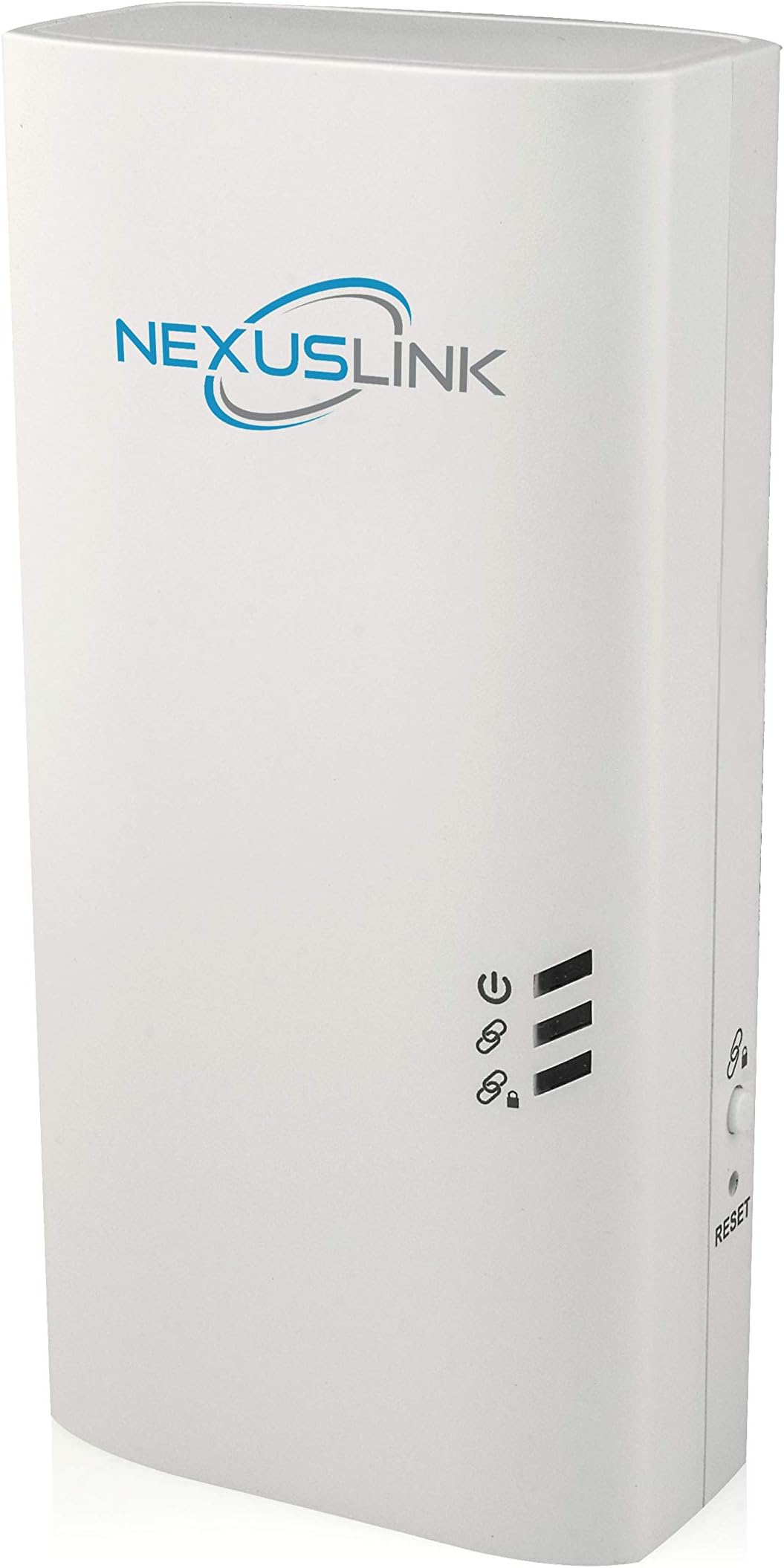
The NexusLink G.hn Wave 2 Powerline Ethernet Adapter PoE (GPL-2000PoE) delivers up to 2000 Mbps over existing electrical wiring with dual gigabit ports and a 30W PoE power budget. Designed for seamless plug-and-play setup, it supports 802.3at PoE to power devices like security cameras while providing a stable, lag-free connection optimized for gaming, streaming, and remote work. Ideal for professionals seeking reliable wired internet without rewiring, it leverages advanced G.hn Wave 2 technology to outperform traditional WiFi extenders.


| ASIN | B087QTBSBT |
| Best Sellers Rank | #292 in Powerline Network Adapters |
| Brand | NEXUSLINK |
| Color | White |
| Compatible Devices | Desktop, Game Console, Laptop, Smartphone, Tablet |
| Customer Reviews | 3.8 out of 5 stars 32 Reviews |
| Data Link Protocol | Ethernet |
| Data Transfer Rate | 2000 Megabits Per Second |
| Hardware Interface | Ethernet |
| Manufacturer | NEXUSLINK |
| UPC | 850005998112 |
S**S
PoE and the best Powerline tech is terrific.
I've been using powerline adapters for about 8 years, and decided to upgrade my network to the new g.hn Wave 2 adapters that are coming out. I really liked that Comtrend/NexusLink has a "complete line" of adapters that leverage the same g.hn tech but perform specific functions. This POE adapter is especially useful, since it simplifies connecting devices like security cameras as it will power and connect the camera with a single cable, but also simplifies the back haul connectivity since the g.hn can use the power lines to connect back to the router. I have a network using 3 of the basic GPL-2000PT adapters and two of the GPL-2000WAC access point adapters. I bought the POE device for a security camera at the far end of the house that had poor wifi connectivity. After initially getting the POE adapter, I wasn't able to get it to pair with my existing network using the "link" buttons. I tried multiple times and multiple ways, but the POE wouldn't join my existing network. I emailed support and they sent some instructions over email to try. Those didn't work, so I ended up getting a call with them. The support tech I spoke with was very helpful, and we tried a few more attempts but we still couldn't get it to pair, so he issued an RMA and sent a replacement out. The replacement shipped quickly, but to my frustration the replacement also wouldn't pair with the network. However, the replacement POE and original POE adapter would pair with each other. At this point, I believed the issue might be either my other adapters, or how I had set up my network. I gathered all of my adapters together and did full factory resets on everything. Starting from square one, the POE adapters would pair with each other, the PT and WAC adapters would pair with each other, but the POE and PT/WAC adapters wouldn't pair together. All of these devices have built-in web interfaces that can be accessed by connecting to the network port and going to 192.168.0.5 (all adapters use this IP by default). On the main page, there is a "Domain Name" under "Basic Settings" and "Pairing Password" under "Encryption Settings". These are the two items that need to match in order for the devices to join the same g.hn network and talk with one another. I first tried changing the "Domain Name" to match from the web interface. Doing this allowed the devices to "see" each other, however they couldn't pass data and wouldn't pair using the link button. I then changed the "Pairing Password" from whatever the factory default is to something else, and to my surprise the POE and PT/WAC adapters paired successfully! I always used the "link" button on the sides of the devices to link them together, so I never changed these manually from the web interface before. As such, it seems whatever the factory default pairing password is on the POE devices is different from the other models, and it looks like this has to match in order for the "link" button to pair successfully. So if you buy a POE adapter and are also struggling to get it to pair with one of the other models successfully, try manually changing the pairing password on both from their web interfaces to match. I relayed this information back to support, and they let me keep both POE adapters as a thanks. I'm really pleased with the way these are working, and I'm also very happy with the level of support I received. It's inconvenient that the POE and other models can't *currently* (as of 8/2020) pair using the link button, but there's a solid workaround, and I'm sure Comtrend will investigate further and release a software fix. The other thing I like about the company is they actually appear to support their devices with software updates and bug fixes, whereas most other vendors of powerline network adapters just ignore them after they get released and bugs never get fixed. Even if this was just an issue specific to my set adapters and isn't a problem for anyone else, I learned something in the process, which is always worth the effort.
J**V
Good or Maybe Excellent
This was paired with a NexusLink GPL-120OPoE model, and it was as easy as plugging it on the wall outlet and pressing security button on the first and then on the second. Of course, theyโre different models and speeds, but the throughput I got was well below my WiFi when testing with a laptop. I was getting an average of 65 Mbps. Thatโs many times slower than the advertised for the NexusLink GPL-1200 let alone for this model, GPL-2000, which is rated for 2Gbps. The latter was downstairs directly connected to the router and the other upstairs at no more than 60 feet away. However, it clearly seems that the issue was not with this unit. Connecting directly to the GPL 1200 with an RJ-45, my laptop saw that connection as 100 Mbps instead of 1 Gbps (1000 Mbps). When connecting to the GPL 2000, it connected at 1 Gbps. That means that this Nexuslink could theoretically get a much better speed if it was connected to another GPL 2000 or even to the GPL 1000 if it was not limited to 100 Mbps. Since I had ordered this for one of my cameras that I didnโt want to run cables to, it worked very well for that. It didnโt require too much bandwidth and the power provided by PoE was perfect for the camera. My main objective was met. There could be many reasons for that lower speed, such as both being on different electrical circuit breakers or some type of interference. But I believe that the main reason is that the other unit has an issue, which I hope to work it out. From what I see, this works well. Unfortunately, my issue didnโt allow me to test it under better circumstances, but even at the speed I got, it proved to be good for security cameras and I would say even for most video streaming services and regular internet browsing.
A**R
Great for PoE cameras - when they work
I have 4 G.hn wave 2 powerline adapters from NexusLink. Two of the GPL-2000 and two of these GPL-2000PoE. 3 of them work flawlessly. Signal is much more stable than AV2 standard. I use these for PoE cameras since I have no attic or crawlspace to pull wires through. I'd give 5 stars except one of these GPL-2000PoE is faulty. Not only doesn't find a connection, but takes down all of the other adapters if it's plugged into the system! I'm returning it for a replacement, and will update my review after. Update 10/5/2022: Received my replacement GPL-2000PoE a couple days ago and now everything is working perfectly. I moved from AV2 powerline and the difference for me at least is night & day. Previously I had to lower the resolution, framerate, and bitrate on all my cameras since I'd get dropouts otherwise. I can now max everything out and latency is 1-2ms on all cameras now.
T**O
Works..... Sometimes
This product was very easy to set up. I ordered this product since I have wifi issues such as buffering in my household and my son is a gamer and we all know that's a no no. This item seems not to be working as efficiently as I thought it could and it could actually be me. I will do an update after I watch a few more Youtube videos just to make sure I am using that product properly.
N**D
Easy to use, but completely worthless
TLDR: They're bad. Buy a network cable instead. FYI the instructions (see picture) list a good connectivity of more than 40Mbps, which explains the numbers below. Bought these because I have poor wifi connectivity on the other side of the house. Idea was to get two of these to bridge the gap (admittedly I didn't need two PoE ones but bought two to test them out) and put a wifi AP on the other end. Connecting them to each other was pretty trivial. Ran CAT 7a to the source adapter and 7a from the end adapter to a laptop with a 1Gbps NIC. Ping? 7ms. Great. Transfer rate? 40Mbps up and down. (um, what?) Fine. Tried it throughout the house and even in a few outlets in the same room the source adapter is in. Max transfer rate after all that? 180Mbps in the same room (worse outlet was again 40Mbps). Slower than if I just ran a 50ft cable. How far is the original outlet I tried? In a straight line about 70 feet. If you need something to bridge the gap, do not use these. You might as well run a cable.
L**F
Didn't work
Would not get an IP address from the DHCP server. I suspect there is some hard-coded stuff in the firmware and the adapter wanted a 192.168.0.X network rather than a 10.0.X.X network. These also would not join the non PoE GPL-2000 adapter. Update: Turns out these default to DHCP turned off. This is bizarre the manufacturer would make this configuration decision. Once I was able to to get to the management interface by hard coding my network settings, enabling dhcp, then doing things the normal way, I was able to force them to connect by setting the powerline network name the same on all devices.
F**E
Easy to set up; superior to WiFi
I got this, and also another, NexusLink powerline adapter to add to the existing NexusLink powerline network in my home. If you do not already have a NexusLink network set up (i.e., at least two existing NexusLink powerline adapters installed and working), you will need to buy a second one of these to set up your network. One note about powerline adapters: how well they work depends on how your house is wired and how you set up the network. First, plug all adapters directly into the wall outlet. Don't use power strips or surge protectors. Doing so will *greatly* reduce the speed and quality of your connection. If you adhere to this guidance, the adapters will work well and give you a solid connection with decent speed. However, adapters that are all installed on the same circuit (i.e., all outlets are controlled by a single circuit breaker in your electrical box) will operate at higher speeds that adapters installed on different circuits. I only have one additional adapter on the same circuit as the adapter that is connected to my router. I notice about 20% better speed with this connection. However, this does not figure into my decision on where to locate powerline adapters; I put them where they are needed, and even on different circuits they give better speed and reliability than WiFi. In most cases in my house, they are located where there is little or no WiFi signal to begin with. As with my previous NexusLink powerline adapters, included is an easy to follow quick install guide that is illustrated AND was clearly written by someone whose first language is English, in stark contrast to most electronics these days. The guide is simple to follow, even if you are not technically inclined at all. The adapters work great. I love that it has TWO Ethernet jacks. I am replacing the existing NexusLink powerline adapter in my home office with this one, so I can plug both my work and home computers into Ethernet. Until now, I had my home Mac plugged into Ethernet and ran my work computer on WiFi. Plugging in to one of the Ethernet jacks on this adapter gives me the same speed as I get plugging directly into the router attached to my cable modem. (Full disclosure: my home Internet connection is advertised at 100Mpbs, but real-world performance tops out around 70-80Mbps in the best-case scenario even when connected directly via Ethernet, so that's not even beginning to tax the top advertised speed of this powerline setup). As stated above, I had several existing NexusLink powerline adapters already. One was plugged in near my Internet router and it feeds all the others. Adding additional adapters is just as simple as the original setup, and you can add adapters up to a total of 16. You simply plug in the new adapter, press the config button on one of the existing adapters, then press the config button on the new adapter. In a few seconds, the new adapter connects to the exiting setup! To be clear, you don't have to put an additional adapter at the Internet router; that single adapter feeds all the rest. You simply add additional adapters wherever in the house you need them. As I'm sure most households do, we have a menagerie of electronics that require Internet access: TVs, Amazon Echos, IP cameras, etc., in addition to the usual MacBooks, iPads, and iPhones. Where possible, I prefer to use a wired connection. It's generally faster than wireless, plus the more devices you can moved from wireless to wired, the less congestion on the wi-fi network, therefore the faster the connection to the remaining wireless devices. Both of these new adapters I got differ from others I have in that it supports PoE (power over Ethernet). However, I do not have any equipment that requires PoE, so I can't speak to how the PoE feature works.
P**W
Perfect for small house or apartment
I have been using these in various places to test with and have come up with a sort of distance it can travel. It's distance from the other paired unit seems to be perfect for a small house or apartment where you don't want to run wires and the speed is pretty good keeping with in I'd say about 30 feet, which is plenty in a an apartment. In a house you might notice less than perfect speeds and also depends on how many electronics you happen to have plugged in also. But over all it works and sure easy to pair up and place pretty much anywhere. If you have a larger home, you might get drops at the farthest ends of the home if you were going from one end to the other with lots of devices plugged into the wall. The POE function works perfectly for my cameras that use POE and getting good speed from them but needed to find the best place to the units.
Trustpilot
1 month ago
2 months ago