

Desert Online General Trading LLC
Dubai, United Arab Emirates
Desert Online General Trading LLC
Dubai, United Arab Emirates


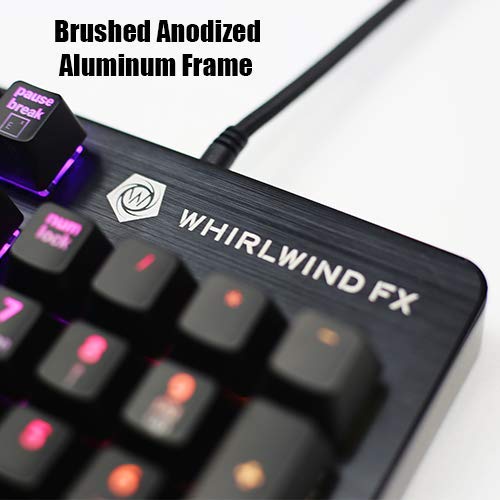


🎮 Elevate Your Game with Whirlwind FXElement V2!
The Whirlwind FXElement V2 Gaming Keyboard offers an immersive RGB experience with customizable lighting effects, a robust aluminum frame, and Gateron mechanical switches designed for longevity. With a lightning-fast 3000Hz polling rate, this keyboard is engineered for serious gamers who demand precision and reliability.
R**H
Excellent lighting software and build quality
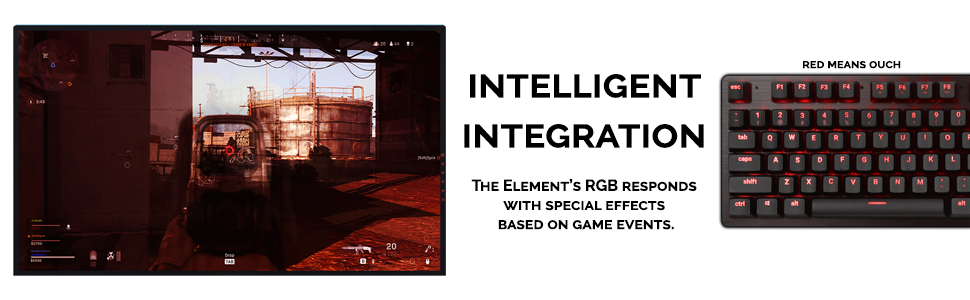
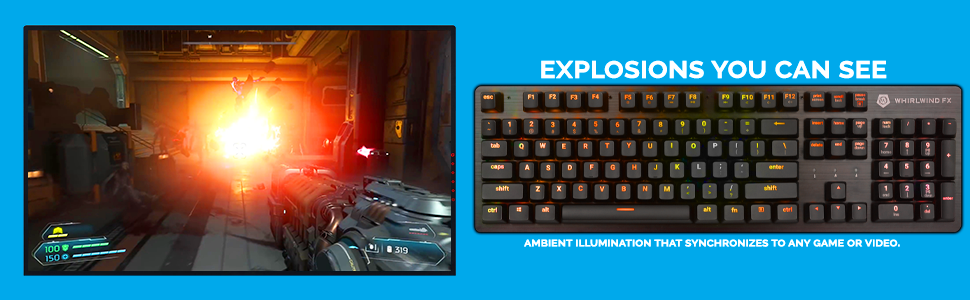
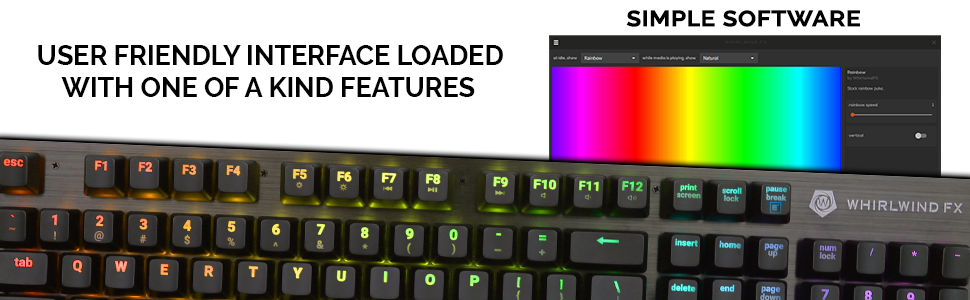
Pros:* Full size layout, some may prefer tkl/60% but I want my dang numpad ;)* build quality as mentioned in title is excellent. Brushed aluminum body, satisfying tactile (brown) switches, keycaps are well backlit and very legible* The SignalRGB software which controls the backlighting, fancy game integrations, etc. is quite powerful, esp. if you have other (a)RGB stuff connected to your PC and/or dabble in Javascript and wanna roll your own lighting effects*No seriously Signal supports an absurd amount of hardware nowadays. Got a modern RGB-laden GPU, RGB RAM, and mobo RGB headers controlling hubs full of argb strips? Decent chance Signal will just recognize and be able to control all of it from the first launch. Favorite device isn't supported? You can ask around and learn how to packet sniff the instructions being sent by the official software and reverse engineer a module foe Signal to control it.* For this price point it's rare to have full mech keycaps, good lighting software, and hardware that doesn't feel like it cuts a lot of corners. This is WWFX's "premium" model at budget/midrange prices.Cons:* The layout is just a bit off from the last couple full size US QWERTY Windows boards I've owned. I keep mistyping for a few characters then having to correct myself. I've only been using it as my daily driver for about 3 weeks, and haven't been doing much typing outside the usual social mediaing. I hope/assume this will fix itself in time, if not I'll play with backlighting to highlight alphanumeric keys and the like till my brain learns where the 'normal' key rows begin and end.* SignalRGB is an amazing tool if you're comfortable at least editing some json and ideally writing your own animations (Signal uses an html canvas and you write JS to draw animations on it, which then get mapped to devices' LEDs) = it is in some ways more limited than the better of the big name first party solutions if you just wanna tell your keyboard what colors to be. There are a lot of predesigned effects with varying degrees of customizability, especially if you spring for Pro (it's like $3/month iirc), and the game-specific integrations are extremely well done with more coming out seemingly every few days - but for complex DIY effects with no coding involved it hasn 't quite caught up to Chroma 's layered, per key approach* Signal does lots of cool lightng stuff, it can dim the backlighting as well as disable the Win key if you want - but there is no comprehensive macro/rebinding utility out of the box. I would suggest AutoHotkey for an extremely powerful, hardware agnostic alternative - it can be intimidating but for simple key rebinds it's pretty easy to pick up - copy-pasting examples of simply rebinds like "make ctrl + f7 input this block of text instead."* Not much in the way of handrest space or front 'lip' - you may need to get a wrist pad for comfort if you're used to resting your palms on the desk.* No dedicated media or macro keys (fn+[f7-f12] cover media key inputs by default but obviously with no macro buttons there's also no macro record/delete buttonssummary: more casual users will appreciate the slick and well built hardware and game lighting integrations but may miss having things like macro features built in. Power users will love Signal's novel approach to RGB lighting and may appreciate the lack of bloat.
J**N
Girlfriend loves it for typing at work
After buying a junky used keyboard for about $30 at Goodwill, I felt bad for the misses and found something with blue switches, her having experienced the red switches I have on my keyboard that I'm typing this with).I got this thing for cheap on here, which kinda blew my mind when it arrived and was cool to the touch with how nice the aluminum frame was. I kinda wish she didn't have to keep it at work all the time, but I did get it for her...Anyhow, the short of it is, super bright RGB, satisfying and loud switches, solid build quality, and pretty damn cheap when I got it.You do need SignalRGB to change the RGB effects and whatnot, but I already had it installed to control my off-brand RGB AIO, and it still has all the functionality and effects you really need, unless you really wanna pay $5 a month just for some fan controls and extra effects (you don't have to).
A**Y
Couldn't be happier
This is only my third keyboard. But if it lasts it will also be my last keyboard. The red linear switches are perfect for me, a teeny bit of noise but super buttery smooth. The keyboard being made out of aluminum makes it pretty light but still feels like it has good build quality.The lighting on this keyboard, is second to none. I have always wanted one of these keyboards and it finally went on sale. I am so glad I made the jump. With their software I have all of my RGB for my entire setup all synced together. But hands down this keyboard has the best most customizable, brightest most vibrant RGB I have ever seen. It even probably has the best screen mirroring I have seen as well.
D**R
It's good
So this keyboard so far is okay. The clicky nature is nice, not too loud and not too soft in actuating. The only real issue I have with it is the software. It's very clunky and poorly optimized, sometimes I see fifteen instances of the icon in the tray below so I have to click on one and it goes away (hopefully a visual bug, not a bad bug). Otherwise, the colors are great and vibrant. Some of the game profiles are confusing and don't quite work that great, but I'm also not. looking at my fingers when playing games to be honest, so it's a moot point. It's easy to clean, the keys are easy to remove.
J**I
Amazing keyboard with flair
I was in the market for a new mechanical keyboard for gaming. I had heard about the Element from WhirlwindFX. I did a little research and it seems that this one focuses on the interactive RGB.Pros:- The LED's color range, brightness, and programmable display patterns are impressive especially tied to the hottest games.- The LED extensions add an extra depth to immersion of my games, and it seems like the team at WhirlwindFX keep releasing integrations for the latest games. - makes the investment worth it!- Key pressing feels great. The feedback and sound is super gratifying.- The software capabilities for programming LED's are wonderful once understood.- The keyboard has no latency whatsoever IMO.- I can't seem to overstate how well made this keyboard feels. The base is metal and heavy feeling. The keys respond well and the switch mechanism feels solid. There is no play in the keys except to give for typing. This keyboard is a wonderfully made device.Cons:-The software can take a couple of minutes to understand, but I must say that I figured anyone who is PC savvy can figure out pretty simple programming software.Overall impression: I would recommend this keyboard to anyone with the cash to spend on a quality built piece of hardware.
Trustpilot
1 month ago
1 month ago