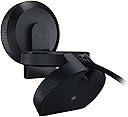
🎬 Light up your stream, own the spotlight.
The Razer Kiyo is a professional-grade streaming webcam featuring a built-in adjustable ring light, delivering smooth 720p video at 60fps or crisp 1080p at 30fps. Designed for gamers and content creators, it offers advanced autofocus and customizable image settings via Razer Synapse 3, all packed into a compact, travel-friendly form factor.
| ASIN | B076QK6489 |
| Best Sellers Rank | #34,285 in Video Games ( See Top 100 in Video Games ) #1,547 in PC Game Controllers #1,570 in Webcams & VoIP Equipment |
| Brand | Razer |
| Built-In Media | Important Product Information Guide, Razer Kiyo with attached USB2.0 cable |
| Camcorder Type | Video Camera |
| Color | Black, White |
| Compatible Devices | Personal Computer, Laptop, Tablet |
| Connectivity Technology | USB |
| Customer Reviews | 4.4 out of 5 stars 6,391 Reviews |
| Display Resolution Maximum | FHD |
| Effective Still Resolution | 4 mp |
| Effective Video Resolution | 720 pixels |
| Exposure Control Type | Automatic, Manual |
| File Format | JPEG |
| Flash Memory Bus Interface Type | SD or eMMC |
| Flash Memory Installed Size | 128 GB |
| Flash Memory Speed Class | C10 |
| Flash Memory Type | SD |
| Flash Memory UHS Speed Class | U1 or higher |
| Flash Memory Video Speed Class | V60 |
| Focus Type | Auto Focus |
| Form Factor | Compact |
| Global Trade Identification Number | 08886419377108 |
| Image Aspect Ratio | 16:9 |
| Item Dimensions D x W x H | 2.72"D x 2.72"W x 1.89"H |
| Item Weight | 7.05 ounces |
| Lens Type | Zoom |
| Manufacturer | RAZER |
| Maximum Aperture | 3.5 millimeters |
| Maximum Focal Length | 6 centimeters |
| Minimum Aperture | 22 f_stop |
| Minimum Focal Length | 30 millimeters |
| Model Name | KIYO |
| Model Number | RZ19-02320100-R3M1 |
| Operating System | Windows |
| Optical Zoom | 3 x |
| Photo Sensor Technology | CMOS |
| Screen Size | 2.45 inches |
| Sensor Type | CMOS |
| Shooting Modes | Automatic, Easy, Manual |
| Special Feature | Face Detection, PC / Mac, Webcam |
| Style Name | Streamer Webcam |
| Supported Audio Format | AAC, MP3, PCM |
| Supported Image Format | JPEG, MJPEG |
| UPC | 814855025039 |
| Unit Count | 1 Count |
| Video Capture Format | YUY2, MJPEG, or H.264 |
| Video Capture Resolution | 1080p |
| Video Resolution | 1080p |
| Viewing Angle | 81.6 degrees |
| Warranty Description | Manufacturer Warranty for 24 months after Purchase |
| Water Resistance Level | Not Water Resistant |
| White Balance Settings | Auto |
| Zoom | Optical |
M**Z
Pretty Dang Good: Described what it does and does it well.
Razer’s KIYO is a very good starting camera. Device: The KIYO comes with the camera in a very nice box, and a manual and stickers. Steps: KIYO requires the Razer Synapse 3 software in order to use appropriately. This software has been uh, criticized a lot by the gaming community because of its data collecting. However aside from that, it works just fine. Once you install the software, it’ll detect the Kiyo and update the firmware in the camera. As of 11/13, it still getting updates. Microphone: It’s not great, but assuming you’re a gamer, you probably already have a headset or microphone installed. For normal zoom environments, I recommend a quiet room or a dedicated microphone. Quality: It’s a pretty good looking device, the mechanism that holds it on your monitor or desk is very strong and can even be stood up. The lens is small but mighty, 1080p looks really good, but adjusting the settings will yield better results color wise for your streams. Features: integrated ring light, pretty dang good and bright. I looked very good on camera. I definitely prefer this model to any of to a 4K Brio Logitech camera. Which I consider overkill. This camera is great for zoom, it has good lighting and great autofocus. I just wish it did 1080p and 60FPS. It can do 720p and 60FPS or 1080p with 30fps. Overall: Aside from that I highly recommend the Razer Kiyo. It truly makes an excellent companion for both gamers and students or just presenters. It works on Microsoft Teams and Zoom incredibly wells. The software is really easy to install, and the ring light packs a good punch. Just make sure you wash your face otherwise the light will reflect off your grease lmao. If you can get it for less than 100, you have a good camera with good warranty and great views.
D**Y
Fantastic. High quality.
For the money I cant complain at all this little thing really works super well!! The ring light thats built in actually ended up doing more than I thought it would (which is nothing at all). However it gives me a soft glow on my right side thats opposite my large ring light. I had a few focusing issues as I was bouncing around being silly with my friends on discord, but all and all I highly recommend.
A**R
amazing webcam, inflated price
this thing is really amazing! I had to change some minor options in the webcams ryzen program for better coloring but its nice that that is an option. other webcams sometimes have no option to change settings, you get stuck with the default settings that often are not optimal for you. the ring light is also nice but imo its a bit too bright even in the lowest brightness setting, makes me look a bit too pale. overall an amazing product, however i would simply not recommend buying it right now. the inflation of the price right now is outrageous. remember that the prices sellers have on amazon have nothing to do with the retail price of the product! $190 is ridiculous!
H**N
Nice durability and solid performance so far
I play games a lot on my computer at home. I was browsing the internet one day and ran across an online streaming platform that rhymes with witch. I had never seen this before (I guess you can tell I am older by now) and became intrigued. The more I watched it, the more interested I became, thinking that I too play enough games I too could do this. So, I set out to review several things I needed to get my stream up and running. I chose this camera to use. So far it has been a durable camera. I like the built-in light ring that is adjustable with light intensity. The autofocus works fine, and the image quality is great. I use it in a USB 3 setup for fast throughput. The only problem I have is with the camera control panel. I set my camera to center my image on the screen with the Tilt and Pan. It originally saved this setting; for some unknown reason, I have to go in each time and reset the parameters to what I had. It seems to lose the setting each time and I have not figured out why. It does hold the setting while using the camera until I shut down a reboot the following day. Overall, the camera does a good job, and I am happy with it so far.
K**0
Works wonders :)
I was afraid, after seeing all the reviews, that it would end up looking like garbage. The first one wouldn't turn on, but I was able to get a full refund. The second one I got works perfectly and the quality is HD and great for livestreaming!
T**L
Great for Teams meetings!
My monitor and my desktop computer did not come with a camera. This one was suggested by a co-worker whose husband has this same brand. I love that I can hide the unpacked boxes behind me while in a meeting with my co-workers, supervisor and providers that I work with. The sound is great and the images are fantastic. I can adjust it so I have more light on my face. I am quite happy with this purchase.
K**V
Not impressed! Camera overexposed or darkened despite software adjustments
I do a lot of online business requiring Zoom and other web-based meetings. I have an older Logitech web camera and it works fine; however, I was looking for a possibly better quality image. The Razer Kiyo camera made everything look way overexposed (too bright). When I used their software to adjust the camera settings, everything ended up way too dark. I could not find a middle ground where things looked normal. I tried for over an hour and searched the web for answers. No luck! No matter what I set the camera up for using the Razer software, when I restarted my computer the camera settings went back to the factory default and I had to start all over again. That's a deal-breaker on its own. Also, the autofocus periodically would make things in focus and then blurry on its own.
C**N
Really nice
I have to say, it works very well compared to similarly priced web cams. I used it to stream a little and it was crystal clear and didn't drop frames at all. I didn't use the mic much cause I have external. And it worked well with my pc using windows. Very compatible.
N**B
Ottima webcam per streaming e videochat in full hd dotata di autofocus
Dopo alcune brutte esperienze con webcam di fascia medio bassa, sono stato spinto ad alzare l'asticella per l'acquisto di una webcam che mi permettesse di fare streaming su twitch e videochat senza andare in blocco ogni 10 minuti di acquisizione. Mi sono orientato su questa webcam di Razer perché conoscevo già il marchio per altre periferiche da gaming e perché offre un pacchetto completo di alta definizione, autofocus e ring light (facilmente regolabile) ed un software che permette infinite regolazioni. Per la cifra spesa, circa 65€, rappresenta un'eccellente acquisto per chi necessita di una webcam full hd con autofocus fulmineo con cui effettuare video chat, video, streaming etc, di qualità, che duri nel tempo e che permetta varie impostazioni. Consiglio sicuramente l'acquisto!
M**S
Super caméra pour débuter le stream
La caméra Razer Kiyo est exactement ce dont j'avais besoin pour commencer mon aventure dans le monde du streaming. Je suis ravi de cette petite caméra qui offre une qualité d'image exceptionnelle, une installation facile et de nombreuses fonctionnalités utiles. La première chose qui m'a impressionné, c'est la qualité de l'image. La Razer Kiyo propose une résolution Full HD (1080p) qui offre des détails nets et des couleurs vives. La fonction d'éclairage annulaire intégré est un énorme avantage, car elle assure un éclairage uniforme et flatteur, ce qui est essentiel pour paraître professionnel à l'écran. L'installation est un jeu d'enfant. Il vous suffit de la brancher, et elle est prête à l'emploi. Elle est compatible avec la plupart des logiciels de streaming populaires, ce qui simplifie encore plus les choses. De plus, le support réglable vous permet de positionner la caméra à l'angle parfait pour votre diffusion. Ce que j'apprécie également, c'est le fait que la Razer Kiyo dispose d'un couvercle de confidentialité intégré. Vous pouvez facilement fermer le cache lorsque vous ne diffusez pas, ce qui est rassurant du point de vue de la sécurité. Enfin, le rapport qualité-prix est excellent. Vous obtenez une caméra de streaming de haute qualité sans avoir à dépenser une petite fortune. Si vous êtes un débutant dans le streaming ou même un créateur de contenu expérimenté à la recherche d'une caméra abordable et efficace, la Razer Kiyo est un excellent choix. Dans l'ensemble, je suis ravi de ma Razer Kiyo. Elle offre tout ce dont j'ai besoin pour diffuser des vidéos de qualité professionnelle sans tracas. C'est un excellent investissement pour tout aspirant streamer !
G**Z
Padła po dwóch latach...
Działała przez trochę ponad 2 lata. Dzisiaj przestała działać - pojawia się krótki błysk na ringu i tyle. Aktualizacja firmware nie pomaga.
M**N
great
as expected
P**K
👍
Really good quality
Trustpilot
1 month ago
2 months ago