
🎨 Unleash your inner artist—no limits, just pure creativity!
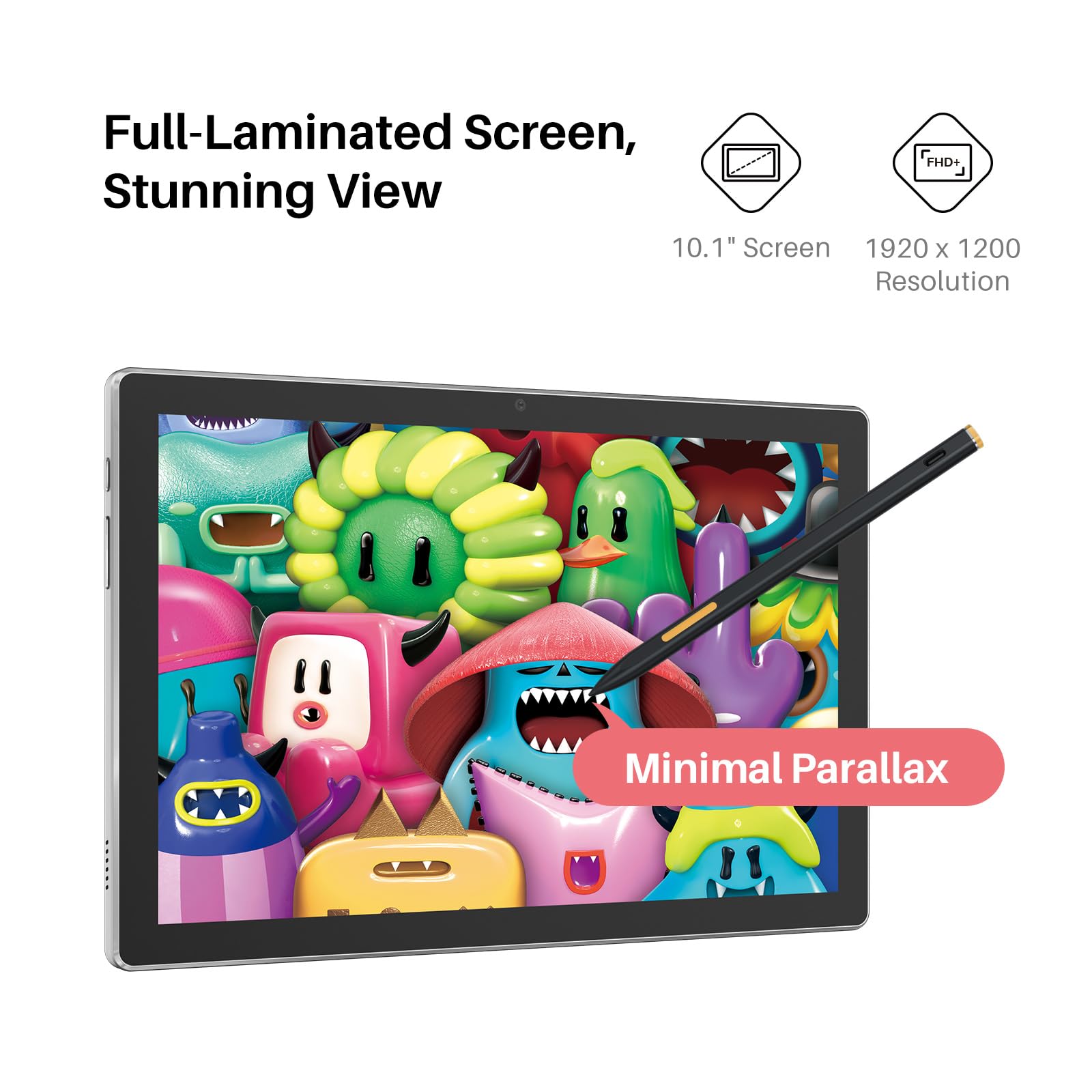
The HUION Kamvas Slate 10 is a standalone 10.1-inch digital drawing tablet featuring a full-laminated 1920x1200 IPS screen, Android 12 OS, and a rechargeable stylus with 4096 pressure sensitivity levels. Equipped with an 8-core processor, 8GB RAM, and 128GB storage, it offers powerful performance without needing a computer. Its 6000mAh battery ensures extended use, while anti-glare and fingerprint-resistant coatings enhance the drawing experience. Perfect for beginner to intermediate artists seeking portability and professional-grade features.











| ASIN | B0C6DSZD73 |
| Batteries | 1 Lithium Ion batteries required. (included) |
| Best Sellers Rank | #61 in Computer Graphics Tablets |
| Customer Reviews | 4.2 4.2 out of 5 stars (946) |
| Date First Available | December 4, 2023 |
| Item Weight | 1.27 pounds |
| Item model number | KT1001 |
| Manufacturer | Shenzhen Huion Animation Technology Limited |
| Product Dimensions | 9.57 x 6.34 x 0.1 inches |
E**L
A good intermediate or beginner tablet thats not too expensive
So far everything has been good. The tablet was easy to set up. It has good durability but obviously don't drop it (i already did once and its alright). It only took a moment to link it to my phone. The stylus works well though after a few days of using it I've noticed it wont draw or will be choppy (it keeps reading my palm, i think that's the problem) Initially the pressure sensitivity worked well. Im not sure whether or not thats from my art app (ibis paint x) or the actual tablet. I got it on sale and for the price I paid i would say it's worth the money. Definitely wait for a sale before you buy though. Its not the highest quality tablet but it works. The left side of the tablet gets warm quickly but i haven't had to turn it off due to heat yet.
H**.
good solid tablet
needed an art tablet to use away from my computer for days when i'm struggling with chronic pain. it's solid and strudy with a good weight to it. the pen is on the lighter side but it's not bad. it comes with an art program pre installed but i use csp so i cant say how good that program is. i enjoy it so far. downside there isn't any cases available in different designs or colors so you're stuck with the grey. i like cute things so i covered it in chiikawa stickers to make it cute
A**L
Great product for kids & beginners
Bought for my 11 year old granddaughter who loves art. She loves it!
A**I
Wonky Nub
Its good, the tablet is compatible with lots of apps. The Only problem is the nub of the stylus. I replaced it with a new one, but it still acts wonky. Overall though the drawing tablet is pretty great and nice to use for simple things and such 😊
T**S
Update: Glad I gave this another chance. OLD: Will give a second chance.
UPDATE: So I got the new tablet yesterday, right on time. I'm glad I gave this a second chance, despite what happened and the other bad reviews. *not that many to me tbh* Anyway screen is solid, and was fully charged, I didn't expect that. The pen is right on point. A few updates, but that's expected. The colors look great, sound without headphones is pretty clear. *My hearing is garbage* but could hear the sound/music/movies etc clearly. Tried a few drawing apps, and found some new ones to replace Sketchbook. I did go and buy the 3-year warranty/insurance since some reviews said it died right after their warranty was up. So if I can get a minimum of 3 years, good enough for me. Will be getting one for the kids next. They destroyed their old tablet so they gotta wait. OLD: From an intense computer user's point of view. The system stats on this tablet are well worth the price. This is the main reason I went with this tablet, and will give it a second chance. When I received the tablet, the packaging was in great/solid condition. I made sure both the pen and tablet had a full charge before turning it on. The tablet came on, but the screen itself would not. The back light came on, but not the actual display. The start-up sound was clear, pen was rechargeable which was fine. Some of the other reviews made me second guess, but after spending many hours reading and comparing other tablets, none seem to come close regarding the stats. Also trying to keep within $200 to $300.00. Seems the best option out of the others. Tldr: Screen non-functional, took several days to receive Doa product. Will update the review after receiving 2nd chance tablet. "Allegedly" arriving tomorrow. 2/26/2024
B**N
Defective cables, drivers, and the single worst customer care experience I've had.
What a trip this one. Bought this on black friday on impulse. Reviews overall looked good, minus some issues with faulty cables and whatnot. Good outweighed the bad, right? Well. No. I apparently received one of those faulty cables. The display would work fine, but the USB and touch interface would endless disconnect and retry, never fully connecting. Reading what I could, it seemed to be a cable or driver issue. First thing was first, I tried the USB on every port I had, even plugging in the auxiliary power connector into a wall charger to make sure it wasn't a power delivery issue. No go. I tried downloading updated drivers and firmware. The driver software was updated Nov 02 this year. OK. The firmware installer completely crashed and gave fatal errors on install, and I later discovered doesn't even support or detect my model. (Need the Pro version). So I contacted support. They wanted all sorts of obtuse information to put in warranty information and start a support ticket. Whatever, jump through the hoop. And then I waited. And waited. Four days later I finally get a scripted response in badly formatted english giving me 20 steps on how to test the HDMI. It's a USB problem, not HDMI... So I shot back. I also informed them many other people are having this same issue in the reviews. Reply: please provide us a video of the issue, including how it is connected to your cell phone. What? I already stated that I'm using their included cable. I look up a youtube video (There are many and more) detailing the rapid disconnect issue and send that off. Reply: please provide us a video of the tablet connected to your cell phone.. What? I've specifically stated that I was using their 3-in-1 cable and described how it was connected. Explicitly stated that I will not be sending them a video of my tablet connected to a phone because my tablet is NOT connected to a phone. And that this lack of active thinking with their support is looking bad on them as a company. Well, my ticket is closed, and I'm back at square one. With a faulty tablet I can't use. I contact Amazon, who, being Amazon, had my back and sent me a replacement cable (with credit compensation) which I am now using. Lo and behold? Now the screen flickers as well, and the USB still doesn't initialize. I'm returning this piece of crap and never looking back at Huion as a company.
C**T
Great on the cheap side tablet
Great cheap alternative for an iPad for your kid, or even if you like drawing. Runs well with a pretty good amount of storage. Feels heavy and sturdy.
A**S
Me encanta, muy fácil de cargar tus aplicaciones y llevar a dónde quieras seguir editando tus creaciones
D**E
Few weeks after purchase review: I bought it to replace an older drawing tablet. Decided it was time to move up to drawing on screen. I Got it during a promo code sale and includes a bundled stand, a $60.00 value for a total of $120.00 savings. The package comes with a microfiber cleaning cloth, a bunch of nibs, nib holder, and a drawing glove. Everything you need to get started, save for downloading the latest drivers from the website (Something you should do anyways, for any computer accessory device). Being able to draw realtime on screen like you were using a pen/pencil on paper makes a big difference vs a plain tablet. I love the texture of the provided pre-applied screen protector, it feels like your pen device is drawing on paper, very pleasant to use. I also love the fact that the pen is battery-free. I've long grown tired of batteries dying, needing recharge or replace batteries on devices such as mice & keyboards. Product is very light weight, very comfortable to work with wherever your sitting. Included 2-in-1 cable seems to have enough length to be able to have a laptop placed off to the side. A USB 3.0 SS 'Super-Speed' port seems to have enough power, not needing to plug in the additional red-colored usb plug when using it with a laptop. I havn't bought or tried the usb-c to usb-c optional cable yet, may do so in the future. Connectivity to a cell phone via usb-c cable seems a very interesting feature, may be worth trying out! The display menu is easy to get into, and very bright at factory defaults. Like my monitors (laptop& desktop) I find its easier on the eyes to turn the brightness setting down a fair bit, and its still very bright and vivid enough to use. Darkmode display theme also helps, but generally the drawing program canvas is going to be white until you start filling it in with color. The display panel is an 8-bit IPS panel, very accurate and has better color range than my laptop 6bit panel. Screen resolution is 1080x1920, and is perfect for the display area, all program menus and icons are readable and visible. I'm using the default display mode set by the Kamvas driver and window options, so it mirrors the laptop display. Tip: I went into Windows Battery Settings / Power & Sleep, changed what closing the lid does while Powered on Both Plugged In and On Battery mode, (set it to 'does nothing') and simply close the laptop lid, I find its less distracting, and makes for a viable option when running on battery power instead of being plugged in. You can also change the display preferences to set it as a secondary monitor mode, and use the laptop screen for displaying reference material which can be handy, but it does take a bit of setting up to get working properly. The drivers/software make it easy to customize per application the side-buttons as well as make it left- or right side /handed functionality. The Kamvas 13 has 6 side-screen programmable shortcut buttons, I probably could have used another 6 or more buttons. This feature is very handy to use and set per-program. The Pen has 2 programmable buttons as well, I set them up as Middle and Right click functions, replacing the need for using a mouse. Tip: Do you want to extend an enhance the functionality of your Kamvas? I found some time ago a 3rd party handy utility app called RadialMenu (it's a bit buggy sometimes will crash and require reinstall, but there's nothing else out there I find that works for extra key inputs and shortcuts without using the keyboard, RadialMenu is great in that you can assign keys and shortcut combos as press or toggle, keys like Ctrl, Alt, Shift as toggles and keys 0-9 and A-Z as 'regular press once' and you can forgo needing using a keyboard entirely while working in your graphics program). I really wish Huion would create a utility app like this. With RadialMenu, I'm able to sit in my favorite armchair, set the laptop on the coffee table stand beside my and have the Kamvas on my lap. The unit came calibrated perfectly edge to edge / corner to corner out of the box, no need to calibrate it. Krita, Gimp, Autodesk Sketchbook, work fine out of the box, no issues - especially as those are free programs. Purchased programs like Adobe work as expected. No jitters issues on straight lines, pen pressure and tilt work fine. Drawing pen display tablets have come along ways in the past 10 years, becoming more accurate and affordable. I'm really glad I made this purchase. If in doubt, go google the product reviews and youtube reviews, I did, and choose this product.
K**様
本を読む、軽い絵を描く、に使用していますが問題ありません
A**D
Perfect 👌
M**R
Excellent Product
Trustpilot
2 months ago
1 month ago