Desert Online General Trading LLC
Dubai, United Arab Emirates
Desert Online General Trading LLC
Dubai, United Arab Emirates
![Gigabit Wireless Bridge, KuWFi 1200Mbps WiFi Bridge Point to Point Outdoor, 2.4&5.8G Long Range WiFi Bridge CPE with Panel Antenna Up to 5KM with 48V PoE Power[2-Pack]](https://m.media-amazon.com/images/I/61jO8mc9NBL.jpg)



🚀 Elevate Your Connectivity Game!
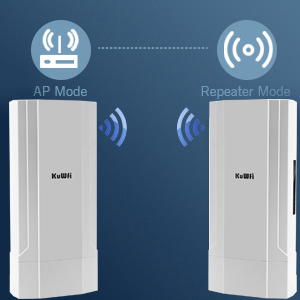
The KuWFi Gigabit Wireless Bridge is a robust outdoor WiFi solution designed for long-range connectivity. With a weather-proof ABS case, it operates efficiently in extreme temperatures and offers a powerful 500mW output for a range of over 5KM. Featuring Power over Ethernet for easy installation and multiple operation modes, this device is perfect for professional networking projects.


S**T
Complex and powerful
For those that left reviews saying these are confusing to set up, they are very very right. These are extremely powerful, with a ton of options. I'm a 35+ year network engineer, I know a little about routers and WiFi... And it took me a couple days to get these doing what I wanted.I ended up trying the default config, which failed to get an IP address from my provider (Comcast). Then I started advanced setup, and using the command interface from the web page to see what the embedded OS on the devices was doing. Each device can be individually configured as a router/Wi-Fi AP. The confusing part comes when the devices reset themselves... Sometimes you activate a feature (like activating the AP) and the device decides only the primary (master) side can do that so it switches the mode on you. Then you reset to secondary (slave) mode, and it invisibly resets the IP address of the device to it's default... Which is a problem if you're accessing it through it's embedded web page.One thing to be aware of is that the firmware does not respect the master / slave dip switch. It always defaults to "master". So when you fist set it up, the "slave" will be set to "master" on the firmware web page, and you have to fix that. Resetting certain things will flip that mode, and resetting to factory defaults will flip it to "master" as well. So, you'll have to double-check what the dip switch is set to AND what the firmware thinks it is.When you get done reverse engineering the capabilities and settings this thing has, it's VERY powerful. I've got it set up now, and I'm very happy with it
T**F
Poor documentation and tech support
To start, I am an IT professional and I know much more than the basics of my home router. I am not a Network Engineer, but might need to be if I ever get another one of these bridges.I wanted to extend my network into a steel sided barn about 200 ft from my house. This product looks like it would complete the need. My home network runs on IP addresses 192.168.0.x with well over 20 different items connected at a time and I wanted my main router to control all the PI addressing.What I liked about the product was the integrated mounting system that comes standard with the product.What I did't like was the tech support and documentation. When the product arrived, before even installing them outside, I tried to get the two receivers to talk to each other. After 3 hours of attempts, I gave up and contacted the KuWFi support team via Amazon. What I received was the same information that is available on the Amazon produt page - a one page PDF with a few pictures. There are so many options available in the software that are not described anywhere on the single page document. The web configuration software has some field specific help text, but this does not help to tie together what happens when option one and five are turned on. After recieving one note from the tech support, I sent a second note with a few more details on my configuration frustration. I received a cryptic note from them the next day that was no help at all. The second note had no advice on what to try next.I returned the product and will look for another solution.The product may work on other folks network, if they use the 192.168.255.x IP range. When I changed anything in the standard configuration, the receivers stopped providing feedback to the web configuration page. My advice, look for other companies that make bridges like these that provide good tech support and documentation.
J**.
works right out of the box
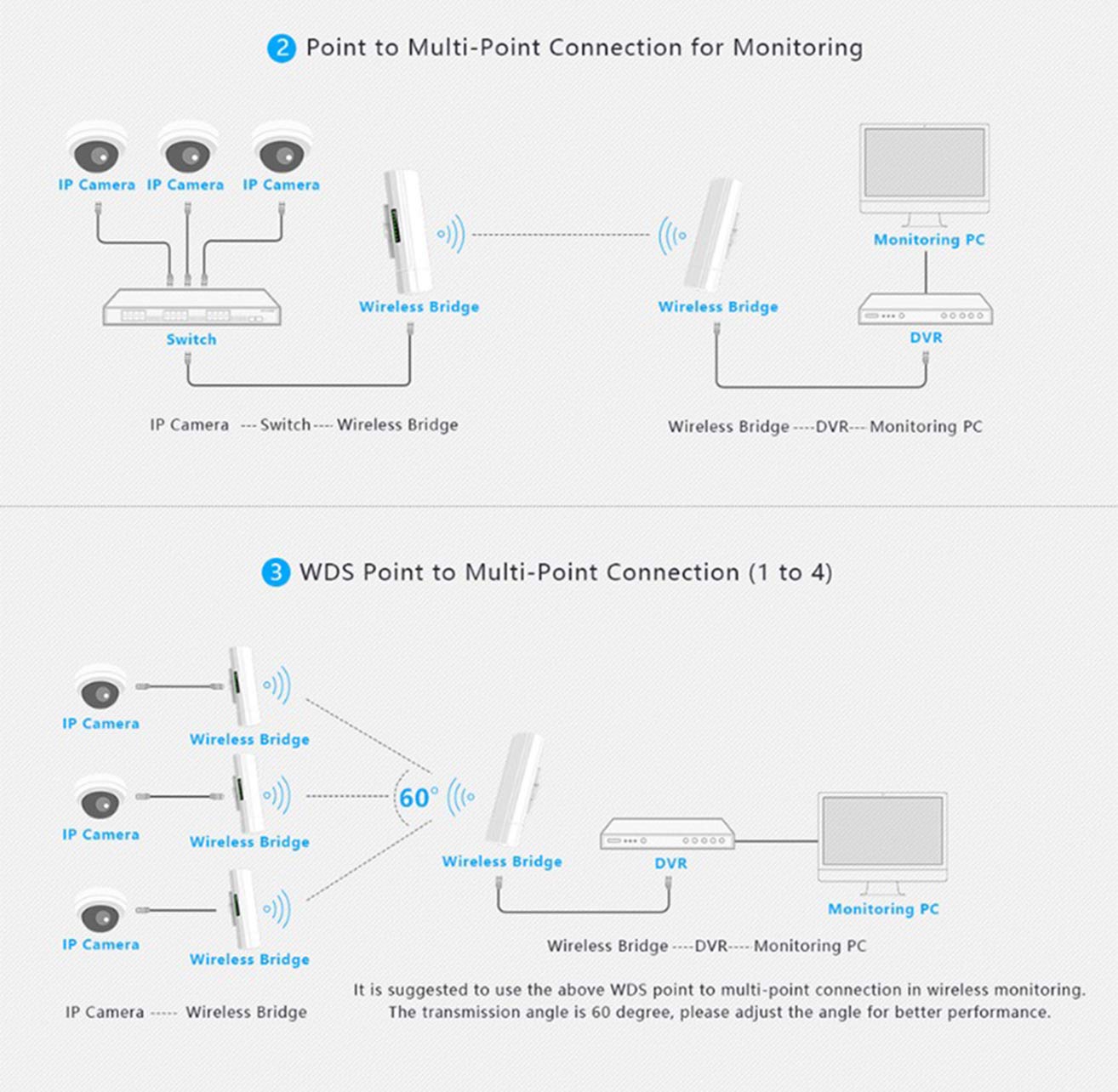
I am using these to send a internet to out buildings along a long lane about 3/4 mile . The master is at building 3 where the internet comes to and I have 6 slaves pointed back at it. The slaves are hooked to cheap wifi routers (linksys ac1000) that are the to the same ssid. they are linked back to the main router that passes out the IP address. as you travel from one end to the other the routers hand off the device to the next point.I did nothing more that slide the switch to slave and plug them in no setup required on the bridge.
L**R
Did not Pair - Master Bricked - Can't Recommend
TLDR - CPE-2200 - STAY AWAY. They may work for some technical folks, but they are NOT plug and play. I could not get them to pair after three solid days of working on them, so I sent them back. No proper instructions, no helpful videos on YouTube, and no working Wi-Fi - I'd go with another brand.If you want to know more, this point to point bridge seems ideal - and maybe it is, if you can get it to work. The ads checked all the boxes - 1200 mps, ip65 weatherproofing, long range, etc. But I could not get them to pair no matter what I tried, and, eventually, the Master bricked itself and would not even factory reset.The instructions were useless. Besides being written in really poor English, the diagrams don't describe or illustrate this model. There are also no YouTube or other tutorials that I could find as of June 2025 that helped with this model. The instructions, and every KuWfi video or tutorial instruction mentioned dip switches and LED channels - and this model, the CPE-2200, has neither dip switches nor channels.The Master and Slave come with the same IP address, and I could only change one. But, every time I tried, it rests to the default IP and a new wireless network appeared that didn't work. Very frustrating to have 50 wireless network choices, none of which can reach the internet.Maybe I received a defective unit. Maybe someone smarter will use them and love them and make a video about how to get them to work. But as of now, these are not easy to set up and probably should be avoided.
Trustpilot
2 weeks ago
2 weeks ago
![Gigabit Wireless Bridge, KuWFi 1200Mbps WiFi Bridge Point to Point Outdoor, 2.4&5.8G Long Range WiFi Bridge CPE with Panel Antenna Up to 5KM with 48V PoE Power[2-Pack]](https://images-na.ssl-images-amazon.com/images/I/61jO8mc9NBL._AC_UL116_SR116,116_.jpg)