
DOWNLOAD THE APP


Customer Services
Copyright © 2025 Desertcart Holdings Limited
DOWNLOAD THE APP
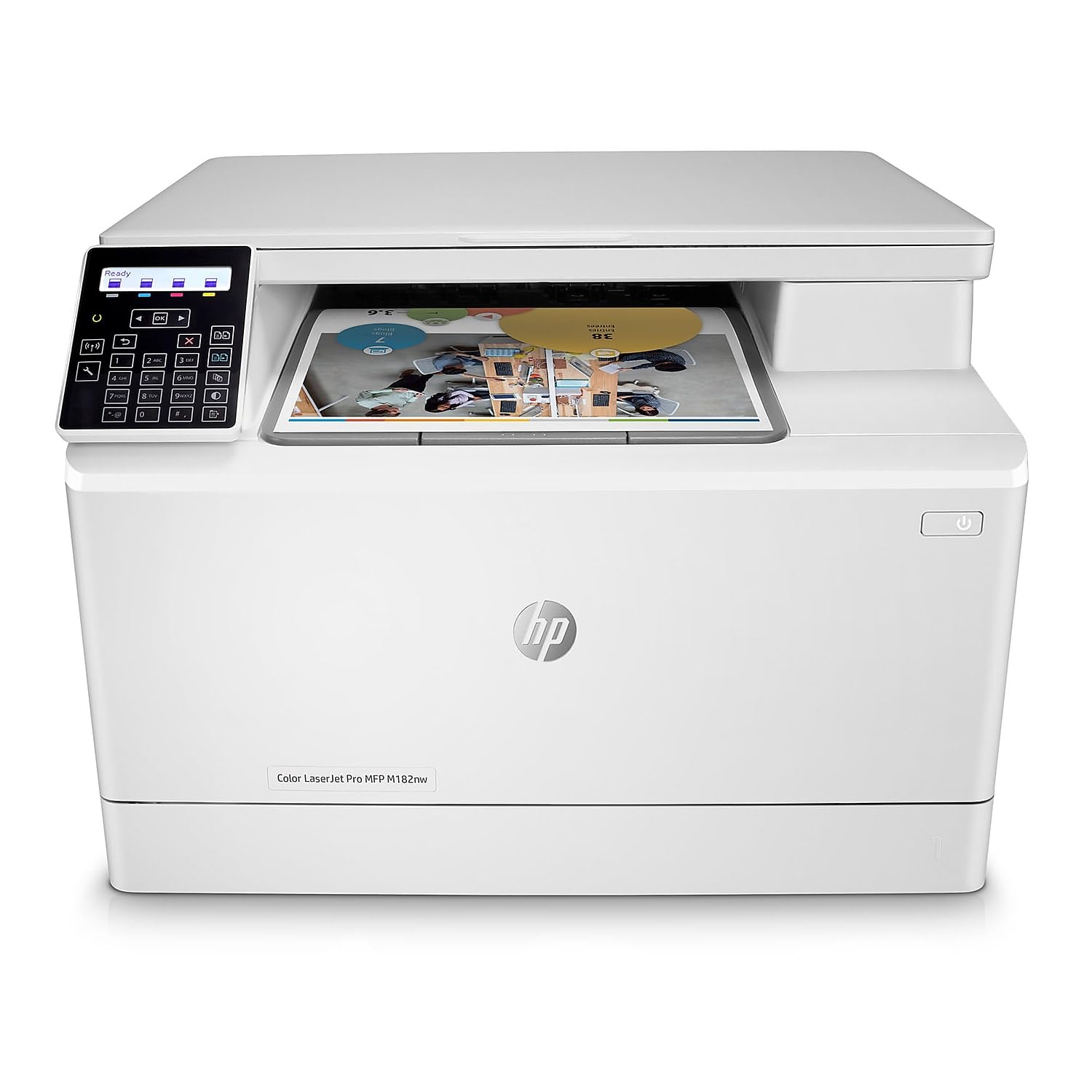
🚀 Elevate your office game with speed, security, and seamless wireless power!
The HP Color LaserJet Pro M182nw is a wireless all-in-one laser printer designed for busy professionals who demand fast, high-quality color printing, scanning, and copying. With print speeds up to 17 ppm, dual-band Wi-Fi connectivity, and the HP Smart app for remote management, it streamlines office workflows while safeguarding your data with built-in security features. Its versatile media support and intuitive controls make it a reliable centerpiece for any modern workspace.


| ASIN | B083ZYNPDW |
| Additional Printer Functions | Copy, Scan |
| B&W Pages per Minute | 17 ppm |
| Best Sellers Rank | #132,574 in Office Products ( See Top 100 in Office Products ) #175 in Laser Computer Printers |
| Brand | HP |
| Built-In Media | HP Color LaserJet Pro MFP M182nw; HP LaserJet Black Introductory toner cartridge (~800 page yield); HP LaserJet Cyan Introductory toner cartridge; HP LaserJet Magenta Introductory toner cartridge; HP LaserJet Yellow Introductory toner cartridge (~700 color composite C/Y/M page yield) Installation guide; Power cord; USB cable |
| Color | White |
| Color Depth | 24 bpp |
| Color Pages per Minute | 17 ppm |
| Compatible Devices | Laptops, PC, Smartphones |
| Connectivity Technology | Wi-Fi |
| Control Method | Touch |
| Controller Type | Amazon Alexa, Vera |
| Customer Reviews | 3.8 out of 5 stars 1,528 Reviews |
| Display Type | LCD or LED |
| Dual-sided printing | No |
| Duplex | Manual |
| EU Spare Part Availability Duration | 1 Years |
| Hardware Interface | Ethernet, USB 2.0 |
| Ink Color | Toner |
| Item Dimensions D x W x H | 19.5"D x 15"W x 18"H |
| Item Type Name | Laser Printer |
| Item Weight | 15.7 Kilograms |
| Manufacturer | HP |
| Maximum Copy Resolution Black and White | 600 dpi |
| Maximum Copy Resolution Color | ≤ 600 dpi |
| Maximum Copy Speed Black and White | 16 ppm |
| Maximum Media Size | 8.5 x 14 inch |
| Maximum Print Resolution Black and White | 600 x 600 dpi |
| Maximum Sheet Capacity | 150 |
| Maximum print Resolution Color | 600 x 600 dpi |
| Model Name | LaserJet Pro M182nw |
| Model Number | 7KW55A#BGJ |
| Model Series | LaserJet Pro |
| Number of Trays | 1 |
| Other Special Features of the Product | Cloud Print Enabled, HP Auto-On/Auto-Off Function, Network-Ready, Optional HP High Yield Replacement Cartridges |
| Paper Size | 4 x 6 to 8.5 x 14 |
| Power Consumption | 313 Watts |
| Print media | Envelopes, Paper (plain) |
| Printer Connectivity Type | Wi-Fi |
| Printer Output Type | Color |
| Printer Type | Laser |
| Printing Technology | Laser |
| Processor Count | 1 |
| Resolution | 600 x 600 |
| Scanner Type | Laser Printer |
| Special Feature | Cloud Print Enabled, HP Auto-On/Auto-Off Function, Network-Ready, Optional HP High Yield Replacement Cartridges Special Feature Cloud Print Enabled, HP Auto-On/Auto-Off Function, Network-Ready, Optional HP High Yield Replacement Cartridges See more |
| Specific Uses For Product | Office |
| Total USB 2.0 Ports | 1 |
| Total Usb Ports | 1 |
| UPC | 193905485635 |
| Unit Count | 1.0 Count |
| Warranty Description | One year limited warranty |
| Warranty Type | limited warranty |
| Wattage | 313 watts |
M**Y
Awesome Quality HOWEVER Setup Can be Tricky - See My Step By Step Guide
The Steps below work for anyone using a Windows 10 or Windows 11 Laptop. I do not have a Mac so unfortunately I cannot help you there. If the steps below don't work for you, then you will need to reach out to HP Support. ---------------------------------------------------------------- Okay so right off the bat you shold know this. DO NOT bother trying to connect the printer directly to your modem/router via WiFi - You will get frustrated. Easy Solution below. 1. I HIGHLY recommend you download the "HP Color LaserJet Pro MFP M182nw Printer Full Software Solution" driver (roughly 200 MB) directly from HP. If you google "HP M182nw drivers", it will find the site for you. DO NOT install the HP Smart App version. Scroll down past that to see the actual driver download I named above. 2. If your printer is going to sit next to your modem/router - connected it directly via a ethernet cable (NOT INCLUDED) - If it's not, then just set it up wherever you plan on having it. Use the supplied USB cable to connect the printer to your laptop and run the initial setup via the downloaded driver. 3. If at any point you are presented with a choice to use a 'recommended" setup or a manual one - choose the recommended one unless you are an IT specialist. Once the initial driver setup/install completes and the printer is added to your laptop, the instaler will say it detects the printer connected via USB, then ask if you want it to stay that way or connect via your WiFi network. Select the Wireless or WiFi network option, choose the recommended option and not the manual setup. The installer will scan and detect the network you are connected to and ask you to verify. Once verified it will run an wireless setup. There is a possibility the process will stop and ask you to reboot your home modem/router and do it again 9that's what happened with me), otherwise the setup completes. 4. Once the wireless setup is done, disconnect the USB cable from your laptop and try to print. The printer should already show up as a wireless printer. If not, just go into your Settings: Windows 10: Settings > Devices > Printers & Scanners > Add a Printer or Scanner. As it starts scanning, The M182 will show up. Click on it and add. That should add the printer as a wireless printer. Windows 11: Settings > Bluetooth & Devices > Printers & Scanners. Next click Add Device. As it starts scanning, The M182 will show up. Click on it and add. That should add the printer as a wireless printer. 5. Once done, try to print. 6. Adding the printer to iPhones/iPads: You WILL NEED TO GO THROUGH STEPS 1-4 Before You can add the printer to iPhones/iPads. Once that is done, the rest is easy. On the iPhone/iPad pick something to test print (an email is the best thing), select the print option and then select the M182 from the list of available printers - That's it. Going forward the printer will be the default. 7. Adding the printer to your Android device. Depending on your device brand (LG, Samsung, Google etc) You should go through the normal process on your device to add the printer. There is a chance that older Android devices will either not detect the printer or won't be able to connect after it has detected the printer. For example. My old Samsung Galaxy S20 can detect the printer but is unable to connect to it regardless of whether I use WiFi Direct or the IP address...however my work mobile device which is a newer model connects fine. ---------------------------------------------------------- 06/16/2025 UPDATE: The printer continues to work very well. The only minor annoyance I have come across is that once in a blue moon, my print queue will say printer is offline when it isn't. All you need to do is power off the printer and power it back on. I've had to do this 3 times since first purchasing the printer. Other than that I am very satisfied with it's print quailty.
G**R
100% satisfied so far (Updated)
Review is for the HP Color LaserJet Pro M182nw. I just received the printer a few days ago so I haven't been able to use it a lot yet but wanted to post up an initial impression review. So far I am more than happy with the purchase. Amazon shipped it and it arrived on the day it was promised in good shape. No damage or problems. Setup was super easy. The hardest part was getting it out of the box. Only 1 piece of tape to remove, and the toner cartridges came preinstalled, so I pretty much just had to unbox it and plug it in. I used the HP Smart app that was already on my PC to install it and it took all of about 3 minutes. I do a lot of PC tech support type of work and can honestly say HP Smart app to install printers is about the easiest I have ever seen. It does all the work and is so easy. Mine is hooked up via Wi-Fi and I had no problems connecting it to my PC thanks to the HP Smart app. After the quick setup I printed a couple things to see how it worked. B&W is nice, and I was pleasantly surprised at the quality of the color things. Laser printers aren't known for good colors but I am very happy with how this printer does with color items. It printed perfectly on a couple paper samples as well as some label sheets (was worried about the labels but worked fine). The printer warms up and is ready to print fairly quick and it doesn't take very long to print your documents. If I have one Con here early on is that it is a little bit on the loud side. Not horrendously bad but it is loud. I use it in a small room which magnifies that. The sound reminds me of a big copy machine like at a library or school. That kind of loud. Other than that so far here early on no complaints or problems. So, things look good so far. If I start experiencing issues I will come back and update the review. Right now I am 100% happy with it. Hope this helps. Update 04/23/2024 - had the printer to use for a while now and everything I said above has continued to be the case. Very happy so far with it. The noise is kind of an issue as it gets annoying with a lot of printing (a very loud "hum" kind of sound in addition to the mechanical sounds from it) but all laser printers I have been around are loud so I guess it is the price to pay so to speak. The reason for the update is a quick note. I have now used the scanner bed and OMG it is so fast. I have always had inkjet printers that included a built in scanner and they have always been very slow. This one scans an entire 8X11 sheet in about 2 seconds max (and not at a small really tiny resolution - I am using the default 300)). Just zip and done. I do a lot of scanning and this new printer has cut the time needed to scan documents by a huge amount. The speed at which this copies documents might end up being the thing I like best about it.
V**L
Great printer, VERY Expensive INK CARTRIDGES
This printer would have received ZERO stars from me if that was an option, for the simple fact of the INSANE issue of the ink cartridges being so insanely EXPENSIVE!! I will be sure to research those when I next buy a printer which may be sooner rather than later as the cartridges for this printer are absolutely a rip off!! I have already exceeded the cost of the printer X2!!! The printer's color rendition is phenomenal whether on normal paper, photo paper, transparency etc BUT the INK CARTRIDGES REQUIRE A CHIP which ensures that by the SECOND batch of INK I purchased I had invested more for the ink than the cost of the printer!!!! This chip requirement is beyond ridiculous as i.m.o. the CHIP DOES NOT add VALUE, NONE, NADA to the printing!?!? I tried contacting HP to find out what the rationale was for the CHIP on INK is for such an INEXPENSIVE printer but have not received the courtesy of a response. I tried buying cartridges with no chip and attempted to use the chip from the cartridges I had but by the time I PRIED the chip from the used cartridge and inserted it into the new cartridge that had no chip, the cartridge kept erroring out and was unusable so those were trashed. That vendor of the chipless cartridges courteously provided me with a full refund but HP has still not provided any explanation for this complete and absolute asinine requirement of a chip in ink cartridges that have made the cost of these cartridges unaffordable in relation to the printer. So, as much as the quality of the print is great, the cost of the ink cartridges are a complete NO! SO printer not recommended until HP get their act together and provide affordable ink cartridges for an inexpensive printer.
B**A
Why don't they just work?
Wired? GREAT printer. Wireless? NEVER WORKS. Pairing instructions are inscrutable, not just using a quickie Bluetooth connect to then exchange WiFi credentials is just silly. Overly complicated and frustrating, because if you're lucky to get it right on Monday, it won't work on Tuesday. Disable wireless and go forth.
N**G
Decent printer, setup was lowkey a nightmare
I'm a young artist/graphic designer and I sell/make cards, so it's important for me to be able to print in colour and have it be nice and crisp. The colour quality is pretty good and the pictures come out relatively clean (I create my work in a raster-based program at 600dpi) I also print on 110lb cardstock and it seems to handle it pretty well, have been meaning to test it with heavier paper but I haven't gotten there yet. Don't get me wrong, this isn't crazy photo quality, but it prints pretty well. The set up for this was quite honestly awful and took me well over an hour, granted the computer I was setting it up on was relatively old and I ended up setting it up on my year old laptop. If anything, I HIGHLY suggest setting it up on a newer device through HP Smart. With HP smart I didn't even need to involve my wifi router or ethernet, and now I can flawlessly print from any device in my home. Don't even need to turn it on, it does it on its own. The manual inside kind of sucks, but the website and HP smart offer some help. Only big con for me is it takes around 20-30 seconds per page which doesn't sound like a lot when you think about it, but it can be a bit annoying. Overall, I think it was a decent printer despite the annoying setup. It can be hard to find a decent long term colour printer these days and I think this one gets the job done.
K**E
Yes! Finally! A decent printer!
I came from the world of buying $70 printers that ate up ink like nobody's business and were such a pain in butt. My old printer hasn't been used much since the pandemic started so of course when I needed it, the ink was dry and the printer head was all messed up and I was ready to throw it out the window but I decided to buy a laser printer instead. I've only had this one for a few hours but it's already making my life so much easier. It was super simple to set up (I used the mobile app) and it was quick to add my computer and my husband's computer to print wirelessly. The print quality is great and it's prints pretty fast. It's so satisfying. I don't have a very high demand for printing but this is perfect for my needs. I can't comment on how long it'll be until I need to buy more toner but I have a feeling it'll be a while. I also love the scanner feature, which can also be controlled with my iPhone (my old inkjet printer never could get the scan-to-computer feature working...). Overall I'm so happy with the ease of use in setting this guy up, and the quality that it's already providing. I can't believe I waited this long to buy an actual good printer instead of the crappy pieces of inkjet junk I kept picking up before.
R**R
Easy Peasy
Every 2 or three years my Canon ink jets die. I don't print a lot and determined that most of the ink was used in cleaning the printheads when I sent something to print like once a week. So my Canon died and I spent a month looking at replacement printers. That's how bad I needed one. There are also things that an all in one will do that I don't need done. Fax is one. Who needs that stone age technology any more, I don't even have a land line, and haven't in 10 years.. Nor am I very interested in printing photos and that is what my Canon all in one was designed to do, more than anything else. So I suggest you make a list ranking your preferences for the features in all in ones before you search for one. It may be hard to see what is the key feature at first but when it advertises sharp photos you can be sure that is the key design feature. Or clean crisp presentation prints should clue you that it may not do photos very well. There are a lot "Tank" printers now which should save money on ink but in my case it probably wouldn't help much due to cleaning cycle before each print. One review said you had to set it up to automatically print something every few days or the nozzles would clog. Not for me, thanks. Eventually I stumbled on to laser jet printers. I've always wanted one but they were so expensive and a color laser jet is break the bank expensive. Or so I thought. But when I stumbled on to the HP Color Laser Jet Pro MFP I was surprised at it's price and yet laser jets are famous for being frugal with consumables. As I've already mentioned I don't Fax, but I do scan and copy, usually no more than three pages, so I really don't need a document feeder either. I need a printer that will print on legal paper and just about anything smaller. I like to print my A 10 envelopes, etc. So those are some things I wanted and the HP does all of that and I don't have to worry about ink drying up anymore. One of the other knocks on laser jets has always been how long it took them to warm up. I tested this one and from "initializing" to "ready" was almost exactly 1 minute. That's faster than the ink jets I have had before The next big fear was the installation. I have used computers since the Commodore 64 days and have learned that if there is any way to mess up an installation I can do it the first time, every time. When I unboxed the printer I found a small brochure in 4 languages that had pictographs and hardly any real information. I followed the instructions downloaded the setup from HP and the printer found my WiFi and installed itself to my 8 year old MacBook in less than 5 minutes. I then spent 30 minutes putting it through it's paces all the while thinking "It can't be this easy". The only glitch I had was that the software said it failed to install the printer but the WiFi light on the printer was on solid so I decided to test it anyway. Sure enough it worked. So check the WiFi light before you give up on the software. I'm giving this printer 5 stars. If I have trouble I will update this review.
L**T
Works for awhile then it makes a mess. HP customer service is BEYOND GARBAGE! AVOID at ALL costs!
When this thing worked it was wonderful. I could print from anywhere with the app on my phone, ipad or laptop. It did really clear print outs and crisp graphics and I loved it! Then less than a year later started having toner stick and melt on the back of things. The toner started to either just brush off not fused at all or flake off or melt in clumps all over my prints. Pretty much after every print I had to run a cleaning cycle to prevent a toner mess! I was using genuine HP toner as well. When I bought new cartridges (genuine HP) they ran out within 3 weeks and I barely used them! HP customer service is BEYOND incompetent! Since my printer was still in warranty they agreed to send me a replacement immediately. So I was happy I'd have a replacement in 4 days. I get a notification from FedEx that the printer had been delivered....to GEORGIA! I live in California. I have ZERO idea how they managed to ship it there and comes to find out they also didn't know who it was sent to! So I contacted them again and was asked if I was asked for my credit card info to start with to charge me $1 for collateral to insure that I would return the printer for the exchanged one, which they did not. So had to do that. So another week goes by and I finally get the printer. It is clearly USED and has toner smudges ALL OVER it! So even still, I wiped it off, popped in the essentially new cartridges and upon turning on made horrifying crunching and GRINDING noises then came to a screetching halt with an error to shut off and turn on which just did the same thing if performed. I then did a chat with their CS who had the AUDACITY to send me a YouTube link to try to fix it! The NERVE!! Then stupidly asked me to print him a sample page! Obviously I couldn't. So, ONCE AGAIN, he wanted my credit card number AGAIN to bill me $1 to resend me ANOTHER replacement FOR the SECOND replacement...So here I am a MONTH later and the printer is stuck in a FedEx Warehouse with NO delivery date! I cannot enter the serial number to my printer I still have (that is NOW out of warranty from waiting so long) or the one I'm still waiting for to get help online. They have THE ABSOLUTE WORST most Incompetent customer service I've ever experienced! Their products USE TO be good and now they're just garbage that dies at the near end of a warranty and their deplorable customer service seals the deal of worst of the worst! AVOID HP and save yourself the headaches!!
Trustpilot
1 month ago
3 weeks ago