Buy anything from 5,000+ international stores. One checkout price. No surprise fees. Join 2M+ shoppers on Desertcart.
Desertcart purchases this item on your behalf and handles shipping, customs, and support to Japan.
🚀 Boost your signal, not your stress — WiFi that works as hard as you do!
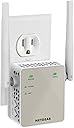
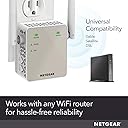
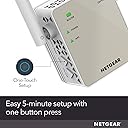
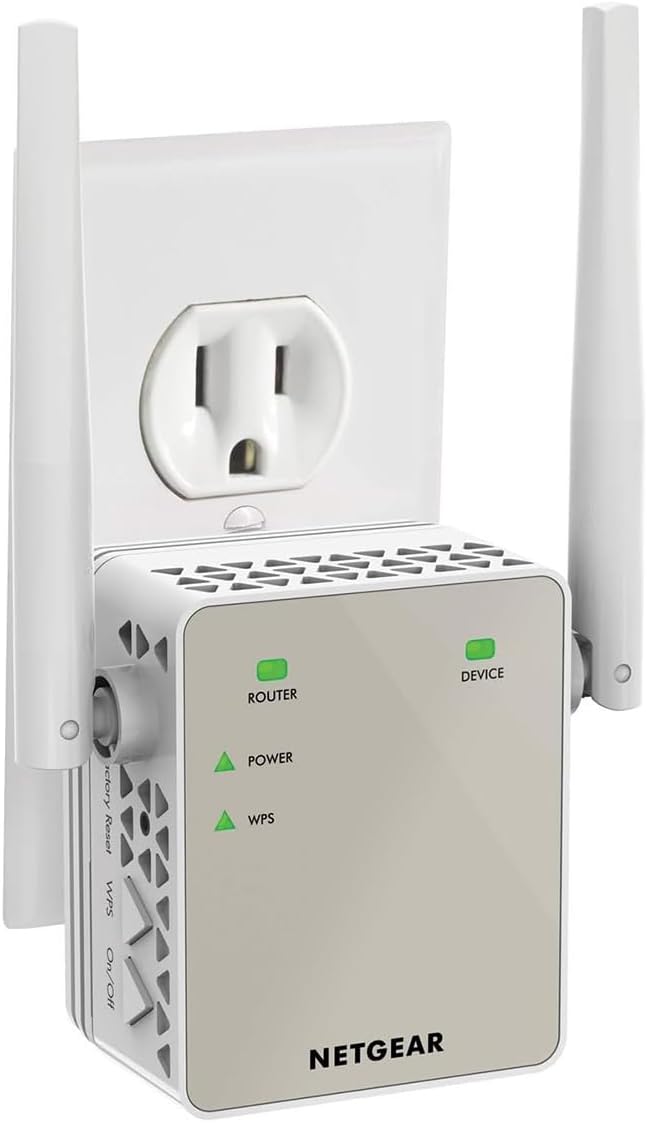
The NETGEAR EX6120 AC1200 WiFi Range Extender enhances your home network by extending coverage up to 1500 sq ft and supporting up to 32 devices. Featuring dual-band technology with speeds up to 1200Mbps and patented FastLane™ tech, it ensures smooth streaming and gaming. Compatible with any router or ISP, it offers easy 5-minute setup via WPS and includes a 10/100M Ethernet port for wired connections. Ideal for eliminating WiFi dead zones with secure WPA/WPA2 protocols, this compact extender is a must-have for modern connected homes.


| ASIN | B014YN7LVE |
| Best Sellers Rank | #16 in Repeaters |
| Brand | NETGEAR |
| Built-In Media | Quick start guide, WiFi Mesh Extender (EX6120-100NAS) |
| Color | White |
| Compatible Devices | Router |
| Connector Type | RJ45 |
| Customer Reviews | 3.8 out of 5 stars 43,438 Reviews |
| Data Transfer Rate | 1200 Megabits Per Second |
| Frequency Band Class | Dual-Band |
| Frequency Bands Supported | 2.4 GHz, 5 GHz |
| Global Trade Identification Number | 00606449109962 |
| Item Dimensions D x W x H | 1.54"D x 2.17"W x 2.64"H |
| Item Weight | 4.64 ounces |
| Manufacturer | Netgear |
| Mfr Part Number | EX6120-100NAS |
| Model Number | EX6120-100NAS |
| Range | feet |
| Smart Home Compatibility | Not Smart Home Compatible |
| Special Feature | FastLane Technology |
| Special Features | FastLane Technology |
| UPC | 606449109962 |
| Unit Count | 1.0 Count |
| Warranty Description | 1 year warranty |
| Wireless Communication Standard | 802.11ac |
| Wireless Compability | 802.11ac |
R**H
Easy to Set-up & Connect
After logging into NetGears Setup Page and making a password and 2 security questions I found it fairly simple and quick to get the AC1200 WiFi Range Extender to lock into my router. I live in a mobile home and the WiFi connection in the living room where the router is located is fine but when you take your laptop or Ipad down to the other end of the trailer, in the bedrooms you lose quite a bit. On a lot of sites you would get a lot of buffering. Once I put AC1200 in the back bedroom it was like having the router in the room. Plus there are no cord connections, just plug it in the wall socket. If I want to use an Ethernet Cable with my laptop in the bedroom there is an Ethernet Port on the side of the AC1200 Extender to plug into. Some Extenders I reviewed before buying this one don't have that feature. You can't go wrong with this model. Works great. And if your a member of Amazon Prime you'll get it in 2 days. I did.After logging into NetGears Setup Page and making a password and 2 security questions I found it fairly simple and quick to get the AC1200 WiFi Range Extender to lock into my router. I live in a mobile home and the WiFi connection in the living room where the router is located is fine but when you take your laptop or Ipad down to the other end of the trailer, in the bedrooms you lose quite a bit. On a lot of sites you would get a lot of buffering. Once I put AC1200 in the back bedroom it was like having the router in the room. Plus there are no cord connections, just plug it in the wall socket. If I want to use an Ethernet Cable with my laptop in the bedroom there is an Ethernet Port on the side of the AC1200 Extender to plug into. Some Extenders I reviewed before buying this one don't have that feature. You can't go wrong with this model. Works great. And if your a member of Amazon Prime you'll get it in 2 days. I did.After logging into NetGears Setup Page and making a password and 2 security questions I found it fairly simple and quick to get the AC1200 WiFi Range Extender to lock into my router. I live in a mobile home and the WiFi connection in the living room where the router is located is fine but when you take your laptop or Ipad down to the other end of the trailer, in the bedrooms you lose quite a bit. On a lot of sites you would get a lot of buffering. Once I put AC1200 in the back bedroom it was like having the router in the room. Plus there are no cord connections, just plug it in the wall socket. If I want to use an Ethernet Cable with my laptop in the bedroom there is an Ethernet Port on the side of the AC1200 Extender to plug into. Some Extenders I reviewed before buying this one don't have that feature. You can't go wrong with this model. Works great. And if your a member of Amazon Prime you'll get it in 2 days. I did.After logging into NetGears Setup Page and making a password and 2 security questions I found it fairly simple and quick to get the AC1200 WiFi Range Extender to lock into my router. I live in a mobile home and the WiFi connection in the living room where the router is located is fine but when you take your laptop or Ipad down to the other end of the trailer, in the bedrooms you lose quite a bit. On a lot of sites you would get a lot of buffering. Once I put AC1200 in the back bedroom it was like having the router in the room. Plus there are no cord connections, just plug it in the wall socket. If I want to use an Ethernet Cable with my laptop in the bedroom there is an Ethernet Port on the side of the AC1200 Extender to plug into. Some Extenders I reviewed before buying this one don't have that feature. You can't go wrong with this model. Works great. And if your a member of Amazon Prime you'll get it in 2 days. I did.After logging into NetGears Setup Page and making a password and 2 security questions I found it fairly simple and quick to get the AC1200 WiFi Range Extender to lock into my router. I live in a mobile home and the WiFi connection in the living room where the router is located is fine but when you take your laptop or Ipad down to the other end of the trailer, in the bedrooms you lose quite a bit. On a lot of sites you would get a lot of buffering. Once I put AC1200 in the back bedroom it was like having the router in the room. Plus there are no cord connections, just plug it in the wall socket. If I want to use an Ethernet Cable with my laptop in the bedroom there is an Ethernet Port on the side of the AC1200 Extender to plug into. Some Extenders I reviewed before buying this one don't have that feature. You can't go wrong with this model. Works great. And if your a member of Amazon Prime you'll get it in 2 days. I did.After logging into NetGears Setup Page and making a password and 2 security questions I found it fairly simple and quick to get the AC1200 WiFi Range Extender to lock into my router. I live in a mobile home and the WiFi connection in the living room where the router is located is fine but when you take your laptop or Ipad down to the other end of the trailer, in the bedrooms you lose quite a bit. On a lot of sites you would get a lot of buffering. Once I put AC1200 in the back bedroom it was like having the router in the room. Plus there are no cord connections, just plug it in the wall socket. If I want to use an Ethernet Cable with my laptop in the bedroom there is an Ethernet Port on the side of the AC1200 Extender to plug into. Some Extenders I reviewed before buying this one don't have that feature. You can't go wrong with this model. Works great. And if your a member of Amazon Prime you'll get it in 2 days. I did.After logging into NetGears Setup Page and making a password and 2 security questions I found it fairly simple and quick to get the AC1200 WiFi Range Extender to lock into my router. I live in a mobile home and the WiFi connection in the living room where the router is located is fine but when you take your laptop or Ipad down to the other end of the trailer, in the bedrooms you lose quite a bit. On a lot of sites you would get a lot of buffering. Once I put AC1200 in the back bedroom it was like having the router in the room. Plus there are no cord connections, just plug it in the wall socket. If I want to use an Ethernet Cable with my laptop in the bedroom there is an Ethernet Port on the side of the AC1200 Extender to plug into. Some Extenders I reviewed before buying this one don't have that feature. You can't go wrong with this model. Works great. And if your a member of Amazon Prime you'll get it in 2 days. I did.After logging into NetGears Setup Page and making a password and 2 security questions I found it fairly simple and quick to get the AC1200 WiFi Range Extender to lock into my router. I live in a mobile home and the WiFi connection in the living room where the router is located is fine but when you take your laptop or Ipad down to the other end of the trailer, in the bedrooms you lose quite a bit. On a lot of sites you would get a lot of buffering. Once I put AC1200 in the back bedroom it was like having the router in the room. Plus there are no cord connections, just plug it in the wall socket. If I want to use an Ethernet Cable with my laptop in the bedroom there is an Ethernet Port on the side of the AC1200 Extender to plug into. Some Extenders I reviewed before buying this one don't have that feature. You can't go wrong with this model. Works great. And if your a member of Amazon Prime you'll get it in 2 days. I did.After logging into NetGears Setup Page and making a password and 2 security questions I found it fairly simple and quick to get the AC1200 WiFi Range Extender to lock into my router. I live in a mobile home and the WiFi connection in the living room where the router is located is fine but when you take your laptop or Ipad down to the other end of the trailer, in the bedrooms you lose quite a bit. On a lot of sites you would get a lot of buffering. Once I put AC1200 in the back bedroom it was like having the router in the room. Plus there are no cord connections, just plug it in the wall socket. If I want to use an Ethernet Cable with my laptop in the bedroom there is an Ethernet Port on the side of the AC1200 Extender to plug into. Some Extenders I reviewed before buying this one don't have that feature. You can't go wrong with this model. Works great. And if your a member of Amazon Prime you'll get it in 2 days. I did.After logging into NetGears Setup Page and making a password and 2 security questions I found it fairly simple and quick to get the AC1200 WiFi Range Extender to lock into my router. I live in a mobile home and the WiFi connection in the living room where the router is located is fine but when you take your laptop or Ipad down to the other end of the trailer, in the bedrooms you lose quite a bit. On a lot of sites you would get a lot of buffering. Once I put AC1200 in the back bedroom it was like having the router in the room. Plus there are no cord connections, just plug it in the wall socket. If I want to use an Ethernet Cable with my laptop in the bedroom there is an Ethernet Port on the side of the AC1200 Extender to plug into. Some Extenders I reviewed before buying this one don't have that feature. You can't go wrong with this model. Works great. And if your a member of Amazon Prime you'll get it in 2 days. I did.After logging into NetGears Setup Page and making a password and 2 security questions I found it fairly simple and quick to get the AC1200 WiFi Range Extender to lock into my router. I live in a mobile home and the WiFi connection in the living room where the router is located is fine but when you take your laptop or Ipad down to the other end of the trailer, in the bedrooms you lose quite a bit. On a lot of sites you would get a lot of buffering. Once I put AC1200 in the back bedroom it was like having the router in the room. Plus there are no cord connections, just plug it in the wall socket. If I want to use an Ethernet Cable with my laptop in the bedroom there is an Ethernet Port on the side of the AC1200 Extender to plug into. Some Extenders I reviewed before buying this one don't have that feature. You can't go wrong with this model. Works great. And if your a member of Amazon Prime you'll get it in 2 days. I did.After logging into NetGears Setup Page and making a password and 2 security questions I found it fairly simple and quick to get the AC1200 WiFi Range Extender to lock into my router. I live in a mobile home and the WiFi connection in the living room where the router is located is fine but when you take your laptop or Ipad down to the other end of the trailer, in the bedrooms you lose quite a bit. On a lot of sites you would get a lot of buffering. Once I put AC1200 in the back bedroom it was like having the router in the room. Plus there are no cord connections, just plug it in the wall socket. If I want to use an Ethernet Cable with my laptop in the bedroom there is an Ethernet Port on the side of the AC1200 Extender to plug into. Some Extenders I reviewed before buying this one don't have that feature. You can't go wrong with this model. Works great. And if your a member of Amazon Prime you'll get it in 2 days. I did.After logging into NetGears Setup Page and making a password and 2 security questions I found it fairly simple and quick to get the AC1200 WiFi Range Extender to lock into my router. I live in a mobile home and the WiFi connection in the living room where the router is located is fine but when you take your laptop or Ipad down to the other end of the trailer, in the bedrooms you lose quite a bit. On a lot of sites you would get a lot of buffering. Once I put AC1200 in the back bedroom it was like having the router in the room. Plus there are no cord connections, just plug it in the wall socket. If I want to use an Ethernet Cable with my laptop in the bedroom there is an Ethernet Port on the side of the AC1200 Extender to plug into. Some Extenders I reviewed before buying this one don't have that feature. You can't go wrong with this model. Works great. And if your a member of Amazon Prime you'll get it in 2 days. I did.
G**S
Great Product, Works as Advertised -- Did have a Problem Setting Up -- UPDATED SETUP INSTRUCTIONS
UPDATED - See New Setup Instructions Below: Overall this extender works as advertised. I was able to extend our router signal to the opposite side of our house with a strong signal (our Fire TV Stick always responds with a "Very Strong" wireless signal). Our wifi Blink Outside Cameras at the opposite of the side of the house also work great. Note: the Extender is picking up signal thru 3 walls. I did have an issue with initial setup -- the app to perform setup (mywifiext.net) could not be found when setting up with my desktop (Windows 10, Chrome, Edge or Firefox). I tried clearing cache several times and never got it working with any of these browsers. So I tried setting up with my iPhone and it worked great. I did a factory reset on the Netgear Extender, turned on Wifi on my iPhone and "Bam" their was the Extender App ready for setup! Very happy with the product and will purchase another soon for another part of our house. ----------------------------------------------------------------------------------------------------------- Purchased an N300 in November 2019 and read the instructions. Much easier setup: New Setup Instructions: Much easier setup (took the time to read the instructions). Per the documentation included with the extenders: Connect with WPS: Plug the WIFI extender into an outlet as close to your modem (router) as possible. Wait for the WIFI extender Power Light to turn Solid Green (takes a few seconds). Press the WPS button on the side panel of the WIFI extender. The WPS LED blinks. Within two minutes, press the WPS button on your modem (router) or access point. When the WIFI extender connects to your network, the WPS LED on the WIFI extender lights solid green and your router Link LED lights. If it doesn’t work, try it again. Unplug the WIFI extender and move it to a location that is about halfway between your router and the area with poor WIFI signal. Plugin the WIFI extender and wait for the Green Power LED and Router LED to light. If the Router LED doesn’t light Amber or Green, plug the WIFI extender into an outlet closer to the router and try again. On your computer or WIFI device, find and connect to the new extended WIFI network. It’s that simple!
K**S
This product just doesn't work! Try a different brand!
I purchased this in hopes of extending the range of my router and I had done a lot of research and this one was on quite a few top lists of extenders. I went through the setup steps in the manual both using WPS and via a web browser. 2 different purchases! Save yourself the trouble, especially if you are not computer savvy. 1st attempt with extender #1: This is through the WPS route. I got it connected but I kept getting a "Connected without Internet" warning every so often. After going to the Netgear website, I found that the solution was to update the firmware. I attempted to do so, but somehow during the update it got stuck or corrupted and the power light just blinked red not stop. I sat on the phone for over an hour with support (and that was after half an hour on hold), which I could barely understand the technician, and being told to do a factory reset over and over again. (I tried this prior to calling them.) They then wanted me to change my computer settings to give myself a static IP and other setting changes. I was not about to do that because I am not super knowledgeable in those settings and didn't want to mess with my personal computer. I had also read in the help section that sometimes they want to remote into my computer. Absolutely not! I just told them that I was on a work computer and did not have access to change those settings. After an hour, they told me that they would send me an email for instructions on how to send it back to Netgear and they would send me a replacement. A week later, I still did not get the email and I called them back. Another half-hour on the phone just to be told that I have to return it to Amazon since that is where I purchased it. 2nd attempt with extender #2: I got the replacement and went to set this up. Did it via web browser this time only to have it not work part way through the set-up procedures. I was following the directions, but when I got to the part where you connect to the new extender wifi, it stopped working. I could not navigate on the setup website any farther from here and just got a "You are not connected to your extender's WiFi network" even though my computer said I was. Stuck. I then did a factory reset and started the setup through WPS. Again, I got it connected, but "Connected without internet." I called support again as I was not about to try to do a firmware update and have it freeze again on me. After 34 min on hold, someone finally came on the line to help. Again, it was very hard for me to understand him. He went through the setup with me again and it seems to be working for now. If I have any further issues, I will update this review. Please note that you have to register your device before you can get help. I accidentally typed in 2020 for the year on my replacement device and cannot change the date so I will not be able to get further help on that one. I had to submit a ticket for the 1st device to get help. The guy on the phone had no idea what I was talking about when I asked to have the purchase date updated. If this product stops working like the first one, I will return it again and buy a different brand.
J**A
Very affordable bargain to extend your WiFi...at least
NETGEAR WiFi Range Extender EX6120 with AC1200 Dual Band Wireless Signal Booster & Repeater Pros Affordable and handy alternative a $40 total Easy to setup Works as advertised with WiFi Cons Do not exceed wireless devices connected to it Same data speeds as the router that transmits to it The Ethernet port failed in my sample The NETGEAR EX6120 WiFi Extender is a nice and compact piece of communications hardware that can be beneficial in homes or large apartments where the main Router / Gateway has difficulty to reach the farthest corner of your place or you insist to keep your main Router hidden, weakening its signals. Having used an earlier technology NETGEAR router in the past I was counting on an easy and smooth installation experience: I was well pleased about this one. For the newbie, it is as easy as plugging the extender to an AC outlet, pressing the WPS button in your main router and another WPS button on the extender. But, yes: there are some tech heads among us that demand to get “under the hood” of any gadget. Guess what? You can login to the extender via your web browser of choice to tweak things – or just presume that you know how they work. At any rate, both ways of setting it up are user friendly for each kind of audience. And its 2 antennas can be rotated 180 degrees each, just in case you are as obsessive with catching your main router's WiFi signal as I am with Digital TV antennas to get the strongest signal with the most channels. Do you have in a far corner of your home a computer, game console or video disk player that won't connect to your network unless it can connect with an Ethernet cable? No problem! The EX6120bWiFi Extender has one Ethernet port. So, you can have WiFi AND Ethernet in a place 'far, far away' from your main router within your house. I tried it with a desktop PC connected by Ethernet, several WiFi devices and it ran a windows update download, rebooted and then... the Ethernet port stopped working! Tryouts with other PC and cable didn't work: the Ethernet port failed. Now, don't try playing wise guy or wise girl by trying to connect via WiFi more devices that it is recommended to support, specially if you use one of those devices for teleconferencing (“ZOOM, TEAMS, anyone, anyone?”). This device won't make your WiFi network run faster or better if your main router and / or internet provider's service level subscription has limitations (remember the last time your favorite interstate highway suddenly got all lanes jammed and you though that the next exit will take you to your place faster?). So, if you see a “internet connection is unstable” message during teleconferencing with an application like ZOOM, you may need to compromise between dining out weekly each month or paying for an upgrade to your internet service that allows at least 20 MBPS. A WiFi extender won't make the cut. Sometimes, you may convince your significant other to relocate your main router in a better location to broadcast your WiFi or may get a Router upgrade that can actually extend the signal reach out. But, for those of us who can't, the NETGEAR EX6120 is a good alternative with an extensive WiFi reach. All photos (c) 2021 by reviewer.
M**S
Works fine as extender but there are a few gotchas . . .
As an extender it does a good enough job. It was very easy to set up using the router's WPS. I estimate it delivers a usable signal for ~100 ft, but of course that is very dependent on its locn vis-a-vis the router, the antenna positioning on both devices, and the locns of your client devices. But there are several potential issues to be aware of that aren't mentioned in the mktg info or manual. The first one is brought up in the Q&A section above, which IMO you should read before buying: The extender will create a new SSID so any device using the extended network will need to use this SSID. That may be fine if your device(s) is in a fixed locn, but if it's a mobile device you should check whether your device will automatically hand-off from one SSID to another, will at start-up look for the strongest wifi signal (so it may choose the router or the extender signal, depending on where you are), and just whether or not you want your mobile device to use more than one SSID (e.g., my iPhone 6S is strong enough to use the router's signal throughout the house, so I configured it to use that SSID only). Second, if you are using more advanced techniques with your router, be aware that the router will actually create two clients as the extender, not just one. You'll see in your logs that the extender's mac address is used for the initial hand-shake and authorization, but it is not assigned an IP address. There will be a second virtual (pseudo) mac address too which will then be authorized at the same time and it will be assigned an IP by the router's DHCP server. So 1 extender client using 2 mac's, but only 1 IP. Furthermore, any device connected to the extender will not use its native hardware mac address, but again a pseudo mac address, although it will obtain its IP from the router DHCP server as normal. So if you are e.g. using mac filtering or IP address assignment by mac address, you need to use the pseudo mac addresses for the extender's clients. If your device uses both the router and extender SSID's, you'll need both native and pseudo mac addresses in your router tables and provision in your IP address pool for 2 addresses, 1 for each mac address. Third, and while this issue is admittedly obscure, it's still a possibility: The extender's signal can interfere with other devices. I have a Roku3 with a remote that I is spec'd to use "WiFi Direct" technology rather than IR or Bluetooth. I wanted the extender to service the Roku, my Samsung smart tv, and my Chromecast. But while I can use it for the Chromecast and tv (caveat, see next issue below), not the Roku. Fortunately, the Roku has a strong wifi transceiver so it can use the router's signal instead (another option might be to use a smartphone app to control the Roku which might permit putting it on the extender, but haven't tested that yet - again, see below). Finally, note that some smart apps indicate that the mobile device using the app must be on the same network as the device being controlled. So if you have a device you are controlling from your smart phone, it's definitely possible that the phone must be on the same SSID as that device. All three of my devices may work off the extender using a smart phone app rather than the provided remote, but it is highly likely that to do so will require putting the phone on the extender's SSID. So the bottom line is, this extender works very well as long as your location, devices, network configuration, and router all cooperate with what you want to do. If the configuration and usage characteristics such as described above are not an issue, it will probably serve you well.
K**N
The only "extender" worth having really.
Most "extenders" or "repeaters" work in a single band (e.g. 2.4GHz or 5GHz) and have a single radio front end that means they "extend" or "repeat" on the very same RF channel as your primary router. The end result is that you cripple the original router as the repeater interferes on the very same frequency. In theory an extender could have two radio front ends say on the 2.4 GHz band and thus chose a different 2.4 GHz channel to setup its extended network and avoid interference, but as far as I'm aware few if any do that. This extender is dual band, operating on both 2.4GHz and 5GHz and by default will extend both bands. Trouble is that results in the same interference problem as described above - it will setup its two networks on the very same channels as the primary router and thus interfere on both bands! The secret sauce here is that the EX6120 has a unique mode in which it can connect to your main router in one band (e.g. 5 GHz) and then extend that on the other band (e.g. 2.4 GHz). Since these are separate RF front ends the extended network can choose any channel it wants on the extended band. The downside of course is that you only get the bandwidth of the lowest band, but you should never being using an extender for high bandwidth connections in the first place. The benefit is that without the interference you can get the full bandwidth of the channel, unlike typical same-channel extenders that at the very maximum might get half the channel bandwidth. Other benefits of this extender, not necessarily unique to it, are that it uses the upstream main router DHCP for all connected devices and thus your extended network lives on the same subnet as the main router and can communicate with all devices on the main router as well. This is accomplished by creating a virtual MAC address on the main network for each client on the extended network and these virtual address are assigned in a deterministic way (the upper bytes of the MAC are replaced with a fixed prefix) and so you can even properly assign static DHCP addresses for devices on the extended network. This is in contrast to some extenders which instead setup an entirely separate subnet with their own DHCP server which complicates communication between the main and extended networks. Like all of these devices the web administration page could be a bit better and it often tries to "help" you with ham-fisted "wizards" for setup that hide a bunch of useful features. But that's par for the course and it is no worse than most and far better than many.
A**R
Typical WiFi problems solver
Great product, meets all my expectations, and it made my wifi a lot faster. I've had the product for about a month now, it's been working very good, no problems whatsoever, the setup was a little confusing but still easy & simple to get used to & I was able to set it up from the first try, and then I discovered more & more things & tricks it could do, like changing the two wifi networks names, being able to also set up passwords for them, that's actually pretty cool. Just imagine how awesome it is now with this thing you can have your own wifi & nobody in the house or from around can get into it & slow it down. So basically this wifi range extender creates its own 2 wifi networks, so as you would normally only have only 1 wifi lets say Garry, now you'll have 3 wifi networks, your main (Router) Garry, and the other 2 from the extender which you can name Jake & Bob & be able to put passwords on both of them, you can choose to have the same password for all 3, or have 3 different passwords for different family members or whatever the case might be. Anyhow, this is perfect & great experience for Movies, Netflix, YouTube, even Gaming, but I wouldn't recommend Game Streaming with this if your Router is not strong enough for 1.5Gbps meaning if your Router only has 300mbps, that 1200mbps might not be able to reach that 1500mbps which you would normally need for game streams, or therefore I'd recommend the 1900AC NETGEAR Range Extender if you're planning on Game Streaming or so on so forth, that's the quite more proffesional one I'd say. But other than that, this NETGEAR AC1200 is great for just normal & great speed wifi no super duper fancy, it will meet your expectations too Im sure of it. I give this product all 5 stars for all the great work NETGEAR has done & technology made.
O**1
One year wonder.
Works for about a year. Have gone through two of these. Works good till it doesn't. Great temporary fix if an extender is needed. Up grade time cause a third would be stupid.
M**A
Very useful product
It's very convenient to install It's very useful for those apartments where bedroom has low signal strength. It strengthens the signal strength.
L**R
Muy buen producto
Facil de instalar, muy buena cobertura, la señal se extiende entre 30 y 40 metros fuera de la casa. Recfomendable
A**O
Exelenter funcionamiento
este extensor es verdaderamente Bueno confinable y potente. ademas de ser bastante compacto, no estorba como la mayoria de los router y tiene una potencia fantastica
J**L
DONT BUY THIS PRODUCT NOT WORK BASTE OF MONEY
VERY VERY VERY VERY VERY BAD PRODUCT DONT BUY
Á**A
No me funciono...
Mala experiencia con este producto, el primer producto no funciono y lo regrese solicitando que lo repusieran por el mismo model... llego el otro y después de un buen para configurarlo a las media hora los dispositivos sin internet. no importaba si te aproximabas a 20 cm del producto. hay que desconectarlo de la corriente, esperar a que encienda y nuevamente tener servicio. y a los 40 minutos... nuevamente sin poder asignar IP. solicite la devolución del dinero y aun sigo esperando.
Trustpilot
2 weeks ago
1 month ago