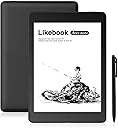
Frankly speaking I am with mixed feelings about this product although I tend to admit I was apparently having too high expectation about it many, many years after purchasing one of the very first generations Kindle. I bought it for two primary reasons - speakers and Android/the availability for relative freedom on managing the device, the associated apps and all related settings. Both of them deliver but not to the extent I was hoping. Let me go through each of them in detail: 1. Android/GMS in theory are supposed to provide experience closer to what you would expect on a smartphone, however there are two types of limitations you would face - hardware of the device and the screen technology. Activating Google Mobile Services is easy, you go to device's advanced Settings and activate Google Framework. From this moment on and provided you are connected to a WiFi network, you have the freedom to browse through the Google Play market and install chosen applications. You can also side-load apps that you find out of the Google Play if you like, like on an Android smartphone, with no problems. The 8-core device CPU is snappy enough, you still need to wait more than on a smartphone to download and install them, but it is bearable. However installed apps on the Ares act and feel differently to the ones on a smartphone. You need to use a light/white theme by default. Some darker themes are still OK to go with but text, icons or other elements in many cases will be illegible or very hard to see/read. A bigger issue would be that secondary windows from within apps will in many cases be also either invisible or unable to click on. This is partly due to the screen technology itself but also due to the cut-down operating system this device relies on. The latter may be a serious disadvantage in file managers or apps with more settings because you would see a window or part of it but nothing to interact with. You may tap but nothing would happen so the app on the whole will be unusable. At the same time, some more basic applications will work as designed for. 2. Screen. To be honest I am disappointed that after so many years after my ancient Kindle e-ink technology didn't go that far as I was expecting. Apparently PPI and resolution went higher but nothing major (especially response time) that you would expect to see after such long period. Don't get me wrong, the Ares has an excellent screen, the front light when in use is also equally spread across the display (very tiny deviations may be visible but nothing serious). The A2 mode is helpful enough to provide better experience when watching/reading fast moving scenes, pages or pictures. The latter however is not good enough for anything other than static images. I just as an experiment tried to load some videos in a browser, also downloaded the YouTube app but stopped the play shortly after as it was simply impossible to see more than moving static images with the sound distorted in the browser. In the YouTube app the sound was better but somehow lagging. The hardware of the device in itself is not bad. The 2GB of RAM are just as much as on one of my TVs with Android TV and the Ares is powered by an 8-core CPU. However the operating system is limited to the e-reading so the system taskbar, notifications, simultaneous existence of a few apps in the memory and many more are either inconsistent or in case of one larger app opened, the rest will be shut down and you will need to start over from scratch. This is not because 2GB or whatever is available is not enough for all of them (if you kill all apps you will release like about 145MB of RAM), it is the way it was designed to behave which I find disappointing with some of my usage scenarios. 3. Speakers. I bought the Ares and not the Mars because of the stereo speakers. The Mars had an audio jack (but no speakers) and the Ares doesn't have but I bought an USB-C to 3.5 mm. adapter and it works on the Ares with some exceptions/distortions. For example I tested it on a YouTube video in a browser (since I didn't have any audio files on the device) and every time I changed the video quality, the audio would immediately go incredibly high in volume and you would not be able to change it unless the adapter is disconnected (the Ares doesn’t have physical volume buttons). The GMS YouTube app works better but again if video settings are changed from within the app, the volume would go exceptionally high and it couldn't be controlled from within the device unless the adapter is disconnected. I am still to test it with audio files and the TTS engine. Speakers sound good but are not loud enough to me. This is probably why the default volume is set to about 70-80%. Once again, don't get me wrong, they are usable, loud enough for a silent small room or when you want to listen to a book using a TTS engine close to the device but if you have just a little background noise around you, they will be quiet and hard to distinguish from it. I want to also say a little about the system interface and of course, about the pure reading functions of the Ares. For basic functions like accessing basic system settings and reading, they are more than sufficient. An annoying fact is that if you want to go into deeper settings you need to go through a nightmare of tap-and-wait and some of the advanced settings are limited for the hardware and the cut-down functions of the Android version specifically designed to fit this device. For example, if you are not happy with the Google TTS and want to change it to another and add voices, it is a big play where TTS Settings would revert to default or go to a specific engine even if you haven't requested it. Or you can set your preferred TTS engine, explicitly choosing the “this time only” setting so it doesn’t go default, only to return and see that you couldn’t choose another TTS engine at all. I found this the hard way downloading apps which reset preferences – something that later I found could be done by the TTS engine’s “clear default links” settings that for some reason on the Ares is always gray; however if you click on it (a few times and despite being gray), it will clear the associations. Another problem I experienced is, if you change the TTS engine and turn the default reading app’s TTS-function, the first few times it will simply crash until it eventually settles with the new TTS engine. This was pretty stressful in the beginning as the reader is a system app and I didn’t know what was causing this behaviour. In other words, extra TTS engines in any relation and even advanced functions of the Google TTS are a big mess on this device. 4. Reading Functions I found the default reader to be working as good as Moon Reader Plus and other reader apps. Yes, the latter have more functions, bells and whistles but the former provides simple yet complete combinations of all the features you would need in one applications (including TTS that actually works most of the time - see above issues). You can also add your own fonts and dictionaries. From my experience additional fonts work only in formats different to the most common that I use - PDF. You need to add them to the Fonts root device folder (create one if it doesn’t exist), then use one of the reading app’s secondary menus to change them within a book. With Dictionaries - at least for me - it was more complicated. The manual and here in the product description it says you can add some in the Dict root device folder but it took me quite a while to read online, figure out and most importantly - download the right format of dictionaries (StarDict converted) before I could get any of them working. This function is especially helpful if you read in foreign languages (like Spanish, German etc.) or specialised technical or other literature with definitions/abbreviations you would like to have an offline grasp of. You may need to go through the same I did and it is a shame Likebook didn't include some dictionaries by default. Actually there is something that looks like a system dictionary that you “can update” but once you click “update” it goes into state “prepare” and nothing really happens (of course when connected to WiFi). The reading experience is generally good. I would suggest you set the page-refresh function to 5-pages or lower so you get clear pages out of past symbols/letters. You could also add your own wallpapers as I did (see attached photo) and it generally works but do not choose the wallpaper "system-push" setting as it made my device to not turn off. Instead, upload all your wallpapers into the Wallpaper folder, select them all, then set the system to swap them, like you have selected only one photo. You will know what I am referring to as soon as you go through it. Am I happy with my choice so far? Yes I am, although I was expecting more than one could currently find in the e-ink technology irrespective of brand. It is still low-refresh rate, thus incapable of fast moving images and video playback. Contrast is ages behind any even ancient LCD display, especially AMOLED/OLED. I haven't mentioned the pen but I didn't use it so far and I doubt this will change soon. I wanted a bigger-than-6-inch screen, still portable enough and lower than the almost 12-inch bigger ones. The bigger ones would be more expensive and you may think you are upgrading getting more real estate, however what you are going to get is simply a bigger cut down e-reader and in this case I would definitely advise going for a real LCD/AMOLED tablet with proper Android/iOS support for the same or possibly (lower) price. And 5. Battery. Simply for reading it is OK but it melts away with WiFi and/or light on, as well doing other things on the screen. I have got it empty from full for less than a day when dealing with apps, Google Play, etc. For reading only and with lights off it should last for at least few days if not more. Finally I bought the Likebook case with the device itself which is a great fit and even comes with a screen protector. The screen protector is good enough but may be tricky to apply without bubbles and especially tiny particles of dust that for the specifics of the glass screen can be a pain to remove. If I am to compare this e-book to the rest of the market currently I would say it is a great – although somewhat unjustifiably expensive for what it is - choice. Once again, 1. Android (freedom away from proprietary systems limitations); 2. Speakers and Bluetooth + USB-C to 3.5 mm audio option (very important for me and main reason for purchase); 3. Even front light with the right portable screen, not too little – not too big. I hope I helped you figure out where you stand not only with regards to this e-reader but the general market for such at the moment. And I went in such details because I felt like saving the same frustration and trouble I went through personally for nearly a month since purchase. However, if you simply want to go for a hassle-free reading and no advanced settings you could from the moment you put your hands on it. Cheers.