Desertcart purchases this item on your behalf and handles shipping, customs, and support to Japan.
🚗 Capture Every Angle, Own Every Moment!
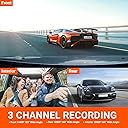
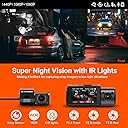
The VANTRUE N4 is a premium 3-channel dash cam system offering simultaneous front (4K/1440P), inside (1440P), and rear (1080P) recording with advanced IR night vision. Powered by a durable super capacitor, it supports up to 256GB storage and features 24-hour parking mode with motion and collision detection. Designed for professional drivers and rideshare operators, it delivers crystal-clear footage in extreme weather, ensuring comprehensive vehicle security and liability protection.


| ASIN | B083V6K8RH |
| Auto Part Orientation | Front and Rear and Inside |
| Auto Part Position | Front Inside, Rear |
| Best Sellers Rank | #39,193 in Electronics ( See Top 100 in Electronics ) #588 in Car On-Dash Mounted Cameras |
| Brand | VANTRUE |
| Built-In Media | Car Charger, Dash Cam with Suction Cup Mount, Installation Tool, USB Data Cable, User Manual |
| Color | Black |
| Compatible Devices | Personal Computer |
| Compatible with Vehicle Type | Bus, Car, Minivan, RV, Truck |
| Connectivity Technology | Cigarette Lighter Connected |
| Customer Reviews | 4.1 out of 5 stars 6,871 Reviews |
| Display Type | LED |
| Field Of View | 160 degrees |
| Flash Memory Supported Size Maximum | 512 GB |
| Flash Memory Type | SD |
| Frame Rate | 30 Frames Per Second |
| Item Dimensions D x W x H | 4.1"D x 1.57"W x 5"H |
| Item Weight | 800 g |
| Manufacturer | VANTRUE |
| Maximum Aperture | 1.4 f_stop |
| Memory Slots Available | 1 |
| Memory Storage Capacity | 256 GB |
| Mfr Part Number | N4 |
| Model Name | ONDASH N4 |
| Model Number | N4 |
| Mounting Type | Suction Mount |
| Number of Items | 1 |
| Optical Sensor Technology | CMOS |
| Other Special Features of the Product | Built-In Microphone |
| Photo Sensor Size | 1/2.3'' or 1/2.5'' |
| Real Angle of View | 155 degrees |
| Screen Size | 2.45 |
| Special Feature | Built-In Microphone |
| Supported Standards | MP4 |
| UPC | 193368000710 |
| Vehicle Service Type | Bus, Car, Minivan, RV, Truck |
| Video Capture Resolution | 4K |
| Warranty Description | 18 months warranty after register on Vantrue Official Website |
C**1
This is a perfect dash cam that covers all bases....
First of all you get 3 cameras, all with fantastic video. I have hardwired mine using the hardwire kit from Vantrue and also the GPS mount. I was having trouble with Parking mode at first but I think I did not understand how it worked but now that I have paid more attention I went out and checked all the files and found out that Parking mode is working perfectly. It then switches to normal recording once I enter the car and turn it on. Installation was breeze, taking less than 3 hours and that included the search for a constant power connection. I have tried other dash cams but this one is the most fantastic one I have ever seen and with all the features, auto night view, auto turn off of LCD screen, Parking mode that works no matter which camera detects the motion, Collision Detection, etc., I cannot think of a better deal. I thought I was going to have to find a mobile power bank to get Parking mode to work, but after I studied how it works, I realized that I do not need it and that my camera is working fine right out of the box. The manufacturer is very good at responding to a question or complaint within 24 hours as advertised and they also take your phone number so I assume if there is a need, they are willing to call you to straighten out a problem that cannot be fixed through email. I give this product 5 stars for all these reasons. ***Edit*** I wanted to add to this review, mention of the Vantrue Video Player. Not as impressed. First, let me say this. It works. But when you have video set to maximum on the front camera, the video is very jerky. I have a new computer with 32GBs of RAM and over 3TBs available space with an Intel i9 CPU Yada yada. It isn't my computer. Now at 1080 resolution and 30fps it is smooth. But just so you know, I have seen some people say that you have to use their dedicated player to get the GPS and speed stamp to show on he video. NOT TRUE! I replayed several videos in Windows Media Player and the stamp showed. The only thing you miss out on is the video information stamp, such as resolution, fps, etc. I like using WMP because if there is anything you need a good look at you can edit the video and create a slow motion snippet of an important part. Now, here is another part that is really aggravating. In the manual they do not explain this but kudos for the support staff getting back within 24 hours to explain. I tried to follow the manual and I added the power through the GPS unit when connecting to the computer. You cannot do this. You have to plug the cable from the computer into the rear camera slot to get it to play directly from the camera to the computer or to copy files over. Remember that, it is not in the manual. Next, I found that if you do not want to remove your camera from the car, just remove the card from the camera and insert it into a full size SD adapter, set the adapter to write-protect and insert into computer. Now you can access all your files on the card and copy them over or just play them. When done, you just reverse everything to put card back into camera. I recommend that you format the card if you copied the files over and do not need an extra copy on the camera anymore. Another advantage to using WMP over the Vantrue Player is that WMP plays the videos a lot more clearer and the audio is much better. Now the worst of the worst (but still not horrible). When you go into the settings for Vantrue and reset KM/H to MPH and the default folder for the files to be found in, every time you close the program and restart it, you (or at least I did) have to go back in and change the settings again. Worst of all is that once you reset the default folder, when you click on the folder symbol to open one, it does not go to the folder you set. It goes to the installation folder where the program is installed. Why? I need to open videos, not see where the program is installed. I cannot think of one way that the Vantrue Player exceeds WMP. WMP is smoother and allows editing and creating slow motion videos, etc. It also saves all settings when it is closed. Plus, the absence of important details in the manual as to how to power up the camera by using the rear camera slot is not there is a big points off. As is the absence of information as to how you can write-protect the card and just insert it directly without having to remove the camera from your car. So, my recommendation to Vantrue is to update the manual, and make the player save settings and improve the algorithm for playing videos so that it can be at least competition for WMP. Until they do that, the product still gets a 5 star review, but the Player only gets a 3.5 stars rating. I hope this helps. Do not allow the Player's problems stop you from buying this camera. They are a very dedicated group and I am sure they will get the player fixed. In the meantime, the 3-camera setup is the most beautiful dashcam setup I have ever owned or even seen. UPDATE: I have figured out how to use the Player. As I told you above, they are a dedicated group, and they have updated the Player since I purchased my N4. I am able to save my settings now and I do not know if they updated the algorithm for playing videos, but now the jerkiness that I reported above is much better and rivals WMP. So now the recommendation I make is to use the Vantrue Player as it adds the abilite to track the speed and GPS with a map. Now, the map may lag behind where you your location is actually at that moment in time, but at least it has that ability where WMP does not. So again, my new recommendation would be to use the Vantrue Player. If you need any advice on how to use it, I have gone through all the headaches with figuring out everything and will be glad to offer help to anyone who posts a question. Oh, my new rating for the Vantrue Player is 4.5 stars. The half star missing is due to the lagging in the map. My computer is extremely powerful and so I know it isn't that. If they can fix that last issue, I will give the player 5 stars like I do the dashcam which I still recommend as the best choice on the market.
Y**.
One of the best 3 channel Dash cam you can buy
I am upgrading from Ventrue N2 Pro dash cam to the new N4 Dash cam. The reason for upgrade is because I was in a 3 car accident, someone rear-ended me, and push my car bump into the car in front of me. When there is no clear evidence to show who caused the accident, 3 car accident can be a messy lawsuit. With camera footage on hand, it is so easy to determined who is at fault and don't have to worry about lawsuit. Because N2 Pro do not have rear camera, I decided to get an upgrade and try the Vantrue N4 Dashcam. I am very impressed with the N4 on the price and video quality. The video quality is wonderful no matter day or night you get the best video compare to other dash cameras. Front Camera is at 2K or 1440P resolution, cabinet and rear cameras are at FHD or 1080P, all at 30 frames per second. and you can purchase the hardwire kit to have it monitor your car 24/7, which is what I did. One can find all the dash camera specs on Amazon page, so here is what I think the pro and con to this dash camera PRO 1. The video quality is impressively good, I am able to get good video from all 3 camera lens in day or night. A clean windshield and rear window also make huge difference. Night vision is so clear both inside and outside of the car. With new CMOS sensor and F1.4 aprture in the front, night time video is super clean. and 4 IR LED lights for interior camera help to see everything inside the car in night time as well. 2. The Dash cam take up to 256GB of Micro SD card, since you have 3 lens all working at same time and at full resolution a 3 minutes clips from all 3 cameras will be about 700MB in size, you will need large SD memory card to hold all the video footage. 3. Super capacitor instead of tiny battery is a must for hot or cold weather. I had many other dashcams that come with tiny battery pack, none of those dashcam will last long in extreme hot weather. In summer the temperature inside a car can go all the way to 150-160F, those tiny battery pack won't last a summer. Capacitor are weather resistant and I don't have to worry about dead dash cam when I need it. 4. Larger LED screen is a godsend, because you have 3 camera view now, the larger LED make it much easier to read. and you can switch between different 3 cameras to the main screen to monitor. It is easy to operate and review the clip. 5. Wiring the rear camera is surprisingly easy. I was worry about wiring the rear dash cam to my car, but after watch some Youtube video and read other feedback, I was able to do it in 15 minutes. Maybe my Camry is just easy to do it, I didn't have problem to hide all the wire and make it look good. CON 1. No Wifi or App support. I think with today's digital age and smart phone, the dash should come with a quick way to access video footage wirelessly to download and share. 2. No internal GPS support. a builtin GPS will be a nice feature, you will have to buy GPS mount if you want to get GPS data on the dash cam. 3. No Y cable to power and connect to rear dash cam. you will need to run two cables to the main dash cam, one for the rear camera to the side of the main unit, and another cable to provide power on the mounting unit of the main camera. Wish there is a Y cable I can connect both USB C connector to have just one single cable to run to the main unit. 4. Video is on codec h.265 format, if you have older computer, it might not support h.265 format. I understand why they need to use h.265 codec because all 3 cameras at 2K or FHD do increase the video size, and h.265 has better efficiency compare to the h.264. So don't be surprise when you try to watch the 2K video on your 8 years old laptop, the video is not able to play, you can still hook up the dash cam directly to your 60+ inch TV with Micro HDMI cable. Another way you can do is upload it to Youtube and it will encode again but you will lost quality on the video. Overall: The Vantrue N4 is a very good upgrade from N2 Pro, and one of the best 3 channel dash camera you can buy in the market. If you need to get a dash camera for you car, don't settle on the budget camera that will go bad in a year, get the N4 and have peace of mind to know it will work every time you start the engine with clear video when you need it.
R**Y
REVIEW OF VANTRUE N4 DASH CAM
A couple of years ago I decided to purchase a dash cam however I did not know much about them. After researching them and deciding on what features were a necessity, I made a purchase. Actually, I made several purchases and bought the dash cams that I had narrowed my search down to. I tested each of them and decided that the Vantrue N2 Pro was the best dash cam for me and I have been happy ever since. When I recently found out that Vantrue had released the N4 I decided to upgrade. The new N4 is similar to the N2 and has a lot of the same great features along with several new features. Here is my review of my personal PRO’s and CON’s of the new Vantrue N4. PROS: The N4 has three cameras which provide me with a lot more options. The N2 has two cameras (a front-facing camera and an interior camera) but the new design of the N4 received an upgrade of a third camera (a front-facing camera, an interior camera, and an external corded rearview camera). The quality of the cameras and the recorded video is great just like all of Vantrue’s dash cams. The LCD screen on the new N4 is almost twice the size of the screen of the N2. This is great because it makes viewing the menu as well as recorded footage a lot easier. The new N4 accepts a larger memory card. Both the N2 and the N4 use micro SD cards to save recorded footage but the N2 has a max of 64G whereas the new N4 has a max of 256G which allows a lot more recorded footage to be saved. The N4 is designed to make the micro SD card more accessible. The N2 has a rubber-like cover that has to be lifted in order to reach the micro SD card slot but Vantrue got rid of that on the N4 and now the micro SD card slot is a lot easier to access. CONS: The menu is on the top of the N4 unlike the buttons of the N2 which are on the bottom. At first, the top-mounted buttons might look and/or feel normal but I prefer the bottom-mounted buttons. This is because I mount my dash cam directly under my rearview mirror in an attempt to make it less noticeable. This also makes the space between the bottom of the rearview mirror and the top of the dash cam less accessible. This affects me mainly while driving if I need to press the emergency lock/record button, pause the recording, or pause the audio because I have a slightly harder time reaching the top-mounted N4 buttons. This is a minor issue and bottom buttons are just something that I personally prefer to have. The N2 has a feature that allows me to press a button and quickly turn off the LCD screen if I do not want to wait for it to auto-shutoff. So far, I have not found a way to do this with the N4. Again, this is just something that I would prefer to have. The N4 is currently not fully compatible with the Vantrue mirror mount which will only affect a very small percentage of people. Vantrue makes three mounts: a suction-cup mount, an adhesive mount, and a mirror mount. The mirror mount is the only mount that does not have a power port. Since it does not have a power port the dual-purpose port on the side of the N4 which is normally used for the rearview camera needs to instead be used for powering the unit. I have been in contact with Vantrue and I am hoping that they make some type of adapter. I am currently using the Vantrue adhesive mount which seems to be working fine. In conclusion, the Vantrue N4 is a great dash cam and regardless of what I consider to be CONS, I would still consider it my top dash cam pick. For people who only want two cameras, I would still suggest purchasing the N4 and just not use the third camera. This way you will always have that option if you choose to take advantage of it in the future. As a side note for Vantrue, I hope to see the company design a dash cam that connects to your phone via WIFI and saves the footage by uploading it to the cloud. Doing this for all footage would probably be too much but being able to do this for emergency lock/record footage would be great. Maybe even a feature with extended WiFI (similar to what DJI drones use) to access live footage when using parking mode for shock or motion alarms. I can see this being beneficial if someone breaks into the vehicle and takes the dash cam or if a person is away from the car and the alarm goes off. A person would be able to almost instantly access and view the footage of the event. Hopefully, this is a feature that Vantrue can develop for future dash cams.
D**E
Horrible Customer Service - A warning
Avoid. This POS keeps failing as before. It would be a better thing if it did not fail and keep failing all the time. My dash cam failed last fall. After three months or use, it started continual rebooting on initialization. On initial power the unit started it's initialization and immediately beeped and rebooted. It failed to start working. I've been communicating with vantrue for -months- with a never ending series of requests to try this or change that. Whomever is making up the inane list of demands to investigate should be removed from that job. I think they are trying to wearout me and others that have bad dashcams rather than replacing f*ing units. Dear Vantrue engineer: It's likely on first power to the processor the start up sequence recognizes a critical failure such that the unit decides to beep a critical warning and reboot itself. Intermittent (not consistent) critical failures in complex devices like this almost always have a root cause of bad solder joint (lead free dross) or bad connection on some very small internal connector. Look at your connectors (you did not use quality connectors with gold plating) and some connector built up resistance from microfracture or no longer has a good connection. Since it -never- happens while running after startup the fault is due to initialization checks from the processor asking other smart device if the other device is ok (camera) and receiving a garbled reply or no reply in time. In the bad solder case, the board house probably already has a record of what connections it has a problem soldering (I always knew all marginal quality processes when I ran a circuit board assembly plant) and your board house lies to you about everything is ok and does not take the time to fix their failure. You should be able to find the problem with a good microscope and access to suspect boards quickly. In the case of connector look at all possible failures on initialization that causes a reboot (there will be only one or two things like processor to camera or camera asic chip or internal power rail) and then the connectors between the processor and those components. Anything cheap or not gold plated is suspect. Finally, you could fix this problem by removing the code that requires a reboot if critical fault is discovered and to go ahead and boot. Since this is not used for driver vision there is no functional safety requirement for guarantied operation while driving. Still your failure. In any case, vantrue, any fault this can possibly be is your fault and you need to honor the warranty and not F* with your customers.. I contacted amazon and went through the history of trying to work with this company. Amazon is replacing the unit. F* you, vantrue for running me around. A review of the unit when it works: If you ever look back at video you will find glare on night recordings for any camera. The button to press to tell save recording is hard to find when as a driver you see things getting weird and want a record. I want to turn off sound in the cab. On the plus side, the price is right, you do get a front, rear and cab record. The image quality is poor when you have all three cameras recording. One of the worst issues: The parking mode does not work. See the first question on that thing that points out the car battery will be drained in a couple days by this camera and the cutoff does not work. Vantrue lies about parking mode protecting the car. I would have liked that work and counted on it.
R**Y
Good Dashcam but.....
So to start off with, this is my second VanTrue dash cam, my first is the N2 Pro 3 1/2 year ago. First 2 years work flawlessly then about 1 year ago quit recording from time to time. After researching other brands, I went back to VanTrue because I felt I got good value for the dollar. 3 Grips of the N2 I hoped they fixed on the N4...1. Off color on the video of the n2 had a purple hue to it, an update fixed that. Updated and it was gone. 2. While the n2 supported GPS, you had to buy a second mount that supported GPS. That to me was a ripoff. Many would pay extra on the original purchase to have a GPS mount come with the camera. A deceptive practice to get an additional 20-25 dollars from customers. 3. The Battery was defective right out of the box. Since I didn't need it to be on for 5 minutes after turning off my car, it was a non issue, but it should have worked. Reviews at the time of purchase mentioned battery issues a lot. So now on the the N4. Easy to install, easy to set up, easy to run the wires from the from of the car to the back and hide them. since I had the N2 everything was quite the same, some differences but with the manual everything was familiar so setting it up was a breeze. Mounting the rear camera was effortless and the system accepted it with no issues. All cables long enough to get the job done in my Kia Soul, with lots extra. Plugged it in, set the date and time and off on a test run. video screen on system much larger then on the N2 and even with my crappy eye site I was able to see what was going on in all 3 video windows. Much nicer without being way too large to block view through the front windshield. Old issues gone: 1. No more battery now there is a capacitor in its place and I don't see an option to record for anytime after you kill the power. 2. Color is good right out of the box and 3. Still ripping off customers by sending out a non GPS mount expecting customers to buy one at 21 dollars. The old N2 mount wont fit....Really.....what was so wrong with the old n2 mount it could not be compatible with he new N4 mount. Ok, there is some more money above the 259.00 dollars I paid. Received the NEW GPS mount 2 days later hooked it up and wham I got GPS. The old N2 Saved me several times when I was accused of speeding when I proved I wasn't, its a must. Remember while you wont see the GPS info and speed on the screen, it is visible when you view the video files on your computer. So while VanTrue still needs to apparently nickel and dime us after our purchase with the need to buy a GPS mount, I would still recommend this unit if you are looking for a GPS compatible Dash Cam. Had VanTrue included a GPS mount in with the Dash Cam, I would have given it a 5 star. I didn't use it yet in the dark so I can not give a rating on how it looks. I also heard that it's not truly 4K video. its digitally upscaled. I can't prove that I'm not versed in video but it might be something to look into if that's a deal breaker. My first dash cam was listed a 1080P and yet it was obviously 480p upscaled. It went from mailbox, to car, to garbage in less than an hour. I hope this helps
J**S
Solid product so far, with an actual response from customer service
Bought this after a fairly brief look at online comparisons. Installed this system in a 2016 extra long MB Sprinter based RV. Suction mount reasonably secure. Rear camera mounts with UHB tape, and they include an extra piece if you want to move it. Setup was trivially easy. Video quality is good. Video is *not* 4k on the front camera unless you run it by itself; best you can do with all three cameras running is 1440p front and 1080p cabin and rear at 30 fps. That resolution is, however, more than adequate for anything I want to do with the camera. Files are stored time stamped, in mp4 format, with an 'A', 'B', or 'C' at the end of the file name to indicate which camera it came from. Event recorder is a little touchy with factory setting, which is OK. 'Event' files get stored in a separate directory from the continuous ones so they don't get overwritten as soon. You can force the current recording into the Event directory by touching the leftmost button on the top. All in all a fairly sane setup. Cons: No wireless access to the files, let alone live feed. I can sort of understand this as it would increase power consumption, but in an age when your refrigerator has wifi your dash cam should have some kind of wireless capability. I was unable to get the camera to connect to a Linux laptop via USB-C, but the laptop could read the card just fine in its own reader. The screen is pretty small if you want a usable backup camera. To get GPS tagging on your files you have to buy a separate GPS mount... but its cheap. I like the camera well enough that I ordered the GPS mount (which uses UHB tape instead of a suction cup). Rear camera view at night is just black without additional light (pretty hard problem to solve with the camera mounted behind tinted glass -- could put an IR LED on the back of the van I suppose but not sure if the back camera does IR). Side view on the front camera is blacked out at night (again, hard problem to solve when you have full headlight illumination in the center of the field of view, so acceptable). Pro: They actually seem to have a customer service department! I mounted the camera in a vehicle that is over 21 feet bumper to bumper. The 6 meter cable they include for the rear camera, which would be fine in almost any other vehicle, isn't long enough to do any kind of sane cable management in the van. The cable is USB-C on one end, but the end that plugs into the camera is a weird, I assume proprietary 1/16" or so 4 conductor phono plug. It wasn't clear whether a USB-C extender would work. I looked for a longer cable online and there was nothing (except, it turns out, on the Amazon Japan website). I contacted the company via email and received a prompt, intelligible reply; turns out they have a 9 meter cable available in China and Japan, and they are sending one. Unknowns: I haven't been in a position to evaluate whether files will finish saving before the power goes out in a wreck (see another review that mentions this). I am hopeful that the high bond tape mount will help with this if it ever becomes an issue. I am not sure how well the GPS position and speed tagging works, but hope to find out soon. Another reviewer mentioned a problem with the GPS format. All in all seems like a solid product so far, and one of very few solutions if you want a camera looking ahead at the road, another looking at the cop coming up behind you, and a third to show that you weren't texting, weren't speeding, and didn't do anything suspicious.
A**E
Works great and great price
I purchased this 2 years ago after reviewing independent sites to find a high-quality, affordable dashcam. As with all dashcams, you do need to read the directions, and it took about an hour to get everything set up, including running the wire along the headliner from the rear windshield camera to the front rearview-mounted main unit. Once done, everything worked great. I haven't had the problem others have with connecting the rearview camera or issues with recording. It does not offer an on-phone viewing option, so get a 512 GB SD card when you order so you have everything you need. Thankfully, I have never had to use it as evidence, but it's great peace of mind.
K**S
2.5 star could be way better
This is a review of my camera I just recently got it and have it hardwired I rate it a 2.5 it’s a good camera but there are definitely some negatives to this camera. I have it hardwired professionally so I can use parking mode. Rear camera can’t see through factory rear tint you can see but not so good at night in day it will work but night barely work. Also no app for me to look on my phone so you have to take out the as card that’s sold seperate and go put on computer and do some sort of downloading I won’t do that unless it’s absolutely necessary like a accident or something I just can’t see me going to computer to mess with it so that basically is lame cause I want it on my phone to send to people like if I witness something cool it will be a hassle like if your on side of road and want to send it you can’t. You can look at it on camera but if it’s hardwired it will be stuck on your dash and you can’t move it unless you unplug it soon as you unplug it the device will turn off so that’s sucks again you have to reach over and it’s not easy on my vehicle once again not a good quality. The gps is on the suction cup mount sold speratlely as well it’s not expensive or do I need it so I’m ok with that. Also the parking mode sucks for example I have yet to pick up any type of alert so if if some one was lurking around my vehicle and I’m in a store or something there is no alert to my phone to tell me so it’s basically useless I also found that the parking mode doesn’t even work I have the most recent firmware downloaded again. Another negative quality is that if some one was lurking around my vehicle and the parking mode actually worked soon as I would get in my vehicle there would be no motion Alert or anything special to tell yo it hay your vehicle motion was detected so that’s lame to. I paid to have it hard wired and had to buy a special wire for 20 from the company as well. Also the parking mode does nothing another example would be you go into a store and the guy steals your whole camera with your sd card on it and you will have no camera and no footage as well I paid to have it professionally installed I bought camera because I thought it would be the best one cause it was 250 others are 100 so I thought would at least have a phone app to share videos Super lame I will just keep it for accident purpose only overall I wouldn’t buy this camera again also another negative will be that you get pulled over and the cop tells you to turn your car off and now your camera power won’t work you can go touch the camera and power button and still won’t power on unless your car is on so that’s lame to so if you pump gas don’t shut your car off can’t ever be to careful I hope this review helps you I’m writing this 100 honest oh a positive is it’s easy to use on the dash simple buttons so that’s a positive
L**E
Nice video quality!
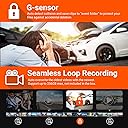
I recently purchased the Vantrue N4 dash cam for my Chevrolet Trax, and I'm impressed. The installation was straightforward, taking less than an hour. Despite lacking GPS and Wi-Fi, this dash cam delivers impressive video quality, especially at night. The loop recording feature ensures continuous recording without missing any crucial moments. Overall, the Vantrue N4 is a solid option for Chevrolet Trax owners looking for a reliable and easy-to-install dash cam.
G**L
Excelente producto. Recomendable.
Hasta ahora excelente. Buena calidad. Funcionan los tres canales sin problema y con buena definición. Esta cámara NO se conecta al WiFi, así que para descargar videos estando dentro del vehículo (en tiempo real), se recomienda tener a la mano un pequeño lector de tarjetas microSD con adaptador de USB C. Ya con este aditamento (no incluido por Vantrue), se pueden descargar sin problema videos al celular desde la tarjeta de la cámara... Yo traigo uno en el llavero. La garantía es proporcionada directamente por Vantrue en su portal, así que es importante dar de alta el producto. Ya sea que se desee realizar la instalación por cuenta propia o encargarsela a algún proveedor de servicios, se recomienda ampliamente adquirir el Kit de cables de Vantrue (hardwire) para tener una instalación limpia... Claro, a menos que no le importe tener el cable de alimentación atravesado en el tablero y conectado a la entrada del mechero. Yo detesto los cables atravesados, siempre causan accidentes... Saludos.
S**R
Amazing Dashcam
I’ve watched a lot of videos comparing dashcams and read quite a lot of reviews as well and decided to purchase this Vantrue N4. I must say I am very pleased with my purchase. The delivery is prompt, packaging looks great and the dashcams (front and rear) are very easy to mount. The only thing I had a hard time was when I’m putting the memory card. It is kinda tricky. If the memory card is not fully inside the dashcam, most probably you put in the wrong direction. The wire for the rear camera is long enough for my SUV that is impressive and the quality of the videos are clear too. I’m excited to watch my video recordings. I totally recommend this dashcam.
R**A
muy buena cámara
llevo poco usandola, pero al momento si es lo que esperaba. me costo un poco de trabajo instalarla pero fue por el auto.
J**E
Very nice
The quality of the video pictures and everything is very nice. It’s very good product. But In my car the wires that you connect with the back camera to the front camera the wires everywhere and I need to take it to the shop so they can adjust the wires if it was wireless will be better. This is the only trouble that I had with the wires
Trustpilot
1 month ago
2 weeks ago