Desertcart purchases this item on your behalf and handles shipping, customs, and support to Japan.
🔒 Elevate your indoor security game with 4K clarity and smart tracking—because your space deserves the best.
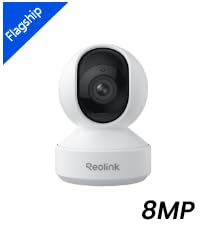
The REOLINK 4K Indoor Camera E1 Zoom delivers professional-grade 8MP video with 3X optical zoom and advanced low-light performance. Featuring 360° pan, 50° tilt, and smart auto-tracking, it detects people, pets, and even baby cries with real-time alerts. Dual-band WiFi 6 ensures fast, stable connectivity, while Bluetooth setup simplifies installation. Multiple storage options up to 512GB microSD and compatibility with Reolink hubs provide flexible recording solutions. Ideal for indoor surveillance in homes and offices, it combines cutting-edge tech with user-friendly controls for comprehensive security.


| ASIN | B07Z841XYD |
| Alert Type | Motion Only |
| Antenna Location | Indoor Security |
| Best Sellers Rank | #38 in Dome Surveillance Cameras |
| Brand | REOLINK |
| Built-In Media | Reolink E1 Zoom, 5V1A Power Adapter(3m power cable), Mounting Plate, Mounting Hole Template, Quick Start Guide |
| Color | White |
| Compatible Devices | Reolink PoE NVR, Reolink WiFi NVR, Reolink Home Hub Pro, Reolink Home Hub |
| Connectivity Protocol | Wi-Fi |
| Connectivity Technology | Wireless |
| Control Method | App |
| Controller Type | App Control |
| Customer Reviews | 4.2 out of 5 stars 4,630 Reviews |
| Effective Still Resolution | 8 mp |
| Effective Video Resolution | 8 |
| Enclosure Material | Plastic |
| Focus Type | Auto Focus |
| Form Factor | Dome |
| Frame Rate | 20 fps |
| Indoor Outdoor Usage | Indoor |
| Indoor/Outdoor Usage | Indoor |
| Item Dimensions | 3.31 x 3.31 x 4.65 inches |
| Item Weight | 8.8 ounces |
| Light Source | Infrared |
| Manufacturer | Reolink Digital |
| Manufacturer Warranty Description | 2-year warranty |
| Memory Storage Capacity | 256 GB |
| Mfr Part Number | E1 Zoom |
| Model Number | E1 Zoom |
| Mount Type | Surface Mount |
| Night Vision | Night Color |
| Night Vision Range | 40 feet |
| Number of Channels | 1 |
| Number of IR LEDs | 8 |
| Number of Items | 1 |
| Optical Zoom | 3 x |
| Other Special Features of the Product | 4K 8MP, 355° Pan & 50° Tilt, Person/Pet Detection, 2.4/5G WiFi, Night Vision, 2-Way Talk |
| Photo Sensor Resolution | 8 mp |
| Photo Sensor Technology | CMOS |
| Power Source | Corded Electric |
| Recommended Uses For Product | Indoor Security |
| Room Type | Bedroom, Kitchen, Living Room, Office, Study Room |
| Shape | Dome |
| Special Feature | 4K 8MP, 355° Pan & 50° Tilt, Person/Pet Detection, 2.4/5G WiFi, Night Vision, 2-Way Talk |
| Specific Uses For Product | Inside, Inside; Amateur, Inside; Professional |
| Unit Count | 1 Count |
| Video Capture Format | MP4 |
| Video Capture Resolution | 5 MP |
| Voltage | 5 volts |
| Water Resistance Level | Not Water Resistant |
| Waterproof Rating | indoor use |
| Wattage | 6 watts |
| Wireless Technology | Wi-Fi |
| Zoom Ratio | 3:1 |
| Zoom Type | 3X Optical Zoom |
J**L
Good quality
So far very happy. Let’s start with the app. Easy to use. You can do multi camera live view, 4 cameras at a time. It’s pretty easy to do. That was my main goal. I also got the home hub pro. Connecting everything was simple. I have 10 cameras total. As for this specific camera: the image is clear. The rotating is nice. Motion censoring works. Following you with the camera is good. Sound is okay, not the best. Siren is neat. You can talk through it. This 4k version allows you to connect with faster WiFi to the hub than the 2k version which I also have. Def pay the money for the 4k. It’s worth the extra money. That said, I’m not sure the image is truly 4k. My 1080p were almost as clear. I also can’t tell much resolution difference between the 2 and 4k.
T**S
Great Camera
I've been very impressed with the Reolink 4K Indoor Camera. The video quality is excellent, providing a sharp and detailed picture both day and night. Setup was quick and straightforward—it connected to my network easily, and adding it to the Reolink app only took a few minutes. One of my favorite features is the ability to view multiple cameras simultaneously within the app, making it easy to monitor several areas at once. I also appreciate the flexible storage options. You can save recordings directly to the camera while also uploading footage for additional backup if needed, giving you peace of mind that important recordings are protected. The auto-tracking feature works surprisingly well and follows movement accurately most of the time. The only minor issue I've noticed is that if the camera tracks an object to the limit of its movement, it will reset back to center. It's not a major problem, but it's something to consider when deciding where to mount the camera. Overall, this has been an excellent indoor security camera with outstanding image quality, easy setup, and useful features. For the price, it's hard to beat, and I would definitely recommend it to anyone looking for a reliable indoor security camera.
D**X
Adventures in setting up was a mess but quality very good
Adventures in setting up was a mess, but while I am still learning stuff, the picture is excellent. But the tiny booklet is worthless in how to set up, although the website has lots of info but has to look at scads of articles. I have used Dropcam for many years, which can access via Internet site. I have a Gigiblast fast Internet service. I rarely use a smartphone other than for mapping when traveling; I can not type on those tiny keys. I have six 28" monitors in front of me at my home office, and when I travel, I pack a full Logitech keyboard with a laptop. I use the camera for my large home office security, especially when traveling. I spent days researching and reading reviews wanting when traveling to view from a PC or Laptop. So decided on this Reolink E1 Zoom, and then the excitement (confusion) to set up began, The quick start guide started me on a many-hour journey to figure out. First, it says to mount the camera. Ah... isn't that like getting the cart before the horse or whatever that expression is. No, let me coddle the little guy on my desk, so I can do whatever has to be done without trying to work on it mounted (which will be on a cabinet top) Starting with downloading and launching App OR Client software. I am a nerd and read that it is either, not both. So I got the client, and, of course, I was totally lost. So I went to the app store on my PC, and it indicated it was not available on "other" devices. OK, I dug out my smartphone and found I am still trying to figure out why I already had the app. But I couldn't find the cute little guy (aka camera). Well, you have to plug it in! I had read/scanned all the reviews and remembered something about not using the little thing on the bottom to plug in since it was the tiny mic, so I could destroy it if you thought that was where you plug in power. But OK, the picture shows it's a power port. So plug it in, and some women started screaming at me in many languages; that startled me, and I didn't catch what the English said. OK, something works. Unless I am blind, nothing in the little guide says anything about the Ethernet connection. Now I go back to OS/2 days before the Windows GUI (dos screen) and back to old card readers - you know, IBM punch cards - yes, I am old. I have a MAZE router system. All the Ethernet ports are full, as are my six ports on a switch. I have MOCA for TIVO, two for NAS, and a printer, and I don't know what else since it's a mess and set up years ago and just works. OK, pull one of the NAS connections and find a spare cable - hopefully, the yellow one works, or is that a "patch" cable... well let's try it vs. some 30-foot ones! This part goes smoothly, besides turning the big Orbi router upside down and getting my magnifier to read the tiny printed password. OK, set up pw for the camera, etc.; that part is fine. The rest of the setup went fine, and we got a great video on the client both in the light and at night. Beware; however, if you are in the same room and testing, the audio may get scratching feedback or constant echoes. Now the microSDXC SanDisk 256k. The first challenge is the human-proof security packaging. I made multiple attempts with a knife, scissors, and willpower just to tear open the plastic security wrapping just to get it and the readout of the package. I recalled from the research you have to point the guy all the way up to get to the tiny port. OK, little guy, open WIDE... barely clears the tiny opening. After a few failed attempts and finding a video watching at a slow speed to be sure I was putting it in the right with almost no clearance when it closed its mouth, I think it is in! I hope I never have to get it out! Now the guy tells me that it has to be formatted. Look all over the client app setting until you give up and find instructions and videos on the website. I must dig out my smartphone again since I have to use the app. Once found from all the zillions of articles in the support part of the web, the video and directions gave good directions. This is after I searched the client's 66-page online manual and found nothing on how to format the disk. I still must learn some options and settings, but it now seems excellent. It would have saved many hours of frustration for us that are not camera geek's if some of this was in a well-organized, one-place how set of instructions. Hopefully, this review might help others as inexperienced with the camera setup as I was.
B**G
Excellent baby camera
The primary function I have for this camera is baby monitoring through Xeoma. I gotta say, especially for the price, this camera works well, at least once you have it dialed in. I started off with the slightly cheaper version, but found it wasn't quite doing what I needed. The pros of this camera you just won't find anywhere else for this price are: 1. Fairly high resolution. 2. Full PTZ functions for both movement and zooming. 3. Colors are really good. 4. Clarity is really good. 5. Onvif compliant. 6. Two way audio. 7. Works well over WiFi. If you are curious what this has gotten me over the slightly cheaper version more exactly: 1. Slightly bigger. 2. Zoom. This is actually quite a significant feature. 3. Slower response to switch between day and night mode. Actually where this is mounted in the house and with it zoomed all the way in, it is almost always in night mode, which is adequate for the need it is serving. 4. Speaker for two way communication seems slightly louder. The big reason why I really wanted this camera over the cheaper version was from my cell phone it could be hard to tell if the baby's eyes were open. Sometimes he thrashes around some while sleeping, but if his eyes open, that means he is awake and I need to attend to him. However if his eyes are closed, he usually settles down and all is good for a while longer. (It seems he is dreaming a fair amount.) Xeoma allows doing a digital zoom, but an optical is much better as it can be hard to use the zoom feature right on the go. The digital zoom is really best for stationary use. Actually using a combination of optical zoom and digital zoom as the optical is good enough to have the whole crib in view and not much else while I use the digital zoom to have the baby fill the viewing area in the subsection of the crib he is in. The clarity of this combination is very good and I am able to either see if his eyes are open from a cell phone or a reasonably sized window on my desktop monitors so I can have everything up on my screens at once as I work from home. While everything is working good enough for baby monitoring so far after some tweaking of settings, it has taken some fiddling to get it to work right. For one I made sure to select TCP transport as all of this goes over WiFi. If you set / default to UDP, things will look really bad as packets will get lost and there is no way around that with WiFi except for using a TCP transport. Second I needed to turn on the back light mode when zoomed in or else the picture would be way under exposed. However these options are there, so then it was just a matter of using the motorized movement of the camera while on its mounting point to point it at the crib and zoom in. At this the wide angle on this camera is wider than the cheaper model and the aspect ratio is more squarish. This makes the optical only zoom not quite what I had hoped for, but it is good enough to see if the baby's eyes are open without having to use the digital zoom in Xeoma. As for digital zooming, it looks a lot more crisp with this camera than the cheaper version, so yeah, see every detail up close. The mic on both of these cameras is a bit lack luster, but I can make out the louder sounds the baby makes, which is enough to know if the baby needs immediate attention even if my wife has the more traditional baby monitor instead of it being with me. Really having the traditional baby monitor around is really useful as it picks up everything, so I can be deep in work and hear every little stir the baby makes and am well aware when it is time to say set up for feeding where with the camera audio alone I have to keep a close eye on the video feed to pick up hints it is getting time to do something for the baby. Really the audio on this camera is more of if the baby needs attention right now, that is when you finally hear something. Also with two way, Xeoma does not support audio in the other direction, so have to fire up the Reolink app. The two way audio deal is more of something my wife likes to use anyway where I just go into the room and do if something needs to happen. I really kind of wish I could wire this in, especially as it is mounted right next to an Ethernet switch optimized for video traffic, but sadly I can't. At least this place is heavily wired in now, I have multiple WiFi APs to provide great WiFi coverage, and I can use a TCP transport for this camera, so it should work reliably and so far has.
M**N
Clear, Smart, and Easy to Use — Excellent Indoor Security Camera!
The **REOLINK Smart 4K UHD Pan & Tilt Dual‑Band Wi‑Fi 6 Indoor Security Camera** with **3X optical zoom** has been a fantastic addition to my home monitoring setup. Right away, the **4K UHD clarity** jumped out — details are crisp and sharp whether I’m checking on pets, kids in the playroom, or just keeping an eye on the front door area. --- ## 🔍 **3X Optical Zoom — Real Detail Without Blurry Digital Stretching** The **optical zoom** is a game changer compared to many indoor cams that only offer digital zoom. With this camera, I can actually **zoom in on objects or people and still see real detail** — not just a pixelated blob. It’s incredibly helpful for capturing faces or reading small details from farther away without moving the camera. --- ## 📶 **Dual‑Band Wi‑Fi 6 — Reliable and Smooth** Support for **Wi‑Fi 6** makes connectivity fast and stable. Whether I’m on 2.4 GHz for range or 5 GHz for speed, the camera stays connected with minimal lag or dropouts. Live view loads quickly in the app, and playback is smooth when reviewing clips. --- ## 🔄 **Pan & Tilt Coverage — No Blind Spots** The **pan & tilt** functionality really expands what a single camera can do. I can control it remotely to scan the room, and it moves smoothly with little noise. This means one camera can cover a whole room or follow movement without needing multiple fixed units. --- ## 🤖 **Smart Detection & Alerts** Smart motion alerts are quick and accurate — I get notifications almost instantly without being overwhelmed by false alarms. The app makes it easy to customize alerts (person only, general motion, etc.) and adjust activity zones so it only notifies me about what matters. --- ## 🛋️ **Indoor Use & Everyday Monitoring** This camera feels right at home anywhere indoors: * Living room / family room * Nursery or kids’ playroom * Home office * Entryway or hallway I’ve also appreciated the two‑way audio — I can talk to someone (or even my dog!) right through the app. The night vision is crisp too, and the camera switches smoothly from color to IR mode without losing detail. --- ## 📌 **What I Love Most** ✅ **True 4K resolution** — sharp, detailed video ✅ **3X optical zoom** — clear close‑ups without distortion ✅ **Pan & tilt control** — wide coverage with just one camera ✅ **Dual‑band Wi‑Fi 6** — fast, stable connection ✅ **Smart alerts & app control** — user‑friendly and reliable --- ## ⚠️ **Minor Cons** 🔹 Setup takes a couple extra seconds if you’ve never used Wi‑Fi 6 devices before 🔹 The app is powerful — a slight learning curve for advanced features --- ## 🏁 **Final Verdict** The **REOLINK Smart 4K UHD Pan & Tilt Wi‑Fi 6 Camera** has exceeded expectations. It delivers *excellent image quality*, *true optical zoom*, *smart motion detection*, and *great coverage* with pan & tilt — all wrapped up in a solid, easy‑to‑use system. If you want a powerful indoor security camera that doesn’t feel limited, this one is absolutely worth it!
M**Y
Unstable to the point of being useless
These devices are extremely unstable. At best they can provide a stream of video for a couple seconds before locking up for 10-15 seconds and giving you a couple more seconds of video. However, most of the time when I try to configure them or change settings they just crash and disconnect me. I've used both the Reolink app and BlueIris, both of them have the same issue (though I can only configure them from the Reolink app, just stream from BlueIris). So I am pretty sure the camera either just has buggy firmware or is too under powered to perform the camera duties it tries to do. I have Reolink cameras outside too and they have been a mixed bag, but generally work ok for the price and performance they offer. However, these E1 Zoom cameras are pretty much garbage. This isn't an isolated incident either. I have 6 of these installed in my house. 3 of them are pretty much useless. I have 2 that are wired in. One of the wired in cameras seems to be ok, but I don't watch the video stream from it much yet so I don't know if it is cutting out a lot. The other wired in one does cut out quite a bit, but seems a little more stable than the other 3 useless ones on wifi. The 6th one is the only one that seems to be ok and is on wifi. I tested the wifi at all the cameras with my phone and get 100-500 mbit (more than enough for the 2-4mbit stream these things produce). I now have a Tapo C110 next to one of my struggling E1 Zoom cameras. The Tapo is way better in terms of stability and price. Picture quality is lower though as it is a 2k camera. But a camera that can maintain a video stream is better than one that gives me a slide show during the rare moments it can even connect.
L**E
Impressed!
We originally bought these to look in on our pets while we were away. Unfortunately, our pets have passed on, but we still use the cameras to monitor our house. Here's what I would want to know about them: Camera Setup: I have never set up any other cameras before, so I can't compare my experience with these to anything. It wasn't hard but did require some time and organization to keep track of the password you must assign to each camera, etc. You'll be adding each camera to your home network and then adding them to the app. There were instructions, and it wasn't hard to follow. As far as viewing the cameras, they have these capabilities: 1. You can view live without recording at all. 2. You can record motion-activated events to a device (such as SD card). 3. You can record motion-activated events to the Cloud (requires subscription). How to view cameras: You can view through the Reolink app available for phone and computer. I use Windows/Android and can't comment on Apple compatibility or experience. You can see the live view or play your recordings (whether SD card or Cloud) right in the app. Subscription: The subscription plans are very reasonably priced if you want to record video to the Cloud. I like that there is a month-to-month option allowing you to subscribe for just one month here and there vs. all year long. Apps: Again, can only comment on Windows/Android. They are both pretty good and intuitive. The issues I've had with the apps are always related to needing updates. Sometimes it requires an uninstall/reinstall, but it always works great after that. The occasional error messages in the apps are not always good indicators of what is wrong, so Google those for a better idea. Some Additional Pros: *Camera hardware is solid and sturdy. I've had them for a few years now and they look/function as if they're brand new. *Picture is literally perfect. Excellent clarity, not grainy at all, and the option to view black and white or color. *Sound-capable. You can speak through the camera, sound an alarm, etc. *Pan-Tilt-Zoom function is nice so you can make a minor adjustment to the camera view when you're away from home. In short, I'd highly recommend these. I've contacted Support a few times over the years. They always respond fast and have been able to resolve my issues.
R**O
meh ....
Wow, where to start. Maybe I'll just do a pro and con review. Cons: Setup is a nightmare. The camera squawks at you in several languages as it struggles to scan. When it won't detect the app, the camera continues squawking very loudly (not adjustable) on an endless loop until the app detects the camera. It was so annoying that I had to move it to another room so I could read why it wasn't working. The client (desktop software) for windows is a NIGHTMARE. It won't connect, asks for a password that is non-existent. I did not set up a password and their admin password as per support didn't work. I still can't get the client to work. Worse, when you delete the software off of your computer, it doesn't 100% go away. When I reinstalled the software, a fresh install after deleting everything, my previous camera set-up info was still there!! So there are components they put on your computer that will not uninstall! The delay between the camera and app is anywhere from 4 to 10 seconds. The mic hardly picks up anything. You cannot hear anything ppl are saying to you on the other end, but they seem to hear you fine. Support is a joke and so is the support section on their site. If you contact them by email, it goes unanswered - besides the robo response of 'we will contact you shortly'. I'm still waiting for a response ... The website support section is a mess of data lines and links. The lag when using the panning feature is frustrating. If you are trying to follow someone with the camera, you end up holding the pan feature down too long or not enough, so when the image catches up to the camera it has gone too far or not far enough. So to be clear, you push the pan button & nothing happens, so you push it again and it goes way too far. You can't get used to it, because it's response is always different. The firmware is not user friendly at all. On the app, if you want to speak to someone when you are on the horizontal view of the camera, you cannot. You have to toggle back to the tiny portrait view, click to another view, then find the mic button. Not convenient at all if you want to talk to someone in a time sensitive situation. I have ring cameras and the firmware is far superior ... if you can believe that. The motion detection is extremely flawed. It goes off for no reason. The first night I had the camera installed, it went off about 10 times in the middle of the night for nothing (there was nobody in the room). So I tested it and put it into a closet. It still went off randomly. I turned off motion detection so another feature unusable. Pros: The image quality is good. The night vision is only black and white, but clear none-the-less. The zoom feature is pretty good. It enabled me to see what medication tablets my mother left on the table. The panning feature of the camera is almost silent, but the zoom is pretty noisy. So all in all, I am really disappointed. If using the camera continues to frustrate me, it's going back. I use the camera to monitor an elderly parent. It works OK so far, but the cons above are wearing on my nerves and that is the exact opposite of what anyone would want in any product. So, buy ONLY if you can return this item. If it's anything like my experience, you'll want the option.
N**I
كاميرا ممتازه
الكاميرا ممتازه. واضحة جدآ والزوم فيها واضح. تستاهل هالسعر
T**G
Good 4K camera
It’s pretty good - clear and easy to clip & save short parts of the videos.
S**H
ممتازة
صغيرة الحجم وسهلة الربط بالانترنت عن طريق الواي فاي ودقة ممتازة
の**り
画質も良く見えやすい
画質も良く、動きにも反応するので購入して良かったです。
A**ジ
まあまあかな
セッティングはQRをスマホで読み込むだけ 簡単だった、画質はキレイ、ズームも良好だけど、遠隔操作(PTZ)がイマイチ、いいポイントで止まってくれない、動きが大き過ぎる、これが改善されたら、⭐️5だ
Trustpilot
2 months ago
2 days ago