Desertcart purchases this item on your behalf and handles shipping, customs, and support to Japan.
๐จ Elevate your digital canvas โ create, customize, and conquer with every stroke!
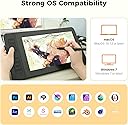
The GAOMON PD1161 is an 11.6-inch Full HD drawing tablet featuring a battery-free stylus with 8192 pressure levels and tilt support, 8 customizable shortcut keys, and an anti-glare matte screen. Designed for Mac and Windows users, it offers vivid color accuracy and broad software compatibility, making it an ideal tool for artists, designers, and professionals seeking a responsive, efficient digital drawing experience.


| ASIN | B07YFG742J |
| Active Surface Area | 11.6inch |
| Additional Features | 60ยฐ Tilt Support, Anti-glare protective film, Programmable Press Key |
| Best Sellers Rank | #22 in Computer Graphics Tablets |
| Brand | GAOMON |
| Built-In Media | 3 in 2 USB Cable, AC Adapter, Digital Pen, Glove, Pen Holder (8 nibs inside) |
| Color | Black |
| Compatible Devices | Desktop, Laptop, Mac |
| Connectivity Technology | HDMI , USB |
| Customer Reviews | 4.3 out of 5 stars 6,802 Reviews |
| Display Type | LCD |
| Item Dimensions L x W | 14.2"L x 7.9"W |
| Item Weight | 1.9 pounds |
| Manufacturer | GAOMON TECHNOLOGY CORPORATION |
| Mfr Part Number | A2.PD1161-0-EN0000-1-US-T |
| Model Name | GAOMON PD1161 |
| Model Number | GAOMON PD1161 |
| Native Resolution | 1920x1080 |
| Operating System | Windows 7 or later, macOS 10.12 or later |
| Pressure Sensitivity | 8192 levels |
| Screen Size | 11.6 inches |
| Special Feature | 60ยฐ Tilt Support, Anti-glare protective film, Programmable Press Key |
| Specific Uses For Product | Animation, Designing, Drawing |
| Target Audience | Artist, Beginner, Student, Teacher |
| Warranty Description | 1 year warranty under non human made damage. We don't cover accident damage, or accident missing accessories. |
Z**.
Really solid entry level tablet.
I should start out by saying this tablet is for use with a computer and it has zero standalone functionality at all. The tablet itself has proven to be quite durable as I draw with it almost every day. The pen is really great and I really love that it doesn't use batteries, it's just ready all the time. The tablet is fairly light and compact so it can be moved easily when I'm finished drawing. Pen accuracy and pressure sensitivity are great. The customizable side buttons are nice to have also. Downsides: The screen display is not very good. It does not provide accurate color and it is locked to a low refresh rate. It's about 30hz (the screen really isn't a big deal for me because I am looking at my main monitor most of the time) It requires a USB, HDMI, and external power connection which is just a lot of wires to deal with for one item.
K**E
Another Great Product from Gaomon ๐
Bought this to replace my trusty PD1560 - which still works like a champ, for what it's worth; I just felt it was time to treat myself to something a little bigger, and I couldn't be more pleased with the 2200. I was initially worried that it might be TOO big - but that's not the case at all. I would say it's actually the perfect size - big enough to have lots of room to work comfortably and to be easy on the eyes and wrists, but not so big that you're wasting space on the screen or taking up too much precious real estate on your desk. The stand has a nifty feature where it can sort of fold down and let the monitor sit directly on the desk, which I didn't really understand at first, but turns out it provides more options for positioning and lets you get it exactly where you want it. The screen is very nice. It's only 1080/full HD, which also worried me a bit as I'm so used to 4K on my other monitors, but actually the display looks pretty darn crisp and the resolution hasn't bothered me at all. (Don't get me wrong, when Gaomon comes out with a higher resolution pen display in the future, I'll be the first to buy it - but until then, this is absolutely fine and I have no complaints!) (...Oh, and for the other weirdos like me who prefer to draw on glass rather than a textured surface - this display comes with a matte textured screen protector pre-attached, but it can be easily removed to reveal the smooth glass underneath. There's nothing wrong with the screen protector, of course; it's actually a very high quality one and it's hard to tell that it's not part of the display itself at first glance...but it does blur the display somewhat, as all matte surfaces do. Removing the screen protector makes a HUGE difference in the crispness of the display, and I personally happen to prefer better clarity over a textured drawing surface. I've also been drawing on it daily for a week or two and have yet to notice a single scratch on it despite not having a screen protector.) The drawing experience is excellent - the pen is nice and sensitive, which is great for people like me who draw with a light hand. Parallax is virtually non-existent when you find the correct viewing angle. The pen feels nice to hold, with a silicone grip and two easy to use buttons; although it is extremely light, which makes it feel a little bit cheap (but probably helps with fatigue in the long run). LOVE the fact that it doesn't need to be charged. As for the hotkeys...well, they work exactly how they should. No problems there. But I don't use them. For one reason, because they're at the top of this (large) display and I have short arms, so constantly reaching up to find a button is a little tiring. The other reason is the buttons themselves. They're not illuminated, which they really, really REALLY should be since they're not raised or textured at all and are impossible to find without looking. (And man, you have to look hard, because they pretty much disappear completely into the glass even in bright lighting conditions.) Basically, the flush buttons make for a very clean and minimalistic appearance to the screen, but it severely diminishes their actual usability. The last thing I'll mention is the cord setup. I am SO HAPPY that this particular display comes with three long INDIVIDUAL cords instead of the stupid 3-in-one cord that so many of these drawing tablets feature anymore. Maybe this only applies to me, but my (rather large) laptop has the USB and HDMI ports on opposite sides, and the 3-in-one cord is never long enough to reach both. With these individual cords I have no problems and I can arrange my laptop and the pen display exactly how I want them in my workspace. I sincerely hope that in the future Gaomon and other manufacturers consider the fact that the 3-in-one solution does *not* work for everyone. To sum up, the PD2200 is another awesome offering from Gaomon, a great value for the money and I would absolutely recommend it 100%.
B**A
Good product, but the team is better
Before I start this review if you have any issues with a GAOMON product, go to their website and email them through the support dropdown, After-sales. Trust me, if it is a bad problem like mine, your problem will be resolved. Their Tech Support is really good. I had an issue with my original tablet where it wouldn't even turn on half the time. I pretty much had a 1/4 chance of the tablet working. It was a very unique defect because when I did research online about it, nothing was brought up. However, when I emailed them back and showed them a recording of my issue, they just sent me a new tablet. I mean I had to wait for it and show evidence about the problem, but it's better than me sending back the tablet, waiting for them to receive the tablet, once they receive the tablet, they can start troubleshooting and analyzing the problem, once they fix it, they send have to the tablet back, the tablet gets lost in amazon shipping, and it's a whole fiasco. I don't have to play ping pong for my stuff to work. Gaomon more like, "Hey, we see you have an issue, if there is a solution that we know off, we'll tell you what you need to do to resolve your issue, but if there isn't, we going to help you get a new one new one with no flaws." 11/10 customer service because what more would you want. Now on to the actual product itself (BTW: This was on a pretty decent modern computer if I do say so myself.) : Cons: 1. A lot of people have already said this, but I will say it too, make sure you have an HDMI port. I didn't have to suffer this issue because my computer has a pretty good graphics card. But, if you buy this for a laptop, make sure you have an HDMI port because you might end up buying an adapter if you don't. The reason why I say this is because I plan on using this for both my PC and my laptop, which both have an HDMI port. 2. This tablet does not have an integrated battery, but a power adapter. The power adapter is pretty bulky so you would need some space when plugging it in. I had to move some wires around, but it is around spring cleaning. I needed to clean up anyway, lol. This is an issue because if you are using an already filled-up power strip, as I am, you might have to reorientate and organize your plugs. 3. Calibration is a bit off. I needed to mount my tablet's monitor to my other monitor for the calibration to be correct, default settings. Though, I will say that the calibration for my laptop is okay. I will say it is still a bit off, but it is not as bad as my PC. Though I am assuming this is a problem with my PC/drivers and not the product itself. Calibration is on the software side, not the hardware side. So if you want to go in-depth and get the most accurate calibrations, either tinker around with the default drivers or test around and do some research on tablet drivers. I have a pretty good calibration set-up only using the default settings. Note: I am a left-handed hobbyist. I draw for fun, and I'm not good at it, lol. Because I needed to mount the tablet's monitor to my monitor, I have 2 monitors, using left-handed mode is pretty much impossible for this set-up. Because I would then flip my screen's orientation, my monitor's screen orientation, I would pretty much have my main monitor and my secondary monitor that is flipped upside down. Obviously, I don't want an upsidedown monitor. But, this is not an issue if I used the tablet's inbuilt screen. If I really wanted to, I could set it up so that I can do left-handed mode with the tablet's in-built screen, but I'm lazy. So, this only applies if you are left-handed, and you are too lazy to do the calibration on the in-built screen, like me. Or is left-handed and is serious about drawing. You draw in small, but you see your result on the bigger screen. But to be honest, the majority of things are made to be right-handed, heck even the glove that is included is right-hand orientated. Exception for the tablet, who really cares? Just flip the glove over, lol. Pros: 1. Screen is smooth. It ain't butter, but it's more like "I Can't Believe It's Not Butter!" You know it ain't buttery smooth, but it is close enough. Unless your eyes are trained in the mountains to see the minute differences between hertz on a computer monitor, you not gonna see the difference. I mean there is some stutter, but it ain't as bad as a computer with a low CPU, and RAM installed into it. So low to the point where you might as well just install Windows 1998 or Unix on it because anything higher would make it explode like Minecraft on RTX. The screen is large and the stutters aren't even common, there like once in a blue moon. I mean you might see it once in a while, but that's with all tablets and monitors. 2. It is pretty portable. Now, we are not talking about the tablet being so portable to the point where you are able to put it in a purse and call it a day, except I did see some pretty big purses that I would want to buy on Amazon, but it is portable. If you have a pretty decent backpack or anything that has a good dimension and volume, you'll be okay. The wires are pretty long, but there is a velcro strap that you can tie it up with. There is also a thing about the power adapter. The power adapter is broken into two parts, so you are able to assemble and disassemble them anywhere you would like, obviously when it is plugged out and NOT plugged in. Please do NOT attempt to disassemble it when it is plugged in. You're buying this tablet for the screen, size, buttons, and useability, so please keep that in mind. 3. It doesn't have an integrated battery. Now, the reason why I say that this is a pro is that this also includes the pen. Why do I need to charge the pen to use the tablet? This is the reason why it is a huge plus. It also means that I don't need to pay for a replacement battery if I overuse the tablet either. It is the same logic as a laptop. Sure, your laptop is portable, but there is a chance of the battery going bad if you constantly charge it to full. If you consistently charge your batteries to full, you might actually kill your batteries in the long run. This applies to anything that uses a battery. Once your battery dies, either you just don't use that device anymore, or you buy a new battery replacement. This is the reason why I put this in a pro, I don't need to buy a replacement for a battery. If it breaks, it breaks. And I don't think it's going to meltdown anytime soon. 4. The pen and the button are pretty responsive. I mean you need the pen to get close to the tablet for the buttons on the pen to work, but it's okay. You are able to see custom hotkeys, it's all good.
I**A
Very nice drawing tablet
Got this for my daughter, She love it so easy to use, love how easy it is to draw with, the screen is bigger than I thought it would be and so bright. Work with her gaming PC compatible w/ windows 11. I love the price great value
A**.
Amazing Tablet for the price!!
I have had this tablet for about a year now and I can confidently say this is an amazing tablet! It a wonderful start out if youโre looking for a larger screen but donโt want to drop $1-2k on the higher name brands. Iโll give a couple pros and cons about the tablet and hopefully itโll help those who are deciding if they want to get one! Pros! *Large screen! - Iโve have used the 12.9 iPad Pro for almost 6-7 years, but always wanted something larger. This screen suits my needs so well! I donโt like to use shortcuts so Iโm able to adjust my program to accommodate my tools and windows. *Sensitivity - I was worried with it being a lower cost tablet that there would be some sensitivity issuesโฆnope!! Itโs perfect! The pressure can be adjusted to your desire as well, but I pretty much left it how it came out of the box! The is no lag, but I will say it depends on your computer. I noticed I got a bit of a lag on my iMAC, but thatโs because itโs old and I had to unselect screen recording to have it optimized better. But I had no issues when I used it in my Windows gaming Laptop. Just keep in mind on your processor. That my only concern on that part. *Price- Is there more to be said?! Itโs at an amazing price for someone wanting to start out on a larger screen but not sure if they want to go and drop over $1K on the name brand tablets. I will say I have use a Wacom Cintiq Pro 27 during a convention to try it out, and while obviously there are some differences in quality and performance, the Gaomon PD2200 performs insanely well for its price. *Accessories - tablet is build with its own stand and already installed so no assembly required or having to purchase a stand separately! You get the display pen along with additional tips and a holder for your pen! As Iโve mentioned I have had the tablet for nearly a year and have yet to change the tip yet. But I will say I donโt use it very often as life is busy, but I will put a guess if you use the tablet everyday you may just need to change the tip out every 3-4 months depending how much pressure you use. Now to the Cons: I donโt have many but the couple I would put out would obviously be involved on how itโs priced. You get an amazing and large sized tablet for the fraction of the name brands, but itโll come with its downsides. First would be the buttons- the buttons to turn the tablet on/off are not synced properly so I have to maneuver around to have to turn off the tablet when Iโm done. It gets annoying especially when it takes more than a minute to figure out the right spot to press. The short cuts being on the top right our a bit annoying. I wish they were at the bottom but like I mentioned earlier the screen is large enough that you an adjust your tools to your liking that suits your needs or you can just use keyboard shortcuts. This is also something to keep in mind if youโre a left hand drawer. Itโll be more difficult to select the shortcut keys. Display Match - Trying to display match was a nightmare. It took a lot of time and effort to get it remotely similar. I would suggest going to your computer graphics settings and set it that way. Trying to adjust it from the tablet itself is difficult and when the buttons not being syncs properly, it makes it even more frustrating when trying to adjust the display settings. I have used this both on Windows and Mac, and Windows took a little more time but iMac has preset settings to match with it, and it made it a little easier but itโs not perfect. So just something to keep in mind when drawing. Your colors will be off so always reference from a screen youโre used to and the tablet for best results! Thatโs all I really have. Itโs still an amazing tablet if youโre starting out on wanting a larger screen! I love this tablet despite its quirks and really happy with my purchase!!
A**S
Ports are messed up and need a new one after a year
Its a great monitor but mine, it's ports starting messing up after 5 months of owning it. I took good care of it and the HDMI is very sensitive I can't lift the scaling without it lagging on CSP art program and I can barely move it without the screen going black. If I can get a new one from my warranty it would be amazing!
G**I
GAOMON Tablet | Great starter tablet!
Iโm honestly impressed with this Gaomon screen tablet! For the price, it delivers way more than expected. Itโs a screen tablet, so you can see exactly what you're drawing, which makes the whole experience much more intuitiveโespecially if you're transitioning from a non-screen tablet. Keep in mind, itโs not Bluetooth, so youโll need to use the included cables to connect it to your computer. But once everything is plugged in and set up, it runs beautifully. IMPORTANT: Make sure to install the correct drivers from Gaomonโs website that match your model. This step is crucialโonce the drivers are installed, the tablet works like a dream. I've used it with both Krita and Clip Studio Paint, and the responsiveness and pressure sensitivity are fantastic. Overall, this is an amazing value for artists on a budget or anyone wanting a solid, reliable drawing experience without spending a fortune.
D**M
Gaomon Improved Their Product!
My daughter is a digital artist. A couple of years ago, she had requested a more expensive brand, and I felt she was a bit young to go to that extreme, so I had looked up comparable products, and settled on one of the Gaomon models. At the time, it was half the price of the one she wanted. Plus, it was one of those wait and see where your life goes before a huge investment is made. We had insurance on the original one, and there were some issues. We ended up having to replace that one, and we decided to give Gaomon another shot because she knew how to work with their product, liked their product, and the photos on here depicted that issues on a previous model were addressed. So, we ordered this model, and have ZERO regrets. She is intending on making digital art her life's work, and I can only write what she stated regarding this latest model: it cut the time in half of the digital art she creates. It is easier for her to see the bigger picture of what she is working on. She said the ease of use in comparison to her previous model is notable. She initially didn't think she'd like a bigger screen, but now sees the advantage and likes the clarity. The connections are separate on the back (the connections were one huge connector in the past where if one thing went wrong, the whole thing had to be replaced), the tilting of the monitor is much nicer. I tried to get as much information as possible to post here from an actual artist, but since this product arrived, I have hardly seen her. I know there are other parents out there who have teenagers who may be highly involved in creating digital art and animations who don't have the money to shell out for the more well known brand or just don't know how serious of an artist your child might become, so I just want to say - get this. Gaomon actually listened to consumers and made a better model which can assist you in achieving what you want or need without going crazy with putting yourself in debt. If you have fears, buy insurance. The serious artist here is says it is amazing. Thank you to Gaomon for addressing issues from the past and for pricing in such a way that people may be able to purchase your products. Furthermore, I'd like to add that she is already getting offers from art colleges who have seen her work, and this is the product she is using - that isn't bragging, but only to notify people that it can get you to where you want to go...and for parents who are trying to make the right decision. I hope this is somewhat helpful that a parent here can say that I feel very confident in this being a great product. However, I know that she's not had it for months, and who knows what may arise, but they have been in business for awhile, and, as I stated, they fixed some issues from the past.
M**E
รtimo
รtimo, foi resoluto.
A**L
Great Screen drawing tablet, especially for the price.
The PD2200 improves upon everything that the previous Gaomon Tablets had to offer. The screen is matte, so there's little glare, the cursor lines up perfectly with the pen, making it easy to draw, the cords are now broken up making it easier to plugin, and the pen is almost (but not quite) as good as a Cintiq's pen, with a softer top, making it easier to hold. I had some technical issues setting it up, but after running the driver as an administrator those problems disappeared. All in all, this is a great Tablet for the price and would recommend highly to anyone who wants a nearly Cintiq quality Tablet for a fraction the price.
E**A
Awesome Awesome
Lovely Tab. A must for the teachers.
R**S
its a very usefull device for a beginner.
A**N
Nice display
Best product
Trustpilot
1 month ago
1 month ago