Buy anything from 5,000+ international stores. One checkout price. No surprise fees. Join 2M+ shoppers on Desertcart.
Desertcart purchases this item on your behalf and handles shipping, customs, and support to Japan.
🚗 Diagnose Like a Pro, Fix Like a Boss — Stay Ahead with LAUNCH X431 PRO3!
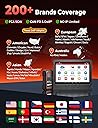
The LAUNCH X431 PRO3 (V+) V5.0 is a cutting-edge professional automotive diagnostic scanner featuring Android 10 OS, a 10.1-inch HD display, and advanced bidirectional control with 4000+ active tests. It supports 200+ vehicle brands with OE-level ECU coding, topology mapping for all onboard systems, and 55+ reset services. Wireless diagnostics up to 33ft, 2 years of free updates, and lifetime tech support make it an indispensable tool for modern auto technicians and repair shops aiming to boost efficiency and first-time fix rates.


| ASIN | B00NID586M |
| Automotive Fit Type | Universal Fit |
| Best Sellers Rank | #568,826 in Automotive ( See Top 100 in Automotive ) #1,857 in Code Readers & Scan Tools |
| Brand | LAUNCH |
| Brand Name | LAUNCH |
| Customer Reviews | 4.3 out of 5 stars 933 Reviews |
| Global Trade Identification Number | 00702142509952 |
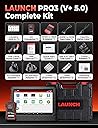
| Included Components | Accessories: British standard conversion head, European gauge conversion head, Power adapter,5V/5A, wire length 1.2m, with American standard conversion head, HD15F to OBDII 16 male integrated test connector, HDB15F to HDB15F test main line (with DC), LAUNCH X431 PRO3 (V+) V5.0 Display tablet, DBSCAR VII diagnostic connector, Test Cable: Double clamp power line (English), The cigarette lighter line… |
| Item Dimensions L x W x H | 16.9"L x 6.3"W x 14.5"H |
| Item Type Name | LAUNCH X431 PRO3 (V+) V5.0 Scanner, 2026 Upgrade All-in-One Bidirectional Scan Tool, Topology Map, Scan HD Trucks, DBSCar VII VCI, 55+ Services&Online Coding, All System,CANFD&DOIP, 2-Year Free Update |
| Item Weight | 8.1 Kilograms |
| Language | English, French, German, Italian, Spanish |
| Manufacturer | LAUNCH |
| Manufacturer Part Number | LAUNCH X431 V+ |
| Manufacturer Warranty Description | 5 Years Warranty |
| Model Number | LAUNCH X431 V+ |
| Native Resolution | 1280 * 800 pixels |
| Operating System | Android 10.0; 𝗔𝗳𝘁𝗲𝗿-𝘀𝗮𝗹𝗲𝘀 𝗘-𝗺𝗮𝗶𝗹: 𝗹𝗮𝘂𝗻𝗰𝗵-𝗮𝗳𝘁𝗲𝗿𝘀𝗮𝗹𝗲𝘀@𝗼𝘂𝘁𝗹𝗼𝗼𝗸.𝗰𝗼𝗺 Operating System Android 10.0; 𝗔𝗳𝘁𝗲𝗿-𝘀𝗮𝗹𝗲𝘀 𝗘-𝗺𝗮𝗶𝗹: 𝗹𝗮𝘂𝗻𝗰𝗵-𝗮𝗳𝘁𝗲𝗿𝘀𝗮𝗹𝗲𝘀@𝗼𝘂𝘁𝗹𝗼𝗼𝗸.𝗰𝗼𝗺 See more |
| Power Source | Battery Powered |
| Product Dimensions | 16.9"L x 6.3"W x 14.5"H |
| Screen Size | 10.1 Inches |
| UPC | 702142509952 713830340672 713830337382 701160471340 |
| Unit Count | 1.0 Count |
S**H
Modern, durable, updated....good value
This thing is pretty cool, and instantly replaces my old scanner. It’s packaged in a durable case (I already dropped it once), and the primary OBDII adapter is housed within the scanner case, it’s always with it. There are a ton of different adapters for different manufacturer specific functions, and it’s got an adapter to OBDI as well. It runs on the Android OS, so when you get it, hit the settings button to connect to wifi, then once you’re connected, you login with the serial number and a verification code which get you into x431 app. Once you’re in and connected, login and run software update. Mine updated a bunch, and initially failed on some, but exiting the app after a run of software update allowed me to update some more ; it took about 3 runs to get them all, and then I was updated for all modules and supported makes and models (which there are a lot). Once you’re updated you can use the scanner, but you’ll need wifi to use some of the features such as the intelligent diagnose, which I generally have, but I was able to connect the hotspot on my phone while I was on the road. I often use the local diagnostic which doesn’t require an internet connection anyway. The VIN and general vehicle information populated quickly, after which you have the option to run diagnostics. I have a computer, but I find myself sitting in the vehicle and using the code lookup feature which searches the internet for posts on the code. I’ve been using it on popular brands like BMW and Toyota, but there’s a guy who still drives a Daewoo Nubira (somehow), and I want to see what it can read off of that. There’s a diagnostic history feature, so whenever I re-scan a vehicle, I can quickly select the vehicle from the list, but mainly I use it as reference to previous jobs I worked on. My previous scan-tool couldn’t reset service intervals, so I was left to using the unique stalk commands different manufacturers have, so needless to say, the resets have made things a lot easier for me in that regard. I would recommend everyone read the manual from start to finish to familiarize yourself with exactly how everything works. My friend has a snap-on, and it does the same stuff (so far at least), but he paid way more. You need to pay for updates once your initial subscription ends, but that’s par for the course with all these scanners. Overall, a good bang for the buck, considering all it can do.
R**R
PERFECT scan tool!
I recently purchased the launch X431 V+ Pro and it has now become my go-to tool for diagnosing vehicle issues. From the moment I started using it, I was impressed by its capabilities and performanceIt- it has exceeded my expectations!! One of the standout features of this scanner is its extensive vehicle coverage.I've used it on different type of makes and models so far, which is ranging from older vehicles like a 2001 Honda Accord to newer kind like a 2022 Ford F-150and it hasn't let me down. Two days ago l encountered an issue with the ABSsystem on a2014 Toyota Camry.Other scantools I had tried couldn't establish a connection with the ABS module, but this scan tool had no problem accessing it. It quickly identified the specific fault and allowed me to perform the necessary trouble shooting steps. l was able to resolve the issue with confidence,thanks to the accurate and reliable information provided by the scanner! This pro scanner also offers additional features that enhance its overall value. The built-in Wi-F connectivity allows for easy software updates, ensuring that I always have access to the latest vehicle coverage and diagnostic capabilities. The tablet-style design is compact and portable, making it convenient to carry around the workshop or take on-the-go. Overall, I recommend the Launch X431V+ Pro to anyone in need of a powerful and versatile vehicle diagnostic scanner. Its extensive vehicle coverage, user-friendly interface, and reliable performance make it an indispensable tool for both professional mechanics and car enthusiasts. I look forward to utilizing its features for many years to come.
N**R
Product review of the Launch X431 Pro 3 Version 2
The Launch tablet was light and compact and was very comfortable in hand. For such a compact package, the battery life was remarkable, due to the large capacity, integrated 6340 mAh battery. Another potential pitfall of a small host unit (the unit measures 205 x 275 x 52 mm) is the screen display, however, the designers have come up with a unit that is equally clear to view in broad daylight as it is inside the workshop, thanks to the screen finish and a good quality display. The software look and feel are both very good in terms of layout and size and the touchscreen operation worked flawlessly in conjunction with its large, clear icons, see Figure 2. The device was quick to get going from the initial power up and it was also quick to operate. The response in moving through the menus and executing tasks was immediate. Downloading and running updates (which is partly down to internet connection speed) was reasonable. The ‘services/update’ section of the software on the X431 Pro 3 notifies the user of pending updates, and it’s a ‘click and go’ procedure to set the updates running. During general use I found that the Bluetooth communications interface connected reliably each time I used it. The communication with the car was quick when performing codes and data evaluation, and even when streaming live data it was reliable. During my testing the Bluetooth had a reliable connection range of around 5 meters. The designers of the tool have implemented a neat alarm feature which prompts the user to remove the communication device when each diagnostic session is completed. My overall impression of the X431 Pro 3 was very positive. I found the hardware very well suited to the purpose, rugged, fast, easy to use and light. The software was slick in its operation and it did all I asked of it during the test period. I made a couple of calls to the team at Launch and my queries and questions were dealt with promptly. This segment of aftermarket, multi marque diagnostic scan tools is extremely competitive. The Launch X431 Pro 3 is a highly competent product that discharges its duties very well.
N**G
Several functions listed as supported didn't work.
I really wanted to like this unit. In fact, I was very excited to get it. It was a very large investment for me as a DIYer, but I decided to get it as I thought it would help me with troubleshooting my vehicles. Unfortunately, it did not work well at all. It was able to auto-detect the vehicle type and VIN as promised, but many of the special features failed to work. The error messages were not useful at all or nonexistent. For example, I tried programming a proximity key for a 2014 Jeep Cherokee which it said was supported. First, I tried to pull the PIN which was a listed option but got an error back (just the word error - no description). No big deal because I had the PIN. Just wanted to see if that feature would work. Next, I tried to program the key. It appeared that it was going out to the internet to do something on a server. I had a strong WiFi connection, but again, got the generic error and failure. The key was not programmed. I tried storing health reports for several vehicles, but when I tried to pull them up later, they weren't there. The list was empty. I really liked the idea of having the old reports available so that I could track the history of a vehicle or compare to past results when troubleshooting. I tried to program FOBIK keys for a 2015 RAM. Had the correct part number. Ordered two spares, both timed out on the first attempt and then continued to say "wrong key" on subsequent atttempts. Took them to a locksmith and was told that it appeared that the Launch unit attempted to write to both fobs, but because it failed, they can't be written to a second time. This was a very expensive lesson to learn. I question if this really is an authorized Launch unit just from a Chinese distributor. When you click on the renew tab, the renewal price is double what they advertised on this listing. I contacted their tech support and they told me not to go through the app and to only contact them directly for renewal. I did send all of my error codes through the unit to Launch, but have heard nothing after a little more than a week. In fairness, this may be due to the Chinese New Year. I suspect they are shut down, but this brings up another concern - if you need support for your business, can you really wait more than a week to get help? Again, I was really excited about this unit and had high hopes that it would work well. I am going to give them another 48 hours to respond to my emails and tickets submitted through the app, but short of some miracle, I suspect I will be returning this unit and looking for something better.
J**Y
Love my Launch
I bought this Launch X431 V+ a couple of years ago and have used it many times since then to diagnose problems with my own cars and those of family members. I'm strictly DIY and fix my own cars to save money. Most recently I have gotten great value out of it for a diagnosis and for checking a used car that I was considering purchasing. My 2005 Camry had a check engine light which was from an evap code related to a vent valve circuit high. By using the bidirectional controls, I was able to determine that all of the evap valves would at least click and that the system would hold pressure. That means that the problem was not a full failure of any component and was probably a small leak. Starting with the easiest components to check (and using some YT videos and a vacuum pump/gauge) it turned out to be the purge valve under the hood that was not completely closing and hence unable to hold pressure. Replacing the part was a good fix. The code reading and element activation helped make this a quick and convenient diagnosis so that I was able to complete the repair before our mandated annual inspection. This meant that I could do it myself and save at least several hundred $. (Besides saving on parts and labor, shops tend to replace more than they need too; there is a hefty incentive for them to do something like require replacing the hard-to-get-to cannister.) I've used the tool several other times to help diagnose various issues on my cars and those of family and friends. I also recently did a health check when I was test driving a used Lexus. The car had no check-engine lights and drove fine, but when scanned, it had 4 history codes and 4 current codes, some of which were related to ABS and the TPMS system so they were not emissions-related and severe enough to set the CEL. These things can still be expensive to fix and could prevent passing the mechanical inspection in my state. Given the market today, I knew I wasn't going to be able to negotiate the price down, so I passed on the car and saved myself potentially significant costs and headaches. Note that you can read codes with a cheaper code-reader, but with this thing you save and email yourself a full report to study later when sitting at the computer. Update [10/2022]. I recently got a check engine light in my 2014 F150 with a code for a circuit problem on the downstream oxygen sensor. Using the scan tool, I could see that there was no signal at all from the sensor (rather than some sort of bad signal). The most likely cause is a wiring problem and this was determined after about 5 minutes while sitting in the drivers seat. A visual inspection found rodent-chewed wires leading to the sensor. A bit of soldering fixed the problem and removed the CEL. Another reason for a DIY person to get one of these is that it is a great educational tool. You can learn a bunch by just looking at the data stream (and saving "known good" data) and watching how the vehicle operates when everything is working. The device itself is rugged and feels good in the hand. I've had no hardware problems. I wish it had a pull-out stand (e.g. for resting on the steering wheel), but I've never really had a problem using it as it is. I have two little quibbles so far: First, the software updates are, IMO, a little expensive for DIY users. It would be nice if there were subscription options that catered more to these users (maybe a charge for a single update or updates for only 5 cars or something like that). Please note that Launch, as part of a limited offer, provided a couple of years of upgrade in return for a positive review; but that has not affected what I've said here. Second, the software for the automatic evap test for the Camry mentioned above does not work right and I've sent messages to the company twice through the x431 software and have received no responses and this part of the software still does not work. Overall, I love this tool and don't think I'll ever be without a scan tool again.
T**O
Does everything, and some.
There is a lot of controversy around this tool, read on and I’ll save you the research. This is not some sort of counterfeit tool. Everything in the box looks original and legitimate, nicely packaged. There are two entities of the same company making similar tools, Launch USA, and Launch China. This is the China model. Which is highly similar to the USA model. I chose this model for the same reason you are here, it is more cost effective. I’ve been using this daily for two months now with good success. It has all the manufacturer specific functions I need at a professional level, including key immobilizer functions, cylinder contribution and power balance. However I did have some complications with programmable module installations but, with the subscription included you can submit an assistance request to have Launch China help you get over any confusion you have while using this tool. It’s like having the whole Launch staff there working with you. I found this out the hard way, I thought I had a defective unit and contacted the seller directly to get further assistance. The seller pointed me in the right direction and sent me instructions on how to use the assistance function. This really is top notch software. With all the included adaptors, I have the confidence to diagnose anything that comes through the door. As for the hardware, it’s a tablet in a heavy duty case and it feels nice in your hand. The DLC adapter is easy to remove from its storage cavity, it’s wireless but when you end your diagnosis section it has a loud warning reminding you to remove the connector from the vehicle, a nice little feature. The subscription can be a little costly, but once it expires, the tool still functions as it did before, you just can’t download any new updates. Good software, good support and good hardware at a fraction of the price from Launch USA, or Snap-on. Takes my 5 stars.
E**N
Great value for obd2 scanner plus a tablet
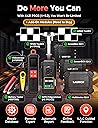
I purchased this launch scan tool for personal and family use. This unit comes in a nice blow mold case with protective foam and velcro straps to hold the unit and accessories. Setup and updates right out of the box was fast and easy. The launch has auto recognized the vin of the 3 vehicles I had to hook it up on. You can also purchase separate battery tester, bore scope and a heavy duty vehicle module. Touch screen is large and works well it is a very nice tablet itself. I hope to get some more experience soon
S**.
Perfect for what I needed..
First I was a tech for over 25 years. granted I've been away for some time roughly 20 years. I need a good Bidirectional that would do what i needed that wouldn't break the bank. Much research I picked the Launch X431 V+ Pro. Out of the box it was pretty straight forward licensed it updated it and went straight to the car.. Got a full diagnostic health report and email it to myself. Right away I knew what i was up against .. Can bus shorted due to so much offline. Using some research, a schematic and this tool i had the car running is just a short time. faulty sensor due to wires in the water then ice. shops just threw parts at it and I've been fighting an illness and elected to let someone else a Professional do it. Frustrated for over 8 months I purchased the Launch and really it was the professional Easy to use spot on and did exactly what I needed. Big readable screen nice feel and the wireless ODBII connector all bundled with a plethora of other connectors you really have everything at your fingertips. Car was a Mercedes Banz GL-450 2011 just exceeded my expiations and then some. Guess ill be sought after again since this tool is really good quality and professional.
P**E
Zuverlässiger, leistungsstarker OBD2-Tester
Leistungsfähiges Multimarken-OBD2-Testgerät mit allen für Service und Reparatur üblichen Diagnose-, Service- und Codierungsmöglichkeiten. Zuverlässiger Betrieb, ergonomisches Design, gute Bildschirmqualität. Sehr gute Gesamtleistung, empfehlenswert!
R**T
Highly comprehansive scan tool at this price range.
The Launch X431 V+ PRO 4.0 covers most of the modules you will find in a variety of modern cars. Even as a novice i was able to complete a couple of jobs on my UK Ford Mondeo and experiment with the bi-directional functions to work windows and lock doors etc - safe options while i am learning. The 4 stars for ease of use is purely because of the many capabilities that take a little time to find; but they are there. Normal scanning and code clearing is pretty straight forward. Battery life is good and having the bluetooth adaptor stored in the main tablet is very handy. The main tablet is pretty robust and seems as though it will take the inevitable knocks. A variety of adaptors is supplied, so it will connect to most cars you might encounter especially here in the UK. The only small niggle i have is that the WiFi didn't pick my router up as well as my phone or laptop does. I have solved that with a repeater in my front porch. Very pleased with a comprehensive tool at a good price for the feature set.
D**.
Originale Launch - adatto a Officine con Wi-Fi attivo
Strumento ottimo, e' molto veloce nelle vetture nuove, un po' più lento nell'analisi di vetture di circa 15/20 anni fa. Costruito bene, software chiaro, tablet veloce nell'aprire le varie app che e' possibile installare a corredo per chi ci lavora come me. Dotazione cavi completa, unico neo nel mio caso mancava l'azzeratore TPMS nella scatola ... Ma la ditta molto seria mi ha indicato delle soluzioni sia economiche che per procurarmi il pezzo mancante per voler veramente risolvere al disguido. Sì sono scusati e ho trovato la soluzione ideale in accordo con loro. Amazon veloce come sempre software e prodotto originale. Richiede una rete wifi per alcune funzioni. Per come la vedo io per un privato e' oltre anni luce le aspettative (forse piu' adatto i modelli inferiori che sono meno dispersivi per le funzioni in meno che hanno), per un officina e' ideale da aggiungere ad altri strumenti piu' vecchi proprio per la sua efficacia nei nuovi modelli.
R**S
Funcional 100%
Todo perfecto. El envío fue más rápido de lo previsto. Venía en su maletín original junto con todos los cables adaptadores para diferentes vehículos, así como la tarjeta para poder realizar el registro de la máquina. Está funcionando perfectamente. Las actualizaciones también las hace sin problemas. Muy recomendable!
G**N
Très bon produit pour un professionnel/particulier
C est un très bon produit! La valise de diagnostic est largement complète pour un particulier ou un professionnel. L'avantage est que la tablette et son application de diagnostic peut aussi assimilé à des modules téléchargeable, ou encore se synchronisé à du matériel complémentaire nécessaire pour un mécanicien professionnel. Son utilisation est intuitive, mais demande des connaissances dans son utilisation quand on pousse le diagnostique à un niveau professionnel. Un service technique est à disposition en direct avec l'application. Il faut avoir de la connaissance, et l'information en mécanique est indispensable pour trouver des solutions aux problèmes que vous pouvez trouver dans votre atelier et sur les véhicules sur lesquels on travail.
Trustpilot
1 month ago
1 month ago