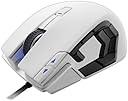
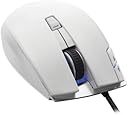
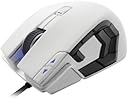
🎯 Dominate every battle with precision and power in Arctic White.
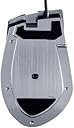
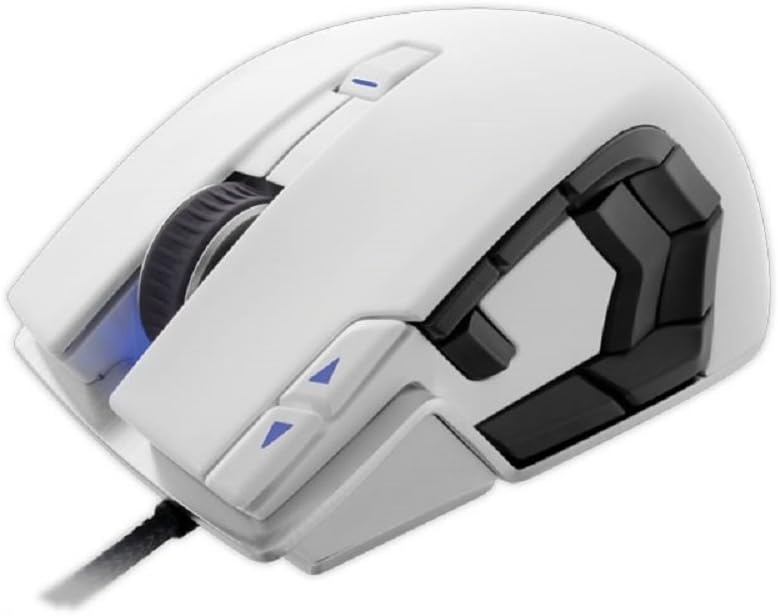
The Corsair Vengeance M95 Arctic White is a high-performance MMO/RTS laser gaming mouse featuring an 8200 DPI sensor, 15 programmable buttons, onboard profile storage, and selectable response times from 1ms to 8ms. Its lightweight aluminum unibody design with soft-touch surfaces ensures comfort during extended gaming sessions, while durable switches rated for 20 million clicks guarantee long-lasting reliability. Perfect for serious gamers seeking precision, customization, and portability.
| ASIN | B00B5QLS2C |
| Additional Features | Lightweight |
| Antenna Location | Gaming |
| Brand | Corsair |
| Button Quantity | 15 |
| Color | Arctic white |
| Compatible Devices | Personal Computer |
| Connectivity Technology | USB |
| Customer Reviews | 4.2 out of 5 stars 349 Reviews |
| Enclosure Material | Metal |
| Global Trade Identification Number | 00843591028066 |
| Hand Orientation | Ambidextrous |
| Hardware Platform | PC |
| Item Weight | 11.2 ounces |
| Manufacturer | Corsair |
| Mfr Part Number | CH-9000026-NA |
| Model Number | CH-9000026-NA |
| Movement Detection | Laser |
| Movement Detection Technology | Laser |
| Number of Buttons | 15 |
| Operating System | Windows 7, Windows Vista, Windows XP |
| Range | feet |
| Special Feature | Lightweight |
| Style Name | Modern |
| UPC | 021112682861 012305146970 809387573509 569157949728 843591028066 809190588745 |
J**S
Best mouse I have used in awhile.
Backstory and Comfort I was coming from a UtechSmart 8200 which uses the Avago 9800 sensor. The m95 does as well. However, the M95 has been updated to the latest firmware, so the acceleration issues that have plagued this sensor are not present on the M95 like they are on the UtechSmart. The M95 is also a very comfortable mouse. It fits my hand well and I have medium-large sized man hands, but your mileage may vary. Someone with an extremely large hand may not like this mouse due to it's size. However, it will fit well with people of "normal" sized hands. I also play with a hybrid grip, so to find a mouse that fits me so well is very, very appealing. I actually plan on buying another one for my second system. The side buttons take a bit of getting used to because they are fairly hard to press at first, but that's coming from a mouse that used very sensitive switches for the side buttons as well as the left and right. So, it really just depends on what you are coming from as to how it will feel for you. The Button Layout There are 9 ergonomically placed buttons on the side. Unlike a lot of the competition,these are placed where you don't have to adjust to hit them. They just feel natural. Sure, some competition out there has 12 or even 15 buttons on the side, but with that many buttons the size has to be compromised and it basically just being a grid of buttons. You will probably end up hitting the wrong key, and in the middle of a battle or reloading, that's life and death! I rarely hit the wrong button. The buttons are that well placed One thing that I do miss from my UtechSmart was that it had one button where you would normally place your pinky or ring finger depending on the style of grip you have. It's not that big of a deal though. I mean, how often do you find yourself pressing four different buttons your mouse? For me, that would mean crouching, ADSing, shoot, and some other function at the same time. Obviously that's not going to happen, so while I do miss it as my grenade button, I've adjusted to using just a different side button easily. There are two more buttons near the left click that are, by default, a profile switcher. This makes it much easier to switch in between games and have everything set up the way you like it per game. You can have up to 6 active profiles. Which should always be enough. I don't know anyone who plays more than 6 games actively. There is also an LED indicator so that you know which profile you are on. Cons I've already gone over the pros of this mouse, so what are my cons? At this price point, I would have liked to see the option to have RGB colors. I've spent a lot of time and effort into making my build match, and it would be nice if my mouse matched as well. However, this is a small concern and isn't worth thinking about getting another mouse for. It would have been nice to see a weight system so the user can customize the weight of the mouse to their liking. I personally prefer a fairly heavy mouse, so it would have been nice to make the mouse a little more hefty. Some people prefer a light and fast mouse, and this mouse is by no means sluggish, but it has an aluminum plate on the bottom, so it's not the lightest mouse out there. However, the mouse is a good in between for someone who doesn't have to have the lightest mouse in the world, but doesn't want something overly heavy. Another thing I would have liked to see is an extra set of feet included with the mouse. Eventually, the mouse feet are going to wear. Whether that is in 1 year or 10 years from now depends on use, but they definitely do use a high quality material for their pads, and I definitely appreciate that. Conclusion So, is this the 'be-all and end-all" mouse? No. Is this the best mouse in the world for everyone? Probably not. Is this the best mouse for me? Honestly, I'm going to have to say yes as of today. Why? Well, because it's side buttons are so well placed, it's got a great weight to it, I don't have any issues with comfort, and it's made by a company I know will fix any problem that I could ever have with it. Do I expect it to break? Heck no! This thing is built like a tank. It's definitely well constructed, but let's face it, things break. At least I know Corsair will have my back if anything ever does happen.
B**N
Faulty Scroll wheel starts working again
UPDATE: After 5 months of every weekday use at work as an engineer the scroll wheel is acting up. If I scroll up one line and it might decide to scroll down 10 lines. This makes it very annoying. UPDATE UPDATE: a few months later the scroll wheel started working again: im guessing there was dirt in the sensor or something. back to 5 stars! ===============My initial review================== This mouse is amazing. SCROLL WHEEL: I'm used to the amazing scroll wheel on the logitech MX revolution, so i was worried about this one. to my surprise i really like it. a good flick will send it scrolling for a short while. (probably at least a whole revolution, as opposed to the 1/2 you could do with one swipe of the finger)I really enjoy being able to do that if i want to scroll something really fast. (i use it for CAD) The tactile feedback is tuned just right, and it feels awesome. MACROS: There are lots of reviews complaining about the macro software. I'm pretty sure they are just dumb. Granted its not quite as intuitive as the logitech G software, but at the end of the day its almost exactly the same thing. I watched a 6 minute YOUTUBE VIDEO that explained how to do it [...] its SUPER simple, just watch the video. All the buttons are programmable with options like keystrokes, repeated keystrokes, macros, DPI adjustments, everything you would expect. The macro button positioning is clearly a work of genius, after a few hours i could quickly and easily use them without looking. A great improvement in my mind over something like the Logitech G600 (though, i have to say i wish they were just a little bit easier to click, but I think they made them a little firmer so they aren't as easy to hit by accident) PROFILES: Plus there are 6 profiles! Way more than any mouse i've seen. In each profile you can program each key to do something different. The LEDs on the side of the mouse indicate which profile you are in. awesome. I haven't seen another mouse with this many buttons+profiles, ESPECIALLY for the price ($80 when i bought it) Keep in mind that if you plan on using the different macro profiles you will need to assign at least one button to cycle through the profiles. or two (one to go up and one to go down) BUILD: Seems super sturdy. Nice PTFE gliders on the bottom mean its super smooth. The plastic on the pinky side is textured really nice the scroll wheel has a really nice grippy feel. the cord is covered in a (nylon?) fabric, which prevents tangling and just looks nice. SETUP: I'm running Windows XP and it was a piece of cake. Found the driver on Corsair's website. just find the M95 page and go to downloads BOTTOM LINE: This mouse is the product of careful attention to detail, and in my mind has the competition beat ESPECIALLY if you dont want to spend $120+ for a mouse. This mouse is the way to go. get it. ... do it. right now.
N**K
Superb Quality But There Are Some Issues
Before I start here is a list of mice I currently own (should give perspective on my opinion): Razer Naga 2013 Razer Naga 2014 Razer DeathAdder SteelSeries Sensei Raw And now, the Corsair Veneance M95 I am also an avid MMORPG player. I play LoTRO on a daily basis. Okay, so that's me in a nutshell as it pertains to gaming and mice. 1) Mouse Build Quality: Outstanding I love the way that this mouse feels both in weight and glide. I pair it with the Corsair Vengeance MM600 and honestly will never go back (unless something even more awesome pops up). There are a lot of mice out there that I have tried that include weights. I love the idea of being able to customize the weight of a mouse. I like a heavier feel than I do something light. For some reason a heavy feel translates to "substantial" in my mind. The M95 does not need any weights, its perfect. I bought the black because I don't like the feel of glossy mousing surfaces particularly after a few hours of gaming. The more matte finish in the black is comfortable and I've yet to have an issue with my fingers feeling like they are sliding around the surface of the mouse. For my hand size the grip is perfect. Everything is where it should be aside from the center button which I'm not exactly sure what it is there for. Its much too awkward to press as it is almost beneath the top part of my palm. It's odd but doesn't distract from the mouse in anyway. 2) All those buttons: :D YAY! If you've owned the Naga or similar mice (Logitech G600) with the number grid on the thumb side of the mouse you know that the far back buttons are hard to press. You've really got to bend your thumb to get to them. At least that is my experience. There is a similar situation here with the M95. However, you can use the middle knuckle of your thumb to get to them fairly easily, just takes some practice. And, honestly, I think its fairly hard for a company to make a mouse like this and please everyone while having a ton of programmable buttons perfectly placed where anyone can get to all of them. So, my perspective is a little bit different. I care more about button placement in the sense of placement for my hand type/size and how easy it is to get that muscle memory working. Trying the M95 from using a Naga for the past year or so was as easy as pie. The buttons are very well placed. The transition away from the number grid made sense. I had zero difficulty switching. However, though in my opinion the 2014 Naga is a disgrace to the Razer brand they indeed improved on the way the side buttons "clicked". The Naga 2014 side buttons have a better "click" to them than the M95 but this is not to say the M95 is bad, quite the contrary, they are fabulous. The 2014 Naga is just more "clicky" and less soft where the M95 has a soft feel to them. If you like the soft feel more than a "clicky" feel akin to a mechanical keyboard feel then you will adore the M95 side buttons. If you don't like the soft feel you will not hate the M95 side buttons but you might hope that the next iteration updates the buttons to a "click" instead of a "smoosh". One other thing to note is that both the Naga 2014 and the G600 alter the side buttons just a little bit in such a way each feels different than the next. The idea here is that you will more easily know which button you are pressing by the feel of it. The M95 deals with this in a different and more natural way. 3) Software: Both Meh and Grrrrr I also own the Corsair Vengeance K90 (which I totally adore). Yes, I am a fan of Corsair things but only because each time I buy something from Corsair the build quality has been remarkable. But I'm sorry Corsair, your software is crappy. And if I weren't a geek I could see how a lot of individuals complain that the software is confusing. Also, there is no way for a person to know that you have to update the firmware before installing the configuration software. If you are reading this and are considering buying an M95 (which I recommend you do) know that before you install the configuration software PLEASE update your firmware. Not doing so could have some pretty negative results. I do like that you can choose between hardware and software playback. And I do like that the mouse includes configurable DPI profiles that you can switch on the fly. But the software is just plain bad. Because this mouse is a software/hardware package this is where the 1 star has been removed. The device alone is a 5. The software paired with it makes it a 4. The software is serviceable but its not even close to being intuitive. Overall: Fantastic, but I hope the issues are addressed Please don't let the software distract you from buying this product. It is worth the trouble of figuring out how to configure it and Corsair does provide an online guide. If you are looking for a mouse with a ton of configuration options and are comparing between the Naga, M95, and G600, go with the M95 (it's incredible). I'll never go back to keypads again. I just hope that soon in the future Corsair updates their horrific software.
K**O
Satisfied and meets my needs
I was in need of a new mouse as my old wireless Logitech was starting to die on me. I decided that this time I would go with a gaming mouse instead just for the quality that comes with them. But I had a budget and wasn't going to throw out over 100 dollars for a mouse as I'm not that much of a acid pc gamer to begin with. I needed the mouse mainly to work with programs required for my school like Photoshop, Illustrator, and 3ds Max. I looked around multiple gaming brands and it was very difficult to find one that was aesthetically pleasing with functional quality and was under my budget. I would have gone with Razer mice for their positive reviews but they were too expensive for the good ones and they didn't really suit my personal taste in terms of looks. The Corsair M95 first of all looks great as a piece of desktop peripheral. With the led lights on, it looks fantastic as the Corsair sign illuminates. The weight of the mouse is good enough for my comfort. Although there are no removable weights on the mouse, the aluminum piece that sits as the base of the mouse gives a good bit of momentum to work with. That's not something I'm really concerned with so much. The clicks of the left and right buttons feels just right so there's no problem there. The scroll wheel would have been nice to have a horizontal scroll, but it only has vertical scroll, which is something I have to get used to. But not that much of an issue either because I would rarely cone across the need for horizontal scroll anyways. The assignable buttons on the side are great to have. They feel slightly toy-like on the clicks, but not exactly "cheap", not to the point where they feel disfunctional though. It's still a solid build. The two buttons next to the left mouse click are great for convenience too when you want to change the dpi on the fly. So far I've only been able to use the mouse with my design programs. Haven't been able to use it yet any games yet since I haven't gotten a suitable pc for gaming. Review with be updated in the future.
D**G
So far I'm loving it!
For one, it came a day early (i.e. next day on 2-day shipping). I'm not sure if this was due to Amazon just having it close to me by chance or what, but that was awesome. Anyway, about the mouse... so far it's great. I had a cheap little Steel Series Black Ops II-themed mouse that I was having tracking problems and sudden sensitivity spikes making it pretty much impossible to rely on, so I decided it was time for an upgrade. I really like this mouse so far. It's a bit larger and feels much more sturdy. It's not too heavy or too light, and the buttons by the thumb area, which I had been semi-concerned would be in the way, are not too easy to press so it's not accidentally triggering commands and such, which is nice. The lighting is not too bright or obnoxious, and if you find it to be so you can turn it off using the control panel that comes with the drivers. The brightest part is the white Corsair logo on the front, but there is also lighting on the button in front of the mouse wheel, under the mouse wheel itself (as well as behind the standard right/left clickers), the DPI indicators, and the DPI switcher arrows. I haven't found a way to change the colors, so that may not be possible, but then again I haven't really been looking for one since it's not too big of a deal for me. The mouse wheel scrolls easily but not so much that it scrolls on accident. There's no sideways mousewheel tilt, so if you're into that you should find another mouse, but I don't use it so it's no problem. The cable is braided and black (may be different for the white colored mouse) and doesn't seem to tangle too easily, which is nice. Overall, after only a few hours of use I have found this to be a great mouse and a nice upgrade over the one I had been using. I'll try to remember to check in after several months to let you know how the cable and the mouse as a whole are holding up. By the way, I also ordered the Corsair K95 Cherry Red switch keyboard which should be arriving tomorrow, so I am hoping that having two Corsair products will make the user experience consistent. If the keyboard is as good as the mouse (relative to the respective products they're replacing) I'll be one very happy customer!
O**N
Failed within 5 minutes
I really wanted to like this mouse. For the past year I've been using a Razer Naga which is a great concept with unfortunately terrible execution. I've learned the hard way that the Razer brand can't be trusted. I bought the Naga mouse and Blackwidow keyboard together and both have had significant problems such as phantom key presses, the now infamous random double clicks, and generally a dismal outlook on longevity. Suffice to say, I was super eager to try out Corsair's latest M95 mouse based upon the favorable reviews of its predecessor, the M90. Reputable brand, similar thumb buttons for MMO action, updated sensors - it all sounded like a win. Unfortunately this piece of junk failed within the first five minutes of use. How did it fail? The mouse inexplicably stopped tracking movement entirely. What good is a mouse you can't move the cursor with? Clicking still functions but that's like buying a car that you can drive yet not steer. I followed the instructions Corsair provided on their website and in the comments of other reviews here to a T: Download the latest package from the website, flash the firmware update first, then install the software. Use a direct motherboard USB port and not a hub or case extension. Check. I was pretty surprised that the clicks and buttons still worked but the cursor wouldn't move. I tried reconnecting the USB cable, restarting the machine - all of it to no avail. Then I went to Google. Since this mouse just came out recently, there isn't much information on the web about it - I couldn't even find a review of this mouse aside from some feedback from Amazon customers. So instead I searched for "M90 stops tracking" to see if the previous version had a similar issue. Sure enough 925 hits on the corsair forums alone - all reporting the same issue: random loss of cursor movement. There are some workaround fixes you can read through if you're stuck with this mouse. I believe the most common advice was to change the lift height and lower the response rate. I don't know about you, but I don't think things that are touted as features should be bugs and the manufacturer response shouldn't be to avoid using settings the mouse ships with - much less when those settings are the default configuration. Even more damning is the fact that this problem transcended generations. If the optical sensor had this issue with the M90, surely they should have addressed it in the newer M95 edition. Sadly that's not the case and is the basis for my 1-star review of this mouse. Additionally, I'd like to comment about the thumb buttons for any other people that might perceive a benefit to this over something like the Naga. In the pictures it looks like the buttons are way more ergonomical and easy to activate. The deadzone is actually a nice idea because you can use this mouse for FPS gaming much more readily than you could a Naga. I didn't use it long enough to get acclimated, but I think you can tell a fair bit just by holding it and practicing pushing the thumb buttons. I didn't feel that the layout of the buttons was more comfortable or accessible than the Naga. Some are easy to hit, but most were awkward. This may be unfair because perhaps over time you get used to it, but I just wanted to provide some feedback on that point as well. Overall I'm disappointed with the market for MMO mice right now. Someone needs to design a mouse with a reasonable number of buttons (nobody needs 20) with an emphasis on ergonomics during use. The DPI arms race is a disservice to gamers - give us something comfortable and reliable and you'll win our business. TLDR: For now, stay away from Corsair and especially Razer products.
A**X
A high quality mouse for FPS and RTS gaming, but MMORPG Gaming? Not so much.
Without a doubt, the M95 is a high quality mouse. It has a reflective, glossy surface, aluminum underside, aesthetically pleasing LED lighting, and a slew of customizable gaming keys. However, despite the great feel of the mouse and its excellent appearance, there are only nine programmable buttons on the thumb side of the device. That is simply not enough to cover the "1" to "=" keys often used in MMORPGs which partly defeats the purpose of the mouse. To make things worse, some buttons are harder to press down due to their position, size, and their actuation force. The largest button, shaped in a V formation, is the easiest of the group to push down and has the lowest actuation force of all the buttons on the left side of the mouse. However, as the buttons get progressively smaller and closer to the front of the mouse, the distance your thumb travels increases, and so does the raw actuation force required to press down the button. The button just under and behind the two arrow buttons on the top of the mouse is the absolute worst of the lot, almost causing my index finger to tense up from the effort being exerted by my thumb to press it. This leaves the player with a conservative 6 or 7 programmable buttons along the side, which is enough if your keyboard hand can be freed to hit the "1" to "5" keys (or "1" to "6" if only 6 keys are reasonable for you to use). The end result is a product that provides less customization than even the Razer Nostromo gaming key pad. The advantage of a good MMORPG gaming mouse is that it frees your left hand from the burden of activating abilities on the action bar so that it may focus completely on movement, and the m95 cannot do that without a lot of key map swapping - Swapping that is completely unnecessary on the G600 or Razer Naga. The keys themselves set up a sort of hierarchy that really doesn't go along well with an MMORPG setup. The big "v" button is an addictive, pleasant button to click, while the other buttons directly surrounding the "v" button feel more like they'd be used to cycle through settings rather than as something that would be clicked regularly to activate an ability. The default key map given to the mouse even has one of the keys mapped as a sniper button, with the two arrow keys next to the left mouse button assigned to increase or decrease the mouse's DPI. Combined with the other few key mappings on the default, it is an obvious shooter setup. If Corsair had marketed the m95 as an elite FPS and RTS mouse (and it is definitely a great FPS mouse), I would easily give it a 5/5 stars. Unfortunately, it is being marketed as an MMO gaming mouse, and therefore must stack up to its competitors. It pains me to say that it doesn't, and I cannot recommend the M95 for those wanting the full benefits of an MMO gaming mouse.
E**N
Best Mouse I've Ever Used!
TL;DR Version: This is a top notch mouse with 5 stars in every category from build quality to button placement. Buy this mouse. For a longer answer check below. I've had this mouse since it launched early last year (2013) and I am EXTREMELY satisfied with it. Here are the reasons I gave this mouse 5 stars: 1. The build quality is exemplary. It has an aluminum frame which kept the mouse feeling sturdy throughout the year+ I've spent with it. The switches are rated for 20 million clicks. To put it in perspective let's say you are a very fast paced gamer and click the mouse 3 times a second. It would take you over 11 weeks of continuous clicking to wear out these switches. 2. The build design and ergonomics are also top notch. I have average sized hands and I ended up doing a half palm half claw grip on this mouse. That's my preference but I can see if you like something different depending on your hand size and grip. 3. 9 MACRO BUTTONS! I play a LOT of StarCraft 2. These 9 buttons really improved my game after getting comfortable with the mouse. If you are an RTS/RPG/MMO/MOBA gamer I would highly consider getting this mouse. 4. This is a small thing but I really enjoy that it is wired. This is a gaming mouse and if you are a gamer you will appreciate that it is wired instead of wireless. Con: The one con I found about this mouse is that it is glossy. If you want the M95 then buy the black model because it is a matte finish instead of glossy. The glossy finish builds up grime from your hands after long playing sessions and just makes it generally gross. I repeat, get the black version. I can't really count this against the M95 because you can just buy the black version and negate this problem. Overall this is a fantastic product and I can't wait for the update to the M95 line of mice from Corsair. I haven't even considered trying other mice after buying this. And that's coming from someone who games constantly.
遺**ー
使いやすい
多ボタンマウスを探していてサイドボタンの構成が気に入ったので購入。 【使用感】 ボタンの硬さは左ボタンと右ボタンが軽め、サイドボタンはちょうどいい硬さです。 コードの硬さ、センサー感度、ホイール、重量に不満はないです。 サイズはコンパクトで持ちやすいです。(かぶせ持ち) 【満足点】 サイドボタンは概ね押しやすい箇所に配置してあり、余すことなく生かせます。 実物の質感とデザインが写真より良かった。(画像だと安っぽく見えてました) 【不満点】 サイド前方の上のボタンだけはとっさに押し難いです。 ソフトの設定が若干分かりにくいかも。 【注意点】 中央ボタンは左や右に押せません。 左ダブルクリックの設定ができませんでした。 LEDは設定で消せます。 【総評】 初のCORSAIRマウスでしたが、気に入りました。 PC作業用に買ったので、FPSなどする人に向いてるかは分かりません。(一応スナイパー設定はこれもできる)
M**O
El mejor mouse que he tenido.
Siempre he tenido problemas con los mice porque ninguno se ajustaba a mis manos grandes, pero el M95 me queda perfecto. Algo a tomar en cuenta es que el botón de click derecho es un poco más corto que el izquierdo, haciendo que el dedo índice descance perfectamente sobre el botón, mientras que el dedo medio se sale un poco del mouse. Difícilmente es un problema, pero es algo que puede causar un click accidental de vez en cuando. En cuanto a los botones de la izquierda, todos son fácilmente presionables después de unos minutos de práctica, porque todos tienen una forma, posición y presión distintiva. No puedo recomendar suficientemente que se lean el manual de configuración, pues hay un pequeño inconveniente: Windows. Windows solo detecta 5 botones en un mouse (dos clicks, botón del scroll wheel, y dos a un lado). Si deseas que los juegos utilicen los otros 10 botones, tienes que entrar al software de configuración y crear un perfil para el juego que quieras, asignarle las teclas del teclado que usa el juego y guardar el perfil. De verdad, suena más complicado de lo que realmente es. Otra cosa que hay que mencionar es que el Corsair M95 funciona perfectamente para FPS (juegos en primera persona) aunque esté diseñado para ser usado principalmente en juegos MMO o RTS. Pros: - 15 botones que puedes configurar a tu gusto o dejar desactivados si así lo deseas. - Tamaño cómodo para manos grandes. - La versión negra de este mouse tiene una textura muy suave al tacto (la versión blanca es más pegajosa). - Puedes almacenar hasta 6 perfiles en la memoria del mouse para no tener que configurarlo siempre que cambias de computadora. - El cable no se enreda. - Tiene el logo anterior de Corsair. <3 - Puedes asignar macros a cada botón. - Cambio de DPI instantáneo con un botón. Cons: - Si usas el Hardware Playback (que se lean los perfiles desde la memoria del mouse), estás limitado a 6 perfiles. El Software Playback tiene perfiles ilimitados. - El botón de click derecho es ligeramente más corto que el izquierdo. - No puedes simplemente conectarlo y usar todos los botones en los juegos (problema de Windows, no el mouse).
S**N
v=OtHl8XL3dcw I am sure u will enjoy this mouse go for it only thing I felt ...
got it for a steal at 4,975 . what this video to help u through the macro keys https://www.youtube.com/watch?v=LgJZu4CT8iM https://www.youtube.com/watch?v=OtHl8XL3dcw I am sure u will enjoy this mouse go for it only thing I felt was missing is a nice and soft mouse pouch , same as the 1 i got in thermaltake black
N**X
Best mouse ever, nuff said
I used to own a Logitech G5 for many years, but finally decided to upgrade. I have friends that had Razer's (3 out of 3 broke) and Logitech (not anywhere near as good) equivalent. This mouse blows them out of the water. The weight is spot on, the mouse glides very well, the accuracy is as good or even better than my trusty G5. So much better than the G500 too! I honestly have nothing bad to say about the hardware. The software, on the other hand, isn't good, but once it's set-up, you don't have to deal with it afterwards. Best mouse I've ever used.
J**P
Bad product, worse warranty
My mouse failed. Sent it in for repair and they rejected the RMA but wouldn't say why. After badgering them a few times they said it was because some sticker near the USB port fell off. They threatened to bill me for shipping charges for sending in a product I "shouldn't have". Last Corsair purchase I ever made.
Trustpilot
2 months ago
1 day ago