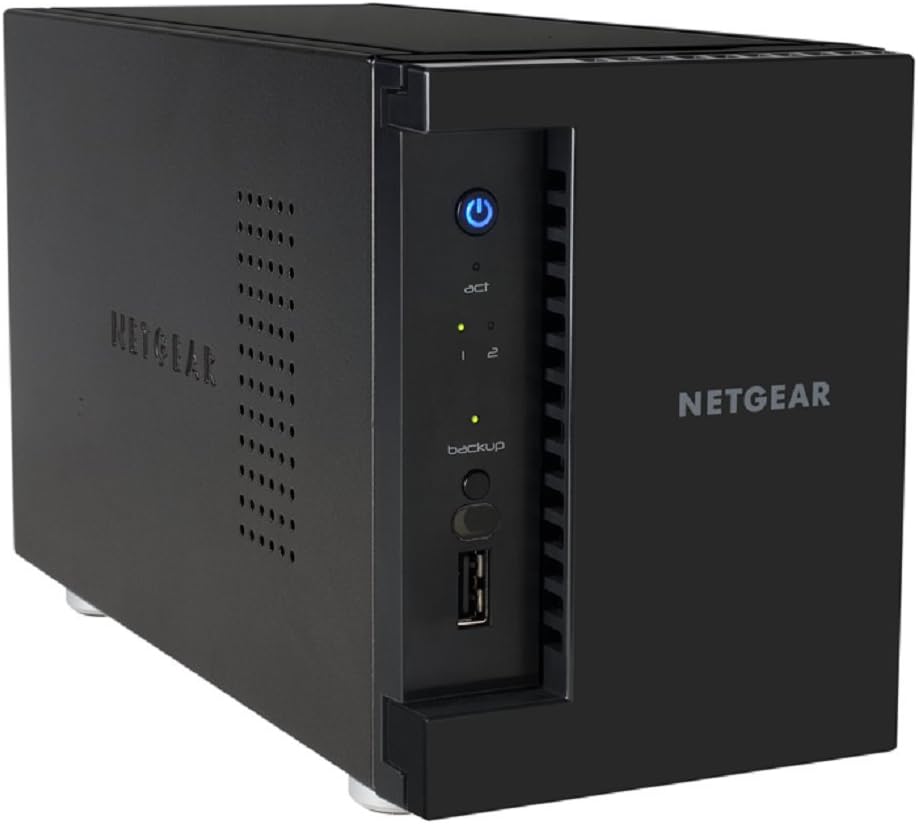
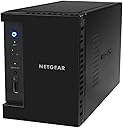
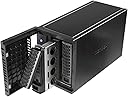
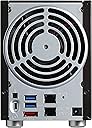
NETGEAR ReadyNAS 202 2-Bay Network Attached Storage Diskless (RN202-100NES)
Product ID: 15675599
The ReadyNAS 200 Series Network Attached Storage is powered by a dual core ARM Cortex A15 1.4GHz processor with 2 Gigabytes of RAM, dual Gigabit Ethernet ports with Link Aggregation technology and delivers up to 200MByte/sec data transfer speed. It offers an industry leading 5 levels of protection on all your important files and data. The ReadyCLOUD web-based user interface works seemlessly on PC, Mac, smartphones and tablets and makes the RN200 the ideal network attached storage for consumers looking to create their own secure private cloud due to its simplicity and ease of use.
F**K
Works surprising well - effortless setup and can be seen by entire workgroup.
This gadget is amazing. Does everything I want and quite easy. The only thing I need help from support is to break the RAID and go to RAID 0 for a big 6TB (2x3) disk. No mirror needed. Make sure you do that first before you start copying as you have to 'destroy' the disks first. I stored all my movies, music stuff and documents in it and I can access them in my computer, phone and tablets. I have a media player KDLink hooked to every TV and they can all see and play the movies on the disk. Everyone in the same workgroup and have full access. The ReadyNas Remote works on and off and finally working. I do not know why it keep asking me to 'download' the select file instead of just play them like the ReadyNas Cloud? Anybody knows how to set it such that it'll play instead of download? I hooked my external 2T drives to the unit's USB ports and start copying using a stick computer. I do not want to tie up my work station for 2 days. That is probably how long it takes to transfer my 1,000 movies and 1000s of mp3 over. Speed is not great and does the job well. Now I do not have to store stuff on the Google Cloud. I can have all 3 KDLink media player playiing HD movies from files stored on this 202 unit and no problem. I guess the KDLink has enough buffer to make it work w/o any choking. So far so good. Enjoy !! OH, BTW, after the setup I use a powerline adapter to extend my Ethernet to the TV console and hide the 202 in it. No noise, no blue lights and works great in serving the files..
O**Q
Works great, have my peace of mind now that all ...
First NAS I have bought, little bit of a learning curve, and some SMB errors were coming up in the logs. Their customer service forwarded my situation to their developers, and turned out it was a known issue and they are working on it.Works great, have my peace of mind now that all my years of photos, movies, and other files are now being backed up redundantly.Also having fun with Plex streaming to my home audio system. Also has dual network cards that you can team up, which I did with a Cisco switch.
J**.
Netgear voided the warranty
After I requested support help Netgear voided the warranty because "it wasn't a trusted seller". This was a brand new item so I still don't know what the heck happened. Make sure your purchase is "sold by Amazoni". I returned it immediately.
A**S
Easy to set up
Easy to set up, kind of funky to use on a mac. Great for personal use. If you want to use for a business i suggest something else.
A**R
One Star
unable to get it to work
R**B
Decent product. HORRIBLE support policy.
Full disclosure: My RN202 is performing fine. It does what it's supposed to do, and so far, it's doing it well.So why the 1-star?1. After deleting files off my RN102 having moved them to the RN202, the Rn102 did not free up any of that disk space (snapshots are not enabled.. anywhere). I couldn't figure out a way to get it back and had to reformat/reset the entire RN102. UGH.2. The *deplorable* warrantee -- it is NON-TRANSFERABLE. I purchased my 202 used on Amazon and (a) could not register it on Netgear's site because the serial # is already registered to someone else. (b) it appears the unit was only registered a month ago, but they would not talk with me because they say the warranty is non-transferable -- they'd only support the original owner. (c) Even on my 102, because it's older than 3 months, they wouldn't help me or point me anywhere I could get assistance.The company, essentially, says -- "if you have a problem with our product, you're SOL and on your own to figure it out."I own a small business, and use these for mostly BUSINESS use -- and no business can work with that kind of policy. It is *horrible*Product seems to work OK. Good luck if you ever have problems.
X**X
If NAS shares on some Windows machines are not accessible, read this. Good luck.
I like the box and would give it 5 stars except for the abysmal lack of instructions on how to configure the host computers. I cannot find a NETGEAR document that says how to configure Windows to work with the NAS box and that is just dumb on NETGEAR's part. If you have configured other NAS boxes you can probably figure it out, except perhaps on Win 7. I did eventually get it to work. If NAS shares on your Windows machines are not accessible, read this. I installed the NAS box on a LAN without the Internet cloud storage feature using ReadyCloud (the RAIDar.exe also works and does not use the Internet). This worked for one computer on the LAN from which I ran the install software but not the others. Several things appear to be necessary. NETGEAR support said that the Windows computers on the LAN that connect to the NAS must be in the same Workgroup. If you cannot change the Workgroup name make sure that the Workstation service is running (use msconfig to see if it is running). You must have Network Discovery enabled (it is in Network and Sharing Center Advanced Sharing Settings) in Windows so that Universal Plug and Play (PNP) is active. PNP finds the NAS box but you then have to Map Network Drives. The path to shares displayed by the NAS admin interface include "data" as in the following example: "\\mynashostname\data\Documents". However, on my Win 7 machines the Map Network Drive feature did not recognize this share. (This appears to be a very old Win 7 bug because after I got it working I found complaints about it on the web that were written years ago.) Mapping Network Drives only works if you delete the "\data" string as in "\\mynashostname\Documents" (use without the quotes). I am not streaming media so I was able to get rid of the NAS box media entries in Explorer by turning off media streaming in Windows. I also turned off the streaming protocol in the NAS admin interface. About the product and support, a person at Netgear spent 2 hours driving my machines in circles and failed to get it to work on Win 7. If there is a discussion of how to map network drives in windows somewhere in the Netgear documents on the support download page for this box I did not find it. I searched the READYNAS pdf for the word "map" and found zero matches. I also read the entire document. I was plagued by requests for login passwords when I had none configured. The problem appeared to be my including "data" in the shares path. If you have to enter a login id you may have to enter the NAS host name such as "\\mynashostname\admin" Good luck.
S**F
Netgear customer service was great. Prime was better
We got a bum one at first, spent about 3 hours trying to get it to work. Netgear customer service was great. Prime was better, replaced it quickly. The new one was flawless and set up in minutes. My tech guru was impressed!
R**S
A very good item. Instructions are not so clear but the ...
A very good item. Instructions are not so clear but the website of the products helps in everythng. A tip: Dont use old hard drive, its easy to set up new disks.
A**S
Five Stars
Does more than expected and great OS
A**M
Five Stars
Easy to set up, running smoothly and performing very well as a media server
M**H
Four Stars
great NAS, much better than the Buffalo & Lacie products I used before, especially with regards to remote access.
L**R
Sehr gut!!
Nachdem ich mit meinem alten Server zunehmend unzufrieden war, habe ich mich doch dazu entschlossen, ein paar Euro mehr auszugeben und dieses Gerät zu kaufen, und bin mit dieser Entscheidung sehr zufrieden. Die Menüführung muss man sich zwar mal intensiver zu Gemüte führen (habe immer noch nicht alle Funktionen erfasst), aber es läuft sehr gut, ist schnell und der Zugriff auf meine Daten ist einfach und unproblematisch. Ich kann den Server nur weiterempfehlen.
Trustpilot
1 week ago
2 months ago