Desertcart purchases this item on your behalf and handles shipping, customs, and support to Japan.
🚀 Power, Ports & Productivity — Dock Like a Pro!
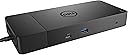
The Dell WD19 130W Docking Station is a future-ready USB-C hub designed for professionals seeking seamless multi-display setups and fast data transfer. It delivers 90W power to laptops, supports triple monitors via HDMI and DisplayPort, and offers versatile port options including USB-C Gen 2 at 10Gbps. With a modular design and VESA mount compatibility, it optimizes workspace aesthetics and adaptability, backed by secure manageability and a 3-year warranty.
| ASIN | B07SFYV111 |
| Best Sellers Rank | #650 in Computers & Accessories ( See Top 100 in Computers & Accessories ) #67 in Laptop Docking Stations |
| Brand | Dell |
| Built-In Media | DOCKING STATION |
| Color | black |
| Compatible Devices | Dell Notebooks/Tablet PC |
| Customer Reviews | 4.0 out of 5 stars 1,483 Reviews |
| Global Trade Identification Number | 00884116345916 |
| Hardware Interface | HDMI , USB |
| Input Voltage | 120 volts_of_alternating_current |
| Item Dimensions L x W x H | 8.1"L x 3.5"W x 1.1"H |
| Item Weight | 2.3 pounds |
| Manufacturer | Dell Computers |
| Mfr Part Number | SH8CR |
| Model Number | WD19 130W |
| Number of Items | 1 |
| Number of Ports | 2 |
| Product Dimensions | 8.1"L x 3.5"W x 1.1"H |
| Total Number of HDMI Ports | 1 |
| Total USB Ports | 4 |
| Total Usb Ports | 4 |
| UPC | 884116345916 |
| Unit Count | 1 Count |
| Warranty Description | 3 YEARS MANUFACTURER WARRANTY |
| Wattage | 130 watts |
J**P
Requires BIOS setting changes to work
First day review of WD 19 dock with XPS 13 9380. I have had nothing but dock issues following the latest 9380 BIOS update. Problems include intermittent connection to monitor, failure to work properly with a simple USB switching hub, and computer shutting down repeatedly requiring force restart. I followed all instructions when connecting this new dock and had the same issues. Then I came across this article: Dell USB-C and Thunderbolt Docks (WD15, TB16, TB18DC, WD19, WD19TB, WD19DC, D6000) - BIOS Settings and Driver Installation for Troubleshooting This article will guide you through the installation and basic troubleshooting process for Dell USB-C and Thunderbolt Docking Stations WD15, TB16, TB18DC, WD19, WD19TB, WD19DC, and D6000. Last Modified:13 Mar, 2020 Article ID:SLN308303 I followed the instructions to update the BIOS settings, and the dock now works properly. Be advised that NOT all of the options mentioned are available in the 9380 BIOS including “enable USB power share” and “allow USB-C dock support”. For now, the dock is working. I did need to plug the USB switching hub into the front USB port on the dock. I hope this helps and good luck. DELL could be a bit more clear about these issues.
O**S
Love it!
Easy to connect, works without any problems, great value too! Compatible with my Samsung's monitors.
K**G
Poor Customer Service
I bought this NEW Dell WD19 docking station on 11/8/2025 from Amazon, and it just recently stopped working. It has a three (3) year warranty, so I contacted Dell. Dell told me that it was purchased new on 3/13/2020 and the warranty ended on 3/13/2023. I then contacted Amazon, and they told me it is too far past the purchase date to do anything about it. I explained that the docking station I purchased was supposed to be NEW with a three (3) year warranty and hoped that they would stand behind the product they sold me. They told me they would NOT stand behind it and are obviously not responsible the products they sell. I have been a very loyal customer of Amazon and spent a lot of money with them. They may have won the battle but lost the war. It is obviously time for me to stop giving Amazon my business. The money I would have spent with Amazon far out weighs the cost of this simple docking station.
L**B
Nice docking station.
This particular model is very quiet. There is a similar one that has a noisy fan.
H**N
Great product but very loud
Works great, but good God is it loud. It runs off and on to cool off and it incredibly loud on my desk. I have to create some other way to place it as I can't be on the phone at the same time it is running because of the background noise.
G**T
Worked well, but had to return
I accidentally purchased the non TB version, and had to return to order the correct one. When I did have it, however, it worked just as expected. My TV was cutting in and out for about 5 minutes (flashing like every 2-6 seconds), but stopped after some time. Not sure if it was just that unit, or a firmware issue. I updated all the things I could, but it didn't resolve the issue. Just letting it run for some time and it went away. Seemed to happen less the following day, but was still annoying when it was. I contacted the seller, asking for a refund to return the unit, simply because I purchased the wrong one. They accepted my return, so long as I returned everything. I packed up everything as best I could, even with the bags, and sent it back. Highly recommend the seller, but just be aware that if your computer has a TB connection, you should get the TB version (it's faster, although the HDMI didn't work for me anymore for no apparent reason, despite it having an HDMI port, but it is a common issue).
K**R
Excellent for WFH
This is the second of this type of docking station I’ve purchased. The first is still in use by me, but I got tired of my partner usurping my desk for the WFH setup I have, so we put one on his Christmas wish list. Unfortunately, the one he was gifted did not have USB-C charging, so we began looking for a replacement that could dock and charge from the same plug. When we saw the reasonable used price, we bought it. His WFH setup now rivals mine, and we are each happily at our own desks. The high price is worth the convenience here. Used is just as good as new! No issues.
D**J
Great docking station
Have worked with many docking stations in my life, and this one is the best overall. Simple, trouble-free dock that I use with my LG Gram laptop and my IOgear KVM switch. Super convenient. Also bought one for my girlfriend who was having all sorts of docking station issues with her HP laptop. This Dell dock solved all those problems.
N**E
Perfect
Perfect solution
F**R
Schlechter kundendienst
Defekt und Händler meldet sich nicht mehr
M**D
Finally found something that works..!!
I used so many adaptors for my Dell laptop to connect mic, wireless keyboard & mouse, screens, etc. But none worked properly and I always had compatible issues (low power). This adaptor was PERFECT and made my life much easier. A bit pricy but highly recommended.
B**R
Perfect
Works as described!
C**A
Vale lo que pesa. Recomendado...
Me sorprendió su peso y tamaño. Creía que era igual de grande a un iPhone XR o similar. Se ve resistente. No hubo complicaciones para la instalación. Funcionó sin problemas... Llegó antes de lo esperado. —— El producto funciona correctamente. Si lo piensas usar para MacBook/Pro > 2018 dual video, absténgase de comprarlo. Funciona para un solo monitor. Verifique que los drivers sean compatibles con la versión de su computadora.
Trustpilot
3 weeks ago
1 week ago