Desertcart purchases this item on your behalf and handles shipping, customs, and support to Japan.
⚡ Power your productivity, dock like a pro!
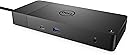
The Dell WD19TB Thunderbolt Docking Station delivers robust 180W power with 130W laptop charging, supports multiple 4K displays via DisplayPort 1.4 and HDMI 2.0B, and offers a comprehensive 12-port setup including Thunderbolt 3, USB-C, USB-A, and Gigabit Ethernet. Designed for Dell Latitude and Precision laptops, it transforms your mobile device into a full desktop experience with a sleek, compact form factor.

| ASIN | B07V867LW4 |
| Best Sellers Rank | #1,259 in Computers & Accessories ( See Top 100 in Computers & Accessories ) #136 in Laptop Docking Stations |
| Brand | Dell |
| Color | Black |
| Compatible Devices | Latitude 3301, 3390 2-in-1, 3400, 3490, 3500, 3590, 5280, 5285, 5289, 5290, 5290 5300, 5300 5400, 5401, 5480, 5490, 5491, 5500, 5501, 5580, 5590, 5591, 7200 7280, 7285, 7300, 7380, 7389, 7390, 7390 7400, 7400 7480, 7490, Precision 3520, 3530, 3540, 3541, 5520, 5530, 5530 5540, 7520, 7530, 7540, 7720, 7730, 7740, Rugged 5420, 5424, 7424, XPS 9360, 9365, 9370, 9380, 9530, 9560, 9570, 9575. Compatible Devices Latitude 3301, 3390 2-in-1, 3400, 3490, 3500, 3590, 5280, 5285, 5289, 5290, 5290 5300, 5300 5400, 5401, 5480, 5490, 5491, 5500, 5501, 5580, 5590, 5591, 7200 7280, 7285, 7300, 7380, 7389, 7390, 7390 7400, 7400 7480, 7490, Precision 3520, 3530, 3540, 3541, 5520, 5530, 5530 5540, 7520, 7530, 7540, 7720, 7730, 7740, Rugged 5420, 5424, 7424, XPS 9360, 9365, 9370, 9380, 9530, 9560, 9570, 9575. See more |
| Customer Reviews | 3.8 out of 5 stars 1,470 Reviews |
| Global Trade Identification Number | 00884116345930, 05397184187197 |
| Hardware Interface | Ethernet, HDMI , Thunderbolt , USB |
| Input Voltage | 120 volts_of_alternating_current |
| Item Dimensions L x W x H | 8.1"L x 3.5"W x 1.1"H |
| Item Weight | 1429 g |
| Manufacturer | Dell Computers |
| Mfr Part Number | 9GMPM |
| Model Number | WD19TB |
| Number of Items | 1 |
| Number of Packs | 1 |
| Number of Ports | 12 |
| Product Dimensions | 8.1"L x 3.5"W x 1.1"H |
| Total Number of HDMI Ports | 1 |
| Total USB Ports | 3 |
| Total Usb Ports | 3 |
| UPC | 884116345930 |
| Unit Count | 1 Count |
| Warranty Description | 3 YEARS MANUFACTURER |
| Wattage | 180 watts |
A**S
Great for this "road warrior"
Perfect match for a new Dell laptop for traveling...fits perfectly. Now I can plug in 1 cable to my laptop & have full desktop emulation with 2 extra monitors, powered speakers, high quality camera/mic, and full keyboard/mouse capabilities. It makes doing remote work, including Teams meetings, SO much easier. One or two more USB ports (A or C type) would be nice...but everything connects properly.
K**R
Does not charge cell phone unless computer is connected
I never write reviews but I wanted to warn everyone about this POS. I bought this dock for my Dell 7390 laptop, for which it is recommended. And it mostly works when the computer is plugged in (although it doesn't recognize my Logitech webcam). But for some reason, the dock DOES NOT CHARGE connected devices unless the computer is plugged in. Unplug the Thunderbolt cable from your computer, and your cell phone, earbuds, and anything else connected to the dock stops charging. How dumb is that? It is so dumb that I ordered the same unit as a replacement because I couldn't believe it was the intended function. And they both do the same thing. So in the end, I guess I'm dumb. Hopefully this helps you avoid my mistake. After I returned both, I bought the Anker 13-in1 which works like a champ. Save yourself the hassle and just go for a different product.
A**R
Works with 2019 MacBook Pro & Dell Latitude 7490
I purchased this docking station to run two 4K displays and a handful of peripherals from a Dell Latitude 7490 laptop with Thunderbolt 3. As an experiment I plugged in a 2019 15" MacBook Pro to see if it would also work. Initially I had an issue where both 4K displays were mirroring the same activity instead of working independently. The system preferences provided no solution (neither "Detect Displays" worked nor the "Mirror Displays" checkbox—it was unchecked). I reviewed my connections. I was using the two display port connectors on the dock to run the two 4K displays. After some Googling I learned this configuration will not work as both display port connectors are on the same bus. To run both 4K displays each must be on its own bus. I had an extra Thunderbolt 3 to HDMI cable on hand. After removing one of the display port cables then using the Thunderbolt 3 to HDMI cable, which is on a separate bus, the issue was resolved! Now I can simply plug the main Thunderbolt 3 cable that comes out of the dock into either the MacBook Pro or the Dell Latitude 7490 and all the peripherals connected to the dock work with either laptop. This is fantastic!
A**Y
Thunderbolt Dock Review with improvised mount
I got this dock to replace my WD19... the TB version allows you to run triple monitors with the laptop closed... the USB3 version does not (Dual only, + laptop screen as far as I could figure). Given my triple monitor setup, my desk got pretty crowded so I ended up drilling some 2" holes into the desk, installing grommets, and routing cables. With all that, I wanted to get the dock off my desk top and under the desk. It had two mounting holes designed for the Dell mounting kit. Well, don'tcha know, I can't spend $30 on a mounting kit when I can MacGyver my own for $15. Here's what I did: The mounting holes in the dock are M2.5. So you need a tiny diameter screw to mount it. 2 screws in fact. I got a 12 inch piece of aluminium bar from Home Depot and drilled 2 holes, 88mm apart for the two M2.5 screws. Then I overdrilled the holes to help recess the screws a little. On the ends of the bar, I drilled two larger holes that wood screws would fit through. I installed the bar to the dock (see pic), then screwed the whole assembly under my desk. I was pretty proud of myself, until I plugged the dock into the power adapter... It wouldn't turn on. I tried a different power adapter (180W, 130W) but no dice. Crap. I broke my dock... or did I? I took the whole assembly down and loosened the M2.5mm screws. When I plugged it back up, the fan started spinning. I remounted it loosely with wood screws, hooked up all my stuff, and it fired right up. Moral of the story: don't tighten the mounting screws too much. This thing's a little temperamental.
L**J
One of few that delivers enough power for higher-end Dells. Some things to know about video outputs.
The 130W output was needed to power my Dell XPS 7590 (15"). That power requirement limited my docking station choices. I found this station works very well (maybe better) with less-power-hungry devices such as the Dell XPS 7390, a 2019 MacBook Pro, HP Envy x360's, HP Spectre x360's, LG Gram 17"'s, and an older Lenovo Flex 5. These devices range in power requirements from 60 watts to 80 or 90 watts. It's good to have one dock that can power them all. Generally speaking, reliable. Re-connecting a running machine works about 80% of the time. The other 20%, the ethernet doesn't work. That issue is fixed by rebooting the laptop with the docking station connected. Notes about the video outputs: The HDMI output can only be used stand-alone. The preferred video outputs appear to be the two DisplayPorts. If you do not have DisplayPort monitors, you can get DisplayPort to HDMI converting 'dongles' for $5-$10. My two external monitors have different resolution: one 4K; the other, "FHD" (i.e.1080P). I could not get both monitors to work reliably using the two DisplayPorts. After trying various cables & dongles, I found a reliable setup to be use the first DisplayPort for the 4K monitor, and use the USB-C 'multi-function DisplayPort' on the back for the FHD monitor. I use a QSee USB-C to HDMI converter with the FHD monitor. The DisplayPort issue might be a limitation I did not heed, with either the docking station (some stations only support two FHD's or *one* 4K) or with the laptop's graphics card* (*although it looks to me that laptop GPU's are not used *at all* with external monitors. I have not been able to get *any* laptop GPU's to show usage unless displaying only through the laptop's built-in screen.) Overall, the WD19TB's high power output makes it a versatile choice, as you are unlikely to come across a laptop requiring more than 130 watts input power. The WD19TB's connections work fine. Note I also have a Dell WD19 - the non-Thunderbolt version of this docking station. It has the same output power, and also works perfectly with all of the devices mentioned earlier. You might not need the pricier ThunderBolt version here if you are simply connecting monitors and devices. The advantage of Thunderbolt is 2x data transfer speed, which, from what I've read, only adds value with high-end media editing using external drives.
P**L
Works great
I use just one usb-c connection on my dell laptop. It charges, has ethernet connection, mouse/keyboard (via 2 usb), and two display port monitor connections (extended desktop; both at 2560x1440). Works great. Note: it came in a sealed plastic bag, yet seemed to show minor use: small dime sized smudge, and corners showed some wear. Still, no performance problems after a couple of weeks.
J**E
DO NOT BUY
SCAM PRODUCT - as other have said, this is listed as a new product but arrives in plain, unbranded packaging and is very clearly used. Unit is covered in scratches/dents, and the cords are old and worn. The fan in the unit makes a loud grinding sound constantly.
A**O
Nice Dock, BUT they sent the wrong model
I ordered the WD19TB, but I was sent the WD19TBS. The difference is, the WD19TB cost a little more and it has two 3.5 mm audio jacks. I paid a little more because I wanted the 3.5 mm jacks, the WD19TBS does not have them. Of course I did not notice until I was setting the dock up. Other than that, the dock works great. So far, I have no issues with it's performance. Easy to setup and ice design.
S**H
Working flawlessly on Mac OS
Both 1080p ultrawide and 1440p 16:9 144hz in 90 degree orientation working flawlessly. Easily powers my Mac and iPhone and all other peripherals perfectly all day long without much heat output. Highly recommend!
T**Y
Love the docking system
I purchased this a number of years ago and still works as if it was new. I am able to connect different monitors to it and usb driven devices. No complaints.
D**O
Recomendado
Recomendado me llegó en perfecto estado nuevo en caja y con sus cables completos, llego en tiempo, si buscas algo seguro sin que te falle lo recomiendo
R**A
Alto voltaje
Compré este producto hace un mes y medio. Funciona bien pero tiene un problema, comenzó a fallar, a tener algo así como "alto voltaje"; cuando conecto mi computadora se siente como la energía está sobre la carcasa de esta, he llegado a tener ligeras descargas eléctricas. Definitivamente hay algo mal con el producto, por desgracia ya no puedo devolverlo ya que ha pasado más de 1 mes.
K**S
No warranty
The docking station stopped working after an year. Amazon advertised it as a 3 year manufacturer warranty product, but when I checked the dell service centre the product warranty was expired even before the purchase date.
Trustpilot
1 month ago
3 weeks ago