


๐ Elevate your home Wi-Fi game with speed and security that just works!
The Belkin N150 Wireless Router delivers reliable 150 Mbps Wi-Fi speeds with advanced MultiBeam technology for enhanced coverage. Featuring easy 3-step setup and preset unique security codes, itโs designed for seamless connectivity across multiple devices in your home or small office. Compact, efficient, and backed by a 2-year warranty, itโs the smart choice for professionals seeking hassle-free, secure internet access.
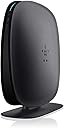


| ASIN | B004N6259G |
| Antenna Location | Security |
| Antenna Type | Internal |
| Best Sellers Rank | #13,015 in Computers & Accessories ( See Top 100 in Computers & Accessories ) #411 in Computer Routers |
| Brand | Belkin |
| Built-In Media | setup CD, networking cable |
| Color | Black |
| Compatible Devices | Gaming Console, Laptop, Printer, Smart Television, Smartphone |
| Connectivity Protocol | Wi-Fi |
| Connectivity Technology | Wi-Fi |
| Control Method | Touch |
| Controller Type | Google Assistant |
| Coverage | Standard |
| Customer Reviews | 3.8 out of 5 stars 1,048 Reviews |
| Data Transfer Rate | 150 megabits_per_second |
| Frequency | 5 GHz |
| Frequency Band Class | Single-Band |
| Global Trade Identification Number | 00722868817827 |
| Item Weight | 1.2 pounds |
| LAN Port Bandwidth | 10/100 megabits_per_second |
| Manufacturer | Belkin |
| Maximum Upstream Data Transfer Rate | 150 megabits_per_second |
| Mfr Part Number | F9K1001 |
| Model Name | F9K1001 |
| Model Number | F9K1001 |
| Number of Antennas | 2 |
| Number of Ports | 4 |
| Other Special Features of the Product | wps |
| RAM Memory Installed | 512 MB |
| Router Network Type | wireless |
| Security Protocol | WPS |
| Special Feature | wps |
| UPC | 722868817827 |
| Voltage | 12 volts |
| Warranty Description | 2 Years |
| Wireless Communication Standard | 802.11n |
| Wireless Compability | 802.11n |
R**S
Wonderful Router For the Price
I ordered this as a gift for a friend who lives halfway across the country from me. I help her remotely via phone and instant message. She's a good example of an average consumer as in she is far from an idiot but neither is she an advanced computer user. On the other hand, I've been using, fixing, networking, etc. computers since 1979 so I could almost do this in my sleep. On the day that the router arrived at her workplace, before I could call her to help her set it up, she IM'd me using the new router thanking me for the gift and for "fixing" her problem. That's right, She had no problems setting it all up and getting it working on her own. This says a lot for the installation wizard and whatever documentation came with the router. I've got this router's big brother and have to say it is one of the best wireless consumer routers I've ever used and I've used many Linksys, D-Link, Airlink, older Belkins, Trendnet and others. The only problem I had with my Belkin router was that my wife's new iPad wouldn't stay connected to it unless I turned off the encryption. That was a problem in that version of the iPad operating system, not with the Belkin. (Of course the Apple Airport Extreme I picked up worked perfectly with the iPad.) All in all, I have to say that this line of Belkin routers is probably one of the best for consumers that I've found.
F**N
Easy to Install, works great!!
Bought this for my mother who has a small 2 bedroom apartment. Has been installed for over 3 weeks now. It was so very easy to install, simple instructions, did not have to adjust any settings. We just attached it to the DSL modem, loaded the CD into each computer that was going to use the network, followed the simple instructions, works great. We did have a problem trying to set up an account, which we still have not been able to do. May call later for assistance if we find it would be helpful to have an account, but so far everything works great. We have had my mother's desktop computer (also running wireless now), her notebook computer, my notebook computer and the printer all running on the network at the same time. There was absolutely no degradation in service, have never had a problem with disconnects even with all computers running at the same time and two of the computers sending documents to the printer. This includes using one of the notebook computers at the furthest location in the apartment away from the router as possible. The only problem we have is the slower Verizon DSL service compared to the faster Verizon FIOS service I have at my house, so not a Belkin problem. Too bad my mother can't get FIOS. But her internet access is as fast as it was when it was attached directly to the modem. Would highly recommend this product. 5/28/2015 - Just found this review I wrote in 2011. My mother is still using the same Belkin N150, still works great even if we have 3 computers running at the same time. The retirement community she lives in switched voice/Internet carriers about 6 months ago. Saw no difference in performance. Highly recommend.
B**E
An Aggravating Black Box
Prior to buying this router, I had used a Linksys WRT54G for 6 years which had always been extremely reliable but is getting older. I decided to purchase the Belkin N150 Router after doing quite a bit of research. It seemed to be a good compromise of price and performance. However, starting on Day 1, the router gave me difficulties. Installing it had seemed easy at first, but the program loaded onto my laptop booted me off the WiFi, required me to reconnect, and occasionally required me to restart the computer. The router automatically comes with phone support for the first 90 days so I called for assistance. It turns out their call center is outsourced to India and many of the people I spoke with were difficult to understand- I had to ask support to repeat themselves several times. More so, the representative I spoke with was very rude and told me that the problem was my computer not the router and that was that. He did not even attempt to help me adjust my computer settings.(I ended up fixing the problem myself.) A few days later, I noticed that the WiFi speeds were terribly slow. I should have been seeing close to 50 Mbps download speeds (The router is advertised to handle up to 2.4 GHz) but I had 0.93 Mbps. Not even a whole Mb! I called Comcast assuming the problem was there, but there was nothing wrong with my speeds. Once again, it was the router. I called phone support again, and while the woman was much more friendly and helpful, she was only able to increase my download speeds to 8 Mbps. This time I chose to e-mail, that way I could clearly read the instructions, and I received a reply 2 days later. None of the changes suggested work. I e-mailed again and was told that if this did not work either they would replace my N150 Router. The changes made no noticeable difference so I called the phone service as suggested. When I explained the situation (and listed all my prior Incident Numbers for reference) she put me on hold for more than 30 minutes. My break at work over, I had to hang up. Instead, I sent a detailed e-mail to support explaining my situation and never received a response. (Their response time is supposed to take no longer than 1 Business Day). The whole experience has put me off from Belkin products entirely. I will never buy Belkin again- be it a wireless router or a car charger for my iPhone, and I suggest that you purchase from Cisco Linksys for your routers in the future.
J**.
Great device at a great price
Before I purchased the Belkin N150 I was using a D-Link. Despite the fact that it worked the connection was unreliable and often slow. I was unable to change much of the settings due to a clunky system and therefore it always remained an open-network. It simply felt alien to me. Well that is all gone now with the Belkin N150. This thing is just what I needed. Its fast, reliable, convenient and best of all perfectly palpable. As I scoured through Amazon for the right router at the right price I found the N150. It seemed to have everything I needed and all for just $30 so I ordered it. When I received my N150 (which arrived on the estimated ship date) I quickly unwrapped and began setting it up. Its design is simple and sleek. The simplicity however might be a bit much. Where my D-Link had indicator lights for each port and how well the connection was working the Belkin just has a single light, which shines blue when its working properly. This is an issue, however, that I hardly ever care about. My router is not really in sight and if I am curious about how well it is running I can just use the very well designed software that came with it. Once installed, a router button (also a blue bar) sits in your icon bar. So you always know if it is running at optimum efficiency or not. The button can take you to the routers settings, setup, manual, options, help and checks for updates. Installing the software was as easy as following a few steps and being on your way. Another nice feature is that the device comes with a paper card, which can be slid under the N150, that displays the routers default name and access code. The Belkin N150 is a shining example of the phrase: "If you do things right, people wont be sure you've done anything at all" It does its job protecting my internet whilst giving me fast access speeds all without ever causing me problems.
E**N
Good product, horrendous customer service
I got this about a week ago. I have set up a router before, but I consider myself a novice at this type of stuff. My OS is Windows XP. There is no instruction manual for installation; just the disc. The disc didn't work because I have a secondary program for wireless. I called the customer service number, ,and spoke to a rep who was very nice. However, I immediately stopped listening to her instructions for installation when I realized she was taking me through steps to disable my wireless connection program and activate the default Windows wireless function. I appreciated her help in trying to set up the router but I have a different wireless networking program for a reason. I figured out how to set up the router myself while she was going through these step-by-step instructions. The router's .com site is very nice, and I used to to change to security to WEP so my DS Lite could use the wireless. Resetting the security generated a hex access code...which I then had TEN SECONDS to write down before the new settings were applied to the router...and I got locked out of the wireless! No problem, I say to myself and hook up an ethernet. But to my surprise, even directly connecting to the router did not give me internet access. What the hell type of router requires a security passcode for a WIRED connection? What was even weirder was I attempted to reset my modem and disconnect the router, wiring my computer directly to the modem. No dice. Still no internet access, which is simply baffling to me. So I called customer service and told them, "I changed the security on the wireless network from WPA to WEP and didn't write down the hex code. I can't access the internet or router settings. Is there any way to retrieve the hex code or reset the router?" Aaaand the tech support guy proceeded to ignore my question and proceeded to ask the same scripted questions as the first rep I spoke with; including frankly insulting questions such as "Is your router on?" "Is your router connected to your modem?" and the most ridiculous "Are you able to access the internet?" He was nice enough, but he clearly had NO KNOWLEDGE of routers or networking. After we got through this barrage of useless questions I was put on hold. For a half hour (this is in addition to the 15 minutes of general questions). In the meantime, I texted a friend for advice; he replied in 10 minutes saying holding the reset button on the router for 10 seconds will reset it to the factory default settings...which was all I needed to know. I hung up and no one from customer service bothered to call back to see if the issue had been resolved. Bottom line is that the product works fine, but if the company had bothered to spend the extra time and money to put in an instruction manual, it would save everyone a lot of grief.
J**S
Great little router!
This router is a great purchase for anyone that just needs internet. While this has a max speed of only 150mbps, it is fast enough for pretty much anything you need. It is very easy to set up out of the box. The cables are even plugged in already to where you need them! I didn't even have to use the install disk. I just connected to it with my laptop and the included password and was up and running in under 5 minutes. QUICK TIP: to access settings on this router without software, connect to it with a computer/laptop and type 192.168.2.1 in your internet browser's address bar. After connecting to it I changed the SSID (name) and password using the above method. It works great for wireless gaming and internet on an xbox and two different laptops. I also use it to connect a wireless printer to my laptop and it works great! I recommend this to everyone! There is virtually no reason for most consumers to purchase a faster router unless you are going to have 20 devices hooked up to it at the same time!
M**W
Great router, for a really good price!
I previously owned a Linksys wrt54g and between that router and this one, I could not tell the difference in speed. I have my gaming desktop, two laptops, android tablet, ps3, xbox 360, and htc smartphone all hooked up on this network and they all work great. Streaming isn't a problem on any of my devices. I haven't seen an issue yet while gaming. Setup was very easy. Not too sure how performance is on longer range, but my router is about 20 feet away from all of my devices and they all work great. I was ready to spend 50+ on a good router but I saved way more money and still got the job done. I really recommend this router. The price is so right and it works so great. Don't waste your money buying overpriced routers!!! Remember, you are only as fast as your internet capabilities allow you to be!!! That means don't buy a 300 mbps router if you can only go up to 100 x)
A**!
Works Great for my oldest college daughter -- took her only a few minutes to install
Shipped with typical excellence using Amazon Prime. Package moved at light speed. Ordered yesterday afternoon, arrived this morning. Retail packaging of this Belkin N150 router was perfect. Shipped inside typical excellently padded and packaged Amazon boxing. Everything was perfect. My daughter simply installed the CD disc on her MacBook, then went through the rest of the connecting steps. Pre-installed security codes so your neighbors can't instantly access and hack your system. Great idea. Not sure about whether or not the "admin" access is equally secure (i.e, 192.168.1.1) via WiFi access. Some routers allow this "back door" entry into the WiFi network generally making useless the front-door being locked (i.e., the security and passwords). But I think this system is secure - front and back door. Great price (less than forty bucks), fantastic 1-day shipping, and easy installation and successful functionality. My kind of purchase. "Love it when a plan comes together!" - The A-Team
Y**G
Works amazingly well.
Plugged it in, hooked it up to the internet and within 2 minutes it was working. Didn't even have to bother with the install disc. This is the second Belkin router that I own and for ease of setup and overall reliability they can't be beat.
U**U
good as a wired router
If you are looking for a router for a consistent wired connection this one is okay. The wifi part is touch and go. The wifi worked consistently for a month and now drops connection or does not connect at all. Security was easy to setup and I am using this as an access point for my printer and netflix viewing on my player. I would not recommend for someone who works from home unless using a patch cable.
D**Y
Such a great item
I just purchased this one. It's really easy to set up and connect to the Internet. The speed is good. Cover range is also one of its advantage. Btw, if you are looking for something for a small to medium room, this should be one of the best choice :D I recommend this product.
S**D
Good so far
As others have said, this is cheap, easy to set up and reliable. After a couple of weeks, yes, yes, and yes. Nothin' to complain about to this point.
L**Y
It's a Belken
Have had Belkin router since 2005 that says it all.
Trustpilot
4 days ago
2 weeks ago