


🚀 Elevate your productivity and play with the Galaxy Tab S — where power meets portability.
The Samsung Galaxy Tab S 10.5-inch tablet combines a powerful 1.9 GHz octa-core processor with a dazzling Super AMOLED display at 2560x1600 resolution, backed by 3GB RAM and 16GB storage expandable via microSD. Running Android 4.4 KitKat, it supports multi-window multitasking and features a sleek, lightweight design ideal for professionals seeking a versatile laptop alternative. Despite some fingerprint scanner quirks, its vivid screen and efficient performance make it a top-tier choice in the 10-inch tablet category.
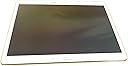
| ASIN | B00KIWWUFI |
| Age Range Description | Kid |
| Battery Average Life | 9 Hours |
| Battery Cell Type | Lithium Ion |
| Brand | Samsung |
| Built-In Media | Headphone for Men |
| CPU Model Speed Maximum | 1.9 GHz |
| Camera Description | Front |
| Cellular Technology | 4G |
| Color | Dazzling White |
| Connectivity Technology | Wireless |
| Customer Reviews | 4.4 out of 5 stars 2,260 Reviews |
| Display Resolution Maximum | 1600x2560 Pixels |
| Display Type | OLED |
| Flash Memory Supported Size Maximum | 16 GB |
| Front Photo Sensor Resolution | 2.1 MP |
| GPS Geotagging Functionality | GPS |
| Generation | Android 4 |
| Global Trade Identification Number | 00887276056197 |
| Graphics Description | Headphone for Men |
| Hard-Drive Size | 16 GB |
| Hardware Interface | USB |
| Human-Interface Input | Touchscreen with Stylus Support |
| Item Weight | 1 Pounds |
| Lithium-Battery Energy Content | 1 Watt Hours |
| Manufacturer | ???? |
| Memory Slots Available | 1 |
| Memory Storage Capacity | 16 GB |
| Mfr Part Number | SM-T800NZWAXAR |
| Model Name | Galaxy Tab S |
| Model Number | SM-T800NZWAXAR |
| Model Year | 2014 |
| Native Resolution | 2560 x 1600 pixels |
| Operating System | Android 4.4 KitKat |
| Operating System Family | Android |
| Other Special Features of the Product | Stereo Speakers |
| Photo Sensor Resolution | 8 MP |
| Processor Brand | Samsung |
| Processor Description | Samsung Exynos |
| Processor Speed | 1.9 GHz |
| RAM Memory Installed | 16 GB |
| RAM Size | 3 GB |
| Rear Facing Camera Photo Sensor Resolution | 8 MP |
| Screen Size | 10.5 Inches |
| Size | 10.1000" l x 7.3000" w x 1.9000" h x |
| Speaker Description | Built-in Stereo Speakers |
| Specific Uses For Product | personal |
| Style Name | Tablet |
| Supported Audio Format | MP3, WAV, AAC |
| Total Usb Ports | 1 |
| UPC | 725033820646 887276056197 803982985774 |
| Video Capture Resolution | 4K UHD 2160p |
| Video Processor | ARM |
| Warranty Description | no |
| Wireless Compability | 802.11bgn |
| Wireless Technology | Wi-Fi, Bluetooth, GPS |
C**R
Super Tab
I bought this tab through Amazon a few weeks ago, so far I am loving it. The look and feel as well as functions exceeded my expectations. 1. Design and appearance: as many review sites already mentioned, it has much better screen (AMOLED HD) than iPad Air, the resolution is about 20% higher. I was very impressed with how good video and pictures look on it. The screen is slightly larger than iPad, but the tab weights less (-0.4 oz off an already light weight). Overall design is slick and well-build - might be too shinny & slick though, it's hard to hold onto it. 2. Interface: initial set up is easy. the tab runs on a full Android system (v4.4), operation is smooth. I have been juggling different programs at the same time, there is no lagging. I tested the tab with Google Play Music, Spotify, Milk Music, HBO Go, You Tube, Netflix, etc. You can also use the "Watch On" app to control your TV and Set Top box (I tested with Att Uverse with great success). It has got 3GB RAM vs. iPad's 1GB, and 8MP rear camera vs. iPad's 5MP. 3. Connectivity: I happen to have a Samsung Smart Blu-ray player, which allows me to "screen mirror" the tab to TV through the BD player. The experience is tons better when you surfing the web, Facebook, YouTube, or other social sites than using the incumbent apps on your smart TV or BD player. The screen mirror does leave black bars on both sides of your TV screen, due to the mis-match of resolution between the tab and your TV. If you are not completely satisfied with this, you can try "pair" your tab with either your Samsung TV or BD player - this works only with some apps (I tested YouTube with success). Alternatively, you can try Google Chromecast to cast everything through HDMI port. The tab also connects well with my Android phone through "sidesync". 4. Expansion: one reason I choose this tab over iPad is that it comes with MicroSD slot. I bought a high speed SanDisk msd with 64G capacity for this tab, which is working well. For years Apple has been ignoring customer request for MicroSD ... they force the customer to choose different hard drive capacity, so they can charge more $$. I like very much Samsung leave the choice and flexibility to its customers. 5. Price: the tab is about :$80 to $120 cheaper than iPad Air (considering the memory expansion). I don't see how iPad can compete since the tab offer all functions and more than iPad. 6. Battery: not bad, but I hope it lasts longer and charge faster, one area for improvement. Overall very satisfied. --------------------------------- March 2016 Update Everything still works well, however, I did find a major issue: with recent update of Android system, the feature of moving apps from internal memory to MicroSD card has been disabled for most apps. This means you will be running out of the 16G memory pretty fast, and makes the MicroSD expansion completely useless. However, based on my research, it is more a restriction implemented by app designers and Google Android, so it is a bit unfair to blame Samsung. Nevertheless, be aware of this issue if you plan to buy this tab.
C**E
Perfect tablet and Laptop replacement even if you are an apple user
I did a research for 2 months about tablets since I don't like to buy things by impulse... Since is a medium/large investment I wanted to be sure that this is what I need it... Currently I have a Samsung Galaxy S4 as a phone and a Macbook as a laptop.. Previously I had an Iphone 4s and an Ipad Retina Display which undoubtedly you can guess I was an apple user... But when I bought the Galaxy S4 I did it because I needed a flexible device with more space and I can't afford paying extra $100 for 16gb more on i-devices when you have android devices with memory card Slots which you can purchase 64gb for $30... Same happened with the tablet... I wanted a device that can replace what I normally do on the computer: - facebook - youtube - email - browsing - downloading torrent - watching movies (all formats mkv, avi, mp4, etc) - watching or editing word docs - listen to music - playing casual games... On the Galaxy Tab S I'm doing all that with plenty space or power to do more things... let me give you my review of the main point of this tablet: Display: nothing more to add that hasn't been said... simply the best display on a tablet.... its look much better than my Ipad retina display (which I gift it to my GF), color on ipad look pale and wash out... people complaint that color on super amoled look over saturated... and even if they do... I don't get how people complaint about it when it just look better than any other devices.. Design: This is something that I don't care that much... since I'm not looking all the time at the back of the device... I'm looking at the screen... but feel like a premium device... is super thin... and lightweight.. Yep.. the Ipad look more premium with the metal cases.. but the Galaxy tab S doesn't feel cheap like other samsung tablets like the galaxy tab 3... Power: The octa core processor work great.. I'm giving this device a very heavy use so far and I haven't felt any major hiccup or lag... yes sometimes It doesn't response right away like when you exit out of an app and want to open other app right away... but is just normal like any other premium android device... unfortunately this is how the OS works... don't get me wrong... is really fast and these so called hiccups or lag are barely noticeable and even if you noticed, its for about 2 secs then the tablet response is normally... It happened sometimes on my retina display Ipad as well... I guess this is normal for any device with... well.. ram... even computers have the same problem for over years... Interface / OS: This has been the main problem with androids.. the ecosystem is not a fancy and good looking as the IOS and samsung touchwiz is not well optimized and look dull... I have to say that by far this is the best touchwiz experience that I had.. I still prefer how IOS look and feel over android, but this is a major improvement comparing it with my Jelly Bean Galaxy S4... kitkat touchwiz is on the right direction... but they are not quite there yet... the black and blue tones are something borring and the menu, settings, contacts, profile, etc.. haven't change since... well.. ever.... just minor touches but still look the same... I'm hoping for a major overhaul with android L... I hope that they change the interface on touchwiz... that since galaxy S1 is very similar to latest version... The magazine interface is good, but is laking of widget and customization.. I'm hoping on future versions that they allow us to select free feeds to add to the widgets since they only have a couple "categories" that I don't care that much like culture, bussiness, living, photos, travel.. etc... I don't see gaming or movies like on flipboard... and they only have twitter as a feed, I don't see facebook or instagram... Apps: IOS has more tablet dedicated apps, but is not noticeable for my usage, email, youtube and browser are tablet friendly and that is what I use the most... facebook and all other work fine... even if they are phone versions... look and feel better than on my galaxy S4... android had the same problem with apps vs the app store a few years back and they catch up... they will do the same shortly with tablets.... Some apps doesn't work on my country like paper garden, milk music and most of the "gift apps" that come with the table... but is not a big deal for me... Camera: haven't use it... I don't care about it.. FingerPrint scanner: This is a feature that I don't care that much but it Work 95% of the time... is a good ratio if you asked me... I heard some bad reviews that It never works... but is working fine for me... Multi-Users: this is great... you can have 2 users on the same tablet like on computers... I'm not sure if there is a feature like this on IOS but is perfect for me, since I can have 2 accounts... one for me and one for my GF.... Multi tasking/ multi windows: Work perfect... this is another thing that IOS is missing... I was considering buying an Ipad Air over this... but even on IOS 8 there is no multi tasking... I use this a lot since I translate some documents... I had the translator app on top and the word app at the bottom and do my work directly from my galaxy tab S without even open my computer... Battery: I head so many great things... but I had to say that battery is average.... I will say same or even a little less than the Ipad... don't get me wrong.. it last the whole day with normal usage... but it drain out the battery fast when I use my torrent app... or when I download anything... Usage: perfect laptop replacement... I download some movies on it.. and watch them on any format... I have some movies and videos on my computer and I don't have to use the stupid itunes and a program to convert my avi movies to mp4 in order to transfer the movies to the tablet... I just simply copy them to my SD card.. and that's it... since I have Tab S I haven't use my computer only to do this review since involve a lot of typing... I'm just waiting for that keyboard case for this tablet and I'll be done. Bottom line, is an excellent device if you plan to replace your laptop or use it less since is more confortable to do it from a tablet... I'm using my phone even less... since I prefer to browse facebook and twitter on the tablet than on the phone... the screen is amazing... better than any laptop/tablet I've ever seen... and the multi tasking and sd card slot are the catch that put me away from other IOS device... more tablet dedicated apps are coming daily on the play store... so is not a deal breaker over the ipad... and the ecosystem is getting in the right direction.. even touchwiz is looking better these days than previous versions....
F**H
Great Tablet -Screen and connectivity is where this tablet really shines.
This tablet is expensive but worth it if you want the best screen you can get. The colors are vivid and the picture is very sharp. The device connects to my new samsung 46" tv and when viewing video on both simultaneously you can really see the difference. I was doing this while viewing parts of the last Craig Ferguson show and wow- his set looked much more colorful and sharp compared to the TV's screen. More contrast on the S too. Also on Christmas eve I shot some aerial go pro video of my cousin's farm. Christmas morning I showed them the video on the Tab S and several commented on how great the picture was. And, I did not tell them it was a new tablet before hand. So if you are buying a tablet for videos and pictures,then the screen is well worth it. The device also has better connectivity than other tablets too. It has software that connects to your desktop/laptop so you can exchange any kind of files between your pc/tablet/cloud service. The tab S sees other devices in my house for connectivity and this was important to me as I don't like tablets/phones that try to limit your access to the outside world. If you can, try to look at the product in a store before you buy so you can see for yourself. I did not do this and bought the Tab S 8.4 at first but after seeing the 10.5 in the store I had Amazon exchange it. The 10.5 size screen is much better for me but look at both and decide for yourself. Also I recommend you get some kind of case right away to protect the Tab S. Here is an inexpensive one that works well and while you may want something fancier later, this will get you going: http://www.amazon.com/gp/product/B00L7GVIBQ/ref=oh_aui_detailpage_o03_s00?ie=UTF8&psc=1 Now if you want to travel with you Tab S, here is a really nice Amazon traveling bag that fits the S well. This bag is of better quality than I expected for the price and I highly recommend it: http://www.amazon.com/gp/product/B00DUGZFA6/ref=oh_aui_detailpage_o01_s00?ie=UTF8&psc=1 To balance this review, I will have to say that Samsung also makes really nice mid line tablets as well. My GF got the Tab 4 8.0 and this is a great tablet at a much cheaper price. If money is an issue, look at these tablets. The screen is not as good, but it is still VERY good (better than the professional reviews will have you believe) and worth a look if you can't spend the money on the S. I just read on the news this morning that Sony is coming out with a slightly larger tablet than the S, but without the nice screen. The price is going to be around $1000. Ouch! Good luck Sony competing at that price , esp with a basic LCD screen. Now I don't feel so bad about the S's price after reading that :)
B**S
Almost Amazing - Performance Sacrificed for Screen Quality and Battery Life
(As of 6/12/15 fully updated to Lollipop 5.0.2 and paired with a 32GB Samsung Pro MicroSD) I really want to love my Galaxy Tab S 10.5, but it is more like a friend with benefits in that some things just bug me enough not to use it as much as I should. Despite having 3GB of ram to cache more running processes and applications, the slower CPU really shows itself when loading apps or switching from anything CPU intensive. Compared to the relatively snappy performance of the quad core 2.5ghz in my S5, screen lag and general responsiveness can be sluggish and downright laggy. Samsung chose to use [email protected] and [email protected] for what is technically 8 cores. I think the overall faster quad core with less RAM is showing better performance than the slower octa setup and given that they both have separate GPU's, I do not know if the higher resolution graphics @ 2560x1600 over 1920x1080 is a factor in this. I also know that optimizations can make up for speed and core differences but I don't think that is at play here. Now, let me say that this is still a fine piece of equipment. Using my S5 as a mobile hotspot, my Tab 10.5 has the ability to have internet access anywhere I can use my S5 directly. Normally though, I keep it in my store on wi-fi (5ghz) as a reference tool for databases. Video looks phenomenal and streaming to other Samsung HDTV's works flawlessly. Multiple user profiles make it easy to manage additional users although performance is a little more sluggish than usual with more than one profile active. Quick connect let me setup streaming to my Samsung HDTV easily, but then my S5 (Verizon with 5.0) and wife's Note 4 do as well, not to mention her old off network Sprint Note 2 which is essentially a dedicated video streamer now, using a web interface I wrote for media sharing off my file server. (Seriously, they all work brilliantly at it) What doesn't work is direct media sharing. There is no NFC (near field communication) and none of the other direct sharing options reliably work. With every combination I can think of involving "Nearby Devices", wi-fi and Bluetooth, Android Beam, Quick Connect, nothing works as all transfers wind up timing out usually after a couple megs. I have gotten 1 solitary picture to successfully transfer via Wi-Fi direct. I have tried distances from touching to across the room, both on 2.4ghz, then 5ghz and then 1 each WiFi frequencies through the router and still they time out. NFC works great between my S5 and her Note4. I can't even connect my S5 directly to the Tab 10.5 with a USB/USBOTG cable because it recognizes the S5 as a "High Power Device" and immediately shuts down access. I imagine I could get a powered hub but at that point using my PC or something like Drive/Dropbox as a go between is simpler. It is things like this that have caused Samsung innovations to be abandoned and revert to iPhone clones...... S6 I am looking at you. Battery drain in "standby" mode with the screen off is almost nil due to having few application that actively sync in the background. Keep in mind, I have stopped or uninstalled as much bloatware as I can without rooting. I do not use either Power Saver mode and generally keep bluetooth off unless using a keyboard. I keep the screen at full brightness. Depending on the bandwidth involved, battery life seems to be about 10% per hour of usage. I have yet to get it below 58% in a day yet and that was during all my failed video transfer attempts. I cannot speak much on it's comfort as a stand alone device meaning I have it in a rather bulky folder/stand/keyboard combo that should protect it quite a bit. The screen stays relatively smudge free in that they aren't usually noticeable when in use. The Gorilla Glass 3 screen should hold up very well like my S5 which has been scratch free for almost a year with no screen protector. So this might have seemed overly critical but probably because I am comparing it to my darling S5, a device released before the Tab 5. I know, supposedly different purposes, but other than cellular service, not really. Tablet wise, with the price drop I jumped on, it is overall a very nice piece of equipment. I hope I can get a couple years usage out of it. It is the first time I have allowed myself to buy a higher end device without a user replaceable battery.
B**.
Breathtaking Beauty AND Function!
This tablet just blows me away! I love the super-bright display and all the ways I am going to be able to use it! It connects to my desktop so I don't need to store all my files on the tablet! I can see my "scrapbooked" recipe cards while I cook, or read the sewing instructions I've downloaded while I sit at my sewing machine. I have music on a tiny micro SD card, photos of my family, and I can read lots of Kindle e-books that I've downloaded to it. It's my computer, only portable! I can wander all over our neighborhood with it and still surf or send email via Wi-Fi. (Tip: I did buy a new and very powerful combo modem/router to give me extended range - a Motorola Surfboard Extreme). The full screen-width keyboard is easy to use for any size hands. It is extremely fast when loading anything. The battery lasts all day, and the camera is as good as my Canon SD, so it takes great pictures! The beautiful white case looks like expensive art glass. It will soon be my ONLY computer because I'm having reconstructive surgery on my dominant hand, but I'll be able to do everything online that I need to with this delicious device, using only my non-dominant hand. It will keep me happy during an otherwise very frustrating several months of recovery, and then again when I have my other hand surgery. You can even choose to set it up for right or left handed use! It does so much more than I expected, so I am just delighted with my purchase. Be sure to get a nice case/stand to put yours in, because these are a bit slippery. I will not only have a leather case/stand, but I'm making a beautiful tapestry mini brief case with handles to carry it in, because for me, handles will be absolutely necessary, but not everyone will need them. If you have other things to carry, I recommend a case with handles, though.
P**)
Best 10"-range tablet to be found right now
This is probably the best tablet on the market right now, bar none. The 10.5" 2560x1600 screen is vividly bright and sharp, the eight-core Exynos processor cleverly combines high performance with power efficiency, and battery life is good — it'll go all day on a full charge, even watching videos. The smartest thing about this tablet is its processor. It's really two four-core processors in one — an efficient one, and a high-performance one. When it's idling or doing un-demanding tasks like, say, displaying an e-book, it runs on the four low-power CPU cores to maximize its battery life. Ask it to do something demanding like play a game or a high-defniition movie, and it seamlessly switches to the four high-performance cores. You won't even know it's done it. There are larger screens available, like Samsung's 12.1" Galaxy Tab Pro. However, they come burdened down with a lot of faux-business applications that you probably don't want, and they're not enough bigger to justify their price premium. The Galaxy Tab S has a big enough and sharp enough screen to make it a superb e-reader, while still slipping into a jacket pocket. Granted, there's some bloatware on the Tab S as well, starting with "My Magazine" aka Flipboard, the Samsung bloatware app that 90% of Samsung owners learn to love to hate, but which Samsung won't let us remove. But it's not bad, and Flipboard can at least be locked out. To be fair, there is one downside to the Galaxy Tab S, and that is its fingerprint scanner ... which, bluntly, is utterly worthless. It has to scan your fingertip nine or ten times to "learn" it, and every time you swipe it, you have to have the angle, and the pressure, and the speed all just right, or it won't recognize your print. Hand's sweaty? So sorry, try again. And even when you do get it working, it can only recognize one fingertip per user. I tried the fingerprint authentication for about a week, before I gave up on it after the "cool factor" wore out next to the "swipe, swipe, swipe, swipe slower, a bit to the left, slower, now straighter, make sure you swipe the entire fingertip..." ....oh, forget it, it's easier to just type a password. Sorry, Samsung, but this is a terrible fingerprint-scanner implementation that isn't likely to accomplish anything but souring users on fingerprint authentication. Now my Barska biometric safe, by comparison, could show Samsung how it's done. But I digress... Another shortcoming specific to this model is ... look, OK, just spring for the 32GB internal storage, OK? 16GB really isn't enough. It SHOULD be enough; but unfortunately, Android is atrociously bad at managing storage. You SHOULD be able to tell Android "Use the SD card slot for everything possible, use the internal storage only when you have to." But you can't. And that's a shame, because Android, based on Linux, should be able to do much better. This is not a hard problem. But this is really Android's fault, not Samsung's. Samsung has recently released their new Galaxy Tab S2, but it's not clear to me yet what the technical improvements in it are, and it's not available in a 10.5" screen (yet) anyway. If you're looking for a 10"-range touchscreen tablet, look no further. This is the one to buy.
P**A
Good big HD screen but way too much annoyance and confusion
One of the most disappointing devices i have ever owned. CONS: ! enormous amount of bloatware that is UNREMOVABLE!! No device is worth this aggravation 2 too complicated of an interface with for example 4 different categories of settings and some of the placement and terms make no sense. It took so long to figure out and i still dont get it ex.Whatz "dreamware" setting mean? 3If there is an sd card port i cant find it-- or exactly which data device to buy from amazon, 4 Theres so many settings for power savings that i have absolutely no idea why it is using up power so fast...even tho i attempted the max power saving settings. 5 Samsung communication and support is abysmal on weekends. The agent on Live Chat from overseas had no device to see and no information about it at all. Wasted an hour with her and then she tried to transfer me to Smart Tutor but it was way to late at 7 pm Saturday Pacific time! 6 You cannot download itunes via wifi, 7 It is very large and awkward and shuts off easily coz of where the buttons are placed---so one cannot use it w/o buying a cover/holder 8 It takes a special fast charging cord but it gets lost & mixed up in a big household and hard to remember which one it is. Why not make it red or purple to stand out?. 9 the device flipped for a while from desktop to desktop. I dont know why they have three home screens except they were needed to fit on all the bloatware icons! Nothing is explained in writing --just strange logo icons, I use this so rarely i cant remember what each one means .or all the steps to go thru.w/o consulting google search constantly.. When Samsung customer service didnt have a clue how to fix my home screen issue or how to put on a file icon for audio i eventually had to do a total factory reset that took hours due to my music files. I can hardly wait till i will be able to get a pc expert to root this device so i will be able to install and uninstall what i want ! This is so unintuitive and so confusing that i wish sincerely i had not bought it. Its not for non techies like me(smile) PRO:s 1 Great picture! 2Amazing high def camera that is easy to use and makes beautiful photos and nice wallpaper for the homescreen and a great Gallery! 3 There are a number of colorful covers available on amazon that make its huge size easer to handle 4 It has lasted a year with no breakdowns or issues that i needed to go to pc repair shop.for 5Good replacement for a dvd player if you dont have a small laptop and have wifi available 6 Thaere are so many factory apps that some have to be useful-- . such as sVoice. when you figure out the commands to say 7 It seems to have a huge amount of internal data storage space for Kindle audiobooks app and never had to juggle songs or delete apps to install new ones, _______ Conclusions This device is "neither fish nor fowl" You get the approximate size of a small laptop without the flexibility and clear interface . You do get a great camera but w/o the many advantages of a much cheaper cell phone --plus it is crammed with permanent bloatware --so why not just put out the money upfront for a high quality l laptop with windows 7 or 10 and save the annoyance?
V**S
Best Display, Period; The Absolute Best Stylus-free Tablet Available Today. Crushes The Apple iPad Air!
If you haven't seen the screen on the Samsung Galaxy Tab S 10.5-Inch Tablet, you're really missing out. It's incredibly vivid, pixel-dense, colorful, and downright gorgeous. Apple's very best displays pale in comparison to this stunning technological wonder. The pixel density is greater than that of the top-of-the-line iPad Air, and the huge boost in pixel density finally brought the sort of pixel density and Super AMOLED screen to the full-size tablet market that the then-groundbreaking Samsung Galaxy S3 introduced to the smartphone world back in 2012. Just as the Samsung Galaxy S3 wowed the world and crushed iPhone 4S sales, the Samsung Galaxy Tab S 10.5" Tablet is clearly superior to the Apple equivalent. This sweet tablet is thinner, lighter, more sleek & attractive, more pixel-dense, and has a brighter, more vivid, better-looking screen than its Apple equivalent. The only thing Apple's iPad Air does better is satisfy die-hard Apple fanboys who would prefer to pay way too much for an inferior product. You heard me, Apple worshipers (Yes, I know many angry Apple fanboys will give me one star for my opinion. Says more about them than it does about my review). While I was a late adopter, buying mine in March of 2015, I do not in any way regret my decision to purchase this incredible tablet. It will clearly be a good purchase even after the next-generation tablets are released, presumably later in 2015. This tablet is a definite keeper. It is blazingly fast, it looks incredible, it is light, sleek, and the display is second-to-none. And since it accepts 128GB microSD cards, its 16GB internal storage isn't really an issue. And now that Amazon is selling it for $50 less than I paid (at the moment of this writing), if you can afford a tablet costing over $300, you'd be a fool to choose anything else over this, unless you REALLY need a 12" Galaxy Note Pro, or you're smaller, and prefer the smaller-scale Galaxy Tab S 8.4" Tablet. You won't regret this purchase, unless you buy into the 'Apple is better even though it's inferior and costs more' hype. Samsung does smartphones AND tablets better than Apple, looks better doing it, and uses their technological superiority to expose Apple's rotten core.
N**.
Achat sans carences, transaction impeccable
Modèle quasi-introuvable, en rupture de stock ou à des prix exorbitants, j'ai pourtant fouillé tout le net et les grandes enseignes (Carrefour, Auchan, Darty...). Je voulais à toux prix me procurer la Tab S en version 10"5, qui contrairement à la nouvelle version S2, est équipée d'un flash. Donc ravi d'avoir pu la trouver à prix raisonnable. J'ai eu un doute à cause de la mention "Générique" dans la fiche du produit, mais j'ai bien reçu une tablette authentique sous scellé. Ne négligez pas le bronze, c'est une très belle couleur ! Pas de dysfonctionnement à relever. Très bonne communication avec le vendeur, honnête, attentif et soucieux du client.
C**N
Très bon service après vente et tablette irréprochable je conseil
Je suis très satisfaite de la tablette. Rien à reprocher. Tablette viens avec étui et le service après vente très bon. Le chargeur devenait chaud. J ai écrit le soir et le lendemain matin elle me répondait qu' elle va en envoyer un autre. Je conseil.
A**R
Brilliant display, Sophisticated Design
For over a year I’ve been waiting for the new Samsung Google Nexus to be available – well it never happened and after dropping some hints to my wife that I would really like a Nexus 10 for Christmas, she bought me one. Worst mistake I have made all year (see my poor Nexus review) Anyway having been married for 38 years we know each other well enough to admit our mistakes and come clean. I returned the Nexus and bought a Samsung Galaxy Tab S and having had it for a week I can only say its FAN-TAS-TIC. Its everything I wanted in a 10” tablet: Its light weight and super thin yet seems strong enough to survive the knocks of everyday life. It has a sharp bright display that can be viewed from any angle, the sound is amazing considering the size of the small speakers. I have twinned mine to a Bluetooth wireless headphone and its great to watch movies on. I have also fitted a 64Gb micro SDHC card loaded with 40+ movies which should keep me entertained when I lose WIFI. The Titanium bronze trim looks the business (very smart). Apps all work seamlessly and the speed of downloads and browsing is all very smooth, presumably due to the octa-core processer and the 3Gb Ram. The on-screen keyboard looks sharp and the short vibrate when a key is pressed gives a very nice positive feedback. As far as battery life is concerned mine tends to last a couple of days, before it needs re-charging - but of course it depends very much on usage. I would like to see a 32Gb or even 64Gb model available and I guess that will come in the future. With the ability to be able to fit a 128Gb SHCD card and being able to load (some) Apps onto the SDHC Card perhaps its not too much of a problem. I have bought a MoKo Samsung Galaxy Tab S 10.5 Case which is reasonably priced, fits well, protects the tablet (as expected) and looks very smart. I thoroughly recommend this Samsung Galaxy Tab S Tablet it really is a step up from previous Tablets – buy it and you won’t be disappointed.
R**A
Excelentes prestaciones
La tablet es muy ligera, excelentes prestaciones en pantalla, procesador, versión de Android. Nos encantó! Samsung sigue demostrando su supremacía en dispositivos inteligentes.
P**.
Great for picture taking and reviewing simple to use as ...
It does all we wanted it to do. Great for picture taking and reviewing simple to use as it was for my Mum in her 90's. She is finding she can take pictures on the 10inch screen and view them to. The colour is great as is the clarity. One BUT when I opened it first the screen was all in Japanese and I had no idea how or what to touch to change language. The small document on operating it could have pointed this out. Once over that hurdle by coming to my home and my computer for internet access Very pleased.
Trustpilot
2 weeks ago
5 days ago