


📷 Capture Moments, Share Memories!
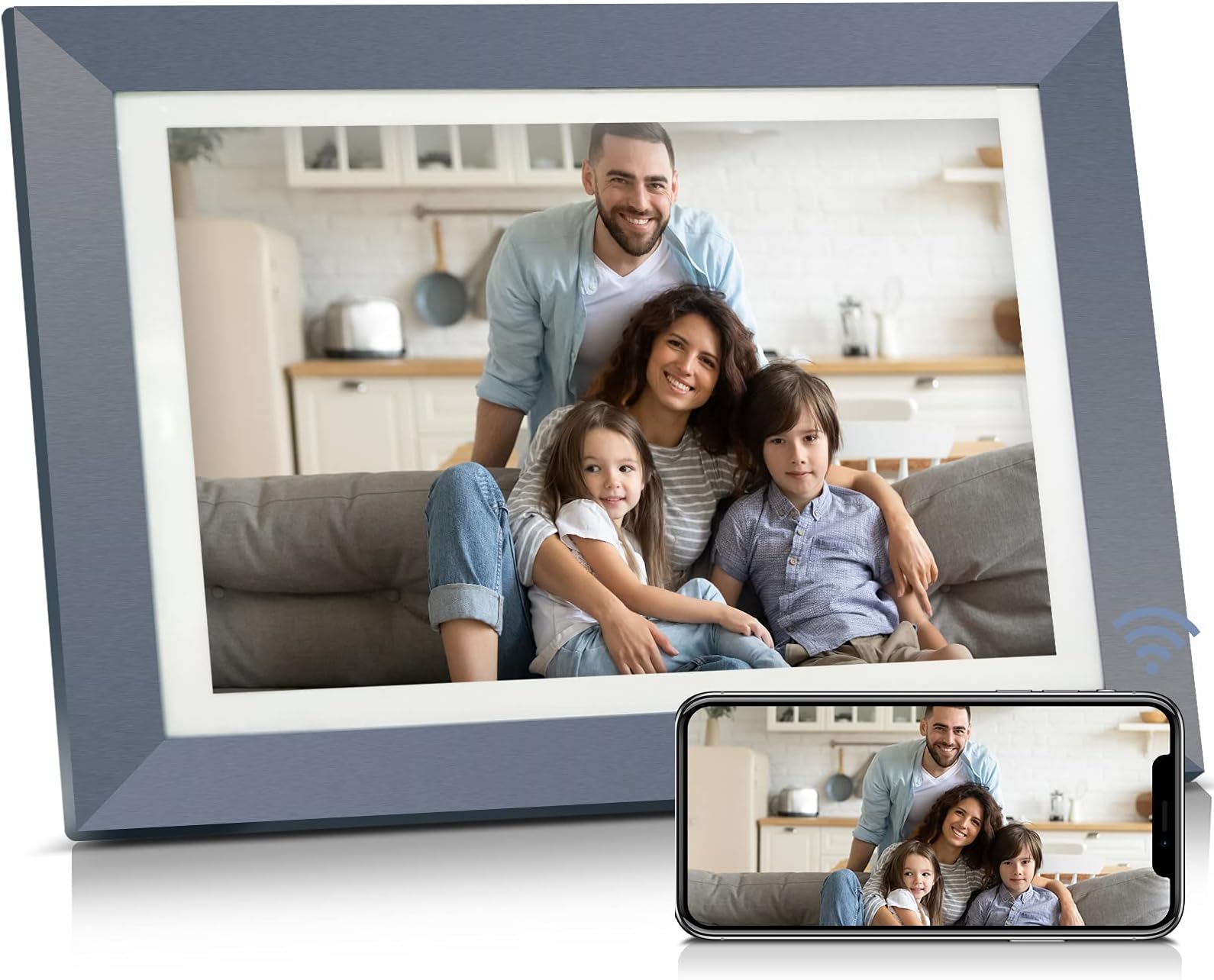
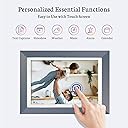
desertcart.com : BSIMB 32GB 11 Inch Smart Digital Picture Frame, Wi-Fi Could Photo Frame with 1080P IPS Touch Screen, Instantly Share Photos&Videos via Email/App, Motion Sensor, Gift for Grandparents : Electronics Review: Perfect for Grandparents! (Detailed Review) - I have bought my mother-in-law 2 different digital frames over the years, each with their own issues. I loved the idea that I could send pictures straight to the frame from my phone so I thought I'd give this a go. I think we finally have a keeper. For the record, the frame I have is the W09 Plus. I know vendors will often change their product without changing their desertcart link so you read reviews about older model and/or different products. My review is for this model. PROS: - The frame is a touch screen and works very well. There is no remote, but there is no need for one. There are buttons in the back to increase or decrease the volume, play, and power, but honestly I didn't really investigate them (except power on) since the touch screen did everything I needed it to. - The frame can be displayed vertically or horizontally and the pictures will automatically rotate. There are holes on the back to hang on the wall, though the cord would still need to be behind it causing the frame to not be flush with the wall. (There is no battery option.) A stand is included for displaying on a table. It is flexible to allow the frame to be put at the angle you choose. - There is internal storage of about 12 GB. I currently have 570 photos on it which takes up ~2 GB. There is a spot in back for both USB flash drives and SD cards for additional external storage. The space in back also seems large enough to fit most standard-sized flash drives. I included a picture of the back of the frame for reference. - The display is bright and clear. (See photo) - The controls to change your preferences are easy to navigate with the touch screen. You are able to change slideshow duration (from 5 seconds to 5 minutes), slideshow transition effect (4 choices and random), motion sensor duration (30 seconds to 30 minutes, or continuous display), dual screen, auto-rotate, etc. Settings keep even if the frame is powered off. The picture I included has a small clock in the corner. That can also be turned off so only the photo is displayed. - "Random" mode is truly random and when the frame turns on. It does not start at the same photo each time. - Once the frame is connected to the wifi, the app is downloaded on your phone, and the phone bonded to the frame, it's simple to select photos to send to the frame. They are automatically added to the photos already on the internal memory. (I did not try any external memory devices.) - ONCE SET UP AND HOOKED UP TO HER WI-FI, MY MIL WILL NEED TO DO NOTHING TO RECEIVE NEW PICTURES. Hallelujah. - More than one person can send photos to the frame. They would just need to download the app and enter the frame ID to bond/connect to the frame. Once the phone is bonded to the frame from the app, the frame user would need to go into their settings and accept the new user to allow pictures to be sent. - There does appear to be a way to add more than one frame to a single person's app. So, for example, both sets of grandparents could have their own frame and select photos could be send to one or all frames. I did not try this, but I do see where you can select different peoples' frames from the app to send to. - Lots of versatility. While we will just be using it as a standard frame in slideshow mode, you can have the default be a calendar or weather on one side with photos on the other, a clock, an alarm, etc. I accidentally put on one video so I can say that the video and audio quality are also very good. It doesn't appear that the videos automatically enter the slideshow, however. You would need to go into videos to see them. CONS: - Connecting the frame to the wi-fi and downloading the app is easy; however, boding my phone to the frame was not very straightforward. "Enter Frame ID" sounds clear until you realize there are two frame IDs: One for the phone and one for the frame. I played around with it for about 15 minutes and entered the two codes in various places and it eventually worked. 15 minutes of minor frustration made me thankful that this process only needed to be done once. - You can only select 9 photos at a time to send via the app. It takes about 10-20 seconds to send, and then you can send up to 9 more again. This is fine for randomly sending photos here and there, but if you want to load up the frame with a hundreds, this would take some time. It's easy to add photos from a computer via the included microUSB/USB cable by dragging them into the DSIM folder of the frame when opened up on your computer. - The frame says auto-rotate, which I think just means that if you turn the frame 90 degrees, the photos will also turn. However many of my photos were sideways after being put on the frame and did not auto rotate to be displayed correctly. That being said, the touch screen makes it very easy to rotate them correctly, and they do stay rotated even if the frame is turned off and back on again. It's a minor 'con' considering how easy it is to correct. - I did not try entering photos from any other means other than the app on my phone and transferring them from my computer via USB cord. I cannot speak to the other means of sharing photos (Facebook, Twitter, email, etc.) Overall this "set it and forget it" frame is exactly what we're looking for for my mother-in-law and is worth the small hassle of bonding the phone to the frame. I admit I'm a bit jealous and want one myself! Review: Great frame! - I gave this to my mother in law as a gift, and she absolutely loved it! I set it up before I gave it to her and it was a breeze. The app works great for directly sending pictures to the frame, and was very easy to set up. The screen quality is really great as well. I like that it has the clock in a separate panel so it’s always there, and doesn’t become covered with pictures. I plan on buying 2 more for Christmas presents!






| ASIN | B07T11YHZL |
| Aspect Ratio | 4:3 |
| Brand | Bsimb |
| Compatible Devices | Smartphone |
| Connectivity Technology | Wi-Fi |
| Control Method | Touch |
| Customer Reviews | 4.2 out of 5 stars 198 Reviews |
| Display Size | 11 inches |
| Frame Material | Plastic |
| Manufacturer | ShenZhen IDWELL Technology Co.Ltd |
| Manufacturer Part Number | W09 Plus |
| Memory Storage Capacity | 32 GB |
| Model Number | W09 Plus |
| Power Source | Corded Electric |
| Resolution | 1920x1280 |
| Screen Size | 11 inches |
| Touchscreen | Touchscreen |
| Unit Count | 1 Count |
A**N
Perfect for Grandparents! (Detailed Review)
I have bought my mother-in-law 2 different digital frames over the years, each with their own issues. I loved the idea that I could send pictures straight to the frame from my phone so I thought I'd give this a go. I think we finally have a keeper. For the record, the frame I have is the W09 Plus. I know vendors will often change their product without changing their Amazon link so you read reviews about older model and/or different products. My review is for this model. PROS: - The frame is a touch screen and works very well. There is no remote, but there is no need for one. There are buttons in the back to increase or decrease the volume, play, and power, but honestly I didn't really investigate them (except power on) since the touch screen did everything I needed it to. - The frame can be displayed vertically or horizontally and the pictures will automatically rotate. There are holes on the back to hang on the wall, though the cord would still need to be behind it causing the frame to not be flush with the wall. (There is no battery option.) A stand is included for displaying on a table. It is flexible to allow the frame to be put at the angle you choose. - There is internal storage of about 12 GB. I currently have 570 photos on it which takes up ~2 GB. There is a spot in back for both USB flash drives and SD cards for additional external storage. The space in back also seems large enough to fit most standard-sized flash drives. I included a picture of the back of the frame for reference. - The display is bright and clear. (See photo) - The controls to change your preferences are easy to navigate with the touch screen. You are able to change slideshow duration (from 5 seconds to 5 minutes), slideshow transition effect (4 choices and random), motion sensor duration (30 seconds to 30 minutes, or continuous display), dual screen, auto-rotate, etc. Settings keep even if the frame is powered off. The picture I included has a small clock in the corner. That can also be turned off so only the photo is displayed. - "Random" mode is truly random and when the frame turns on. It does not start at the same photo each time. - Once the frame is connected to the wifi, the app is downloaded on your phone, and the phone bonded to the frame, it's simple to select photos to send to the frame. They are automatically added to the photos already on the internal memory. (I did not try any external memory devices.) - ONCE SET UP AND HOOKED UP TO HER WI-FI, MY MIL WILL NEED TO DO NOTHING TO RECEIVE NEW PICTURES. Hallelujah. - More than one person can send photos to the frame. They would just need to download the app and enter the frame ID to bond/connect to the frame. Once the phone is bonded to the frame from the app, the frame user would need to go into their settings and accept the new user to allow pictures to be sent. - There does appear to be a way to add more than one frame to a single person's app. So, for example, both sets of grandparents could have their own frame and select photos could be send to one or all frames. I did not try this, but I do see where you can select different peoples' frames from the app to send to. - Lots of versatility. While we will just be using it as a standard frame in slideshow mode, you can have the default be a calendar or weather on one side with photos on the other, a clock, an alarm, etc. I accidentally put on one video so I can say that the video and audio quality are also very good. It doesn't appear that the videos automatically enter the slideshow, however. You would need to go into videos to see them. CONS: - Connecting the frame to the wi-fi and downloading the app is easy; however, boding my phone to the frame was not very straightforward. "Enter Frame ID" sounds clear until you realize there are two frame IDs: One for the phone and one for the frame. I played around with it for about 15 minutes and entered the two codes in various places and it eventually worked. 15 minutes of minor frustration made me thankful that this process only needed to be done once. - You can only select 9 photos at a time to send via the app. It takes about 10-20 seconds to send, and then you can send up to 9 more again. This is fine for randomly sending photos here and there, but if you want to load up the frame with a hundreds, this would take some time. It's easy to add photos from a computer via the included microUSB/USB cable by dragging them into the DSIM folder of the frame when opened up on your computer. - The frame says auto-rotate, which I think just means that if you turn the frame 90 degrees, the photos will also turn. However many of my photos were sideways after being put on the frame and did not auto rotate to be displayed correctly. That being said, the touch screen makes it very easy to rotate them correctly, and they do stay rotated even if the frame is turned off and back on again. It's a minor 'con' considering how easy it is to correct. - I did not try entering photos from any other means other than the app on my phone and transferring them from my computer via USB cord. I cannot speak to the other means of sharing photos (Facebook, Twitter, email, etc.) Overall this "set it and forget it" frame is exactly what we're looking for for my mother-in-law and is worth the small hassle of bonding the phone to the frame. I admit I'm a bit jealous and want one myself!
F**G
Great frame!
I gave this to my mother in law as a gift, and she absolutely loved it! I set it up before I gave it to her and it was a breeze. The app works great for directly sending pictures to the frame, and was very easy to set up. The screen quality is really great as well. I like that it has the clock in a separate panel so it’s always there, and doesn’t become covered with pictures. I plan on buying 2 more for Christmas presents!
K**N
PRODUCT UPDATE! I OWE THIS CO AN APOLOGY!
The app for this frame is non-functional. It is not possible to use this frame. I purchased it for my elderly mother with dementia and it doesn't work. Sad. We are all so disappointed. Returing for a product that doesn't cheat it's customers. REVISION! I received a response from the company and tried again a few days later. I was able to upload the pictures and place it at my mom's bedsid. She finds it "comforting". I was too quick to believe the bad reviews on this product. I should have waited the holiday rush to be over. Love the frame, it's pretty and the app works just fine.
A**R
Great product; one little not so great thing
This is a great product and can be used in a vertical and horizontal mode. The only downside is that I find myself manually turning the pictures instead of the unit doing it.
J**T
We really enjoyed these but now we can't.
UPDATE Every couple years they change their app & render your older frames useless & you will have to buy a new frame for their new app. I bought 4 frames for family across the country that I can no longer send photos to because you can't hook old frames to the new app & they deleted the old app. I contacted customer service to make sure I wasn't missing some way to hook them but they told me there was no way to hook them & basically said tough luck. They offered no help & nothing to help me purchase new ones. ORIGINAL REVIEW I have bought 4 of these. 1 for my house, 1 for my parents & 1 for each of my in-laws. I love that I can send the same picture to all 4 frames at the same time or that I can pick & choose who to send a picture to. I also love that anyone who downloads the app, adds you, & you approve them can send you photos. All of my siblings & I can all send pictures to my parents picture frame from anywhere! The app is super easy to use however you can only send 9 photos at a time. Motion detector works great & photos look great! I only rated these a 4 instead of a 5 because you can't just email a picture to the frame email like Ithought you'd be able to. You have to know the frames email but you also have to know the frames id # & put it in the subject line. I think that it is a little more difficult than it should be...
M**D
if it can survive shipping, it’s good!
This shipped without any outer packaging - no amazon branded box. Just the boxed frame, like you’d see on the shelf at a store. The first one arrived cracked, no surprise. I was pressed since it was a christmas gift but a replacement arrived in the same manner, but somehow survived transit. I set it up myself easily enough, loaded some pictures and then mailed it to my early 60s parents who live across the country (they had to set it up on their own wifi once it delivered). They LOVE it. I get text messages all the time about how excited they are to see a new picture pop up. It’s more tablet than frame I’d say, with weather and time on constant display. We’re moving halfway across the world and I love how easy it will be to share our adventures with them. I use the app and it’s basic, but easy to use. My sister also sends to the frame and I wish I could see what’s been loaded so I’m not sending duplicates. Overall I’m happy with the frame and I’ll provably be buying more for the other grandparents before we move.
T**G
Love it!!!
I love my Digital Frame! Works really great, had hard time getting the code but when I put it close to the internet the code popped up. Love the blue color on my digital frame which is great for my blue room and with decorations. The digital frame is great sending in my portraits whenever an artist do these portraits. I extremely love it!!!
A**E
Works fairly well but ...
So, I had to get a replacement one but it works decently enough. Motion detector seems to work and there are various useful timers/on/off etc. Documentation is really bad. BUT the one thing that is annoying is that it cannot mix photo and video. Generally, I have this running automatically and use a local SD card with a big set of photos and videos. However, you cannot mix them in the slideshow. It unfortunate and I have no idea why you'd put this restriction on the slideshows other than bad software design (which likely it is). I got it for the photos but video was a nice add. In the end, it is not.
F**M
like
actually i have not used it and returned it because it was broken in packaging , but one of my friends has one of this product and its really good quality therefore it was the reason i was going to buy it .
A**J
Family can send photos from far away
This is a great frame. My daughter liked it so much that I bought her one for her birthday. When family is so scattered, it's really nice to send pictures to the frame, so it's especially nice for the technically challenged. Can also be used as an alarm clock and shows the weather.
G**A
Doesn’t display full picture
I had reached out more than once about my pictures not showing full screen , the way they told me to fix it caused the pictures to actually cut off . They said it’s the way I took my pictures ? . I uploaded picture from my phone photos, it really shouldn’t be so difficult.
P**D
Super
Super facile d’utilisation
K**I
Died after 3 months
After 3 months (right after the return date expired), it will only run for and hour and then goes blank. Have to restart.
Trustpilot
3 weeks ago
5 days ago