Desert Online General Trading LLC
Dubai, United Arab Emirates
Desert Online General Trading LLC
Dubai, United Arab Emirates


🎥 Elevate your content game—stabilize, connect, and create like a pro!
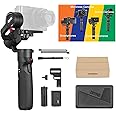
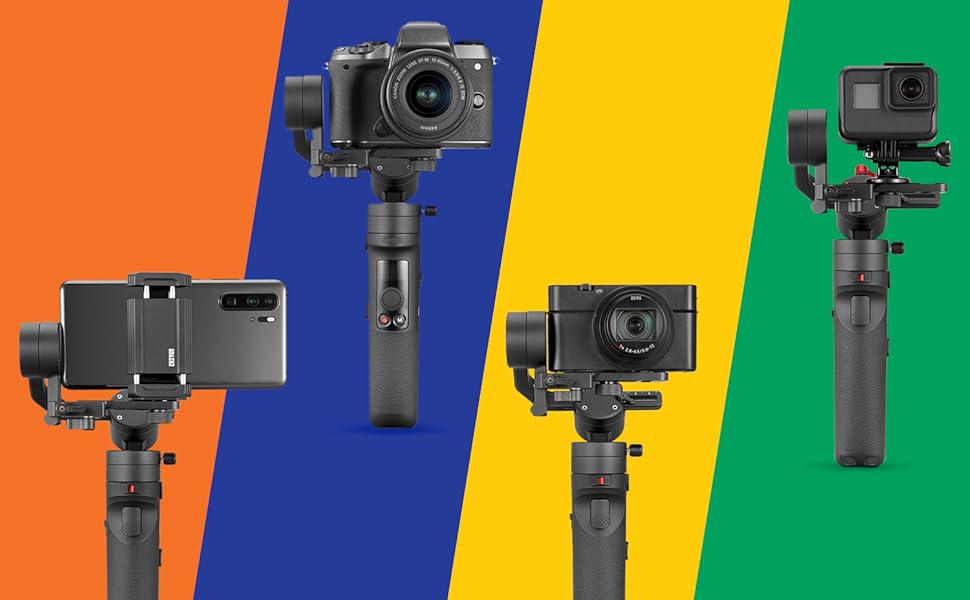
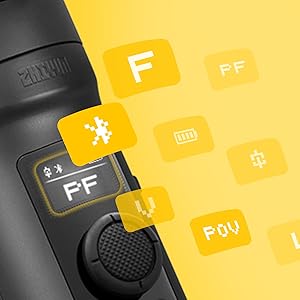
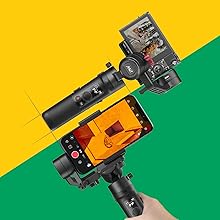
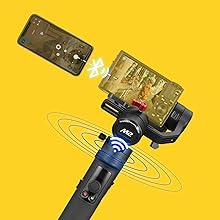
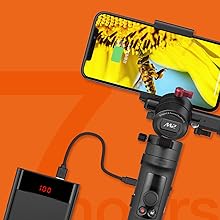
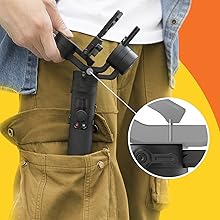
The Zhiyun Crane-M2 is a lightweight, 3-axis handheld gimbal stabilizer designed for smartphones, sport action cameras, and mirrorless DSLRs. Featuring a built-in OLED display, micro USB power output for charging devices on the go, and a unique locking mechanism for easy transport, it also offers WiFi and Bluetooth connectivity for enhanced camera control via the ZY Play app.


A**C
Excellent multi-use gimbal for smartphone and compact mirrorless camera users.
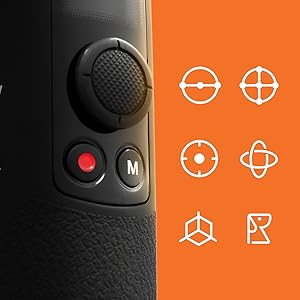
The media could not be loaded. Bought the Zhiyun Crane M2 gimbal last week as an early Thanksgiving gift to myself, and two days into trying it out I'm already totally in love with it! Granted I bought it to use it mostly with my smartphone (a Galaxy Note 9) to make vlogs, and it does a wonderful job at doing that. I do not own a compact mirrorless and I use my DJI Ronin S with my Sony A7 III for video production work so I really can not comment on the compact mirrorless capability of this gimbal.The first thing I noticed when I first opened the packaging is the gimbal has a really nicely designed locking mechanism to secure it during transport and storage, it's hard to describe but all you have to do is lock/unlock the red lever on the roll axis, without touching any other balanced axis to quickly store the gimbal in a relatively flat positon. The pan axis is also lockable as well. It also features a "memory lock" function on the roll axis so that when you unfold the gimbal, you can very quickly get it back to a fully balanced stage.This is a really important feature for me because it saves tons of my time when I need the gimbal quickly to snap some footages, and not having to spend a few min to mess with balancing it.The gimbal has a few different modes, all build-in directly into the gimbal so you don't really need to connect it with the cellphone to fully utilize it's potential:Within the Mode button, there are three modes:Pan Follow: allows you to fix the tilt axis and turn left and right when you rotate the gimbal on the pan axis.Lock: allows you to fix the gimbal at one location and it will not move regardless of your hand movementPOV: allows the gimbal to follow you at the direction of where your hand is pointing it to.2 hidden modes in POV: Double click M button once, you'll enter Go mode, which follows your hand movement quicker than POV, Double click M button second time, you'll enter the Vortex mode, which turns the phone/camera up and you can do 360 barrel roll within this mode. To exit those modes, just click M button once to get back to PF mode.With the trigger button in the front, there are two modes, press once, to go into follow mode, which works similar to POV. press and hold the trigger button, the gimbal will enter the follow mode temporarily until you release the trigger button. Press the trigger button 3 times, you'll enter the selfie mode, which the gimbal will turn your camera 180 degrees to face you.Press trigger button and M button for 3 sec will put gimbal into a sleep mode so motor stops working to save battery life.I use the PF and POV mode a lot and really haven't found the need for the other modes, but for other content creators, those extra modes are out there and easy to switch to.For compact mirrorless camera owners, this gimbal can also control some of the recording/picture taking and zoom functionality of your camera, you have to check within the compatibility list on their support page to find out if your camera is supported.A few areas of improvement I wish Zhiyun could improve upon:-The gimbal's button placement could be higher to avoid accidental presses, having the mode and record button on top of OLED screen would be ideal.-There are times when I first start the gimbal, it would report a "axis locked" error and I have to restart the gimbal for it to work agian.-There are times when gimbal would vibrate and lose its position, which also requires a restartOf course, those are just small nit-picks and overall, this is a really versatile gimbal to have in your camera backpack.
D**A
Beginner friendly
So easy to use
G**H
Amazingly Small, Astonishingly Smooth
The media could not be loaded. I couldn't believe the size of this gimbal when I received it. So small and light! I'm using it with my Sony a6500 with the Sony/Zeiss 16-70mm f4 zoom. I'd use a smaller lens but this is what I've got. It's definitely at the top end of the payload, but that's what they advertise. They didn't overstate the payload at all. The M2 is fairly forgiving if you balance it sloppily. it's good to get it as perfectly balanced as possible, but in a pinch, you don't have to. This is good, because getting it balanced perfectly is a bit of a chore.I saw another complaint about the M2 being difficult to balance, but I wouldn't disparage it as much as they did. The baseplate is the culprit here. Instead of having a smooth front to back sliding adjustment 'track' to adjust the tilt axis, you must loosen the baseplate and push the camera forward or back along a slot in the baseplate to adjust the tilt balance. The camera not only moves forward and back, but it pivots as well, which throws the geometry off on all the other axis. This would not be so bad except that the baseplate blocks the battery door on my a6500, so everytime you need to change the battery, you must re-balance the gimbal. This baseplate is trying to accommodate smartphones, action cams, compact cameras and small mirrorless cameras. With all that they've done to make the other adjustments easy to come back to, it seems like they just gave up when they got to this baseplate. I would also make the baseplate thumbscrew captive somehow. I've dropped the thing every time I've removed the plate. This could render the whole thing useless.I don't want to harp on this too much because, with a little practice, you can get it adjusted pretty close, pretty fast. Plus, this gimbal is so compact and has such tight tolerances for adjustment, you wouldn't want to introduce some huge, clunky baseplate. If only they had made this so the tilt motor was on the other side of the camera!The good news is, I've only had it a day and I'm getting better and better at it. I'm interested in how long the gimbal battery will last if it's powering the camera too. I've ordered a male micro USB to micro USB cable to find out. The battery life seems good on it's own. I'll report back with my findings.The other problem I have is not so much the M2's fault, but rather the fault of Sony; To use the start/stop/shutter button and the zoom controls on the gimbal handle, you must connect the camera's wifi to the gimbal with the ZYPlay app initially, and after that the gimbal will connect to the camera automatically. This seems to work really well. Here's the problem: On the Sony a6500 you must use the embedded remote app or the smart remote app to communicate with the gimbal. Unfortunately, some important video features (picture profiles, for example) are disabled when using the Sony remote apps. This isn't going to matter to the casual user, but to me, I've got to have more control than what is available while using the remote apps. I'm not sure why Sony hobbled the remote apps in this way. No matter though- for me, I just hit the record button on the camera. It's not as convenient, but it works. And I'm sure not using wifi will help the battery life quite a bit.Pro-tip: If you need to update the firmware, follow the instructions like you're launching a nuke. If you skip a step, it may blow up in your face. One thing the manual doesn't tell you, but there are many YouTube videos that do: after installing the Zhiyun USB driver, restart your computer! I didn't do this because it didn't say to, and thought I'd bricked my gimbal. Look it up on YouTube!When it comes down to it, I love this thing. The biggest problem with most gimbals out there are that they are big and imposing, so it's more of a commitment to haul out and use. This gimbal, with it's convenient locking axis, can be tossed in a small bag, and be set up quickly (with practice). I see myself using it a lot more than any other gimbal I've owned. Fix the baseplate issues and it's five stars! I don't know of any gimbal that is five stars in my book.
R**N
Zhiyun Crane M2, Best portable gimbal on the market today!
The media could not be loaded. The Zhiyun Crane-M2 is one of the best portable/travel gimbals on the market. Especially considering it can hold the popular Sony A6000 series line of cameras.The Crane m2 includes the option to mount various mirrorless cameras - phones or action cameras.They do include a very nice phone holder as you'll see in my video.The remote control and pairing features work surprisingly well and pair with every cameraand phone that I've tested.I really like that they've included a mini tripod with the Crane m2. Its a great added value and i plan on using it full time.The crane m2 charges using your standard USB-C cable and I noticed was able to fully charge in just a few hours.So far I've taken the Crane m2 to some local events and was amazed at the battery life surpassing 7 hours.In addition to the amazing battery, you can use the crane m2 to charge your phone or camera which is a nice bonus feature.The stabilization has been perfect with the crane m2 , I've not noticed any jerking or shaking while I'm filming videos.I was able to achieve perfect pan and tilt shots even with such a small gimbal. (Amazing)The joystick on the m2 makes this a breeze and really intuitive.Overall I would recommend the Crane m2 if you're looking for the perfect travel gimbal. I think its a phenomenal value and really believe that this is the best option considering the price. features and small form factor.
Trustpilot
2 days ago
1 month ago