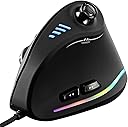
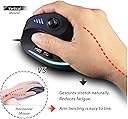
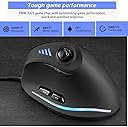
๐ฏ Elevate your grip, game smarter, and never miss a click!
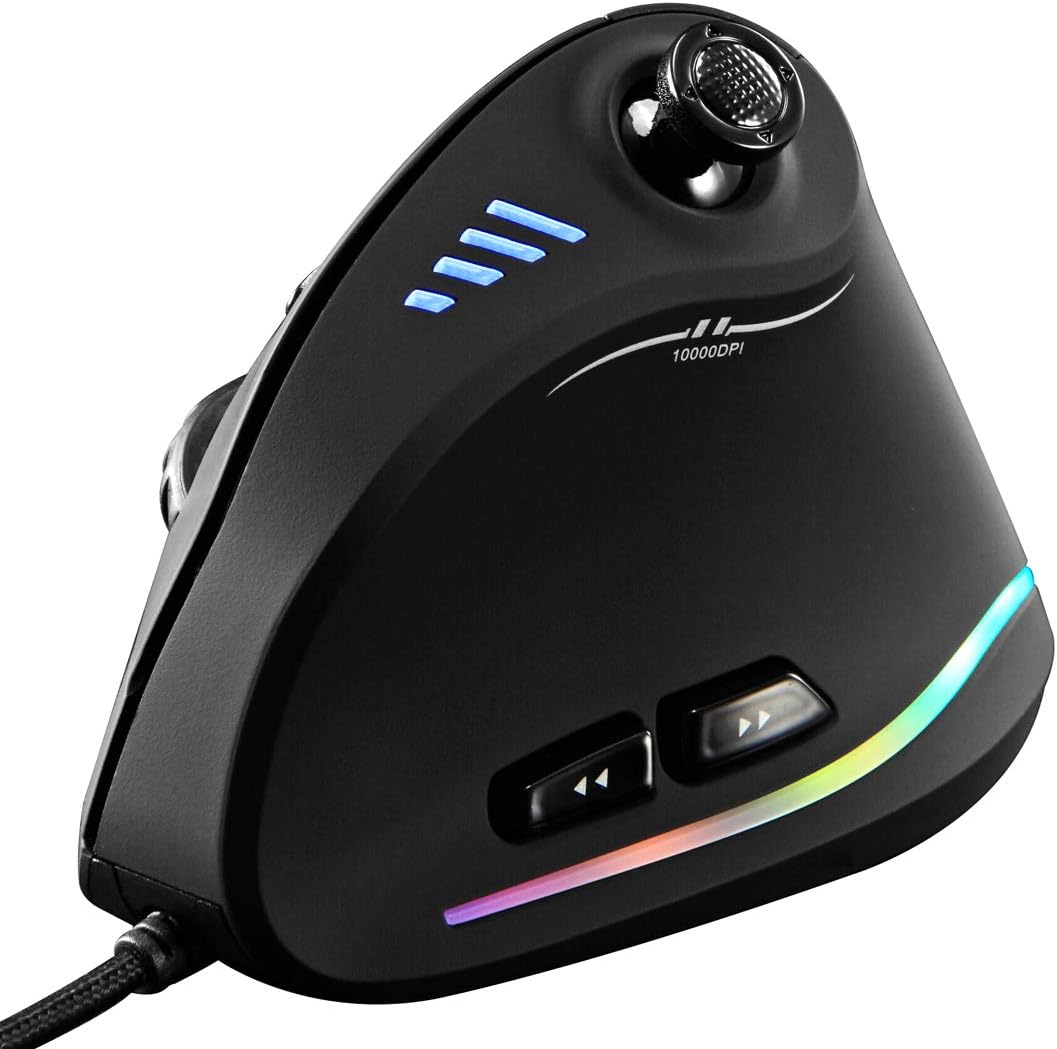
The ZLOT Vertical Gaming Mouse combines ergonomic vertical design with a high-precision Pixart PMW3325 sensor, offering up to 10,000 DPI and a blazing 1000 Hz polling rate. Featuring 11 programmable buttons including a unique joystick-style D-pad, customizable RGB lighting, and on-board memory for profile storage, itโs engineered for professionals and gamers seeking comfort and control. Compatible across multiple OS platforms, this wired USB mouse reduces wrist strain while delivering versatile performance for work and play.
| ASIN | B07T3PFWCB |
| Additional Features | Onboard Memory, Programmable Button, USB-LED-Optical-Laser-RGB, Wired Vertical Ergonomic Joystick Design |
| Antenna Location | Gaming |
| Are Batteries Included | No |
| Are Batteries Required | No |
| Best Sellers Rank | #32,409 in Video Games ( See Top 100 in Video Games ) #1,042 in PC Gaming Mice |
| Brand | ZLOT |
| Button Quantity | 11 |
| Color | Black |
| Compatible Devices | Personal Computer |
| Connectivity Technology | USB |
| Customer Reviews | 4.3 out of 5 stars 1,328 Reviews |
| Enclosure Material | Plastic |
| Hand Orientation | Right |
| Hardware Platform | PC |
| Item Dimensions L x W | 4.33"L x 2.83"W |
| Item Weight | 170 Grams |
| Manufacturer | zelotes |
| Mfr Part Number | G19C18 |
| Model Number | G19C18 |
| Mouse Maximum Sensitivity | 10000 Dots per Inch |
| Movement Detection | Laser, Optical |
| Movement Detection Technology | Laser , Optical |
| Number of Batteries | 1 12V batteries required. |
| Number of Buttons | 11 |
| Operating System | Linux |
| Power Source | Corded Electric |
| Range | 5.0 meters |
| Special Feature | Onboard Memory, Programmable Button, USB-LED-Optical-Laser-RGB, Wired Vertical Ergonomic Joystick Design Special Feature Onboard Memory, Programmable Button, USB-LED-Optical-Laser-RGB, Wired Vertical Ergonomic Joystick Design See more |
| Style Name | Modern |
| UPC | 760385944572 |
| Unit Count | 1 Count |
| Warranty Description | 90days |
A**R
Incredible value! As a decades long PC gamer, I am thoroughly impressed.
I LOVE this mouse. It has replaced my Evoluent Ergonomic mouse as a daily driver (for work - software developer). It's almost replaced my Logitech G604/G602 for gaming (World of Warcraft). I expect it to fully replace my gaming mouse once I re-learn all the muscle memory. If you're a parent looking for a cheap mouse for your kid, you can't go wrong with this one. I wasn't expecting much at this price point, but this mouse is a great option for anybody. It feels good in my large hand, doesn't stress my wrist at all. Cursor tracks great with default settings on lowest sensitivity. Had to download the software from a Chinese website (thank you Google Translate!), but once I got it installed, it's all in English. I was able to re-map the D-stick to numpad keys, which I then keybind in World of Warcraft. It took all of an hour and replaced my old Logitech G602 when it died at a bad time. I'm currently using this to tank mythic+ WoW dungeons, using the D-stick for many core abilities. Much more than I expected for $30, and still the only ergonomic mouse I can find with enough buttons to be useful for WoW. The Cons: * The directional stick ... isn't actually one. It doesn't show up in Windows as an actual directional stick (like an Xbox/PS controller would - with an X and Y axis). Rather, it's just 4 buttons (WASD). For my purposes, this is fine (I want it to just trigger buttons) but still feel I'd be better off with just 5 buttons than the "D stick that isn't actually a D stick". Maybe this can be changed in the software and I just didn't dig deep enough? As other reviewers point out, the "dead zone" of this D stick makes it feel a bit cumbersome. * The RGB color settings are quite limited. Personally, I don't use any of that. But if you want a super fancy customizable RGB mouse, this isn't the one for you (also, expect to pay at least double). * The software is definitely not nearly as pretty as the Logitech equivalent. Functionally it's comparable (macros, key rebinds, change DPI settings), just not quite as polished. Honestly this didn't bother me at all (I figured it out easy enough), and the mouse will function just fine without the software. You only need the software if you want to customize what each button does. Once that's done, the settings are actually saved to the mouse's internal memory, so you never need the software again! * The button right underneath the scroll wheel is a bit tricky to reach. That's probably by design (the default is for this to change cursor speed/DPI). I have re-bound it to my "Taunt" ability in WoW, and sometimes it's hard to reach in the heat of the moment. I am slowly re-leaning how to press it with the underside of my middle finger knuckle which is actually very comfortable/ergonomic.
K**T
Just ok for gaming. GREAT for everything else!
*(NOTE: the review asks me to rate "battery life" but this is a wired mouse, so not at all relevant. I just rated it "5 stars" because I wasn't sure what else to do)* This mouse is great for some things, but less great for others. I bought it due to having wrist and arm pain in my right hand from working in front of a computer all day. I do quite a bit of gaming in my free time, so I needed a more ergonomic mouse to avoid carpal tunnel. I've used it every day for a few weeks, and so far, I'd say it's worth the money! Pros: -Very comfortable. My wrist pain had subsided in a matter of days. I've never been diagnosed with carpal tunnel, but I can imagine a mouse like this would help reduce pain, based on my own experience. -Smooth and precise. Adjustable DPI is nice for those wanting to avoid digging around in menus to tweak mouse sensitivity. -Color changing LED's are cool. Don't really serve a purpose, but it's always fun to have something that looks nice! -Plug and play! I didn't have to install any software or update drivers. It started working as soon as I plugged it in! - I adjusted very quickly to this "vertical" mouse. It takes some getting used to, but I certainly never felt like I was "starting over". -Cons: This first one is less of a "con" as it is just a reality of a vertical mouse. This thing is quite tall. So tall, in fact, that it doesn't fit under my desk when I try to close the keyboard tray. This is really more of a minor annoyance than anything, as a smaller mouse would be less comfortable. But it's something to be aware of when considering a purchase. -Joystick isn't very useful. I knew this would probably be the case when buying it, but I just wanted to try it out all the same! The joystick is mapped to "WASD" by default, and it worked as advertised. The problem is, you can only trigger one key at a time. When playing games, one might want to move forward while also strafing to the left (i.e. moving diagonally). This is not possible with this joystick. I've also seen people complain that it doesn't work like a joystick should. Well, that's because it's NOT a joystick in the true sense. It's not like a stick on a console controller, it's only four buttons that can bet triggered via a small stick. So, using it for movement in some games might not work so well, but perhaps mapping the buttons to other keys could be useful depending on what game you're playing. The joystick also has a click function, but I sometimes find it hard to activate without also activating one of the directional keys by mistake. -The thumb buttons are nice, but the forward one is quite hard to reach. It's nice that they're there, but I'd prefer they be back slightly to make them more practical. The back thumb button is easily reachable, thankfully. My hands are perhaps slightly above average in size (I am a 5'9" male), so I'd imagine most users would find the front thumb button hard to reach. - I wouldn't recommend this mouse for serious gaming. For example, I can play a more laid-back game like "Satisfactory" with no problems. But as soon as I get into something requiring quick, precise mouse movements, such as "League of Legends" this mouse just doesn't cut it anymore. Perhaps, given enough time, I'd be able to master it. But it's not worth re-learning all my muscle memory for such hardcore games. For those, I just switch back to my old mouse and everything is fine. I play them infrequently enough that my wrist pain hasn't returned. TL;DR: This is a comfortable ergonomic mouse that virtually eliminated my wrist pain! While useable for most gaming, I found it much more practical to use my old mouse for games requiring fast, precise movement (think League of Legends). As for the joystick, it's really just a gimmick that's fun, but not particularly useful. You're probably better off buying the cheaper model without the joystick, unless you REALLY want to have a few extra buttons to play with. I use mine for everyday office use, as well as casual gaming, and I LOVE it for those purposes. Just don't expect it to replace your old mouse if you're heavily into competitive gaming.
J**T
Great Ergonomic Mouse
I haven't yet had the chance to use this mouse for gaming (putting together my first gaming PC soon), but while using it for normal web browsing and studying I really appreciate it. Along with a wrist rest on a mouse pad, I find it's very comfortable and easy to use, and the inclusion of the DPI adjustment button and LEDs are nice features that let you adjust the mouse to your preferences without any hassle at all. The back and forward buttons are pretty helpful when web browsing, and don't get in the way at all when just holding the mouse normally. The RGB is a nice add on, especially at this price point, if you care about that sort of thing. If I had to have a complaint, it's that the software to adjust the RGB features comes on a mini disc. Does anyone have a drive that can read a mini disc, or any disc for that matter, in 2020? The website to download the software looks a bit sketchy, and without someone else verifying that they downloaded the software from there without issue, I'd personally hesitate to click one of their links. I suppose there's a chance that it's also worth mentioning that the RGB software doesn't work when the mouse is used with a Mac. Since I don't yet have a gaming PC, I'm using the mouse just fine with the Mac I use casually, but the RGB just does its normal rainbow cycle with no way to adjust it. Not the worst problem to have. The cable is also that nice no-tangle sort of nylon fabric, rather than the typical black plastic/rubber coating that most cables use. It also includes a velcro strap on the cable for cable management, which is a great little add on. Overall, great mouse, especially at the price point. There are lots of very expensive mice out there, but this one has been very kind to my wrist, I haven't had any problems with it, and it's cheap.
G**.
Lots of button options, pretty comfortable, probably better for medium to large hands.
The one with the joystick on top is Model C-18 (it is on the bottom of the mouse and manual but I don't see it anywhere on the product details). Pretty comfortable mouse and great for gaming and other applications. I like the joy stick at the top for executing various things in a game but don't really like it for moving around in a game. For example I programmed when you pull the joystick towards you for crouching in a FPS game; but found trying to move around and look around on the same mouse to be difficult. For example you have to use your thumb to work the joystick which makes gripping the mouse at the same time difficult since now your thumb is on the top of mouse and no longer on the side; it is possible to do so but I just did not like using it that way. If someone did not have the use of their left hand this would be a great option. The advantage of using the joystick on the top for various other functions in a game means that you will not accidentally hit a button for those things assigned to the joystick which is nice since it is on the top and out of the way. It is quite a unique design and I find it fairly comfortable; but the one problem I have is trying to reach both the back and forward button with a relaxed hand since I have smaller hands for a guy and have to stretch for my thumb to reach. Overall if you like vertical mice or looking for something that would be better for the carpal tunnel nerve with additional buttons I would recommend it. There are 10 programmable buttons if you don't change the dpi buttons. On the downside it doesn't have a sniper button (which reduces the dpi for more accurate shots) and if you have small hands it can be a little difficult to reach both the back and forward buttons.
M**O
An otherwise nice mouse, if only its software would function.
I'll start by saying the mouse quality is good. The mouse is precise and it looks pretty. The moment you install the Zelotes - C-18 software the mouse locks up. I am using Windows 10. If I restart the mouse will work again, but once the application opens it locks up again. I think I traced this as being a double HID input device that gets populated, each time you plug it in, or restart. Because by unplugging the mouse with the software closed and deleting the extra device seems to correct the issue...until you reboot. Moreover the mapping software does not allow for custom keyboard binding. You have only a list of macros (key combos) to map to the buttons, otherwise leave it as WASD. I do not need another WASD function on the mouse and would rather map the joystick to the arrow keys, but you seems you cannot. I tried creating custom macros for up, down, left, and right to no avail. The joystick is positioned in an awkward position, such that you cannot be accurate with the mouse and also use the joystick. The joystick needs to be shorter, like the hat on a Thrustmaster flight stick, but flat, like it currently is, but with grip. More importantly it needs positioned lower down the side by a quarter of an inch, so that you can maintain a grip on the mouse. The click function on the joystick is also hard to use because it moves the mouse with the amount of pressure that is required, but this would beess an issue if the stick was more on the side of the mouse, as you could then clamp the mouse with your palm and push on the stick. [Edit] I figured out my macros issue. The issue is bad English. Some settings in the software are live, like mouse DPI and sensitity. Others need applied. This is why my macros weren't working. First, in order to map a custom key, like Up arrow, you need to select "create shortcut" instead of something like "custom key." Previously I had just been going to "assign macro" and creating a single Up arrow command. Lastly to "Apply" your settings you need to click on the word "Application," which I previously assumed was for assigning the profile to an app. This should be called "Apply," or "Save."
M**D
Great for gaming if you set it up right
So, I bought this mouse a while ago and have been using it extensively ever since. Not on fast-twitch shooters, mind you, mainly the ME Trilogy and Diablo 3, but I absolutely loved it and am ordering another one and here's why. In terms of ergonomics and functionality it does everything I need it to do. Give me 1000hz polling, high-dpi settings, and a vertical feel. Check, check, and check. The software is kind of annoying in that it legit looks like malware even though it's not, and the right and left buttons are alright. Now, why am I rating 5 stars? The joystick. No, seriously, the joystick. I found myself gravitating towards this mouse over other options simply because I could bind the number keys to the joystick. Meaning I could throw out skills that are bound to the number pad without having to take my hand off of WASD. This made casting spells in Mass Effect feel freaking GOOD as opposed to clunky, especially when I started binding squadmate skills to some of the buttons for combo purposes. If that sounds like I'm using it like an MMO mouse it's because I am. I loved the razer Naga, it was by far my favorite MMO mouse, but after switching to vertical mice I found myself missing that type of functionality. With this mouse I've gained some of it back, and that makes me really satisfied. So, until one of the top manufacturers starts making vertical gaming MMO mice (I won't hold my breath), with this one I will stay. Also, fun fact, it's apparently quite easy to modify this mouse if you know what you're doing. Look it up on reddit; there's a guy that swapped out the switches for left and right click as well as adding better feet.
J**Y
Not for hands larger than 3.75" across.
I ordered the gaming mouse to see if it would work out for my larger hands which are 4.5" wide including thumb (3.75" without) by 8.75" long from wrist to middle fingertip. This does not fit for me to the point that when I grip it properly my pinky is completely off the mouse at the bottom making it impossible to use. I can adjust my grip so that my index finger rests over the top and my middle and ring finger actuate the left and right mouse buttons but that defeats the entire purpose of an ergonomic mouse and makes it tricky and somewhat uncomfortable to use without actuating the wasd joystick. That said the grip is ergonomically designed for sure and its position will very likely relieve some pressure for those with carpal pain. My wife has smaller hands in the medium range and suffers from carpal tunnel syndrome so she is giving it a try currently. I'll update this review after a bit more time to get her actually impressions. For now, I give it a solid 4. It doesn't fit me but overall it seems to be a decent mouse. The joystick being only wasd+spacebar is disappointing as it would have been nice to have an actual joystick on the mouse in case you wanted to use it for games or for scrolling through documents via the joystick. As it is it's just a fancy D-pad with a jump button and not much more than a gimmick. As for aesthetics, they nailed the RGB on this thing. I'm not a huge fan of RGB but it looks nice. Also for it's size it feels light, which might make it feel cheap to some but is actually a good thing in a mouse. I just wish they made a version for larger hands.
K**N
Good for ergonomic not too bulky
Love it for ergonomic. Not too bulky
Trustpilot
1 month ago
5 days ago