

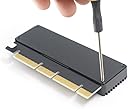
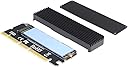


NVME Adapter with Heat Sink, M.2 SSD Key M to PCI Express x4/x8/x16 Converter Expansion Card, Support 2230 2242 2260 2280, Compatible for Windows XP 7 8 10
Product ID: 140014547
Details
- BrandGODSHARK
- Compatible DevicesPersonal
- Hardware InterfaceUSB
- Item Weight0.09 kg
- StyleClassic
⚡3200+ MB/s read speed
🔌Supports PCIe x1/x4/x8/x16 slots
🔥Integrated heat sink for thermal control
Details
- BrandGODSHARK
- Compatible DevicesPersonal
- Hardware InterfaceUSB
Description
🚀 Upgrade your storage game—because speed waits for no one!
- THERMAL MASTERY - Built-in heat sink and silicone thermal pads keep your SSD cool under pressure, ensuring peak performance without throttling.
- BLAZING NV ME SPEEDS - Experience lightning-fast 3200+ MB/s read and 1500+ MB/s write performance that leaves USB interfaces in the dust.
- CROSS PLATFORM READY - Compatible with Windows XP through Windows 10 and Linux, with easy driver installation for hassle-free setup.
- PLUG PLAY EXPANSION - Effortlessly add a second NVMe SSD even if your motherboard lacks an M.2 slot—no compromises, just pure speed.
- UNIVERSAL PC IE COMPATIBILITY - Seamlessly fits into PCIe x1, x4, x8, or x16 slots, unlocking NVMe power on almost any motherboard.
The GODSHARK NVMe Adapter with Heat Sink transforms any PCIe slot into a high-speed NVMe SSD interface, supporting multiple form factors (2230 to 2280) and delivering up to 3200+ MB/s read speeds. Its integrated heat sink and thermal pads ensure sustained performance, while broad OS compatibility and included installation tools make it the perfect solution for professionals craving extra ultra-fast storage without motherboard limitations.
Specifications
| ASIN | B07R4XPPCX |
| Brand | GODSHARK |
| Compatible Devices | Personal Computer, Laptop |
| Customer Reviews | 4.4 out of 5 stars 116 Reviews |
| Hardware Interface | USB |
| Item Weight | 0.09 kg |
| Manufacturer | GODSHARK |
| Model Number | a1d61011-d9b9-4aab-bc99-63b8c7fa6e4a |
| Number of Items | 1 |
| Operating System | Linux, Windows, Windows XP |
| Style | Classic |
| Style Name | Classic |
| UPC | 723990092793 |
| Unit Count | 1 Count |
Common Questions
Yes, all products are sourced directly from authorized retailers in the US, UK, UAE and India. We maintain strict quality control processes and verify each product before shipping. All items come with applicable manufacturer warranties and are covered by our standard return policy.
Delivery times vary by destination country, typically ranging from 3-9 business days. Each order is fully trackable through our system. We handle all customs clearance and use reliable courier partners for last-mile delivery. You'll receive regular updates about your order status via email and our app.
Desertcart is an international e-commerce platform operating since 2014. We securely process thousands of orders globally each day. Every product goes through our quality verification process before delivery, and we provide end-to-end order tracking, 24/7 customer support, and a comprehensive returns policy to ensure a safe shopping experience.
Our prices include the product cost, international shipping, import duties, customs clearance, and local delivery charges. We handle all customs and import procedures, ensuring there are no hidden fees upon delivery. PRO members receive additional benefits including free shipping.
Trustpilot
TrustScore 4.5 | 7,300+ reviews
Shop Global, Save with Desertcart
Value for Money
Competitive prices on a vast range of products
Shop Globally
Serving millions of shoppers across more than 100 countries
Enhanced Protection
Trusted payment options loved by worldwide shoppers
Customer Assurance
Trusted payment options loved by worldwide shoppers.
Desertcart App
Shop on the go, anytime, anywhere.