Buy anything from 5,000+ international stores. One checkout price. No surprise fees. Join 2M+ shoppers on Desertcart.
Desertcart purchases this item on your behalf and handles shipping, customs, and support to Japan.
🖨️ Print smarter, save bigger — the MegaTank revolution your desk deserves!
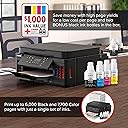
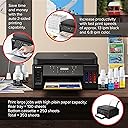
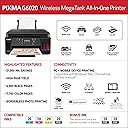
The Canon PIXMA G6020 is a wireless all-in-one MegaTank printer designed for high-volume printing with ultra-low ink costs. It delivers up to 6,000 black-and-white and 7,700 color pages per ink set, supports auto duplex printing, and offers seamless mobile and voice-activated printing via Alexa. Ideal for professionals seeking reliable, cost-efficient, and versatile print, copy, and scan capabilities in a sleek, space-saving design.

| ASIN | B07SQZNSQY |
| Additional Printer Functions | Copy, Scan |
| B&W Pages per Minute | 13 ppm |
| Best Sellers Rank | #7,698 in Office Products ( See Top 100 in Office Products ) #22 in Ink Tank Printers |
| Brand | Canon |
| Built-In Media | Wireless MegaTank All-In-One Printer, 4” x 6” Photo Paper Sample Pack (3 Sheets GP-701), Setup CD, Manual, and other documentation, Full Set of Ink Bottles (PGBK, C, M, Y) + 2 Bonus Black, (PGBK) Ink Bottles, Black Print Head, Color Print Head, Power Cord |
| Color | Black |
| Color Depth | 24 bits_per_pixel |
| Color Pages per Minute | 6.8 ppm |
| Compatible Devices | Laptops, PC, Smartphones |
| Control Method | Voice |
| Controller Type | Amazon Alexa |
| Customer Reviews | 4.0 4.0 out of 5 stars (4,557) |
| Dual-sided printing | Yes |
| Duplex | Yes |
| Global Trade Identification Number | 00013803317824 |
| Hardware Interface | Ethernet |
| Ink Color | Black |
| Is Electric | Yes |
| Item Dimensions D x W x H | 14.6"D x 15.9"W x 7.7"H |
| Item Type Name | Inkjet Printer |
| Item Weight | 17.8 Pounds |
| Manufacturer | Canon |
| Maximum Copy Resolution Black and White | 4800 dpi |
| Maximum Copy Resolution Color | 4800 x 1200 dpi |
| Maximum Copy Speed Black and White | 13 ppm |
| Maximum Media Size | 8.5 x 14 inch |
| Maximum Print Resolution Black and White | 4800 x 1200 dpi |
| Maximum Sheet Capacity | 350 |
| Maximum print Resolution Color | 4800 x 1200 Dots Per Inch |
| Model Name | Canon PIXMA G6020 |
| Model Number | 3113C002 |
| Model Series | PIXMA |
| Number of Trays | 3 |
| Other Special Features of the Product | wireless |
| Output sheet capacity | 250.0 |
| Paper Size | 3.5” x 3.5”, 4” x 4”, 4” x 6”, 5” x 5”, 5” x 7”, 7” x 10”, 8” x 10”, Letter, Legal, U.S.#10 Envelopes |
| Print media | Glossy photo paper |
| Printer Connectivity Type | USB, wireless |
| Printer Output Type | Color |
| Printer Type | Inkjet |
| Processor Count | 1 |
| Resolution | 4800 x 1200 |
| Scanner Type | Sheetfed |
| Specific Uses For Product | business |
| Total USB 2.0 Ports | 1 |
| Total Usb Ports | 1 |
| UPC | 013803317824 |
| Unit Count | 1.0 Count |
| Warranty Description | 1-Year Limited Warranty |
| Warranty Type | Limited Warranty |
| Wattage | 15 watts |
R**N
Good Printer, Great Value
I needed to replace an old Canon PIXMA printer that had failed with a cryptic error. My criteria for a new printer were: "mega" tanks -- even though my ink cost wasn't terrible high, but the individual price of cartridges was irritating Both a front cassette and a rear feed for paper. It is a mistake to assume that a printer has both. Suggestions that envelopes and photo paper would be put in the cassette seemed ridiculous for my needs. A flatbed scanner. I own a separate autofeed scanner. WIFI connections, and compatability with Apple AirPrint, and Chromebook printing. The Canon G6020 had all of those items plus: Two sided printing, auto "off" with network wake up, a 250 sheet cassette, and USB and LAN cable connectors. It also seems to have sensors for everything; for example, when either the cassette is inserted, or paper is added to the rear feed, the printer prompts for paper size verification. (Fortunately, the prompt for paper size and type can be turned off.) The printer also comes with what must be an almost a lifetime's supply of black ink. Photo printing is very good, though slow on "best" photo mode. The printer has can present a net "home page" for many setup and status functions; the default password is its serial number. Cons: The LCD screen is tiny and dark. At the very least, it should have a back light. I found the LCD Menus are confusing. Setup can be a little confusing. I ended up using the manual mode for configuring the WIFI connection. (Thank goodness for WPS, entering a password on the LCD would have been problematic) There is a cautionary notice warning to transport the printer upright lest some ink were to spill. The tanks seem well capped, and probably wouldn't leak, but I am not about to test it. Summary, Once setup and connect, the printer is great. It is definitely fast enough for home use and all of the printing that I have done has been sharp and unbanded. The black ink is pigment based and seems to be waterproof; the color, dye based, and will bleed slightly when water is applied. A major consumer magazine down-rated this model compared to others costing significantly more, and oft times having fewer features; most of the magazine's quibbles seem simply wrong in this case. Replacement ink from Canon on Amazon seems extremely reasonably priced ($17 for 170ml / 5.75oz of black ink, $11 for the 70ml of color ink.) Added Note: Others had complained, and I encountered... I had an issues with the printer's wifi connection, which I believe that I have resolved. My router was set to use a "smart" choice between 2.4 & 5Ghz (both using the same SSID) for device communication. I suspect that this was causing problems with the printer's 2.4Ghz only network chip. The problem seemed to clear up when I disabled the "smart" feature on the router; nonetheless, I decided to run a cable from the router to the printer and change the printer's LAN setting to use that. I have had no problems since. Though I am not using a mesh router, I could see this being a problem with some of those too.
M**R
Excellent printer with a quirk and a word of warning
I received this printer recently. It was extremely well packaged. Set up was a breeze except I found the method of entering the password to grant it access my wireless network to be pretty laborious. Fortunately my 28 character password only contains a mix of numbers and upper case letters it made it somewhat easier. The printer came with one each bottle of cyan, magenta and yellow ink, as well as three bottle of black ink, of which only one is needed to fill that tank. Each tank is designed to hold the full contents of each bottle, so no worries about over filling and having ink run all over the printer. Care should be taken when lifting the empty bottle up from the tank to ensure no ink drips onto the printer. I did have a problem with the Canon printing program that came with the printer. When using it to print photos, both the version that came with the included CD as well as one I downloaded from Canon's web site refused to print a photo. Each time I tried I got an error message saying "A problem occurred while printing". That's it. No error code, no clue to help track down the problem, nothing. Fortunately my graphic editing programs work with the printer so I can print photos. The photos are excellent. To my eye the colors are true to form. I've printed on 8x11 photo paper with no problem. I didn't bother to time how long they took to print, let's just say less then a minute each. Text documents come out nice and crisp. Photo paper is loaded into a feed tray on the back of the printer. I think it holds about 10 sheets at a time. I really can't recall. The front Control panel does flip up and must be in this position in order for the printer to work. The printer has a relatively small foot print and doesn't take up much room on my computer desk. Over all I'm very happy with this choice. I had a Kodak ESP3 printer that worked fine until I upgraded my operating system to Windows 10. After that Windows no longer detected my printer and Kodak stopped supporting that series so I could find no new drivers for the printer. As soon as I connected the Canon to my network, Windows hit on it right away. A word of warning. If you intend to connect this printer to your computer via USB, it does NOT come with the required cable, so be sure to order that at the same time.
Trustpilot
1 week ago
3 weeks ago