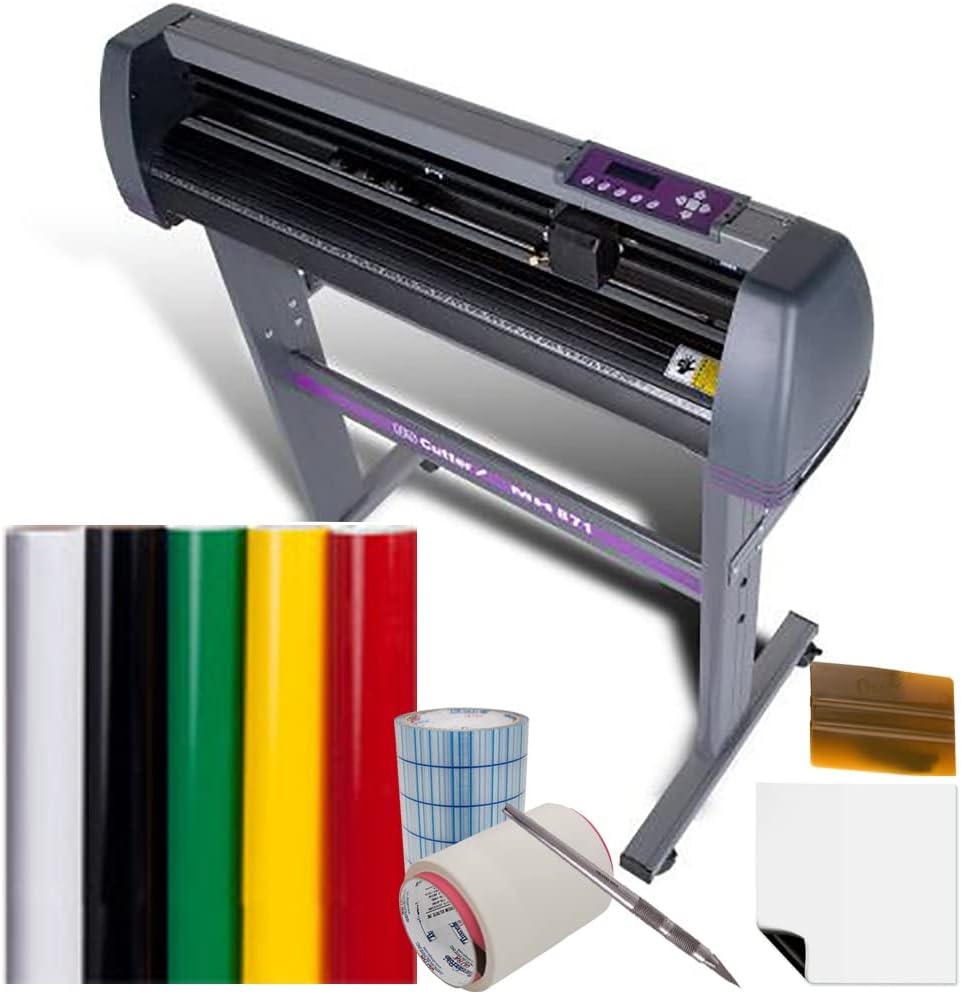




USCutter 34 inch MH 871 Vinyl Cutter Kit with Software, Free Video Training Course, Starter Signmaking Kit
Product ID: 1300115
📏34-inch cutting width
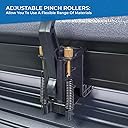
⚙️Dual ball-bearing pinch rollers
🛠️Roland-compatible blade holder
Desertcart purchases this item on your behalf and handles shipping, customs, and support to Japan.
✂️ Cut smarter, create bolder — your signmaking revolution starts here!
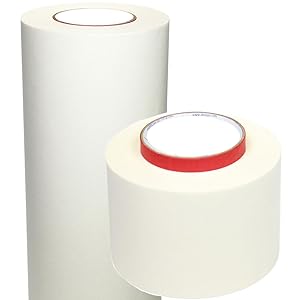
The USCutter 34 inch MH 871 Vinyl Cutter Kit is a professional-grade signmaking solution featuring a 34-inch cutting width, dual ball-bearing pinch rollers for versatile media handling, and a Roland-compatible blade holder for cost-effective blade options. Bundled with Design and Cut software, essential tools, and free video training, it offers lifetime phone support to empower both beginners and pros in crafting precise, high-quality vinyl signs.



| Best Sellers Rank | #298,070 in Office Products ( See Top 100 in Office Products ) #61 in Computer Printer Cutters |
| Customer Reviews | 4.5 out of 5 stars 1,663 Reviews |
R**L
Phenomenal Cutter!!!
***It’s been 3 months since I wrote this review. I still love the cutter. It’s worked perfectly for my needs. My latest project was cutting Siser Easy Weed HTV to make some Tshirts. I bought the rolls off Amazon in 12” widths. They worked flawlessly. The cutter does have some quirks like needing to make sure it’s connected and talking before sending the file but that’s easy to do and the cutter walks you through it each time. I also didn’t know the difference between servo and stepper cutters at the time as I’ve only had stepper motor cutters. If you need absolute precision because the material you are cutting is very expensive and cannot afford mistakes then a servo cutter is what you want. This would be for cutting window tint or Ppf for example. Only a servo motor cutter would know at all times what it’s cutting versus a stepper knows just how many times it needs to move left to right to do the job. They cost a lot more of course. If you are just cutting vinyl it’s not needed especially if you are a hobbyist. This isn’t my first cutter although it is my first one in 17 years with my first one being a Roland Stika SX-8 that has been nearly bulletproof. Compared to that old technology, this cutter is incredible in every way. It’s fast, it’s accurate, it’s easy to use. I did need to make a call to tech support which was pleasant. I called because the pinch roller on the far right was stuck and I wasn’t sure if it was supposed to move. I was pressing and pulling so hard I was afraid of breaking it so I called Support to make sure it was supposed to move. The reason being it wasn’t over the feed roller causing misfeeds. Eventually I got it free which was stuck on that screw head. Setting up the blade was straightforward and I made sure the Test Cuts worked first. I used the pen instead of the knife for early testing to make sure everything worked to avoid damaging the blade. I imported some Illustrator files into the Vinyl Master app and it cut the files flawlessly and so fast I thought it didn’t do anything. It’s amazing this cutter is half the cost of my tiny 17 year old cutter and so much more sophisticated! If you have never set up a cutter before, get some help from someone knowledgeable because the cutter worked out of the box for me.
A**O
Great for home business
I recently invested in the USCutter 34 inch MH 871 Vinyl Cutter Kit, and let me tell you, it has completely revolutionized my business! This vinyl cutter is an absolute game-changer for creating custom lettering and graphics for my work trucks, and I couldn’t be more impressed with its performance. First and foremost, the quality of this vinyl cutter is top-notch. The 34-inch cutting width provides ample space for handling large-scale projects, while the precision blade ensures crisp and accurate cuts every time. Whether I’m creating intricate designs or simple lettering, this cutter delivers flawless results with ease. The included software and video training course have been invaluable resources for learning how to use the cutter effectively. The software is intuitive and user-friendly, making it easy to design and customize my graphics before sending them to the cutter for production. Plus, the video training course provides step-by-step instructions and tips for getting the most out of the cutter, ensuring that even beginners can achieve professional-quality results. The starter signmaking kit that comes with the cutter is also a fantastic bonus. It includes everything I need to get started right away, from vinyl rolls and transfer tape to application tools and practice materials. This kit has saved me time and money by providing all the essentials in one convenient package. One of the things I love most about this vinyl cutter is its versatility. Not only can it be used for vehicle graphics and signage, but it’s also great for creating decals, banners, window displays, and more. The possibilities are truly endless, and I’m constantly finding new ways to use this cutter to grow my business. Overall, I couldn’t be happier with the USCutter 34 inch MH 871 Vinyl Cutter Kit. It’s a high-quality, reliable, and versatile tool that has taken my business to the next level. If you’re in the market for a vinyl cutter, look no further – this one is truly the best of the best!
A**R
Exactly what I was looking for!!
I have used large industrial cutters, engravers, lasers, 3d printers and other CNC machines in the past. So I have a rather strong background in operating machines of this nature. That being said, I purchased this MH series cutter for hobby work at home, as an entry level cutter, I can't say enough about it, the price is right, and I was truly surprised with the ease of setup, and how quickly I was up and operational. Straight out of the box, the cutter base was easy to assemble (took about 20 minutes altogether and within 30 minutes I had cut my first set of stickers). The only issue I had during assembly was that the instructions were a little vague, so make sure you look up USCutter's video on youtube or on their website. Their video shows how to put the cutter together, ground it, hook it up to your computer, install the software and sets you up for your first cut. The software is definitely entry level as well, but is easy to navigate. While I use Adobe Illustrator and Rhino 3d to create my vector images, they import into the provided software with no issues. The only con I have with this purchase, is that USCutter requires you to keep the original box the cutter was shipped in, or your warranty is void. I have a small shop and it would be nice to be able to dispose of the box, but I understand that it is the best way to ship it back for servicing should you have any issues. All in all, great product, great price, and when purchasing as a kit, there is plenty of material for you to get started.
T**G
First Vinyl Cutter Purchase
After reading the pos and neg reviews and researching prices and functions of the higher end machines I decided on this one. First thing, this machine is BIG. The next size down is probably enough for any home bound sticker head. Like I have a small office at home and it's in my way. So, unpacking the box, everything was pretty much tossed in the box and shipped, not much regard for packing. QC is not this companies first priority, there were plastic shavings and wire strands on the machine laying on the rollers. The cutting head was off the track, not even a piece of tape or foam to hold it during shipping. The construction of the machine is very solid, the finish is very nice. The keypad feels kinda cheesy. The USB cable is good quality and the sockets for plugging in power and USB are solid. The software installed without issue, entered the reg key no problem. The SCAL program works great, no issues. Blade setup was easy, ran a few designs through and checked the cut depth adjusted it accordingly. I could not find any information online or in the manuals on how to index the cutter head to a different position, which was annoying. The vinyl that came with it is ok, it doesn't stick to the backing at all on small details and the surface is not very durable. The two different release tape rolls work really well. The machine has decent but not great accuracy on basic shapes, the smaller the more noticeable. I don't think it has much memory as it buffers the print info on even smaller designs. Overall it's fast and quiet, it's well built. Simple to use and It's less than half the price of the other guys. I am just starting to do a few jobs for other people, and it seems like a good option to try out vinyl cutting and see if you like it. There are plenty of quirks and stuff to learn as you go.
U**E
Very professional and easy software
This is the first vinyl cutter I bought and while it was scary to learn at first, it was easy to get the hang of and I started to make and sell stickers with ease. The large size also helps a lot as I dont feel limited to just having to cut paper length, and I can also use car wraps as material to cut on. Excellent product and I love the software the most. Reading reviews about other vinyl cutters, I saw most had subscription based software which deterred me from buying those cheaper options. This software is extremely easy, all I do is take a pic from online, copy + paste it in, and convert to lines. It gives me a slider bar to focus the negative and positive tones, and another option for how smooth or sharp the lines will be. Very simple and decal design comes out looking clean every time. Also I like how there is a "test area" feature before I cut out my design. It hovers the cutter on the perimeter of my material so I know exactly what my boundaries are going to be and if I have the sticker paper clamped in right (otherwise it sometimes bends if I have it at an angle, and the test area will show that for me so I can readjust before cutting). Another thing is the measurements. I can scale the image on the software however I like and when I go to print, it tells me at the top exactly how many inches by how many inches it will be. The only con I have is the software is only limited to one computer per product code. You can switch computers but you have to deactivate your product code for one computer and add to the other, and do that every time before switching which can be annoying if you plan on using multiple computers or sharing the cutter. The cutter itself is large and takes up a bit of space. You will need to find a good spot to place it in your room next to your computer and a power outlet. I like to place all the excess material and tools underneath it, as there is plenty of space for it there.
A**R
and looked great. The only complaint was putting together the stand
I did a lot of research before I pulled the trigger on this cutter. The items arrived on time, and looked great. The only complaint was putting together the stand, I had to find a youtube video to help me. One complaint about the design of the cutter. The communication ports and the power plug are on opposite sides to most this is nothing but the way my work area is set up makes it a lil awkward.setting up the software and learning it took 30 minutes, I cut my first decal/sticker in less than one hour from the cutter hitting my front door. A lot of folks call this cutter junk, cheap, not for a real business. This cutter has cut everything I have thrown at it and has already paid for it's self in less than a month. If you are on the fence about buying this cutter go head and do it. As of now I highly recommend it. Is it loud? on a scale of 1 to 10 I give it a 4-5 you can hear it but its not so loud where someone in the same room could not enjoy a tv show. I think when I do get another one I will get one with an optical eye. I have not needed it yet but I see where it could be useful
J**M
Awesome cutter
I purchased this to start doing vinyl graphics as a way to earn extra money. With no experience, I was making graphics with an hour. The software is extremely easy to use and the cutter it very simple once you get the hang of it. I purchased an extra pack of blades, but after 2 weeks of non stop use, they are still going strong. UPDATE: 9 months and still running strong. The machine doesn't have the laser for the contour cutting of decals, however I was able to make a modification to incorporate the laser option. There is a hole pre-made on the head which perfectly houses a 6mm 5mw diode laser. I picked up a pack of 10 for less than $10 here on amazon. I unscrewed the head cover and soldered the laser in which operates at a max voltage of 5v and the solenoid on the laser was 4.2v. This worked out perfectly. I glued the laser in place with some simple super glue. The laser isn't focused so its slightly oblong but I use the upper corner when doing my calibration. Now that I have the laser installed, I can contour cut stickers quickly without swapping back and forth between the blade housing and ink pen housing. This is still a great machine and going from absolutely no knowledge of vinyl cutting to 9 months later it being the staple of our business was an unexpected surprise. It is very east to operate and I use inkscape to change the designs that are outside of the software's capabilities. I have found that the settings are perfect in being able to cut a wide variety of materials. I can cut the cabinet matting that is very thin but has some great designs all the way up to thick chrome vinyl. The only suggestion I would have is to go with a smaller unit, as 90% of the vinyl available is in the 12 and 24 inch rolls so unless you have an absolute need for this large of a plotter, save the money and go a size smaller.
M**7
TURN AROUND AND RUN
First off, I do like this vinyl cutter, it cuts vinyl fine. I am just disappointed in having to spend $75 ( maybe $150) on new parts after using it under 20 times. I bought this cutter March 4th, 2017. I rarely use it. Since I bought it, I have turned it on MAYBE 20 times, and have used maybe about 1/3 of a roll of vinyl. About 3 moths after purchase (at that point probably the 4th or 5th time being used) one of the rollers just broke off at the pin during cutting. I was disappointed because again, 3 months old and its 5th use, this shouldn't happen. I put off getting another one because it was out of warranty, a new roller costs $37, and my vinyl roll is only 24" so it was working fine just using the 2 rollers. I use the vinyl for stencils to make handmade ceramics. I was getting ready for a big Christmas show this year and turned on the vinyl cutter to make some stencils and the arm wouldn't move up or down. I had to take my vinyl down to the local sign shop and spend $100 getting vinyl cut because the carriage crapped out after less than 20 uses. I just talked to US Cutter tech, and the guy was really nice (that is why 2 stars not 1). He walked me through some steps, told me it seems to be the carriage. So now I'm spending $75 on parts (carriage and roller). He also said that if the new carriage goes in and that doesn't fix the problem it could be the motherboard ($87 part). Or the carriage AND the motherboard. SOOOOO. I will wait and see if the new carriage works, but you can see why this is more than frustrating having barely used the thing. I know that the tech guys have no way of knowing I only used it 20 times since last year, and I am sure people try to scam them all the time. I also wouldn't have a problem replacing these parts yearly if I was using the thing everyday. I knew I wasn't getting a professional cutter at $300, but I expected it to be better than this. UPDATE: I received the new carriage and it didn't fix the problem. SO my advice is to not buy anything from USCutter. Buy a Roland or something. Customer service was horrible the second time I talked to them. If I was to order the new motherboard (even if that fixed the problem) I would have spent $200 in parts and a couple hours of time on a machine that only cost $300 to begin with. And I haven't even used it to cut 1/3 of a roll of vinyl. I told customer service that basically their cutters were garbage, and the guy said: well, the cutter isn't bad, it's just the parts. Worst experience ever, I decided to toss the cutter and downsize to a Critcut.
Trustpilot
1 month ago
1 day ago