
DOWNLOAD THE APP


Customer Services
Copyright © 2025 Desertcart Holdings Limited
DOWNLOAD THE APP


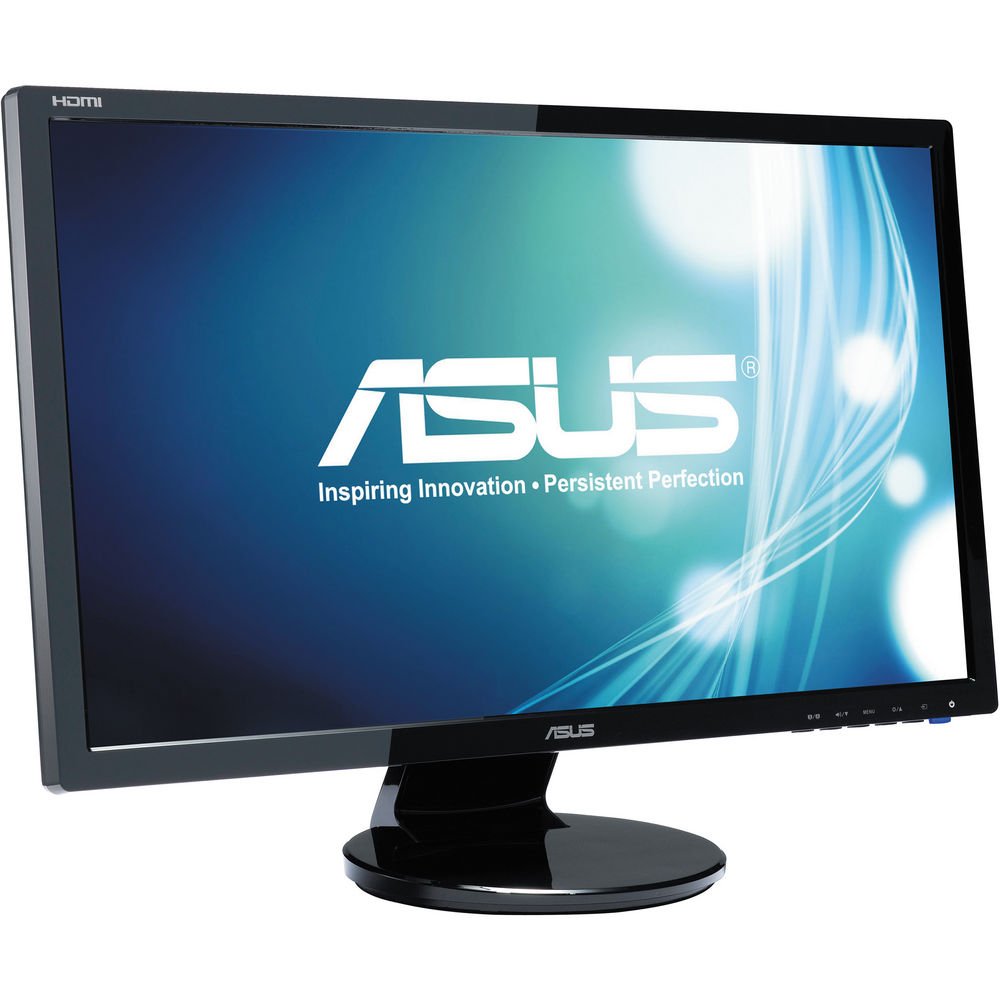


🚀 Elevate your workspace with ASUS VE248Q — where speed meets stunning clarity!
The ASUS VE248Q is a 24-inch Full HD monitor featuring a crisp 1920x1080 resolution and an ultra-fast 2ms response time that eliminates motion blur. Equipped with ASUS Smart Contrast Ratio technology, it dynamically enhances image depth and color vibrancy. Multiple input options including DisplayPort, HDMI, and VGA provide versatile connectivity, while built-in speakers and VESA wall-mount compatibility ensure a streamlined, clutter-free setup. Designed for professionals and gamers alike, this monitor balances performance, style, and convenience with a 3-year warranty and ASUS Rapid Replacement service for peace of mind.


| ASIN | B005BZNDHQ |
| Best Sellers Rank | #95,749 in Electronics ( See Top 100 in Electronics ) #2,105 in Computer Monitors |
| Brand | ASUS |
| Color | Black |
| Customer Reviews | 4.6 4.6 out of 5 stars (667) |
| Date First Available | July 10, 2011 |
| Graphics Coprocessor | No Information |
| Is Discontinued By Manufacturer | No |
| Item Dimensions LxWxH | 2.5 x 38 x 49 inches |
| Item Weight | 9.79 pounds |
| Item model number | VE248Q |
| Manufacturer | Asus |
| Max Screen Resolution | 1024 x 600 |
| Processor Brand | No Information |
| Product Dimensions | 2.5 x 38 x 49 inches |
| Screen Resolution | 1920x1080 |
| Series | VE248Q |
| Standing screen display size | 24 Inches |
F**C
Final Review!!!
Overall Review First impression is extremely attractive with a beautiful MATTE screen, zero glare. It did take a little while for me to get it to display my desktop. You have to manually select your input. Once you have selected it powering it on/off brings you back to the last selection. The "Splendid Technology" is exactly what we are familiar with already when it comes to higher end LCD/LED TV's. Allows you to change your viewing mode to scenery/standrad/night/theatre/game/sRGB. So in conclusion, not only do I love this monitor and recomend it, I am going to order 4 more for Eyefinity Portrait Mode. 24 vs 27 I was in turmoil over the 24-inch or a 27-inch, The difference in size is literally minimal. The actual viewing area of the 27 is exactly equal to the 24 with the bezel. Considering that the bezel is only 5/16, I personally could not justify the extra 100 bucks. The 27 does have Picture in Picture so that might be a factor for many. Inputs There is a great deal of discussion about the inputs so here is the truth. The connections you can actually plug into it are. HDMI, VGA, DISPLAYPORT(NOT MINI), 3.5mm audio in, 3.5mm audio out(headphone jack), and the standard three prong removable power cable..... NO DVI and not MINI DISPLAYPORT. The controversay over the DVI is confusing. The monitor does include an HDMI-DVI cable but the HDMI end goes into the monitor. Cables included Standard power cable(removeable), HDMI to DVI, male to male 3.5 audio cable, and VGA cable. Stand This does come with a 2 piece stand, kinda strange because I have never seen one like it. Not better not worse just different. I am thinking it was just a packaging thing but either way I have no intention of using it but I did attach it just to review it for you. I has a good range of tilt up or down. Though it does tilt dwon way more than up, almost face down. The up is more than sufficient at about 20 degrees. Round base so the mount doesn't swivel. Mounting This does allow you to remove both pieces of the stand with 2 simple screws so you can mount it on a standard Vesa for 24-inch monitors. If you do not know what a Vesa is but you have mounted a flat screen before, odds are you used the VESA as it is the standard. Feature Positions Facing the monitor there is 6 downward facing buttons on the bottom right (not touch sensitive just standard momentary) for controlling the power, volume, menu, and etc. Nothing else to talk about on the front but a very thin bezel. Facing the back of the monitor all of your connections are downward facing(meaning that your cables will route downwards once plugged in). The power is on the left and everything else is on the right. Remember this is if your facing the back. The cables will be hidden from view once routed because the connections are recessed up about 1/4 of the way. Size (Overall Dimensions) 22 5/16 wide, 13 5/16 tall and 1.5-inches thick, 25 13/16 X(diagonal), and an exact 24-inch viewing area. If you want to inlay this the outer 4 corners are bull-nosed and the front panel edges are softened with a 4-5 degree pitch. I may or may not have over explained this monitor but I have been around the block a few times when it comes to shopping for monitors for various reasons so I tried to be as helpful as possible and cover everything I have researched for in the past.
N**K
Great monitor.
I spent several weeks researching monitors before I made my purchase. Before this, I was rocking an HP 17inch standard 1440x900 monitor. It was new back in 2008. I was looking for something larger that I can use for school as well as gaming. This monitor is wide enough that I can split screen Mozilla and Word perfectly. No issues. When compared to my previous monitor, text now appears crisp, and my overall experience is great. For Gaming, this monitor is very good, especially considering the price. I wasn't able to find a 144hz monitor in my price range, but I decided on ASUS because it has the VESA mount holes and ASUS has an extremely customer oriented outlook in regards to their support. One of the best features that makes gaming (and work) great is that the monitor is ZERO glare! I can finally have the windows open and not have what's outside imposed on my screen. There are several color options that you can pre-program, which makes switching between gaming, standard, and night viewing extremely efficient. Overall, I am very satisfied with my purchase. Nothing came broken, all of the pixels work, and I feel confident in ASUS if something goes wrong. I have no more eye strain, and its easier to be more efficient with either gaming or work. I will definitely purchase another one or two of these in the future to complete my setup.
R**T
Great
Looks great, no dead pixels, no issues... seemed to even automagically detect and switch to the correct input. Highly recommend. Bought this for use as a third monitor in an Eyefinity setup. The DisplayPort input is critical for that setup; I had to purchase the DisplayPort cable seperately. This seemed to be one of the cheapest monitors with a DisplayPort input in this size. Based on the reviews I read, this seems like an easier / more-reliable way to go then using a powered active DisplayPort HDMI adapter with a no-DisplayPort monitor, without much extra cost. I imagine many people will be looking at this monitor for similar purposes, so I'll add a general comment: I have three different models of ASUS monitors in my setup. One is IPS, two aren't... slight size / bezel variations... this is not *ideal* for a three-monitor setup. I can't use the graphics software to perfectly implement "bezel compensation", but I can get close. The color / contrast isn't exactly the same, but it's close (much better than the two different Dell monitors on my work computer). If you want to try a three-monitor setup, and you're not a videophile, and you can't arrange to get all three monitors at once / the same... I say go for it anyway. I'm really happy with my hodge-podge setup.
T**A
These monitors are great. I set up a home office and wanted some decent size monitors. I ended up buying 2 x DP cables because my docking station didn't have DVI and only on HDMI. Sound coming out of them isn't the best, but I didn't buy them for sound and would probably prefer they didn't have speakers but since i use headphones for all call's etc... i never use the speakers on the monitors.
R**R
I use this monitor for video surveillance and is probably over kill for my setup but it works well and that is all I need. Good monitor, good price. Asus puts out some very decent electronics. I have a laptop, computer, and 2 monitors and never a problem with any of it. Good for you Asus.
K**R
very nice monitor as a second window. i do not use it for gaming, and i dont intend to. but to watch videos/streams while gaming and doing other activites, it is very nice. had to mess with the picture and brightness alot to get it to where i want.
K**I
I use this as a second monitor for work/study and it's exactly what I needed.
F**E
Just received the ASUS Monitor VE248Q today (21 Dec 2016 - 7 days delivery). So here's my first input - will update in the future if necessary : - The screen (displayable screen) is exactly 24'' diagonally, as described (not 23,8'' or like some other screens being advertised as 24''). - It came with a VGA-VGA cable, a HDMI-VGA cable and a male-male Audio Jack. No Displayport cable whatsoever (kind of disappointing and so far this is the reason why I'm giving it 4 STARS... It forces you to buy an adapter or a Displayport cable extra, which will cost you 20-40$ by itself). - The screen is soooooo daaaaamn bright. I had to reduce the brightness to 0% for it to match my other (much older) screen and it's STILL brighter. I can't believe anyone would use this at anything more than 25% brightness ever, it'll probably just burn your retina or something (not a medical opinion). - Plug and play, easy to use... Took me a few minutes to figure out the buttons to adjust brightness, had to use the user manual (pictographs on the screen aren't instinctive... but it doesn't matter since in the end you set it up once and then never again). UPDATE: Day 2, I now notice how your eyes have to be directly in front of the pixels you want to see in order to see them "sharp and crisp". By that I mean if your eyes are at the height of the top of the screen, if you look at the bottom of the screen, things are blurry there. You have to be about 30 inches away from the screen to not be impacted by this enough to be an issue. If you are closer, you will notice this (i.e.: when looking at the screen from an angle, it gets blurry). I didn't have that issue with my previous monitor. That issue seems mostly for up/down angles, not left/right. After working with it for a day, I notice small characters are somewhat scintillating (like the border of lines that shape letters in a text, for example). I've played with all the options for over an hour, nothing to be done. I'll still give it a day or two but I'm likely to return it; at almost 250$ a piece, I'd expect it to perform better than my 7 year old screen that I got at half that price. Disappointed, changed to 3 STARS.
Trustpilot
1 week ago
2 days ago