Desertcart purchases this item on your behalf and handles shipping, customs, and support to Japan.
🎵 Upgrade your sound game—bridge the digital gap with OREI DA21!
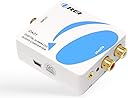
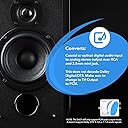
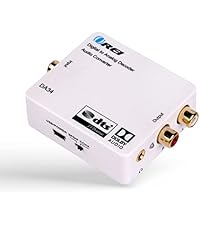
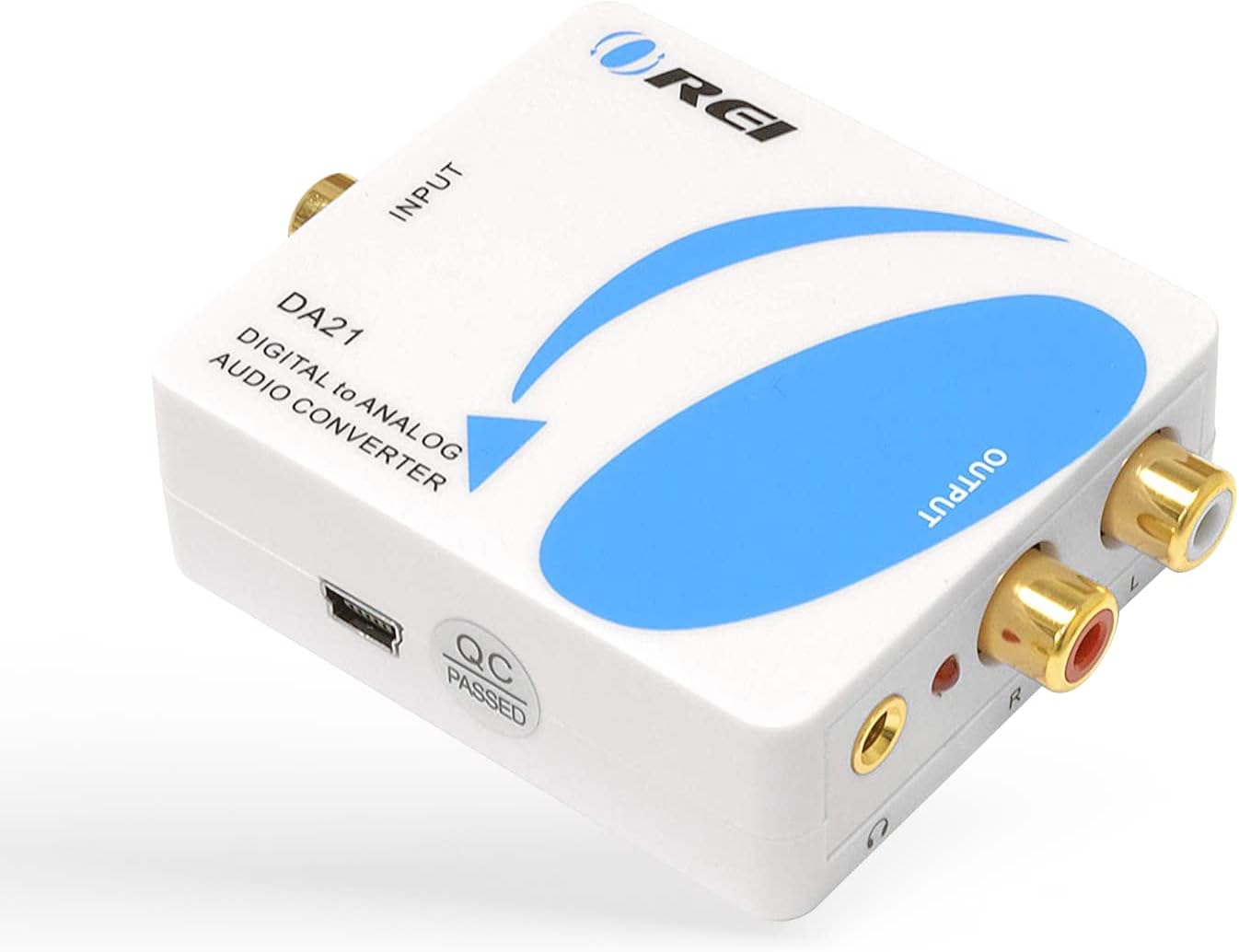
The OREI DA21 is a compact digital-to-analog audio converter that transforms Optical SPDIF or Coaxial digital signals into high-quality stereo analog output via RCA and 3.5mm headphone jack. Supporting sample rates from 32kHz to 192kHz at 24-bit resolution, it’s perfect for connecting modern digital devices to legacy audio systems. Note: It only supports PCM audio and does not decode Dolby or DTS formats.


| ASIN | B008EPW7TA |
| Best Sellers Rank | #28,192 in Electronics ( See Top 100 in Electronics ) #58 in Digital-Analog Converters #59 in Signal Converters |
| Brand | OREI |
| Brand Name | OREI |
| Customer Reviews | 4.3 out of 5 stars 1,320 Reviews |
| Global Trade Identification Number | 00610395790280 |
| Interface | Coaxial |
| Interface Type | Coaxial |
| Item Dimensions L x W | 2.95"L x 2.17"W |
| Item Weight | 6.4 ounces |
| Manufacturer | Orei Products |
| Manufacturer Contact Information | [email protected] |
| Material Type | Plastic |
| Minimum Supply Voltage | 5 volts_of_direct_current |
| Model | DA21 |
| Mounting Type | Cable Mount |
| Number of Channels | 2 |
| Number of Items | 1 |
| Number of Packs | 1 |
| Number of Pins | 2 |
| Packer Contact Information | [email protected] |
| Part Number | DA21 |
| UPC | 610395790280 887480723328 796594185772 |
| Unit Count | 1 Count |
| Upper Temperature Rating | 104 °F |
| Warranty Description | 90 days warranty |
E**J
Works flawlessly and no fuss!
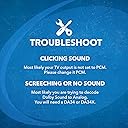
Like many people who outfitted their entertainment systems with nice audio systems years ago, I'm between a rock and a hard place as a growing number of companies are no longer including standard RCA analog outputs on their equipment. Specifically, I purchased a Sony Blu-Ray/DVD player and it will output only HDMI or digital coaxial sound. That means for me that I can play it through my modern tv speakers only, but not through my twenty year old gorgeous sounding audio system which I love! Enter this nifty little converter, which was easy to use with only one difficulty, which was quickly resolved. First I hooked it up in the most obvious way possible. (In case anyone wants the obvious details: Plug one end of a digital coaxial cable into your Blu-Ray/DVD player and the other end into this converter box. Then plug a pair of red-and-white RCA cables into the converter and the other end into stereo receiver's input. Then plug the converter into a/c power outlet.) First result? Noise. So I looked at the box and noticed a red sticker that said "Important notice! please set the digital output of the audio source to PCM, otherwise there will be noise." I did that, and it worked like a charm. I had thought that since my device was set to "auto" it would automatically pick the right format, but it did not. The red sticker also warns you that the product doesn't decode dolby digital or DTS audio stream. So I guess if you have either of those, don't buy this! For me it worked great. If you do buy it, make sure you have a digital cable (coaxial or SPDIF optical) and a pair of red-and-white RCA cables. Neither are included. PROS Works great to hook up modern digital sound devices (Blu-Ray/DVD players for example) to an older audio receiver and speakers. Can also be used to hook up a device with digital sound output (ie. a DVD/Blu-Ray player) to stereo headphones via a simple headphone jack. Simple to use and good sound quality Directions minimal but essential info included via a red sticker on the box. Read the red sticker! CONS Doesn't work for dolby digital or DTS audio stream. Cables not included---buy your own first!
Y**?
It works! Enables you to use the a full, "real" sound system instead of wimpy TV speakers.
It works! We recently bought a Samsung Blu-Ray player as a gift for my son-in-law and his sweetie. Their flat screen had so-so built-in speakers and their old skool receiver had no HDMI inputs, just stereo RCA analog audio inputs. I purchased this unit and ALSO purchased this cable C2G / Cables To Go 29115 Velocity S/PDIF Digital Audio Coax Cable (6 Feet) . When we hooked it up it immediately worked. Audio content from movies sounds good, clear. Sound is in sync with the picture. Now their setup has some real bass and oomph. This will be a solution for them until they can afford a modern 7.1 surround receiver/speaker setup. Note: We went into the Blu-Ray player's audio settings and confirmed that PCM was set as the default. - - - - - - - - - - - - - - - - - - - - - - - - CAVEATS, TECHNICAL ADVICE: Caveat 1: This only produces stereo output (Left and Right analog audio jacks). In the setting of your Blu-Ray player: You ** have ** to use PCM (Pulse Code Modulation) output setting if you want this to work right -- it specifies that right on the box. Now, some people may have an older receiver that would have a feature to synthesize surround for a 5.1 system but usually, if you have that feature available to you, then one would "tend to" also have HDMI inputs on their receiver. If you have HDMI inputs on your audio receiver... why bother? This is a work around for those who don't. IF your receiver has HDMI inputs, the high likelihood is that you don't need this. IF your receiver has HDMI inputs and you aren't getting audio output 1. Check your settings and the sequence in which you turn components on (I find that turning on my plasma TV before turning on my receiver works better). 2. You might need to find an HDMI cable that specifies it has "audio return". All that being said, if you need this kind of workaround solution to deliver an analog feed an older sound system, then ---> running your Blu-Ray player's sound output through a decent stereo's analog inputs using this interface conversion box beats the pants off using the the wimpy speakers in most TVs. - - - - - - - - - - - - - - - - - - - - - - - - - - - - - - - - - - - - - - - - - - - - - - - - - - - - - - - - - - - - Caveat 2: OREI DOES ** NOT ** GIVE YOU A NON-OPTICAL (i.e. copper wire) CABLE ...which I believe will be the solution most people actually want. YOU HAVE TO PURCHASE ONE SEPARATELY. I strongly recommend buying a specifically "Digital" cable, labeled as being meant for SPDIF (Sony/Panasonic Digital Interface) like in the link I mentioned above - they run 5 - 10 dollars. If you try using a conventional RCA analog audio cable the digital signal may corrupt or the sound could stutter, especially over longer cable lengths. - - - - - - - - - - - - - - - - - - - - - - - - - - - - - - - - - - - - Caveat 3: I suppose there may be some Blu-Ray players out there that, for cost cutting purposes, have omitted the SPDIF connector that looks like a single RCA jack. In which case this product would not be a solution you could use. Final note: This unit also comes with an optical connector interface and a probably 3 ft optical cable. I did not use that feature or test it so cannot speak to how well it works. You * could * run the blu-ray player's HDMI cable to your flat screen and then, IF it had an optical out, use the supplied optical cable to this OREI box and then run RCA analog cables to your stereo. The big unknown is: Will the audio output "lag" or stay in sync with your TV? Sometimes you can set video / sound delay in your TV. You'd just have to test. Again, if your receiver has HDMI built in, there is usually no need to use this kind of product.
S**E
works S/PDIF to RCA Analog Stereo
Worked Out of the Box. No elaborate Instructions. My TV does not have a Audio output Or Headphone. This Optical to wired Audio convertor allows me to send line level audio to My Amplifier and Provides a 1/8 inch port to plug in Headphones. This TV is an LG 55" AU7050 Great TV with limits on audio outputs. I was optimistic that this device would allow me to take advantage of Optical out with TV speakers at the same time but the optical is delayed enough to cause and echo between the TV speakers and the optical fed amplifier . The price was acceptable and I would recommend this device for converting Optical to Analog audio feed for large amp and speakers. Audio is very good. No glitches or noise have occured.
K**9
Great option for my HDTV
I have a modern HDTV- a couple years old. I do not presently have cable or satellite - so no DVR to hook up to. Just getting OTA broadcast with an antenna. While there are several outlets/connection options on the back of my TV - NONE seemed to be "audio out". No headphone jack built in. I don't know why modern TVs are being made this way but have found this is more the norm these days. The ONLY Audio out option for my TV was one digital optical audio plug. I live in a basement apartment and there are normally 2 other roomates upstairs. I wanted to be able to watch my TV with wireless headphones so as not to disturb anyone else. Plus I have some hearing loss and well, headphones help a great deal. I tried a much more expensive soundbar. However, it was not compatible with the wireless headphones, so had to return it. I stumbled onto this little gem of a device. It has many options to connect to however you need and is perfect for such a situation. It is simple and straightforward to use. I had to buy a fairly inexpensive optical digital connecting cable. Connected that and just had to change over one minor audio setting (to PCM I think?) on my tv and was good to go. Really excellent sound quality and the headphones simply plug into the jack on the this purchased device. Highly recommend this product!! Very happy with it and intend to hang on to it for a long time to come - until it dies basically then will get another. Solved a dilemma for me and makes it possible for me to enjoy my TV the way I need to.
S**L
A good translator, if needed (digital and analog can be more alike than English and Arabic)
I saw this item listed among Amazon's "Daily Deals" and impulsively clicked on it. When I reached the page, Amazon's exceptional tracking service (a box, upper left on your screen) conveniently reminded me that I had purchased the item over a year ago (the less expensive "white-colored" version, which was still 5 bucks more than I'm currently seeing for the brown/black version). Good deal! The converter has served me well for over a year.. My purpose was to send an audio signal from my desktop computer (iMac) to my stereo receiver (Onkyo TX-8222) and from there to a couple of hard-working," time-tested" (over 40 years old) Wharfdale speakers. Initially the connection worked even without a converter (don't rule out the possibility that all of these boxes are of no relevance to your needs--digital CAN travel to analog analog equipment without the use of any intermediary boxes or gadgets. But I was increasingly having difficulty making the connection work, instantl;y and reliably. My settings were correct, but it was only after disconnecting and reconnecting, re-bootinng my computer, playing off/on with the amp, and "spitting" on a jack that the connection "un-muted" itself. Apparently either my computer or analog receiver was resisting, blocking, de-prioritizing and having 2nd thoughts about transporting a digital signal to analog equipment without the benefit of a translator. Time to try one of those converter boxes (some costing less than ten bucks). Since inserting this handy, light-weight small, Orei box between my computer and my stereo receiver I've had no problems (or too few to mention, such as replacing the digital cable thoughtfully included with the Orei box (after six months' use, it began to short out). P.S. The red-light on the Orei box just now reminded me that it's powered by AC. I disconnected the electrical line in order to see if the AC adapter was dispensable. Definite NOT! Dead silence until I restored the AC connecction. On the other hand, If you're running a line not from a headphones jack but your computer's USB port (or even an attached hub's USB port), it's entirely possible you could dispense with the extra clutter of another adapter plugged into an over-heated power-strip. USB power should be enough to activate the red light on the Orei conversion box and complete the journey from digital to analog. Addendum: While doing the above experiment, I experienced difficulty reconnecting the AC to its port in the white box. After shaking it, the sound came back on, but once my hands were off the box, the sound cut out again--iin one of my two speakers (I could hear Ahmad Jamal's piano but not drums and bass). Finally, I went through enough hoops and rituals to satisfy the genie of the white box that it was O.K. for the show to go on, again. Touchy!?! (Just a reminder that we're not talking about heavy-duty, industrial-grade, top-of-the-line professional equipment with this little twenty-dollar plastic box. (When you've finally got the lines open--delivering, without a hitch, a drum solo by Buddy Rich, coming unimpeded and crystal-clear through both speakers, ride cymbal in the left, hi-hat in the right, speaker, try to remember one more thing: Don't breathe!)
T**E
Headphone out may be Useless in many setups
As a dac this little device sounds very good for the $25 I paid for it. That was when I tested it in my big music system. What I and most folks may be using this dac for is to connect a flat screen TV to a small amplifier to use with better speakers than the one inch ones in most flat panel tvs. Many TVs only have optical out as a means to get the digital audio signal from the TV to your receiver or amplifier. You will only get stereo (no surround) from the TV with this dac and you have to ensure you have an option to select PCM output from the TV. Once all of that is done you will get a properly converted analog audio signal to your amp. Here is where it gets a bit dicey. Most audio components that hook up to amplifiers or receivers put out about 2 volts of analog audio output. Most receivers and amplifiers like this approximate 2 volt input to give you the rated power output of the amplifier. This device puts out about HALF that or about 1 volt or less. I did not measure it, but can tell you what happens when you do not have enough input voltage. The specs in the box conveniently leave out the output voltage. You start turning up the volume control on your amp and you reach the top of its range and the volume through the speakers still may not be loud enough for you. What happens is the amp is seeing too small a signal level for you to get its full power. I can live with the lower volume with my 50 watt amp but many with small amps may find it is not giving you the realistic volume you desire on some movies and programs. The second big problem with this device if you are using it with a TV is that you have no way to control the volume from the TV remote in most setups. When you go to optical or digital coax out you lose the remote volume function on your TV and you must control it via the amplifier's volume control. And when you plug in headphones for some late night listening with the amplifier off you are going to be in for a big surprise. With most headphones you will hear a blasting, distorted signal. There is no way to turn down the volume in this type of use case, so you get full output from the headphone out which may or may not be using an internal amp circuit. Not sure if it is impedance related or not since I have no desire to subject any other headphones to this abuse but with a 50 ohm pair it does not work. So to sum it up, you do get what you pay for. A cheap decent sounding dac that works for the most part with most equipment and not with others. Use it with a fairly high powered amp and you will be okay, but do not buy it to use with headphones unless you have some rare pair that has a volume control but even those might just reduce the volume of the distorted mess coming from the headphone jack.
L**L
An unique situation - perfect for hooking up Oticon TV adapter for blue tooth hearing aids
I recently got new Oticon "Chili" hearing aids - they're equipped with blue tooth capability! So exciting! I'm also a youngish (almost thirty... argghh...) person that was born deaf. So this kind of technology in hearing aids is something I've been waiting for, pretty much, forever! So, these blue-tooth capable hearing aids also come with optional accessories to improve your auditory experiences - a streamer that works with a blue-tooth converter for your TV, which converts the hearing aids into your own set of headphones! However, when I purchased the TV bluetooth converter (specifically, the Oticon Connectline TV adapter) and took it home to plug it into my TV, I was stunned to realize that my Panasonic HDTV has NO headphone jack or red/white analog audio out ports - only digital audio out! Gah! I'm convinced this is some kind of money-making ploy on the TV companies' part to exclude these ports. I was NOT willing to blow hundreds of dollars on ANOTHER TV that has the correct ports just to use this device. The Oticon Connectline TV adapter is set up for red/white audio out and has an optional converter for a headphone jack port. Consequently, the Orei Coaxial to Analog Audio converter with headphone jack support is the perfect adapter to solve this problem. What I REALLY wanted was to be able to hear the TV through my new fancy-pants hearing aids (like headphones) while the TV is on mute for everyone else in the house. Fooled around with some options at Radio Shack (no go, what they gave me didn't even work, just made a loud buzzing sound in the aids). Long story short - I purchased a basic digital audio OUT cable (available anywhere but the most basic and cheapest Amazon brand digital audio cable will work perfectly), and this fantastic OREI gadget. The Orei adapter arrived promptly, and I hooked it up as per Orei instructions, and then plugged my Oticon Connectline TV adapter (with the headphone jack adapter attached) into it. It was very easy to set up and I'm not that much of a technical person to begin with. PRESTO - beautiful audio, no buzzing or nasty noises - SO cool - now I can watch Mad Men at a distractingly loud volume through my hearing aids only while my husband works on his academic projects in peace. SOOOOO COOL! Something I'll use every day (even though I really shouldn't watch TV every day... but it's one of my vices). THANK YOU OREI!
B**Y
Hooking up to my Bose wave.
Works better than I thought it would.
U**R
It works with my Samsung TV
Quality is good
A**R
Works with Vintage Equipment
Bought so I could try to run my tv through a Pioneer SX 727. Worked perfectly. Was a bit surprised as the wire coming from the "optical" audio output was very thin. To be honest, now the sound coming out of the TV is as good or better than any of the other inputs! Also, very easy to install. I see they are lumping several models into this review section, so, I bought the blue and white one if that helps. Needs an outlet for the power supply. Good purchase!
C**N
Buen producto
Nesecitaba un producto como este para la salida de audio digital de un proyector que usamos para reuniones por motivos religiosos...Funciono muy bien, compacto, pero muy funcional sin ninguna distorsion de audio. La verdad buena relacion calidad/precio. Y les digo funciono muy bien esa primera y unica vez porque de ahi a los dos dias entraron unos ladrones y se llevaron todo(Esto es Mexico). En fin......ahora tendremos que empezar a comprar todo de nuevo y no dudare en comprar otro...Saludos¡¡¡¡
C**G
Easy Setup, Great Performance (Just Needed PS5 Audio Settings Tweaked)
Really good and easy to set up it worked straight out of the box with no hassle. The only issue I had was with the Sony PlayStation 5 audio sounding weird at first, but that turned out to be a settings issue rather than the device itself. Switching the PS5 audio output to 2-channel instead of 7.1 fixed it completely. Overall, very solid and does exactly what it’s supposed to.
B**N
It works best using a USB port to power the unit rather ...
I used this to connect my Apple TV (optical) to my high end stereo (analog). It works best using a USB port to power the unit rather than the included power supply. The DAC in the Orei sounds very good. I have a highly regarded dragonfly 1.2 USB DAC and the Orei sounds better in some ways. The dragonfly is more refined, but the Orei has a significantly better soundstage and a brighter sound. I get the feeling that the lower end DAC in the Orei does less processing so the sound is more true. Higher end DACs refine the sound more in an attempt to sound more analog and refined. I like listening to both DACs I have depending on what I'm listening to. DACs definitely have an effect on the stereo performance that I can't achieve with my equalizer.
Trustpilot
3 weeks ago
1 day ago