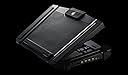
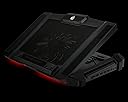
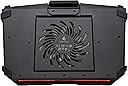
🔥 Elevate Your Game with Style and Comfort!
The CM Storm SF-17 is a high-performance gaming laptop cooling pad designed for laptops up to 19 inches. It features a powerful 180 mm fan for optimal cooling, four ergonomic height adjustments for comfort, and a 4-port USB hub for enhanced connectivity. With improved cable management and a sleek design, this cooling pad is perfect for gamers seeking both functionality and style.
| ASIN | B00E5AEITU |
| Brand | Cooler Master |
| Color | SF17 |
| Cooling Method | Air |
| Customer Reviews | 4.1 out of 5 stars 495 Reviews |
| Enclosure Material | Rubber |
| Global Trade Identification Number | 00884102023330 |
| Item Weight | 4.2 pounds |
| Manufacturer | Cooler Master |
| Material | Rubber |
| Mfr Part Number | R9-NBC-SF7K-GP |
| Model Number | R9-NBC-SF7K-GP |
| Number of Items | 1 |
| UPC | 884102023330 |
| Warranty Description | Comes with Manufacturer Warranty. |
J**B
but nothing I would consider annoying. The led lights on the front are cool
This thing is a beast. And I do mean that in 2 different ways. First off it is heavy......very heavy for a laptop cooler. This is not something to throw in a bag to carry with you, unless you have a large bag and want to haul around the extra weight. On the second point, this thing is a beast at cooling. The large fan should be able to accommodate cooling your laptop regardless of where you're hotspots might be. I have noticed a significant temperature drop on my laptop even during extended high use sessions. The fan does make a low hum, but nothing I would consider annoying. The led lights on the front are cool, but I do not use them since all my other peripherals are blue and the red just doesn't fit. The added usb ports are very nice to have as well. The height adjustment is solid and stable and is very good as raising/angling the screen to a comfortable position for a variety of situations. All in all a great cooler. If this one ever dies I will definitely get another.
L**R
if you have an alienware..this is the cooling pad for you
i bought this for my son who has an alienware m17x r2....it was so hard to find a cooling pad that was durable enough to hold the weight of his computer and powerful enough to cool a gaming laptop that is in constant use. this cooling pad is AWESOME!!!!!!! it is incredibly durable and the cooling power is so effective that he actually gets cold hands from the fan blowing. fortunately, it has a button wheel on the side to turn the fan down...the stand is nice and thick and made with a type of plastic that is incredibly similar to the alienware structure itself. there is a push button on the side that allows you to turn the color off and on (it lights up red). on top of all the great things about it...it is incredibly quiet...the cooling pad is able to be adjusted in 4 different heights...and the bar to adjust these heights is metal...nice sturdy metal. ultimately, if you have a big, bulky, heavy gaming computer..consider this model...you won't be disappointed! oh..did I mention it also comes equipped with 4 extra USB ports.. :D
A**I
I feel like this was built for my PC
I feel like this was built for my PC. I have a msi stealth pro (G63VR) that gets pretty hot and this pad helps reduce external temps. The feet don't hold well on my other MSI or HP because of the The fan isn't that powerful and eventually i'm planning on replacing that when I feel like I need to overclock. The auxiliary pieces on it make it nice. There are sturdy rubber cable management grips. A usb dock that I needed desperately. The build is very sturdy. I don't imagine it breaking anytime soon. I'm sure it could stand up to several drops. Fan doesn't hit the mesh thankfully. the rubber sides don't cover the fan ports. On my other MSI (A GE62VR) the feet slip and there is partial coverage of intakes. But the fan on the pad vents directly to the GPU and CPU pipes. Downside is that the USB dock stopped working only a couple months after purchase. 6 years in now and still going strong, great purchase and it's moved with me 3 times.
D**D
Moderate cooling and limited stand functionality. Can purchase a separate power supply but USB 2.0 connection works fine.
My Review score is based on. 1. Cooling 2. Stand Functionality Preliminaries. Note that I did not give a score for this part. I am only providing this information for prospective purchasers. This one did not come with a separate power adapter. But it will power from a USB cable connected to a USB Hub or a USB port on your device. I use it connected to a USB 2.0 port on my USB hub to preserve my USB 3.0 ports on my laptop and the hub.. From what I have learned in from the reviews for this product, the earlier models came with a separate power supply. There is a micro-USB port for an optional separate power supply that is labeled 5V for 5 Volts on the right side. But, the label on the package indicates there is no separate power supply included. You can purchase a separate power supply but it works fine by connecting the included USB 2.0 cable. After connecting by USB cable to your device or hub, the 4 USB 2.0 ports on the right side will become available. Also, on the right side is a button switch to turn off/on the red LED lights on the lower front of the stand and a dial for selecting the fan speed, 700 rpm to 1200 rpm 180 mm fan. The dial can be used to turn off the fan and it makes a click sound when turned fully off or turned on when fully off. The fan noise is minimal but increases with very slightly higher rpm. You will not hear it with headphones on and it is my subjective opinion that you can watch video without headphones without disturbance even when the fan is at high speed. Here is my System: HP Envy 17t Touch Model K200. 17.3" HD Native Monitor Core i7 5500U with Intel HD Graphics 5500 NVIDIA GTX850M with 4GB RAM. - There is no temperature readout in CUPID for the GPU. C 16GB DDR3 1600MHz RAM Using CPUID HW Monitor 1. Cooling The test is performed under approximately 50% CPU load running Netflix streaming, Amazon Instant Video streaming and Cyberlink Power Media Player 12 Blu Ray and two Chome tabs on two HD Displays.There is no temperature readout in CPUID for the NVIDIA GPU. Note that the SF-17 cooling improvement at CPU usage below 25% are unnoticeable. It may be much better at CPU usages over 50%. And, there is no system fan interaction during this test, According to CPUID the system fan ran at 0 rpm throughout the test. Again, I only tested at 50% CPU usage and lower usages but there was imperceptible temperature improvement below 25% CPU usage. CPU Temperatures Fan Off for 10 Minutes - Range Min 70 Degrees Centigrade to Max 79 Degrees Centigrade CPU Temperatures Fan On Full Speed 10 Minutes - Range Min 66 Degrees Centigrade Max 72 Degrees Centigrade On the min temperature the improvement is 4 Degrees Centigrade - 7.2 Degrees Fahrenheit On the max temperature the improvement is 7 Degrees Centigrade - 12.6 Degrees Fahrenheit There are several vent holes on the bottom of my laptop. The bottom of the laptop is slightly warm to the touch without the SF-17 on and cool to the touch with the SF-17 fan on full speed. Part of the improvement may be through convection and not entirely from airflow. There is no interaction between the SF-17 fan and the System fan. CPUID indicates the System fan speed to be zero throughout the test. 2. Stand Functionality First, the bottom of my laptop tapers upward smooth upward. So the fold out retention tabs on the front of the stand surface are not as useful at steeper stand settings for my laptop. The fan has rubber pads that span the full length of the left and right hand sides of the stand surface. These are bout 2" wide and help retain my laptop. On the front of the stand surface there is a 5" wide 1" wide rubber pad that helps retain my laptop. On the rear of the stand surface there is a 4" by 2" rubber pad that helps retain my laptop. There four stand settings, 0 through 3. 0 is with the stand catch folded completely down. 3 is with the stand fully extended upward. At stand positions 2, 3, my laptop is easily dislodged from the stand surface. I have the stand set at level 1. I do not have a huge gripe about the laptop retention at 2 and 3 because at level 1, my laptop screen matches my preferred external monitor height. Conclusion: 1. Cooling - Moderate, Satisfactory 3 Stars 2. Stand Functionality - Moderate, Satisfactory for my purposes. Future Update: I have some CPU load testing software but I am working on tuning the options so that it does not lock up CPUID during the tests. I need CPUID to gather temperature readings. I will update this post. UPDATE: I found some system stress test software. I downloaded HeavyLoad from JAM software. These are the test settings: 1: CPU - Use all 4 Cores. My CPU has 2 Cores but it shows up as Cores - one for each thread. 2. Thread Priority - Normal. Otherwise the system will lock up and CPUID will not display ttemperatures. 3. Memory - Free Memory 8,000 MB. Intensity max MB/s. 4. Test File for Disk Drives: 50,000 MB. Test file write speed - 160 MB/s - max wrrite speed for my drive is 210 MB/s. 5. Misc: End test after 10 minutes. Results: 1: 10 Minute Stress test with fan on maximum speed: Max Temperature 70 degrees Centigrade - CPU temperature 2. 10 Minute Stress test with fan off. Max Temperature 78 degrees Centigrade - CPU temperature 3. 10 Minute Stress test with fan on maximum speed: Max Temperature 70 - Overall System Temperature 3. 10 Minute Stress test with fan off: Max Temperature 75 - Overall System Temperature To convert to Fahrenheit, multiply the max temp differences by 9/5. CPU temperature improvement with fan on in Fahrenheit = 14.4 degrees Fahrenheit System temperature improvement with fan on in Fahrenheit = 9 degrees Fahrenheit Conclusion - Moderate Temperature Improvement. Your mileage may vary. My guess is that it will be better with fan vents on the bottom of the laptop that draw air from the bottom up. I have yet have my system fans run despite a great deal of high load usage. So, although there are a great number of vents on the bottom of my laptop, I have no idea as to whether they draw air inward or vent air outward. There is a large vent on the left side of my laptop and I am guessing it is for outward flow by the design and it seems logical that it would be an exhaust vent since heat rises from the bottom of the laptop to the top of the laptop.
C**Y
Good Experience Overall
This product does work well in keeping my Xidax XM-10 cool. Pros: -Sturdy. Does not feel cheap. -Helps keep Xidax XM-10 very cool, even overclocking and the highest settings. -Light Looks Nice -Very Quiet. So quiet in fact that if the light was manually turned off on the panel, I probably would not remember to turn it off. -Has very large range of settings for the height of the fan. I am not entirely sure of the practicality of using anything but the lowest height setting, unless it is used separately like a Desktop running to a monitor and wireless keyboard. But if that is the case, why buy a laptop? Cons: -Did not come with an AC power supply. Came with a USB A to Mini B to power it. Not sure if it was expected of me to use my laptops power supply to power it. Luckily though there is 2 power inputs on the device. An A to Mini B as well as a port to receive a cell phone charger ( like a Samsung i537). And it just so happens that it is the same voltage and amps. So if you have a spare phone charger you are set. -Really bulky. Not very portable. -The extra USB ports on the side aren't very practical. There is not enough available power to use all of them at the same time. -Creates a high profile. At the very front edge and at the lowest height setting, my laptop is just over 3 inches from the desk. Not that big of a deal with a good tall chair though
A**R
Piece of ... JUNK!
Unfortunately, this product crapped out on me today. I've had it less than five months. I'll say that the product worked wonderfully in the beginning. But I should have figured something was up when the LED lights wouldn't turn on. I used the USB to power it up which was an issue from the start. The cable doesn't like to stay put when I had it on my lap. I used a DC adapter input to troubleshoot it and the fan wouldn't budge. The reason for the poor review, other than the product sucks, is that I've tried calling, but no one is ever available. I've also tried the Live Chat to which it's no longer active or available for customers. I would send an email, but you have to have a serial number... and the daggum serial number was in the form of a sticker that has worn away the black ink to where they are illegible. So... I cannot send an email unless I have the serial number. This was a $60 product PLUS Shipping! In my opinion, if you are a company touting that you make the best cooling game systems, it should be a product that lasts at LEAST a year! This was just friggin' SAD! I had to invest in ANOTHER $60 locally at Best Buy for a TARGUS product. The fans are a bit small to the point I have to turn my laptop so that one of the fans is under my laptop fan. But for now, it will do until I find a better product. I HATE leaving negative reviews... but if you plan to invest the near $80 into this product, be prepared that if something happens to it outside of the return window to Amazon, most likely you will be STUCK with a fudged up overly gimmicky fan that does Jack Crap! Yeah... I'm pissed!
T**R
this is a great product. i didn't really buy it as a ...
this is a great product. i didn't really buy it as a cooler i bought it more as a stand to keep my laptop where im comfortable. as a cooler it did work well on my ASUSG750JW that got hot a lot even when not gaming. it now sits on my ASUSG752VS and still works great but i don't need the cooling features on this laptop, i simply cant seem to get it hot no madder the game or settings. i do wish however i could have found this in a 3.0. at the time i looked and looked. there was one rumored but i couldn't find it for sale. its built very very well but don't travel well its bulky and hard to fit in bags. however with the build quality, ill deal with the extra bag. (2018 Update ) just an update, this thing finally broke now in 2018. it wasn't the fault of the product it was mine, it took one hell of an inpact to do it. i didn't even look for another cooler i simply went and purchased this one again. worth every penny.
N**1
Easy to see why this cooler is the best!
I Googled to find the best laptop cooler, and this was the unanimous choice. Even better, it was priced shockingly reasonably!! I've been using it for 15 minutes, and I can see why the CM Storm SF 17 comes so highly recommended!! Rubber all around the edges, little stoppers at the bottom so nothing is going anywhere. 4 adjustable positions, so I can use it flat on my lap, and not worry about blocking the airflow. Fan speed is adjustable; I like it cranked. And it is dead silent, no matter what speed you prefer. Would be a bargain at even twice the price! I don't use a gaming laptop, I use a Gateway with the fan in a stupid position- top left, making it difficult for any cooler to cool it. With this cooler, I am able to position it as stupidly as the fan placement demands, and it doesn't budge from the ridiculous angle I have to keep it at. I actually can touch the upper left edge of my laptop without wondering if it's hot enough to shut down or not, a first!! Great investment!! Smart buy!!
S**N
The documentation with the unit is minimal at best and utterly useless at helping you to set the ...
The cooler functions perfectly, is quiet, plus gives you 4 extra USB ports. Unfortunately to take full advantage of the extra ports you need to connect the cooler's micro-USB port to a wall mount which supplies 2.5 amps of power (these wall units are readily available, plug into a standard wall outlet or power bar and don't cost much). Unfortunately the cooler doesn't come with a micro-USB cable so you will need to supply that yourself. You can power the cooler by connecting it's mini-USB port to your laptop with the cable which does come with the cooler. However laptop USB power output is usually 0.5amps and the fan in the cooler uses 0.45amps when running flat out. This leaves very little for the 4 USB ports so you really must connect to a wall mount if you want to connect a wireless mouse, keyboard,USB hard drive, external sound card etc. The documentation with the unit is minimal at best and utterly useless at helping you to set the thing up. It is a good product which is why I gave it 5 stars. I just wish the manufacturer would think a little more about what happens after the buyer opens the box.
I**I
Just what one would expect from CoolMaster.
Just what you'd expect from CM. Great product. Cools well and is nice and sturdy.
A**I
Muy bueno y muy útil
Es difícil encontrar un ventilador para una laptop de 17 pulgadas, pero este me esta funcionando muy bien. Llevo apenas unos días y me ha funcionado bastante bien, el ventilador baja la temperatura entre 5 y 10 grados. Las diferentes inclinaciones son muy útiles, la altura máxima deja el teclado casi paralelo a la pantalla. El sonido del ventilador es muy bajo, se escucha más el de mi computadora. Los puertos para USB son bastante útiles. Estoy muy satisfecho por mi compra. Espero siga funcionado asi de bien, pero como no se, pues por eso le dejo 4 estrellas en durabilidad.
E**R
Noticed the cooling effect immediately.
It is sturdy which means it is also quite large/chunky which is fine but it would have been cool to be a bit thinner on the sides. I don't really use the USB ports on the side for anything. The cable it comes with feels stronger than the cheap crappy ones I have had before. It is also helpful that it has its own wheel to change fan strength or turn it off as there are laptops out there that keep power to their USB ports which would leave the fan running at all times but if you didn't want to unplug it all the time you can turn it off. I can feel the cooling impact right away. It won't work miracles but it definitely helps.
C**C
Does the Job
It's difficult to find laptop fan and cooling desks for laptops over 17" (mine is 17.3"). I was made aware of this one by Googling various benchmarks of laptop cooling trays, and this one seemed to trump just about all of them (except the SF19, iirc, which Amazon.ca doesn't currently have). It's nice and sturdy but still quite lightweight. Love the extra USB ports. Fan is HUGE and well ventilated. Keeps my laptop nice and cool, even during heavy applications such as game installation followed by playing Virtual Reality for 1-2 hours at a time. Much better than my last fan desk, which was on sale for $10 down from $50 (and had a foam lap pad and no extra USB ports, with a fan half the size of this one). Keep in mind that it's not going to do miracles for a laptop that isn't already a good quality in the first place, and is prone to excessive overheating. These types of products aren't necessarily designed to do that (but if you'd like to try, I'd recommend getting the SF17 + Opolar bundle, as it's a good deal). If you're still having problems after that, it may be a good idea to turn your graphics down and overclock your internal fan speed a bit.
Trustpilot
3 weeks ago
3 weeks ago