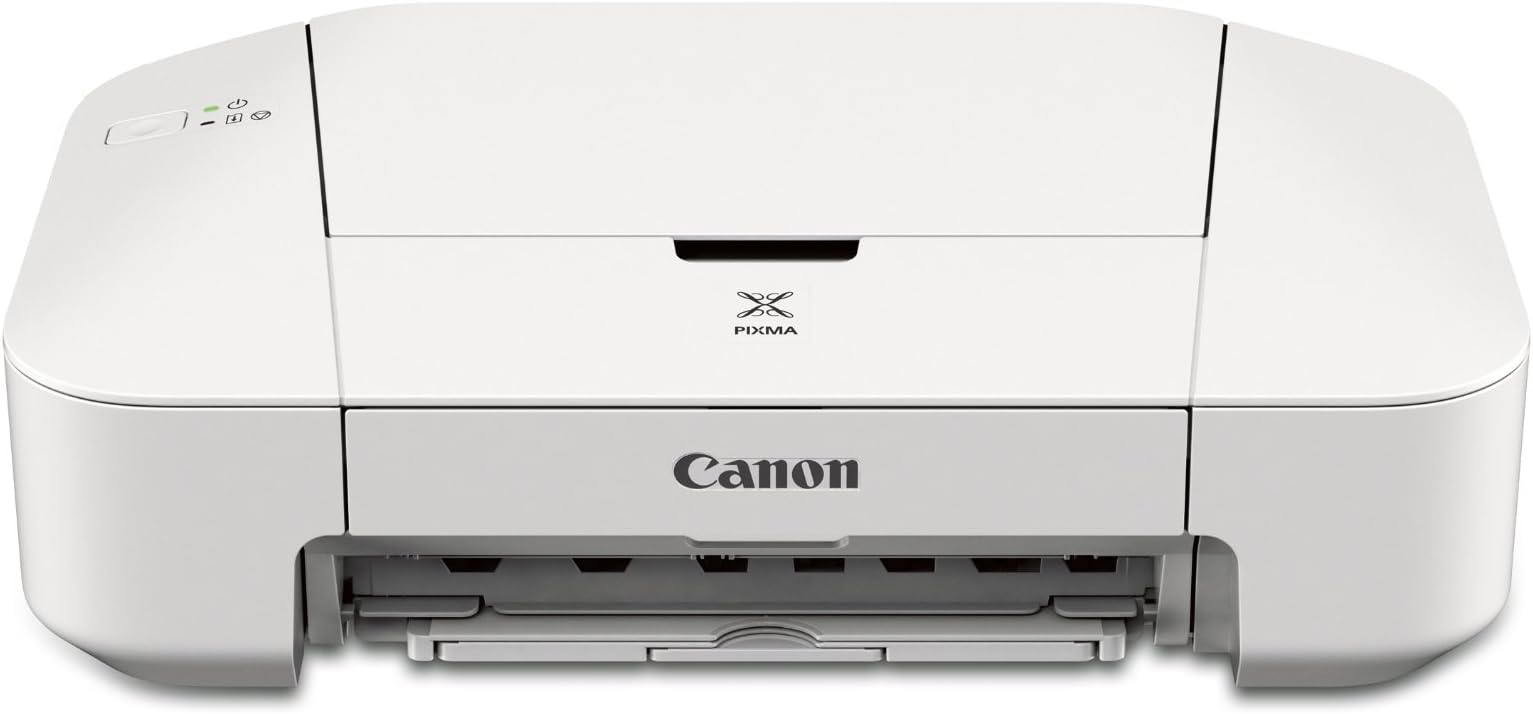


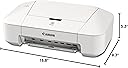
Canon Office Products IP2820 Inkjet Printer
Product ID: 1164724
Details
- BrandCanon
- Connectivity TechnologyUSB
- Printing TechnologyInkjet
- Special FeatureMemory Card
- ColorWhite
- Model NameCND8745B002
⚡Auto Power On
🤫Quiet Mode
🖨️High-Capacity XL Ink
Desertcart purchases this item on your behalf and handles shipping, customs, and support to Japan.
Print Smart, Live Quietly! 🖨️
The Canon IP2820 Inkjet Printer combines efficiency and quiet operation, featuring Auto Power On, optional high-capacity XL ink cartridges, and Quite Mode for a seamless printing experience in any professional setting.
R**.
Great Printer - Great Value
I am very pleasantly surprised with this gem of a printer. Inexpensive, small footprint and light weight with superb printing capabilities. I did not expect that at this price. Printed documents appear quickly with sharp letters and graphics.There are two things of which you should be aware. First, this is not a wireless printer and needs to plug into a USB port of either a Windows or Mac computer. I have used it with both types of computers and it performs flawlessly. Second, the printer requires a USB printer cable which is not included. This cable is in expensive to purchase, but it can be frustrating if you don't realize you need it and you want to use the printer right away.I can highly recommend this Canon printer.
N**R
Fast, Beautiful Printer_Easy Installation
I would like to have given this printer a big 5, but the 2 cons prohibit it.Be sure to buy the Canon Printer Cable if you don't have an AB Printer Cable.Pros1. Beauty: The printer is a beautiful, clean design, light-weight -- lovely.2. Enclosed Instructions: The setup instructions are the best I've seen with any product.3. Online Instructions: The enclosed instructions refer to online videos that are very clear and helpful.4. Canon Technical Support: I reached Canon Tech Support at 10pm on a Friday at 1-(800)-OK-CANON. Very helpful.5. Prints super fast.Cons1. Short Power Cord: The power cord should be longer.2. No Cover: It took some searching to find a cover on Amazon that was close to the right size.It would be great if Canon sold a cover with the printer -- as it does the printer cable.
M**.
Printer Review
Canon IP2820 Inkjet PrinterUsing Windows 7 platformIt works! And that’s what counts. And, so far, it works very well. The printer comes in a box inside a box. The whole thing feels very light…very light; there’s really not that much to it once all the cardboard and styrofoam has been removed. Set up with included CD disk, which takes about ten minutes (I’m using windows 7). The power cord is only about three feet long, and the printer to USB cord isn’t included; but if you have an old one it will work. Cartridges are snapped in as usual, and also there’s a small orange place holder of sorts inside the printing compartment; this piece can be discarded as per instructions. You are prompted to align the cartridges three times to make sure you get the cleanest print, then it’s ready. I haven’t used it much yet, but the printing so far is very clean and clear. Yes, it’s noisy, but the paper goes through smoothly; the whole printer doesn’t shake and walk around. At the end of the set up you are prompted to take a survey. I read the fine print and declined; a measure I strongly recommend. Read what it says. There’s also a bunch of add-ons you can decline to install which won’t effect/affect the operation of the printer. Lastly, there’s a big gigantic L-shaped short cut placed on your screen; two arrows will collapse it down to one box. a good printer.
H**E
5/8” Border at the Bottom
I was surprised to find that the 2800 series had a 5/8” border at the bottom of the page within which you cannot print. If you have a document or picture that you wish to print using that border space, you can't. It is either truncated at the border, or else shrunk to fit within the borders. Neither were acceptable to me. I returned the printer.The concept that seems to define the problem is if the printer supports “borderless” printing. Having used a 2700 series printer for many years, which supports “borderless” printing, I expected the 2800 series, which seems to be the successor to the 2700 series, to also support “borderless” printing, but it does not.You can use Canon My Image Garden to preview a print on screen, with “bordered” or “borderless” (if available) options, selecting the printer setting. I had several drivers loaded and available to preview – Canon iP2800 series, Canon iP2700 series, and Canon Inkjet i860. Only the 2800 series didn't offer a “borderless” option. Even “bordered”, neither the 2700 nor i860 created a border as excessive as 5/8”. The preview clearly displayed the differences on the paper.As for 3 stars, the only issue I had was with the 5/8” “border”, a show stopper for me. Otherwise I thought it was an excellent printer. If you don't care about truncation or shrinkage, you could love this printer. Unlike other reviewers, I had no expectation of a USB cable (I've got several already), or how soon the ink runs out (I refill my own cartridges), and I had no problem setting it up and getting it running. What do you expect from a $40 printer – well, not a 5/8” “border”.A couple of other notes. The MG3620 seems to have the same 5/8” border problem. The MX492 doesn't (supports “borderless”). The “X” in MX supposedly refers to fax. I have no idea what the “G” in MG stands for.
V**A
The printing quality and speed is good enough for an inkjet printer
I just tried it. Not hard to set up and works well for me! The printing quality and speed is good enough for an inkjet printer. I think sometimes it swallows 2 pieces of paper once but it doesn't bother me much. Considering its low price, (plus the usb cable) it's still a good deal for me.The usb cable I get is: For Canon Pixma USB 2.0 Printer Cable Cord A-B NEW 6', $2.61 & FREE SHIPPING
Trustpilot
1 month ago
2 days ago