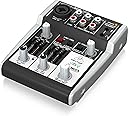
🎛️ Elevate your sound game—pro studio quality in the palm of your hand!
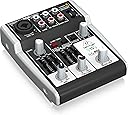
The Behringer XENYX 302USB is a premium, ultra-compact 5-input analog mixer with a built-in USB audio interface and phantom-powered XENYX mic preamp. Designed for podcasters, streamers, and home studio pros, it offers plug-and-play connectivity, boutique-grade sound clarity, and intuitive 2-band EQ controls—all powered via USB or included AC adapter. Perfect for minimalist setups craving professional audio quality without the bulk or complexity.
| ASIN | B005EHILV4 |
| Audio Input | USB |
| Best Sellers Rank | #41,814 in Musical Instruments ( See Top 100 in Musical Instruments ) #246 in Computer Recording Audio Interfaces |
| Brand | Behringer |
| Brand Name | Behringer |
| Connectivity Technology | USB |
| Customer Reviews | 4.5 out of 5 stars 4,251 Reviews |
| Frequency | 75 KHz |
| Global Trade Identification Number | 00736211582645 |
| Included Components | Premium 5 Input Mixer with XENYX Mic Preamp and USB,Audio Interface |
| Item Dimensions D x W x H | 5.4"D x 4.5"W x 1.8"H |
| Item Type Name | BEHRINGER 302USB Premium 5-Input Mixer with Xenyx Mic Preamp and USB/Audio Interface Black |
| Item Weight | 13.44 ounces |
| Manufacturer | Music Tribe US |
| Manufacturer Part Number | 302USB |
| Model Number | 302USB |
| Noise Level | 130 Decibels |
| Number of Channels | 5 |
| Output Connector Type | Auxiliary |
| Power Source | Corded Electric |
| Product Dimensions | 5.4"D x 4.5"W x 1.8"H |
| UPC | 736211582645 |
| Unit Count | 1.0 Count |
| Voltage | 15 Volts |
| Warranty Description | Please refer to http://www. Music-group. Com/warranty. Aspx. |
C**Y
Excellent mixer
I've been a minimalist for about 10 years when it comes to recording music and have been recording with my instruments connected to my PC mic input with my instrument cable and a 1/8" adapter, but it was always a hassle for me to get it sounding professional through mixing and editing. This mixer doesn't have that many frills, but it is exactly what I needed to streamline the recording process. It is powered by USB or the included AC adapter, and even has enough power for phantom powered microphones, which is perfect for my compression mic. The instrument cable and microphone XLR input are in the same place, so you can only use one at a time, but it's great for a one man band with one-by-one multitrack recording methods. There are bass, treble and pan bars for both channels, but I've only ever used the main channel and haven't tried using the line out as of yet. The sound is excellent and crystal clear once you get it completely set up. This mixer is pretty basic, and you won't find a lot of fancy features. But if you're looking to make professional sounding recordings, with some practice and tinkering, this is perfect. Having this, I really have no need for any other recording equipment besides my PC and some mulitrack software. The price is amazing for making the dream of turning my bedroom into a recording studio come true. I'm not sure how this would fare with live performances because you would have to do some rigging to run multiple instruments through it and it might be a hassle, but I think it's perfect for home recording. As a few other reviewers mentioned, you really need to go to the Behringer website and download the drivers for this mixer. It will clear up the hiss and buzz that you hear when you record with it straight out of the box, and it makes all the difference in the world quality wise. I use Audacity with ASIO plugins to record my audio, which requires me to crank up the volume and gain a lot to get the sound to a good level, but after some tinkering, you'll get very clear sound with no audible buzz or hiss, even using a microphone.
J**Y
Nifty little guy
*Update* I have now had this thing (with the GLS ES 57 mic) for 9 years, and I still use it for work. Still works like the day I got it. If it ain't broke, no need to fix or change it. The combo works great. Easily one of the best purchases I ever made. **End update** This is my first mixer. I'd been looking for a cheap way to upgrade from USB-powered mics like the Blue Snowball to something a little more professional and, of course, that requires a mixer with these kinds of hookups. Thus, I am an amateur and you'll probably get more accurate ratings out of a professional. Anyway, my pros and cons Pros 1. This thing is way smaller than I expected. I can hold it in one hand without any difficulty and that means it doesn't take up a lot of desk space. It fits well where I put it. 2. It works as intended. I use this with a GLS ES-57 mic and this mixer is powerful enough to power it and make it sound good. I have my windows volume set at 54 and the gain is up at about 60%. I have no hissing and no problems. I did a podcast with this set up today and my podcast co-host (we do it over Skype) said I sounded very clear and my voice sounded strong and good. This is a stark improvement over the Blue Snowball. 3. It's plug and play. I plugged it in, it installed the drivers, and it automatically set itself as the default microphone. Easy peasy. 4. I use Reaper as my audio software and Reaper recognized it immediately. 5. The dials and everything was easy to understand. Cons 1. You can't plug this into a USB hub (or even an AC-powered USB hub) otherwise you'll get a hiss. This needs to be plugged directly into a computer. 2. This high-jacks your audio defaults in Windows. To fix it, open your Control Panel, open the Sound, and set your Playback device to your speakers to fix the problem. Your sound will come out through your speakers as intended. Since I use this as my main mic, I left it as default in the Sound settings. Overall, for the price, this is an amazing little mixer for beginners and amateurs. I know there are better options but they are also more expensive and I'm on a budget. It's a great way to get into the world of sound without spending a lot more money. If you're like me and a single person doing YouTube video voice overs or podcasts, this is perfect for a home studio set up where you only need one person. Worth every penny as long as it lasts. I'll update when/if it breaks down but until then, I do not regret this purchase. **Update 10-11-2015** I'm still using this thing every day and it still runs perfectly fine. I have graduated to ASIO4ALL drivers (which require some configuring) to make it sound a little more clear and work a little better. I can't imagine myself upgrading to anything else unless I start building a studio where I'm not the only person in it. Works great, easy to use, still runs after all this time with nary a problem. Nothing to complain about yet!
M**E
Does the job really well !
This unit is well worth the price. I have done an internet radio oldies show for 10 years now and I have always used a headset with a built in mic, plugged directly into my pc. But I always had trouble with the mic volume level versus the music volume levels. Meaning computer sound card mic inputs do boost the mic volume signal, but nearly enough, even with the sound card's mic volume levels at maximum. As a result, I always had to lower the music level (mp3's) to match that low mic level, which does not provide optimum music sound quality. I first bought the Behringer XENXY802 and it is a fine mixer, but it does not accommodate or work at all with headset mics (apparently the mic input levels are too low for that). So after some research, I then bought the 302USB. I use it in the analog mode (I couldn't match levels at all in the USB mode/hook up and the mic sound was really bad) and in that analog mode and as advertized, it does work great with headphone mics. In fact the best part is, I can cleanly boost the mic level or volume much higher than the pc's sound cards alone allow, thus allowing me to raise the music levels of the mp3's to a matching proper level. The built in bass & treble controls come in handy and help with mic sound too. My shows now sound better than ever and I am a very happy customer. In fact, I have a back up pc and I bought another 302USB for that one too, because the price is right and they work so well. I know there are other uses for this mixer that I can't judge, but for me this is the perfect item and real good value for the dollar.
J**I
Longtime Owner's Review
I've had the 302 for nearly a year now and have put it through it's paces. It's been the core of my PC's audio system since I got it and I have A LOT of experience with using it for a variety of sources and outputs. I've used it with my Audio Technica ATH M50s/ATH A700s, Sony MDR7506's, and pair of Logitech desktop speakers. PROS Incredible sound for the price -Until you start pushing the various gains past ~150% they're almost totally transparent, no hiss at all. Given it's price, you'd expect the 302 to have all kinds of hiss and distortion issues, it doesn't, though it's not perfect (see CONS for more). One of the few RCA mixers -I've looked high and low for RCA mixers like the 302 and it's not a common feature. Not having to buy a bunch of 1/4 to RCA adapters has been a blessing. Dual analog outputs with separate level controls -Being able to use both my headphones and powered desktop speakers with the the ability to adjust their levels independently is a HUGE selling point of the 302 for me. I have a Schit Modi DAC (yes, I'm planning on replacing the 302 with their Magni AMP soon ;) ) and not having to constantly unplug and replug my headphones/speakers into is a big deal for me, saves my hardware from a lot of wear and tear. Works as a hardware-controlled input via USB -Though I rarely use this feature, I think it's one of the best things about the 302. Novice podcasters and musicians will get a lot of use out of this mixer, though the XLR input's phantom power is pretty weak. USB input/output is better than most on-board audio devices -If your computer's headphone or line out sounds funky (lots of hiss/distortion) this *might* be the best "cheap" solution (see CONS for more info). Onboard EQ and Balance sliders -They get the job done with minimal distortion and lock nicely at their 0 positions. CONS Doesn't "cleanup" a noisy USB connection -My PC's motherboard isn't the best and leaks case noise (HDDs spinning, electronic signals over data connections, etc) over every USB port on it. Though my Schit Modi DAC nullfies this interference, the 302 doesn't. I'm not sure exactly why as I'm no engineer, but it'd be nice if Behringer gave the 302 the ability to "clean" your USB connection. In short, if your USB ports have interference, the 302 is going to have it too. Has some distortion at the high and low frequencies -A strong/deep bass signal or sharp high tone will be distorted by the 302. My assumption is it's an artifact of having so many inputs and outputs all wired to the same circuitry and isn't as much of a "Behringer being cheap issue" as it is "the concept of having multiple signals criss-crossing in one unit is going to make something sound distorted" issue. Personally, I find it pretty distracting but I can live with the distortion as it's not constant and it's basically expected in a device like this as cheap as it is. Inconsistent Knob Quality -The "Main Mix" knob is built like a tank, has no play, and doesn't have dead zones where it will drop signal from one channel. The headphone knob on the other hand, does have dead zones and has much more play. In itself, the headphone knob doesn't bother me, but knowing Behringer put a well made knob and a subpar knob on the same unit is kind of disappointing. There's only 3 continuous inputs -This does have 5 inputs, but both mic inputs (the XLR and 3.5mm ports) are essentially wired together and can't be used simultaneously. Additionally, the Line In and USB In have a toggle that turns one off and the other on with no option for both on at once. It seems like they, like the mic ports, are somehow wired together to reduce costs and it'd be nice to have a "both" and "Line OR USB" option. XLR phantom power is barely useful -The 302 doesn't provide a full 48v phantom power to the XLR port and mics that require a full 48v will not work well with it. 48v mics (basically anything that requires phantom power) that aren't exceptionally sensitive will require a lot of gain on the 302 which will introduce some hiss. Granted, good software can clean the signal up in editing, but I'd rather have an additional RCA stereo input over a half-powered XLR port. CONCLUSION The 302 is a wonderful little mixer that does a great job of providing you with basic control over 3 simultaneous, or 4 toggled inputs. If you're an aspiring podcaster or musician, this is the perfect mixer to start recording with. Despite having some pretty hefty limitations (weak phantom power, minimal hardware EQ controls), taking the time to learn how to use the 302 properly will yield fantastic results. As probably the cheapest XLR to USB interface you'll find, the 302 is well worth the $40-50. Personally, I think the 302 is more useful as a way to combine multiple inputs (i.e., your PC and phone or iPod) into a single signal than as a recording interface, but it does both well and the main mix out is perfect for powered desktop speakers/monitors. Audiophiles should know better than to buy something like the 302, not because of price, but because of features. Having this many inputs/outputs in one device is going to lead to distortion and eventually you'll get sick of it and want something better. What makes the 302 still valuable in my opinion is that it's a great jack of all trades device that will get any musican or podcaster through amatuer hour and into educated enthusiast territory. For people just getting into recording or who don't put much weight in things being called "audiophile grade," the 302 is the perfect place to start building your PC audio system. Trust me when I say you'll eventually move on to something better but it's a great place to start working from if you don't know what better is.
J**O
Mini mixer works great. Included documentation is lacking
The photos don't really do justice to the actual size of the mixer. It's very small. I bought this to use as a live mixer for routing audio around, and I have not tested the PC audio interface functions yet. Overall, this is great for minimal desktop audio mixing or as an addition to a more sophisticated mixer setup. It's not designed as a DJ mixer, and you shouldn't expect to do active live mixing with it. Make sure to power this mixer using a good USB power source. Plugging it into a cheap USB hub may supply power, but generates lots of noise. Pros: +Easy to use if you already understand mixers and read the labels +Live monitoring option for Mic, Line/USB, and Main Mix are great +Compact and light +RCA is easy to convert and adapt for all kinds of situations +Output toggle selectors for LINE/USB and 2-Track inputs is useful Cons: -Provided documentation is a mess, and read documentation for a living. -No gain control on 2-Track input. You'll have to control that externally -No phono/line selector for inputs -No switch for MIC preamp -Headphone monitoring of the MIC channel is ALWAYS on. It cannot be turned off, and you cannot independently change the relative volume of each input channel through headphones. Only gain controls work -No non-slip feet. A mixer this small and light will shift. Non-slip feet should be included. It has 4 narrow hard plastic feet on bottom that protrude ~3mm from the body of the mixer, making addition of non-slip material difficult. Make it flat on bottom or give us non-slip feet.
G**B
Great USB MIXER
This mixer is small and can easy handle of my connections into my computer. The usb port/berringer software driver provides a clean audio line to the computer and out to your amplifier. the ASIO4all driver/sound card out jack is more noisy. setup I. use the berringer driver and usb port for clean noiseless sound. A. Plug in guitar or microphone to USB mixer (mic input) Use computer software fruity loops or some other free brand Open fruity mixer, in track 1, select berringer USB driver Add VST plug in effects to track one 1 in mixer, I use guitar rig. guitar rig has several guitar effects to choose from, dime bag works good for metal, or free vst plug ins such as red skull and whamdrive. (you will need to learn how to install these correctly in the right locations in your computer within fruity loops to select them.) Fruity has some good built in effects also, Fruity Loops allows you to use multiple tracks for input of your guitar or microphone. such as track 1 and track 2 can both select USB mixer input. track one can be metal, track two can be acoustic.. thus you can mix these to the main fruity output. B. on USB mixer Mic input = 25% on mic knob, 50% on gain knob LineUsb = 60% on lineusb knob, press "from & to" buttons down(usbplay & phones) for some reason this sends the signal to the head phones MIXED/clean from your computer. Use an 1/8" adapter from the head phone jack to an amplifier...... the headphone knob controls the volume to the amp. Also the "From" knob controls how much a guitar/microphone mixes in the computer effects. ALT : use the computers sound card, stereo output jack / select driver sound card input = 15 - 20% sound card output = 80 - 90% This is the best mixer for the price I am planning on buying the berringer double mic usb input.... good luck have fun..........
J**E
First (and second) impressions
I've been playing around with my new Behringer XENYX 302USB Mixer and so far my impressions are positive. I was nervous about buying it because there were no reviews at all, so I opened the box carefully and took out only the 302, using my own cable and on-line documentation. That way, if I had to return it, packing it back up would be easy. I use Audacity (with a single core, Pentium 4 PC running XP Pro) to record, and the program recognized the 302 (as USB codex), no problem. One thing I wanted to do is record from an iPod Touch 4G to Audacity, then play that Audacity track back and record another track against it from the iPod. I used a mono cable that is 1/4 inch on one end (plugged into the mic jack of the 302) and 1/8 inch on the other (plugged into the headphone jack of the iPod). I used an app called Chordbot to play a progression on the iPod, which was recorded through the 302 into Audacity. I didn't care that the track was mono, but if I wanted stereo, I could have used the line input on the 302 with RCA cables going to an 1/8th inch stereo plug. Once my chord progression was recorded on an Audacity track, I played that back by using an RCAs to 1/8 inch plug to connect the line input on the 302 to the headphone jack of the computer. By pushing the red button on the 302, which selects input from the USB (the computer), and the black button next to it, which sends the signal to the headphones, I could hear the Audacity track playing as I recorded a new track, this time using an app called Thumbjams on the iPod. It worked very well. No hiss or other unwanted noise present. The 302 assumes (incorrectly, in my case) that I want to hear the mic input through the earphones as I'm recording. I don't. I never monitor myself when singing or playing guitar, but listen only to the backing track. I got around this by using the pan slider on the 302, panning my live performance all the way to the right. I then removed the right earphone from my ear. I panned the sound coming from the computer all the way to the left. This way I could hear the backing track but not my voice in the headphones. My Audio Technica AT2020 microphone recorded fine--with no hiss or noise--with the 302's gain set at 12 o'clock, the mic volume maxed, and the main mix volume at about 2 o'clock. I could generate hiss with the AT2020 if I cranked the 302's gain and volume all the way up, but I can do that with most any mixing deck. I could not get as loud a hissless track using the 2020 and the 302 as I would like. A preamp is probably called for. But the signal was usable if I increased the gain a bit in Audacity after recording, or if I doubled a track. In addition to the iPod experiment, I recorded a nylon-string guitar, then recorded a vocal track against it. Used the AT2020 for both tracks. Worked fine. I have an old Radio Shack dynamic mic with a built-in TSR cable that I tried. It also recorded well, for what it is. (I sound terminally depressed when I record with this mic, so only dig it out for experiments such as this.) All in all, I'm liking the 302 and plan to use it instead of the XENYX 802/UCA202 USB interface rig I was using. WOWSERS. Important update. The USB codec that Windows installed when I first plugged in the 302 doesn't play nice with Audacity. Often when I try to play back or play back and record, there is no sound through the 302, even though I can see audio levels in Audacity. I went to the Behringer website and downloaded the ASIO 32 bit driver. Now things are great. Except. Whatever USB slot you install the driver to is taken over by the driver and can't used by any other audio codec. This means that if you unplug the 302 and plug another audio device into the same slot, it can only play--if it will--using the Behringer ASIO codec. Other slots are unaffected. It's possible to undo this by running the setup file again and choosing to uninstall the driver. I'm willing to give up a USB slot to the 302 because I'm liking it so much and will probably use it every day. YMMV.
N**T
Perfect for what I needed.
Easy to use and to find ideal volume and low/mid/high levels. Great for single mic set-ups with computer combo for either USB-B or RCA. Sound is good and no latency present. It is smaller than I thought it would be which ended up ok because it takes up very little space. It is just what I needed for fitness classes to combine mic & music for line-in use with SONOS Amp.
J**S
Versatil no, lo siguiente.
Me encanta, tengo una desde el 2015 y acabo de comprar otra. Como teclista es tremenda para directo y para casa. La opción de "mutear" entradas y solo mandarlas a cascos es genial. Entre tema y tema, "muteas" a PA y te preparas los sonidos o tecleas algo mientras (traspose etc, etc) 0 ruidos, y como interface USB igual de "encantadora". Hay quien se queja de los RCA, pero para los teclistas no es un problema. Alimentación phanton para condensador o directo para dinámicos. Versatil total. Creo voy a pillar una más para el curro jejejeje.
U**1
ممتاز بوصلة usb c
ممتاز تستفيد منه كا مكالمات الصوتيه تربطه ب usb c تطلبه خارجي يصلح للأيفون ١٥ او ١٦ وتركب مايك وهدفون وتقدر تكلم وتسجل بجهاز تسجيل خارجي شي حلو
E**I
Votato alla versatilità
Ce l'ho da 8 mesi, non ho mai avuto un problema. Indubbiamente i materiali non sono di qualità eccelsa ma il mixer si presenta ben rifinito e particolarmente robusto. Non ha patito trasporti in automobile, cadute, ore di funzionamento sotto il sole ed altre condizioni di stress. Nel normale funzionamento non scalda nemmeno dopo 3 ore di accensione. Ottima la funzione di alimentazione e trasmissione audio tramite unico cavo USB, facilmente collegabile e sempre riconosciuto dal mio PC senza intoppi. Indubbiamente dopo un lungo funzionamento soffre di un lieve aumento di rumore di fondo ma assolutamente nulla di drammatico, calcolando che non nasce per essere votato ad un utilizzo professionale. Permette comunque di registrare tracce audio nitide e veramente superiori alle mie aspettative (con Reaper parliamo di un rumore di fondo del mixer dai - 90db appena collegato ai - 80db dopo 1h di funzionamento) . Nella gestione dei canali di uscita (output) si comporta molto bene anche se avrei preferito una manopola del main out che opponesse più resistenza (perfetta quella dell'uscita phones che può serenamente diventare uscita principale). Buono anche il sistema line/usb, mi chiedo solo perché non dare la possibilità di gestire il 2-track dal potenziometro line/usb. A volergli cercare un difetto lo si trova nel potenziometro line/usb, impreciso nell'aumento di volume nella prima "tacca" del disegno laterale. Per risolvere consiglio di impostare un volume di uscita da PC molto basso (ad esempio io uso 10 su 100) in modo tale da poter sfruttare tutto il potenziometro (fino a "max") andando ad evitare quel problema sul line/usb. In generale è davvero un prodotto gradevole, in grado di farsi apprezzare in molti contesti e di far affezionare l'utilizzatore finale. Indubbiamente lo ricomprerei anche perché, sinceramente, l'ho utilizzato molto e non mi ha mai dato un problema.
K**E
Great for us
Installed this as a pre-amp on the wall in a pub to give control of mic and music for things like quiz night to the host, its been flawless and is a great little bit of kit, we have no need of the equalizier or any of that, but having independent volume for the mic and line is all we wanted, it really has boosted the audio quality overall and works for what we needed perfectly, cheap and a very quick easy fix.
H**N
PCの音源として購入、大満足!
購入から1週間ほど使用してのレビューです。 PCの再生・録音時のノイズが低減できればと思い購入しました。 結果、大満足ですー!あの「プチプチ、チリチリ」という煩わしい音から解放されました。ノイズは全くありません。 これまで、PC音源としてオンボードとサウンドブラスター(何年か前に約6,000円で購入)を試してみましたがノイズは消えませんでした。 特に録音時が酷く、録音音量が小さくて余計にノイズが目立つ状態。 そこでONKYOのSE-200PCIかUSB音源でも買うか悩んでいたところにXENYX 302USBを見つけ、価格も安いしダメ元で購入しました。 ■現在は以下の用途に使用しています。 ※XENYX 302USBのMAIN MIXにONKYOのアクティブスピーカー(GX-R3X)、ヘッドホン出力端子にSHURE SRH440を接続して使用中。 ・ラジオの録音 短波受信機(YAESU FRG-8800)の録音端子をXENYX 302USBのMIC INへ接続。 FRG-8800はモノラル出力ですが、ステレオケーブル/モノラルケーブルの何れでも問題なくPCにて録音できました。 ノイズは全くありません。録音音量も最適レベルに調整できました。 ・ゲーム機とPC音の切替 ゲーム機(XBOX360)のステレオ出力をXENYX 302USBのLINEへ接続。LINE/USBのFROMボタンで切替。 以前はGX-R3Xに、PCはステレオミニプラグ、ゲーム機はRCA端子で接続していましたが、 PCを接続するとゲーム機の音量が下がり、仕方なくボリュームを上げるとPCのノイズが耳に付いて困っていました。 XENYX 302USBを購入した事でこの問題は解決しました。 ■音質について ゲーム機とラジオについてはGX-R3Xに直接接続した時とXENYX 302USBを介した時で、EQが利く以外の違いは無いと思います。 PCの音については、ノイズが無くなった他に音楽を聞いた時に各々の音が区別出来るようになりました。 購入から3日まではOS標準ドライバーで使用していましたが、BEHRINGER製ドライバーに変更しWinAmpにASIOプラグインを入 れてからは特に顕著になりました。 ※ただWinAmp側で音量調整できなくなって少し不便かも ■中央の3ボタンについて 中央に配置されている赤1つと黒2つのボタンについては、実際に使用するまでネットの情報でも説明書でもよく分かりませんでした。 以下に使ってみて分かった事を列挙します。 ・赤ボタン:LINE入力とUSB(PC)入力の何れを出力するか選択する。 押し込んだ状態(USB PLAY)でUSB(PC)入力を出力、放した状態(LINE IN)でLINE入力を出力。 ・中央の黒ボタン:上記赤ボタンで選択したUSB(PC)入力またはLINE入力の出力先を選択する。 押し込んだ状態(PHONES)でヘッドフォンだけに出力、放した状態(MAIN MIX)でMAIN MIXとUSB(PC)及び、 ヘッドフォンの全ての出力系統に出力。 ・右の黒ボタン:2-TRACK入力の出力先を選択する。 押し込んだ状態(PHONES)でヘッドフォンだけに出力、放した状態(MAIN MIX)でMAIN MIXとUSB(PC)及び、 ヘッドフォンの全ての出力系統に出力。 黒ボタンには上矢印付きで「MAIN MIX」と表記されていますが、実際には「MAIN MIX&USB&ヘッドフォン」の意味となります。 例えば、PCの音をPCで録音する場合は以下の手順になります。 1. 赤ボタンを押し込む。(USB PLAYを選択) 2. 中央黒ボタンを放す。(MAIN MIXを選択) 3. 中央のEQとBALで音質とバランスを調整する。 4. 一番下にある3つのツマミの中央で出力レベルを調整する。 5. PCの録音ソフトで録音デバイスに「BEHRINGER USB WDM AUDIO」を選択して録音する。 ※デバイス名はBEHRINGER製ドライバーの場合。 ※「コントロールパネル」の「サウンド」の「録音」ペインにて、「BEHRINGER USB WDM AUDIO」を「既定のデバイスと して設定」する必要あり(Windows VISTAの場合) ※この時、マイク及び2-TRACKに入力があればミックスされて録音されます。 (マイク出力レベルを1以上に設定、2-TRACKの出力先選択ボタンにてMAIN MIXを選択してある場合) ※赤ボタンを放した(LINE INを選択)状態では、LINE入力が他の入力とミックスされて録音されます。 (USB入力とLINE INの同時録音は不可) ■ホワイトノイズについて 購入するまではホワイトノイズが目立つのでは?と心配していましたが、杞憂に終わりました。 無音状態では入力レベルまたは出力レベルを1時以上あげると「サー」というノイズが少し聞こえ出します。 MAXでは少し気になるレベルですが、1時以上の出力レベルではかなりの音量となり普通の家庭環境では騒音です。 レコーディング機材として使用した場合は分かりませんが家庭で使うには問題ないと思います。 ■マイク入力について 説明書では「MIC IN」とHEADSETのマイク入力は同時に使えないと記述されていましたが、実際には両方接続するとミックスされて 出力されます。説明書の記述は同時に使うと故障の原因となるとの意味なのかもしれませんが、同時に使えることは確かです。 あと、マイク端子は電気的に敏感?な気がします。購入後に初めてマイク入力を使用した時に「ジジジ、、」とノイズが入りました。 ケーブルのプラグとラジオのマイク出力を接点クリーナー(KUREエレクトロニッククリーナー)で清掃したらノイズはなくなりました。 他の録音機器で同じケーブルを使っていましたが問題なかったので、XENYX 302USBのマイク入力はちょっとした接触不良でノイズが 混入するのかもしれません。 最後に、XENYX 302USBはこの価格でこの機能と品質は素晴らしいです。 安い物ですし買って損はないかと。 後は耐久性ですが、この値段ですし期待せずに使っていこうと思います。
Trustpilot
2 months ago
5 days ago