Desertcart purchases this item on your behalf and handles shipping, customs, and support to Japan.
🔥 Stay chill or cozy with smart control at your fingertips 📲
The Honeywell Home T9 WiFi Smart Thermostat combines advanced energy-saving features with intuitive touchscreen controls and voice assistant compatibility. It supports multi-room temperature management via optional smart sensors and adapts automatically to your schedule and location. Designed for easy DIY installation, it works with most HVAC systems and helps you earn utility rewards while optimizing home comfort.


| ASIN | B07N83WK9T |
| Additional Features | Energy Star certified, Wi-Fi enabled, Wireless Smart Sensor ready |
| Best Sellers Rank | #104,136 in Tools & Home Improvement ( See Top 100 in Tools & Home Improvement ) #120 in Home Programmable Thermostats |
| Brand | Honeywell Home |
| Brand Name | Honeywell Home |
| Color | White |
| Connectivity Protocol | Wi-Fi |
| Connectivity Technology | Wi-Fi |
| Control Method | Voice |
| Control Type | Temperature Control |
| Controller Type | Temperature Control |
| Customer Reviews | 4.4 out of 5 stars 1,850 Reviews |
| Display Type | graphical lcd touchscreen |
| Finish Types | Matte |
| Global Trade Identification Number | 00085267345637 |
| Included Components | Installation guide, Screws and anchors, Thermostat and Mounting Hardware, UWP Wall Plate, Wire labels |
| Item Dimensions D x W x H | 0.94"D x 3.7"W x 4.92"H |
| Item Type Name | Honeywell Home T9 Wi-Fi Smart Thermostat, Smart Room Sensor Ready, Touchscreen Display, Alexa and Google Assist |
| Item Weight | 7.2 ounces |
| Manufacturer | Honeywell Home |
| Manufacturer Part Number | RCHT9510WF2001 |
| Manufacturer Warranty Description | 2 year limited warranty. |
| Material Type | Plastic |
| Model Name | RCHT9510WFW |
| Model Number | RCHT9510WFW2001 |
| Mounting Type | Wall Mount |
| Number of Batteries | 2 AAA batteries required. |
| Number of Items | 1 |
| Power Source | Electric |
| Product Dimensions | 0.94"D x 3.7"W x 4.92"H |
| Product Style | A. Wi-Fi Thermostat |
| Shape | Rectangular |
| Special Feature | Energy Star certified, Wi-Fi enabled, Wireless Smart Sensor ready |
| Specific Uses For Product | Furnace |
| Temperature Control Type | Heating |
| UPC | 085267345637 |
| Unit Count | 1 Count |
| Voltage | 240 volts |
V**E
I would have a hard time going to any other thermostat
We've had this thermostat for 3 years and it has more features than we use. So if you're into the scheduling temperatures and Eco settings and all of that this has it but we rarely use those settings so I can't speak on those. But I can say is we rarely if ever have connectivity issues with the Wi-Fi which I know from owning a few different smart thermostats. That's not something all companies can boast. It works seamlessly with our ring app so I didn't have to download a new app to control this while we're away. You can if you want to, but we found that what it can do through the Ring app is exactly what it we needed it to do. I cannot tell you how many times this has came in clutch when I'm laying in bed and I don't want to get up because I forgot to turn the system on/off. It's easy enough to use with the responsive touch screen that my mom who is not tech savvy can figure it out. Highly recommend! If we ever move I'm tempted to take it with me if I can't buy the exact same model.
B**.
What I was looking for
I wanted a thermostat that I could program, not on that was self programming to my schedule (large internet company one). This is it! Works great. I have a heatpump system, and had no problems hooking it up. It has a weekly schedule if you want to set five days easily, or you can do all seven separately. I set mine for weekday and weekends (two schedules). Has four daily slots (rise, leave, home, sleep), but looks like you can add more. I bought two room extenders, and they work great. I have an older house, and the thermostat was in a hallway that was off the main area. The room extenders are great as they were easy to add and let you tell the thermostat what to weigh on heating/cooling decisions. Are you in the living room or your office all day? Set the thermostat to look at that sensor. Your bedroom hot at night? Set the schedule to look at the hall and bedroom when deciding to come on. The main reason I bought this was the auto switch between heat/cool and the fan circulate mode. I hate having to babysit the thermostat on freezing nights and hot days. The Auto switching is great. The auto circulate fan setting is great. It will circulate air about twenty minutes an hour just using the fan to keep the house at a good temperature so it doesn't have hot and cold spots on those times when you are on the edge of the temperature range. I use it for the night. This thermostat is not the most attractive, but I would recommend it. The only issue you may have is that the thermostat always seems to be back lit. Not sure if that is adjustable, but I love it because it acts as a soft light in the middle of the night for guests on the way to the bathroom. Great product.
M**R
Works great with the app and supports remote sensors
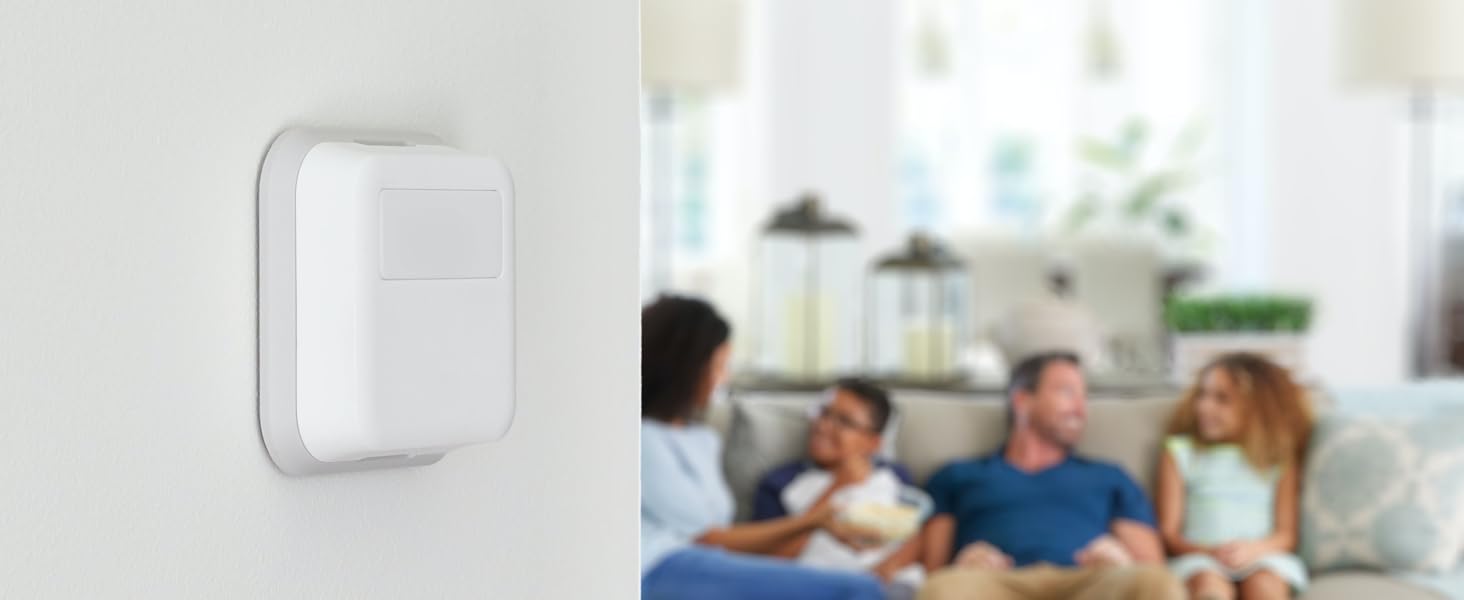
If you have never used a thermostat with remote sensors, you really don’t know what you are missing. It is great being able to place sensors inside of rooms instead of having to hope that your hallway is the right temperature. That really only leaves two choices of thermostats, the Honeywell T9/T10 or Ecobee. We recently moved into a brand new house with two separate HVAC systems, one for the main level and basement, one for the top floor with the bedrooms. The builder pre-installed Honeywell T6 thermostats, which left a lot to be desired. They worked well with the Ring system that came with the house, but that control is limited to the mode and temperature. You either need to use the touchscreen on the thermostat or the app to make the most of it. Due to the way the T6 was installed in contractor mode, I could not get them to connect to the Resideo app. The T6 also does not support remote thermostats, which really is a game changer. There are a couple of differences with the T6 compared to T9. T6 has battery backup (I don’t really care as long as it doesn’t lose its programming). T6 connects to Z-Wave, which makes using it with a security system easier (plus Ring only supports two thermostats if they are connected to Z-Wave). Both connect to wifi and both should work with the Resideo app, but I could not get the T6 into the right mode to set it up. T9 has remote thermostats, T6 does not. I wanted more control so I decided to upgrade to the T9. The best part is that it was literally plug and play. I removed the T6 and plugged the T9 into the same wall adapter. I was able to immediately connect it to the Resideo app, which is really what I wanted. The Resideo app is actually not bad, it gives me full control over both thermostats. We have purchased additional remote sensors and have two for each thermostat, I really like being able to place them in bedrooms since we usually have our doors closed. I work from home and have one sensor in my office, one in our living room. I did find that occupancy detection doesn’t work as well as I had hoped because I use a space heater in hopes of saving money and that means the office is warmer than the rest of the house. In the summer and on weekends it works a lot better. With the Resideo app you can easily tweak the settings from anywhere and you can program each day individually. If days match it groups them, but they don’t have an easy way to remove customization for a day. That is nice because I try to go into the office one day a week. I wish I could program heating vs. cooling different for things like the fan because in the winter I want it set to circulate upstairs, in the summer I want the fan off on the top level during the day so I’m not moving the hot air around as much (those vents are in the ceiling), in the winter I want more air circulation. In my previous house we had installed an Ecobee 3, the first model with Apple HomeKit support (which we never used). The Honeywell T9 is competitive with the Ecobee in most of the features you will actually use, but that Ecobee had a couple of features the T9 does not. First, Ecobee supports accessories, for example, you could use it to control a whole house humidifier (I wanted one but never bought one). T9 doesn’t do that. Second, Ecobee can use occupancy to control whether your house is in home or away mode, which would be useful for our top level since nobody is in the bedrooms during the day. T9 uses geofencing, which has a lot of disadvantages in comparison (everybody needs it on your phone, cannot distinguish between home and on that level). Newer Ecobee models add even more sensors and even Alexa. Ecobee also lets you tweak how often the fan runs, Honeywell just has circulate, which runs on their schedule. Ecobee also looks more premium than Honeywell. The T9 is functional but not as modern of a design. Their sensors are large white blocks that really stand out when mounted on a wall. Considering all of the white Ring products I have, it kind of fits in, though. I probably would have chosen Ecobee over T9 if the price was similar, but Ecobee is nearly double the price and their remote sensors are more expensive as well.
A**E
Extremely easy to install, works with combined 2.4 and 5Ghz wifi networks with simple trick
Our home came with a "dumb" T6 thermostat. But being a newer Honeywell thermostat model, the backplate is the exact same as the one that came with this thermostat. So installation was literally pull the old face panel off, and snap this one on there, plug and play, 30 seconds job. Setup was incredibly easy too, the step by step setup on the screen is pretty intuitive. There were a lot of reviews saying if you have a mesh WiFi, or any system that's got the 2.4Ghz and 5Ghz band combined it would not work, and that worried me at first, because I want to have my device under one SSID, and I have several APs on my network. But the solution to that is actually very simple, I just found a old network extender, set the extender to connect to my home network, where it can read and connect to my main combined band WiFi, and then ask it to broadcast the extension network in 2.4Ghz mode only, under a different SSID. I then connect the thermostat to that extended network, and problem solved! It is still managed by the DHCP server on my main network, the thermostat never drops offline, and I keep my combined 2.4Ghz+5Ghz single SSID setup for the main WiFi. I used it like this for about a month now and had zero issues with connectivity. I agree this should not even be a problem to begin with in this day and age, but this workaround took me less than 10 minutes to get setup and running, and half the time was trying to reset my old network extender to factory settings... I did notice the humidity sensor is a bit off though, it reads high by about 10% compared to my other humidity sensors in the house, and those 3 are all in agreement +-2%. And it's not just the thermostat itself, I bought a separate room sensor for it afterwards, and that ones reads about 10% high too, so maybe it's just how they are calibrated by Honeywell? But anyways, that's not the reason why I got it to begin with so it doesn't matter much to me. Overall very happy about the thermostat, the only show stopper that worried me initially was the WiFi situation, and that turned out to not be a problem at all.
C**S
WORTH IT, BUT CAN BE A HANDFUL TO INSTALL!!
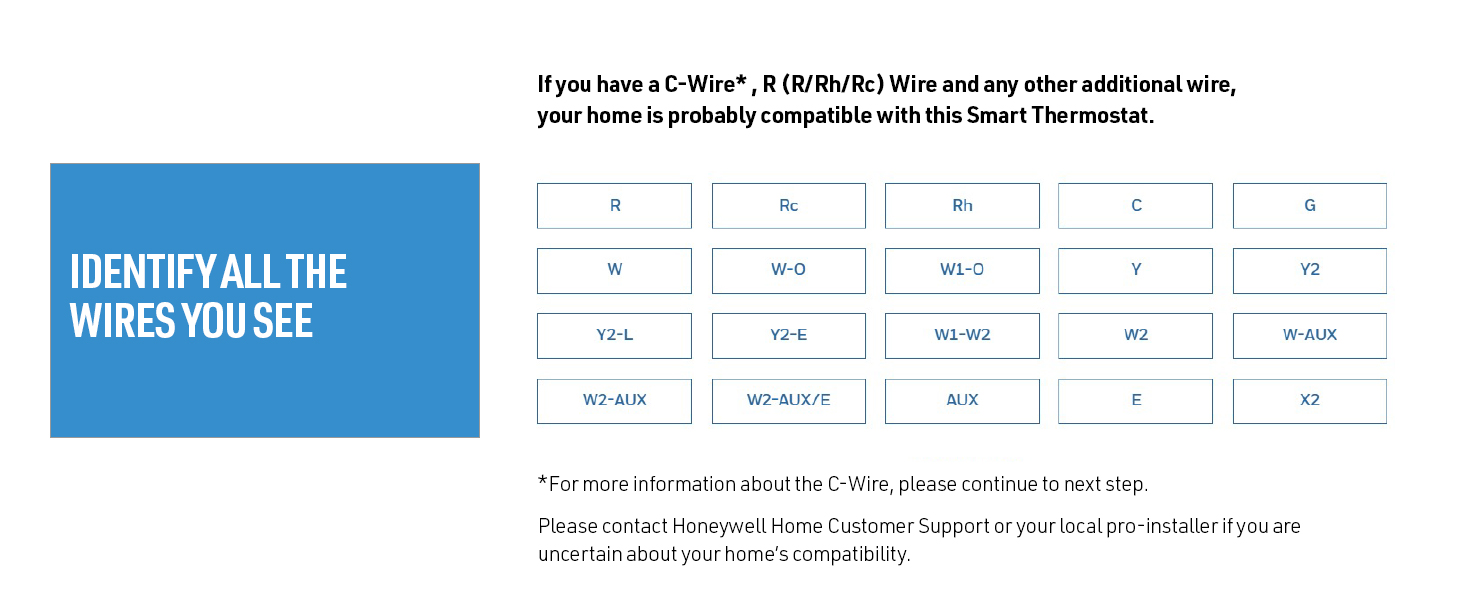
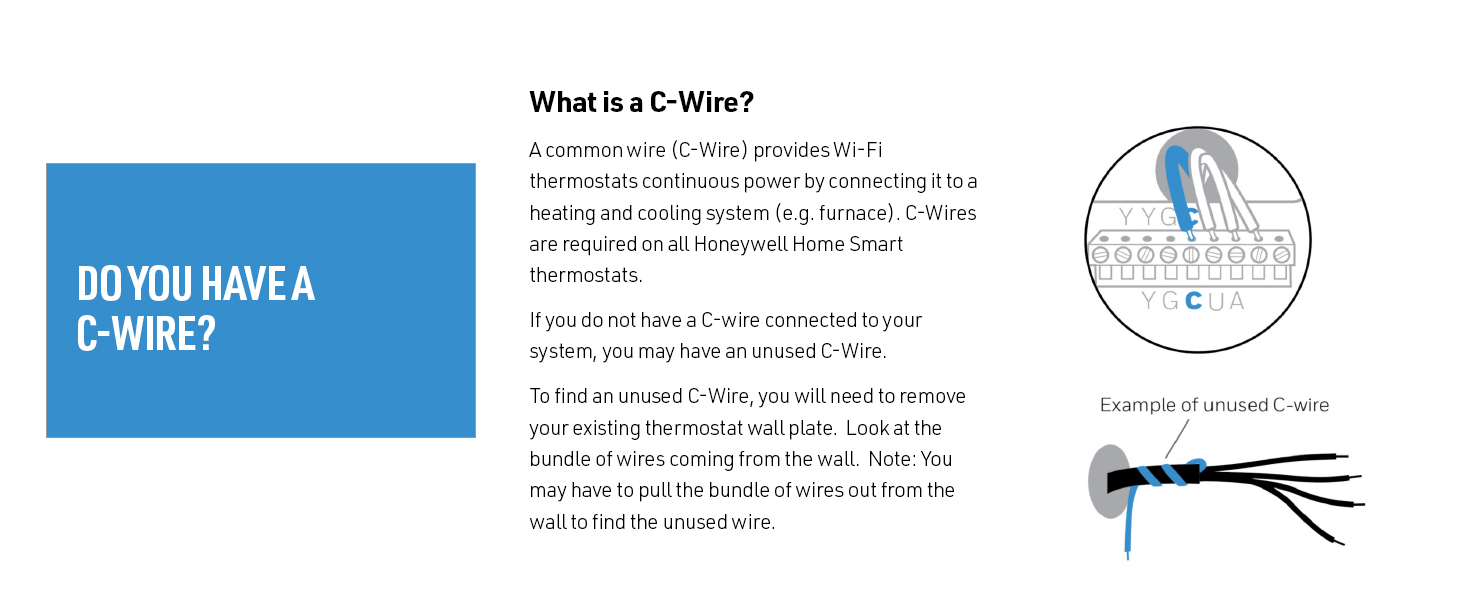
WARNING: it’s a DISSERTATION, but worth reading if you face a missing C/COMMON wire. T9 itself is Easy to install AS LONG AS YOU HAVE A ‘COMMON’ WIRE in YOUR EXISTING THERMOSTAT- in that case your install is probably 15 minutes. Else it can be HELL figuring out which one is your ‘common’ wire as you’ll need to find it inside the guts of your unit and run a cable from there to your new T9 (or if there’s an UNUSED CABLE from the usual 4-pack already running from your unit to your thermostat). This ‘common’ wire POWERS the thermostat in conjunction with ONE of the other 3 wires it uses - 4wires typically needed. I have a TRANE 4 Ton A/C Handler unit (2TEE3F37A100A) in Miami as we don’t use furnaces or boilers here - although our ‘air handlers’ (unit containing the cooling coils) do normally house a small electric heater that can easily handle the mild 5-10 short lived cold days we get to enjoy each year LOL. Anywho, my unit is about 12 years old and came with a Honeywell-made touch Screen thermostat TCON803AS32DA, which is NOT POWERED by the A/C Handler (Battery Powered) and thus, didn’t have this 4th C/Common wire in use. Figuring out which cable to use as the C/Common wire required 3-4 40-80 minute calls to RESIDEO (part of Honeywell) until I finally got a sufficiently knowledgeable REP to help me. I do have to say that they do try hard to help you and spend as long as needed to help you. It wasn’t until my last call I found the one that took me all the way to the ‘finish line’. So I had to open my A/C Handler and for each call log into a ‘Skype’ type of teleconferencing app (note: each technician used a completely different app to do it, so that was a bit strange, but I digress) so I could show them the ‘guts/inside’ of the machine and we could ‘figure out’ which cable going to the thermostat would be the ‘C’ - as my A/C UNIT’s WIRE TERMINAL BOARD didn’t show any terminals labeled ‘C’ - I’m guessing TRANE likes to keeps things mysterious so you have to call a technician who’ll charge $150 just for the visit (not here). So first 2 techs pointed me in WRONG direction. We used a VOLTMETER (if you don’t know what this tool is or how to use it, you fall into the ‘call a technician’ type of user and shouldn’t fiddle inside your A/C unit — unless it has a clearly marked C terminal). Anywho, you need a 24Volt terminal, but not just ANY 24V terminal (which first Tech picked one of 3 ‘W’ terminals because it had the required 24V, but still my Thermostat WOULDN’T TURN ON. So I was told I had a defective unit because I bought from Amazon, which isn’t an authorized distributor and probably mishandled unit by dropping it or being too hot in the WH. To which I responded, why? Because Home Depot (an authorized dist) wouldn’t drop it or keep it in a strict climate controlled environment? LOL. Anywho, I couldn’t wait another 2 days for Amazon to send me a new unit so I DID go to Home Depot and got one of their units - and guess what? It DIDNT TURN ON EITHER; so next Tech told me I had another defective unit after validating that the ‘C’ wire going to T9 did in fact provide 24V. At this point I hung up - I’m engineer and I know a thing or 2 about statistics, and chances of getting 2 BAD T9 UNITS from 2 completely different places are STATISTICALLY speaking, VERY SMALL. THIRD CALL was the charm. New guy told me all ‘W’ terminals are for HEATERS (I have 3), and the issue was that even though we were getting 24V at T9, it wasn’t COMPLETING THE CIRCUIT, so neither Thermostat nor A/C COMPRESSOR were going to work. At this point (20 minutes into back and forth) we took a 50% chance of hitting goal or BURNING something in my Air Handler by choosing as my C one of the cables going to the compressor since in theory, that would close the circuit; and BINGO it did indeed - T9 lit up. That wasn’t the end of the saga - then I had to call again - I lucked out with same guy - because the T9 had to be configured to know I had an A/C - it was only setup as a heater somehow. But a few clicks later, it was cooling. T9 Thermostat works as expected - and I REALLY LIKE IT and TOTALLY RECOMMEND IT - just like my old TCON803, it’s fully programmable and learns when to start cooling to reach your desired TEMP (although neither is extremely successful at it, but I suspect it’s my A/C which can’t handle the BRUTAL HEAT in South Florida in older homes lacking robust insulation). Also like my old 803, it RECIRCULATES THE AIR IN THE HOUSE 30% of the time even when the A/C COMPRESSOR IS OFF - this is KEY in keeping house cooler and not feeling like it’s too hot although thermostat shows DESIRED TEMP: we need airflow to feel temperature correctly. I like that back light is BLUE when cooling; ORANGE when heating, and WHITE when doing neither. THE BAD: the APP is what needs some work to be more useful - for instance, it could easily SHOW on BOTH ‘T9’ Thermostat and PHONE WHICH SENSOR(s) it’s using to ‘DRIVE’ / CALCULATE the INSIDE TEMP, yet that’s BURIED in one of the settings or the ‘PRIORITY’ menu, which is NOT INTUITIVE that you need to go here to find this - I have 3 additional sensors throughout the house and switch to master bedroom sensor at night to drive temp to sleep. To this end, both T9 and APP will show the ROOM NAME where Thermostat is located under the current inside temperature, making it completely misleading - in my case both T9 and APP displays will say FAMILY ROOM 71F, but it’s REALLY 69F in the family room; the 71F degrees are coming from a SENSOR IN MY MASTER bedroom, which runs hotter, and thus why I switch to it at night to drive temp. APP is VERY BUGGY TOO - it will often show BOTH WRONG INSIDE TEMP & WRONG TEMP SETTING, which requires killing app and starting it again. I have the latest iPhone 12 Pro Max and iOS version (14.7) as of this writeup, and super fast Wifi, so neither of those are the issue (oh!, and I’m referring to this happening while I’m home - I have no way of validating if the readings are outdated once I’m not home - I can validate them at home because the app values don’t match the ones on thermostat). Anywho, that was a novel, my apologies, but you got the whole story. Best of luck with your instal. Despite all the hassle, it was TOTALLY WORTH IT!
E**C
Good Thermostat for the money.
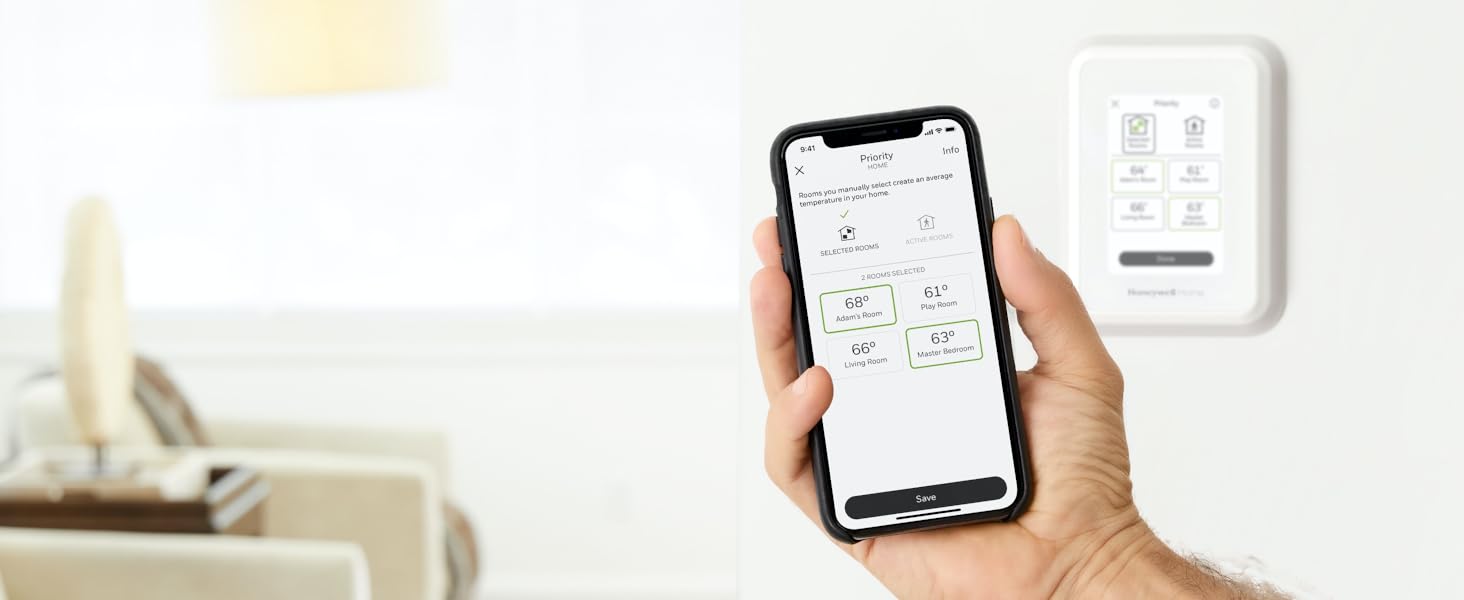
I just had a new AC system installed into my condo and had been using a nest 3rd gen thermostat for the last 7 years. The HVAC guys told me that I should consider switching my thermostat due to the amount of service calls they've had where the nest was the culprit. So I did some shopping and came across the Honeywell T9. I decided to pull the trigger and order it. So far I like it alot over the nest, seems to react to temperature changes more quicker than my nest. Things I like about the T9: - Can be paired with external sensors (purchased separately) that can be placed elsewhere in your home to have the thermostat use those for temperature readings versus relying solely on the main thermostat. - The T9 can monitor the main thermostat and sensors you select- it will then create a general average ambient temperature between the main thermostat and the other sensors for a master home temp to reach. Thing to note on this is - do not place the sensors in direct sunlight and also place them on interior walls so they are not falsely reading heat from sunlight or a cold draft from a vent or thinly insulated exterior wall. When you enable scheduling on the thermostat, you can schedule time frames for high and low temps and which sensors to monitor and what time to monitor. -The thermostat connects with Accuweather to tell you the weather forecast for the day / week you can see from the master thermostat or from the Resideo app.This is based on the zip code you enter during setup. -While you can have the thermostat turn the blower on for your air handler or run it randomly to help circulate air to cut down on energy consumption - it does not let you specify a time frame or a schedule for the fan itself. I miss that with the nest where I could tell the system to run the fan for X amount of minutes every hour. With the T9 you can either specify the fan to AUTO which tells the fan to turn on when a call for heat or AC is made or you can select CIRCULATE which will tell the fan to kick on I think for 30 mins every hour to help circulate air. - Geofencing in the resideo app is nice, it will bring up a map based on the address you provided during setup. You can manually create a geofence around your home, where the app will use the location services on your phone to see if you are within the geofence boundaries to use your home temps. You can then specify temp ranges under the schedule to use while you are away. When your phone passes the threshold of the geo fence you specified AND you have enabled scheduling on the thermostat, the T9 will then stop using your home temps and switch over to away temps that you set in your away schedule. You will also get a notification on your phone that you have left the Geo area and that Away temps will now be used. Some things to be aware of : - During setup you may get bombarded with some windows on the thermostat AND in the app and it is possible to miss setting the correct number of stages for hot and cold for your HVAC system- I had this happen where I inadvertently skipped over the Cooling stages- so even though I had wired up the AC to the thermostat- the T9 did not think I had an AC due to me skipping over it during setup due to being bombarded with popup windows. Its an easy fix though- from the Thermostat if you go under Advanced Settings, you can interface with the Heating and Cooling stages, all you need to do is make sure you have at least 1 stage added for both heating and cooling, or more depending on your specific system. You can add the missing stage under the settings which will add the missing mode for Heat or Cold, then you should be good. -With the Resideo app,note that your usage data takes a few days to display. When I first installed my T9 it took like 3 days worth of the system running to generate data, Honeywell really needs to improve this. With my nest, energy consumption for the day would be ready the very next morning. It would be nice to have a more real time view into this to adjust my thermostat accordingly so its not using too much energy. Overall I am happy with my purchase, paired with the new AC, i feel like im using close to 50% less energy than I was before. -
A**R
Mediocre thermostat with some limitations and a very poor app
This device is simply terrible. My main gripe is that app design and functionality. It's really awful. The interface is dated. The features are limited. The usability is poor. Overall design is very poor compared to Nest and Ecobee. I had a hard time with set up and, once install was completed, the device was missing on the app on my iPad (only visible on iPhone app). Second, the thermostat turns the air on and off on constantly. If the temp is set to 72, it shuts off literally the second it hits that specific temp. Other thermostats give you some control over when the hvac shuts off, but with Honeywell you have to set the temp lower, to 70 or 71 in this case. Either way, compared to Nest and Ecobee, the thermostat turns the unit on and off more regularly which not only causes more wear and tear, but is generally annoying. Avoid it. I am now using Ecobee and much happier. What a waste of money buying this device.
J**O
Great product. Goodbye Nest.
I bought four of these and replaced my nest thermostats which I had for seven or eight years. I had issues with my nests. ……. had to replace two of them last year. And my local HVAC company refuses to service nests because of the issues they run into. So far, I must say I really like these T9s as they seem rock solid. I love the first alert app and can control them from my phone while I’m traveling. Afterall, Honeywell has been making thermostats for decades. And when I called to ask a Quick question they answered the phone right away, and I spoke to a human in the USA!
A**É
Erreur d'enregistrement - résolu
J'ai été plus d'un mois sans être capable d'enregistrer mon thermostat dans l'application Honeywell Home App. J'ai contacté le soutien technique d'honeywell home par téléphone et par messagerie instantané. Réponse rapide et très courtois et ils ne niaisent pas avec les détails d'usage. Cependant ils n'ont pas été en mesure de trouver le problème et il m'ont suggérer d'effectuer un retour/échange. Dans une ultime tentative de dernier recours, j'ai effectuer une 4e fois une remise a l'état d'usine et cette fois j'ai choisi l'anglais comme language de configuration. Je ne sais pas si c'est vraiment ce qui a fait fonctionné le couplage avec mon application, mais cette fois ça fonctionné donc si vous avez le même problème que moi essayez ça.
O**R
Piénsalo 2 veces
En general funcionan bien, y la app ayuda a su manejo a distancia, pero después de un año tienen fallas, y es imposible encontrar datos de servicio para repara o aplicar garantía. y ya me empezó a fallar el segundo termostato
A**.
One speed fan only.
This thermostat is not able to control the fan speed if the AC unit. Two options only: either off or full speed. Very inconvenient.
Trustpilot
2 weeks ago
1 month ago